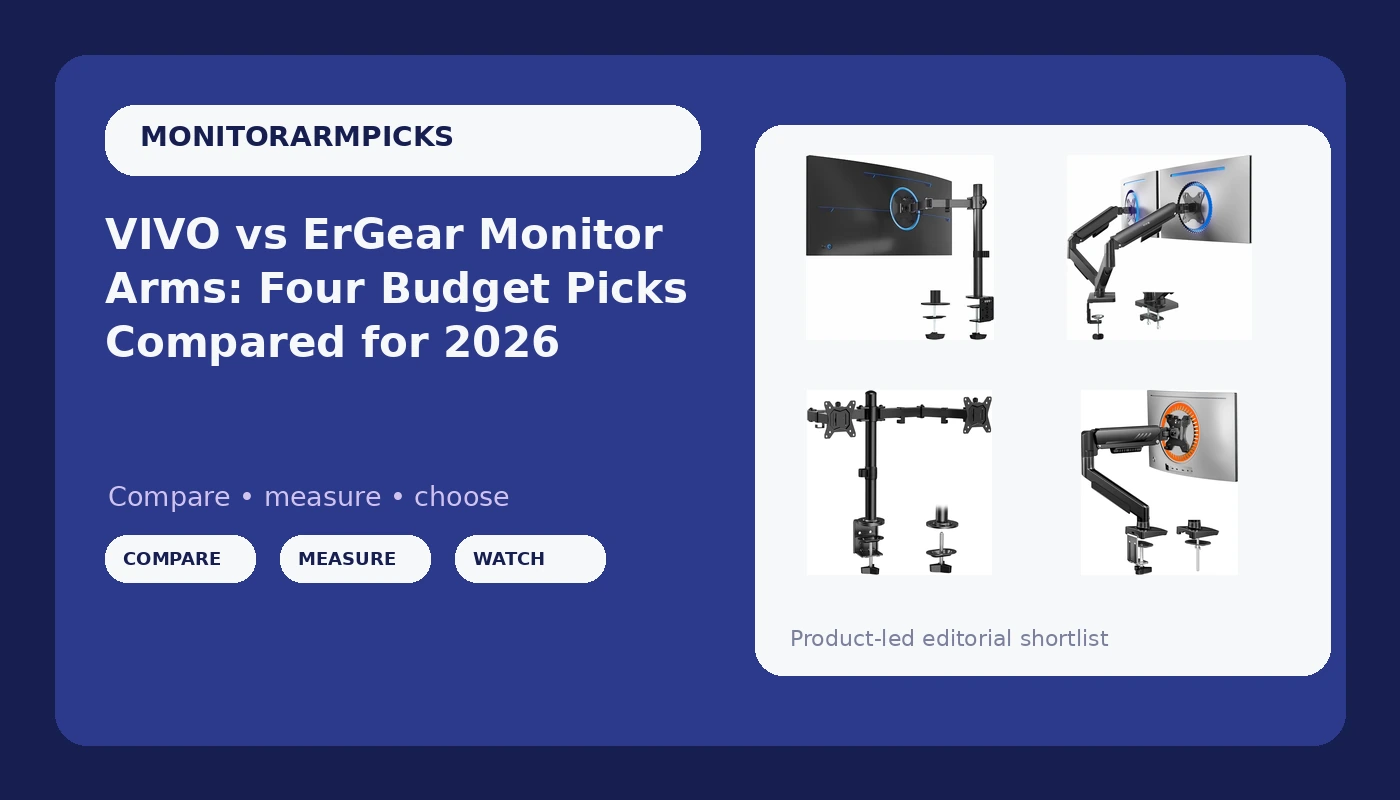
I have built more desks than the furniture store down the street, and the monitor arm is always the last line item and the first regret. A client spends real money on the panel, then tries to save twenty dollars on the thing holding it in the air, and three months later the monitor is drooping and my phone is buzzing. So this comparison of four budget monitor arms is the one I hand people before they order: two single arms and two dual arms from VIVO and ErGear, all rated for actual monitors rather than a webcam and a prayer.
For a two-screen desk, the ErGear Dual Monitor Stand is the value pick. For one large ultrawide, the VIVO Single Ultrawide Monitor Arm is the capacity pick. The rest of this guide is the reasoning behind those two sentences.
Related: Desk Clamp vs Grommet Mount: Measure Your Desk Before You Order
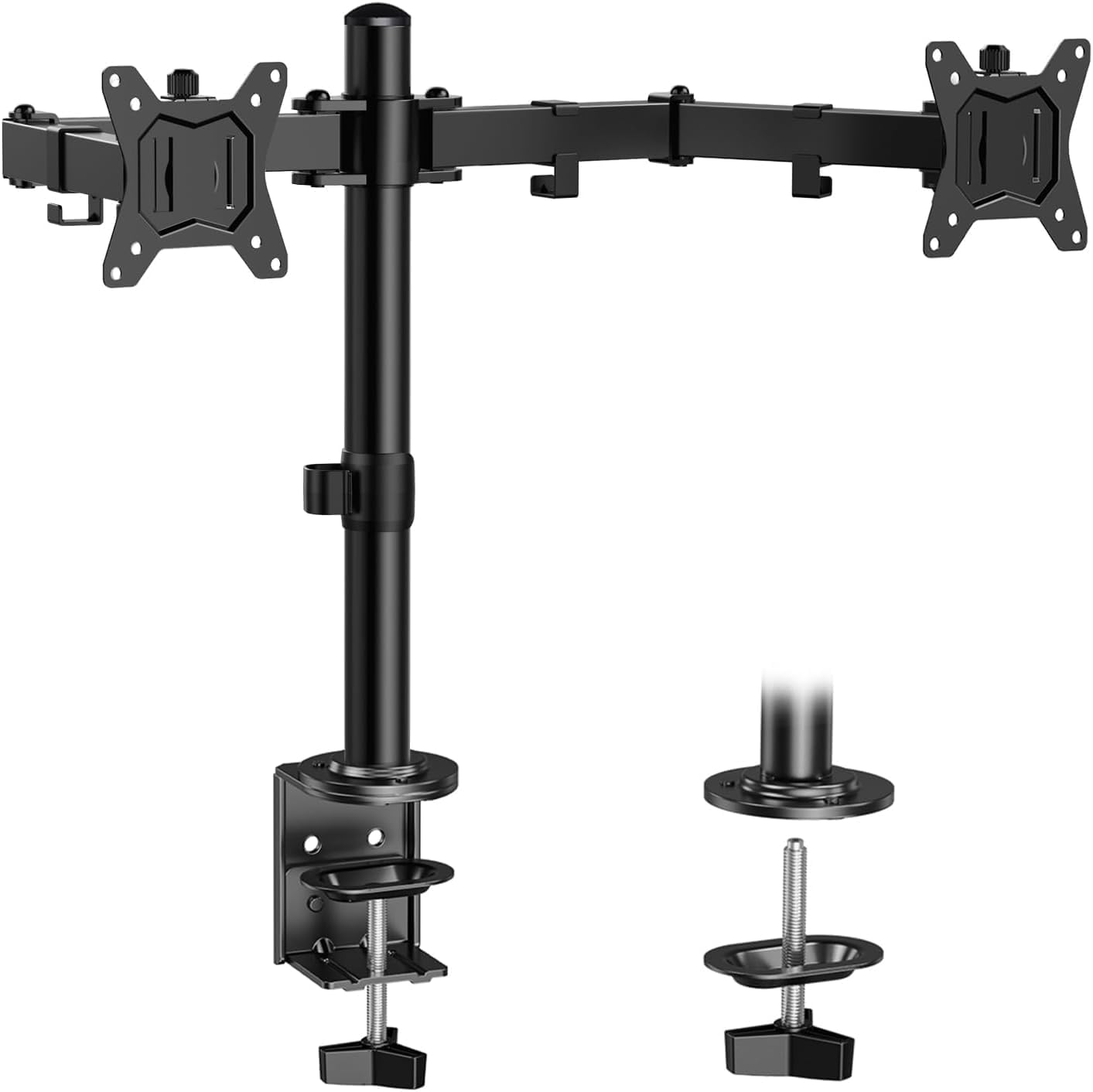
ErGear Dual Monitor Stand
Two arms on one clamp, 17.6 lbs per arm, and the simplest way to float a matched pair of 27 inch panels
Lowest per-arm capacity in this group, and no grommet base listed in the spec
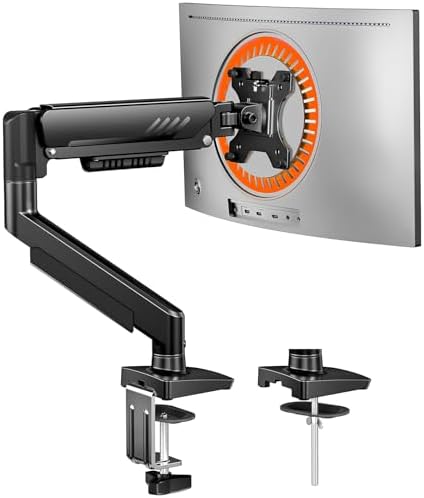
ErGear Single Monitor Arm
Tool-free VESA plate, listed cable management, and 19.8 lbs of capacity for a 27 to 34 inch panel
Single monitor only, and the ultrawide ceiling stops at 34 inches
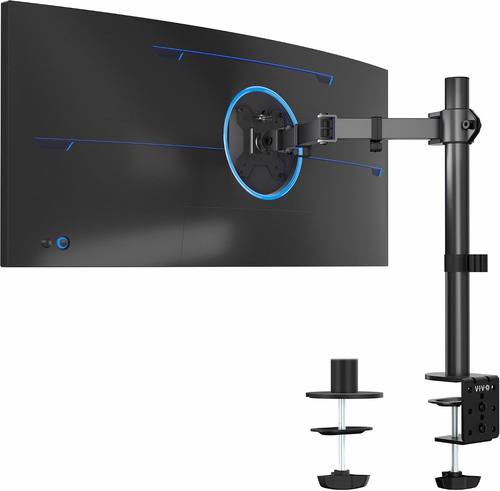
VIVO Single Ultrawide Monitor Arm
22 lbs capacity, 38 inch ultrawide support, and both a C-clamp and a grommet base
One monitor per arm, and a big panel needs real desk depth
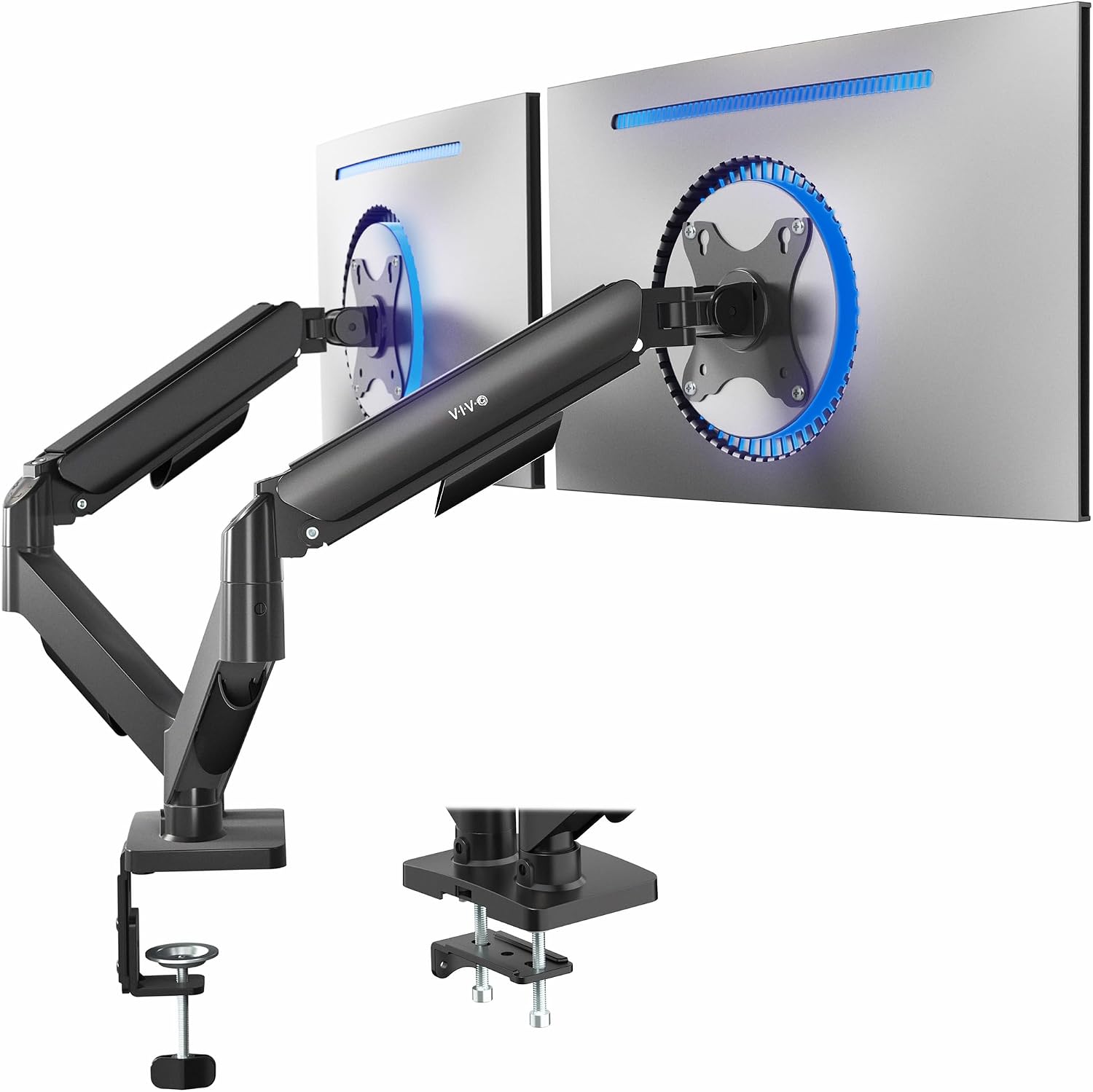
VIVO Dual Monitor Stand
19.8 lbs per arm, both VESA patterns listed, and articulating joints that hold a set position
Mechanical tension tuning instead of a gas spring, and a 17 inch minimum screen size
Prices and availability were captured from Amazon Creators API and may change.
How I judge a monitor arm
Gas spring, VESA, clamp width. In that order, every time.
The gas spring is the whole purchase. It is the pressurized cylinder that holds your monitor where you put it. When it is good, you move a 27 inch panel with one finger and it stays. When it is bad, the monitor sinks slowly over a month and you start stacking books under it. The difference between a cheap arm and an expensive one lives almost entirely in that cylinder, not in the paint or the plastic covers.
VESA is the second question, and it is a binary one. VESA 75x75 and 100x100 are the two mounting patterns on the back of a monitor. If your panel has no VESA holes, no arm on this page works and no arm anywhere else does either. Check the back of your monitor before you read another word.
Clamp width is the third question and the one people skip. A desk clamp grabs the edge of your desk and needs a solid lip and enough clearance underneath. If your desk has a drawer unit flush against the underside of the edge, a clamp may not fit, and you are looking at a grommet mount or a wall mount instead. Measure the desk thickness, measure the lip, then order.
Two more things I check on every arm: whether tilt is adjustable without a hex key, and whether there is a cable channel. A tilt joint that needs a tool never gets adjusted again, and a floating monitor with dangling cables looks broken.
The dual arms: ErGear and VIVO side by side
The ErGear Dual Monitor Stand is the one I would put on most two-screen desks. It holds two screens up to 32 inches, rated at 17.6 lbs per arm, with height, tilt, swivel, and rotate adjustment, and the spec lists easy installation. That per-arm number is the honest headline: 17.6 lbs covers a 27 inch office panel with room to spare, and it covers a 32 inch panel only if that panel is on the light side once the stand is removed. If you are running two heavy 32 inch gaming monitors, this is the wrong arm and I would say so to your face.
The trade-off is the clamp and the capacity. ErGear lists no grommet base here, so if your desk edge will not take a C-clamp, you are out of luck. And 17.6 lbs is the lowest per-arm rating in this comparison.
The VIVO Dual Monitor Stand solves both of those problems at once. It handles 17 to 32 inch screens at 19.8 lbs per arm, and it explicitly lists both VESA 75x75 and 100x100, which means you are not guessing whether your older monitor will bolt up. VIVO describes the arms as mechanical articulating, which is a real distinction. There is no gas spring here. Each joint holds position through tension, so you set it once and it stays, and you re-tension it if you swap to a heavier panel.
That is the honest trade-off on the VIVO dual: it is a set-and-leave arm rather than a move-it-daily arm. For a matched pair of work monitors that you position once, that is fine, and the extra 2.2 lbs of headroom per arm is worth having. Just know that the 17 inch minimum rules out a small secondary panel.
The single arms: ErGear and VIVO
The ErGear Single Monitor Arm is the better pick for a single 27 inch or 32 inch desk monitor. It covers 13 to 34 inch screens, holds 19.8 lbs, and lists a tool-free VESA mount plus cable management and a max VESA of 100x100mm. The tool-free VESA plate is not marketing fluff when it is done right: it means the bracket separates from the arm so you can bolt the plate to the monitor while the monitor lies face down on the desk, then lift the whole thing onto the arm. That is the difference between a two minute install and a fifteen minute balancing act with a panel in one hand and a screwdriver in the other.
The cable management listing matters too. It is the one arm in this group that names cable routing as a feature, and routing is what separates a clean floating monitor from a monitor with three cables hanging off the back like a jellyfish.
The limits: 34 inches is the ceiling, so a 38 inch ultrawide is out, and the spec does not mention a grommet base. If you need to go through a desk hole rather than clamp the edge, look at the VIVO single instead.
The VIVO Single Ultrawide Monitor Arm is the capacity pick of this group, and it earns that with numbers rather than adjectives. It supports 13 to 38 inch ultrawide panels, regular screens up to 32 inches, up to 22 lbs, and it is fully adjustable with both a C-clamp and a grommet base in the box. Those last two details are why it wins for big curved panels. A 34 or 38 inch ultrawide is the heaviest, most awkward thing most people will ever hang on an arm, and 22 lbs gives you headroom that the other three do not.
The trade-off is that it holds one monitor, and a 38 inch panel needs desk depth. The arm has to reach out far enough to center that much glass in front of you, which pushes the monitor forward and eats the space between you and the desk edge. On a shallow desk, the panel ends up closer to your face than you want. Measure your desk depth before you commit.
Weight ratings and the headroom rule
Every arm here is rated for a monitor, not for a monitor plus a VESA adapter plus a soundbar clamped to the arm. Treat the rating as a ceiling, not a target.
My rule is simple: leave about 20 percent headroom. A 17.6 lb arm is comfortable with a 14 lb monitor and marginal with a 17 lb one. A 22 lb arm is comfortable with an 18 lb panel. The reason is that gas springs and tension joints are happiest in the middle of their range, not at the edge, and an arm that lives at 95 percent of its rating is the arm that sags after the return window closes.
Weigh your monitor the honest way. Look up the panel weight without the stand, add anything you have attached to it, and compare that number to the per-arm rating. On a dual arm, the rating is per arm, so a 19.8 lb dual arm is not a 19.8 lb total.
Clamp, grommet, and desk thickness
This is where most returns happen, and it has nothing to do with the arm's quality.
A C-clamp needs a desk edge it can bite, typically an inch or two of flat surface with clear space underneath. A grommet mount goes through an existing hole in the desk and tightens from below, which is sturdier but only works if you have the hole or are willing to drill one. Of the four arms here, only the VIVO single arm lists both options. For the other three, confirm what ships in the box and how thick a desk the clamp accepts before you order.
Check three measurements: desk thickness at the edge, clearance under the edge, and the distance from the edge to anything that blocks a clamp, like a drawer unit or a support beam. If a clamp cannot fit, your options are a grommet mount, a wall mount, or a freestanding stand, in that order of preference.
Cable management is not optional
The ErGear single arm lists cable management, and the others leave routing to you. Either way, plan for it before the monitor goes up, not after.
Route cables along the arm, not straight down from the monitor. Leave a little slack at each joint so the cable has somewhere to go when the arm moves, and bundle the run with velcro rather than zip ties, because you will re-route it eventually. The goal is that the arm looks like it is holding a monitor rather than holding a monitor and a loose nest of DisplayPort, power, and USB.
Which one should you buy
If you run two monitors and both are 27 inches or lighter 32 inch panels, buy the ErGear Dual Monitor Stand. It is the simplest path to a floating pair, and 17.6 lbs per arm is enough for normal office panels.
If you run two heavier 32 inch monitors, or you need both VESA patterns confirmed, buy the VIVO Dual Monitor Stand. Accept that the joints are tension tuned rather than gas sprung, and set them once.
If you run one monitor and it is a 27 to 34 inch panel, buy the ErGear Single Monitor Arm. The tool-free VESA plate and the cable channel make it the friendliest install of the four.
If you run one ultrawide, especially a 34 or 38 inch curved panel, buy the VIVO Single Ultrawide Monitor Arm. The 22 lb rating and the grommet base are exactly what that panel needs.
What I am testing next
I have a 34 inch ultrawide and a 27 inch panel sharing a desk right now, and I am watching how each of these clamps behaves on a desk with a rounded front edge, which is the setup that breaks the most mounts. If the clamp holds there, it will hold anywhere. I will report back on which one starts to creep first.
The other thing on my bench is desk thickness. Half the failures I get called about are clamp problems, not arm problems, and I want a clean number for the minimum edge lip these mounts need before they start to flex. That answer is coming, and it will save somebody a return.