Most people shopping for budget single monitor arms ask the wrong question. They ask which one is cheapest, sort by price, and find out in month four that the cheapest arm is the one that sags, drifts, and needs a hex key every time they want to nudge the tilt. I have spent 13 years in IT infrastructure and the last five building home offices on the side, which adds up to more than 200 desks assembled, cable-managed, and monitor-armed. The pattern has never broken once: a monitor arm is furniture, not a gadget, and the cheap arm that fails in month three was never actually cheap.
This comparison covers three single monitor arms and one cable kit that handles the part of the job nobody photographs. The suptek MD6DB is the entry point for a normal desk. The monTEK is the one rated for 45 inch ultrawides. The Acer Single Monitor Mount sits in the middle, where most people actually live. The under-desk cord organizer is the small accessory that decides whether your floating monitor looks intentional or broken. Prices move constantly, so every listing below points to the current Amazon page rather than a number I would have to correct next week.
The best budget single monitor arm for most desks is the Acer Single Monitor Mount, because a 17 to 34 inch range covers the panels nearly everyone owns. If you run an ultrawide, the monTEK is the arm rated for it, and the suptek is the cheapest credible way to lift a standard monitor off its stand.
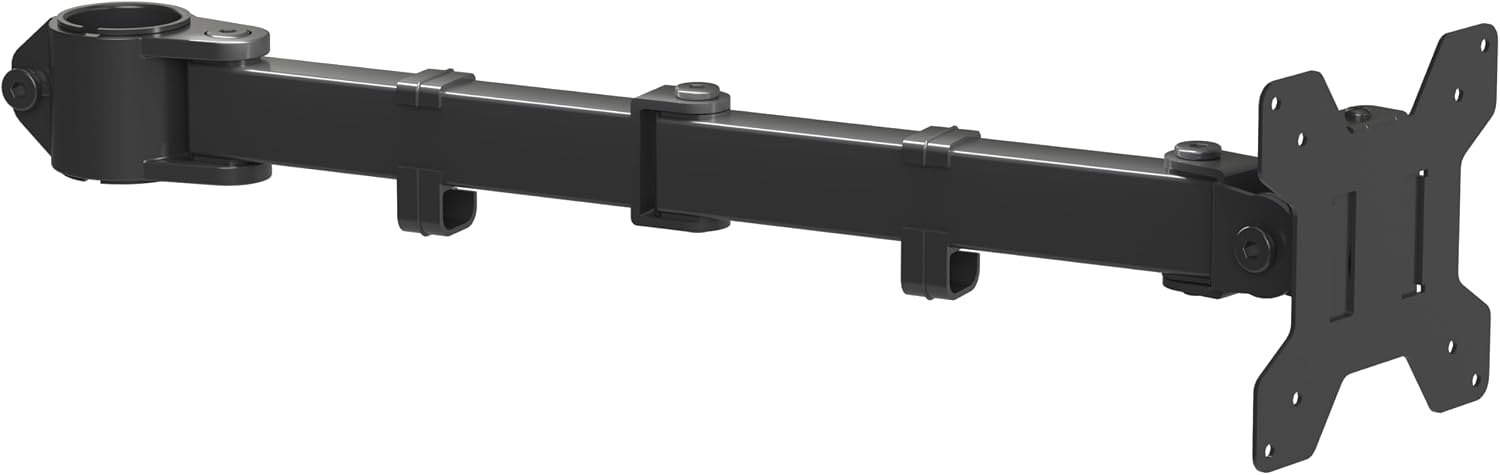
suptek Single Monitor Arm (MD6DB)
Lowest entry point in this comparison, a 22 lb rating with genuine headroom for a 27 inch panel, and both 75x75mm and 100x100mm mounting holes
The 13 to 32 inch ceiling rules out ultrawides, and the gas spring is the unknown at this price
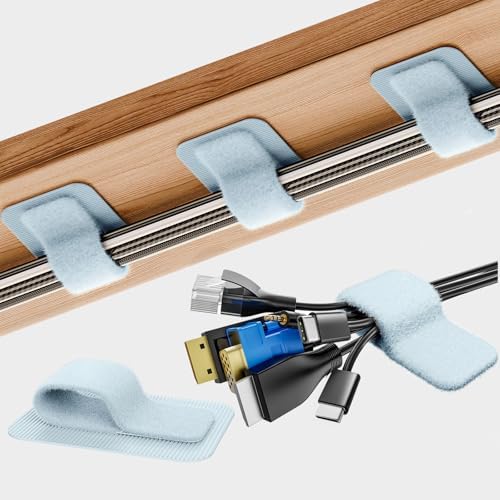
Cable Management Under Desk, 15 Cord Organizer, 20 Pair
Organizes up to 15 cords with 20 pairs of holders, mounts under the desk, and clears the cable bundle out of the sightline
Does nothing for the monitor itself, and you still have to route the cables yourself
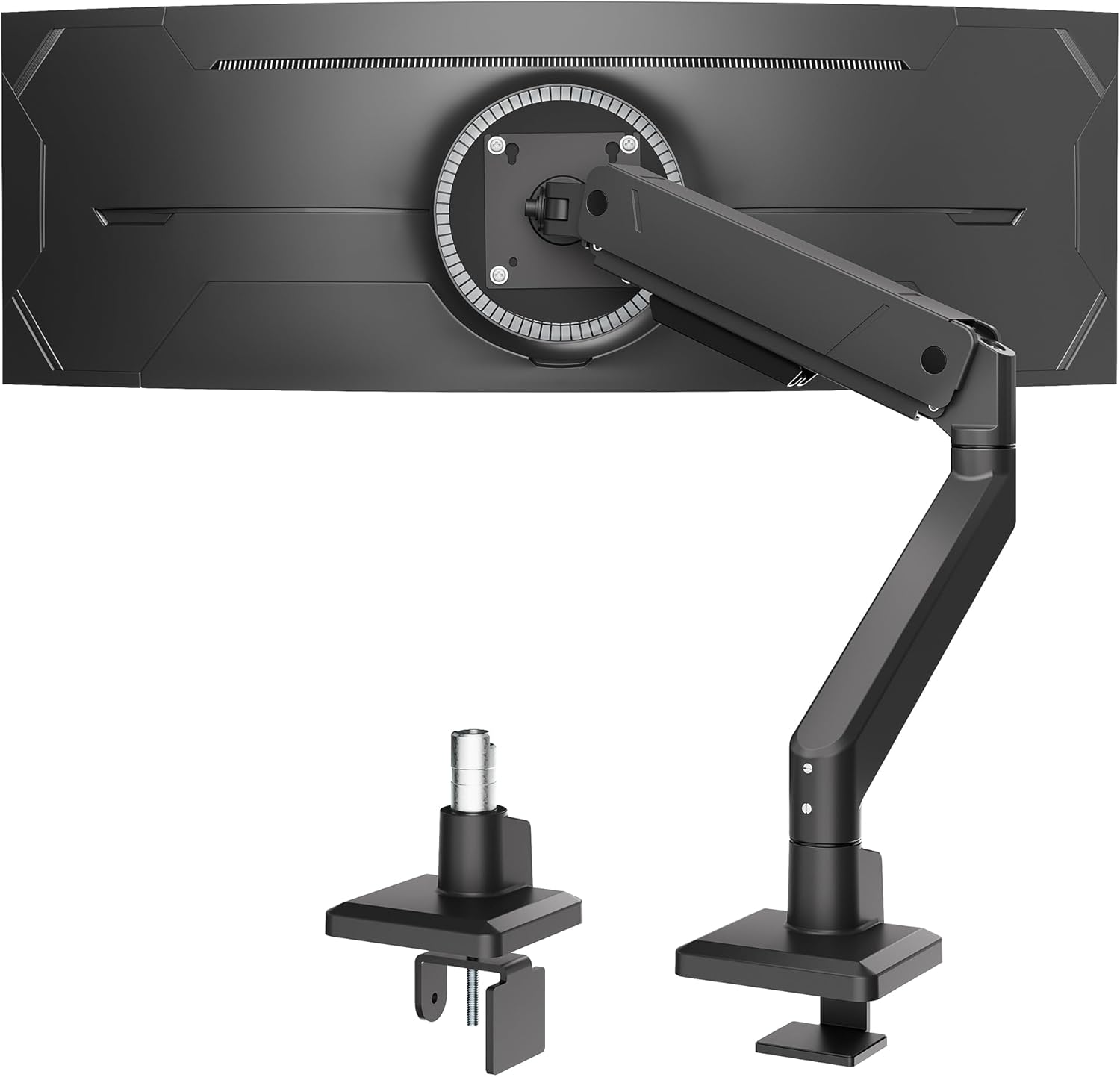
monTEK Single Monitor Arm for Max 45 Inch Ultrawide Screens
Rated to 45 inches and 35 lbs, which is what a heavy off-center ultrawide actually asks of a gas spring
The most expensive arm here, and that capacity is wasted on a 24 or 27 inch panel
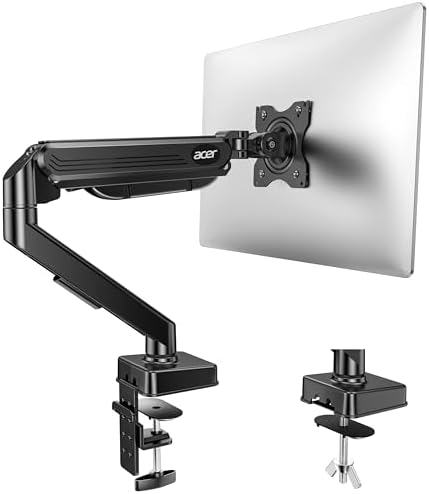
Acer Single Monitor Mount, Fully Adjustable, Fits 17-34" Screens
The 17 to 34 inch range covers the monitors most people own, fully adjustable, and the safest default of the three
The name lists a screen range but no weight rating, so you confirm your panel weight on the listing
Prices and availability were captured from Amazon Creators API and may change.
How I judge a budget monitor arm
Four questions decide whether an arm earns a place in a paying client's office.
First, does the gas spring hold a 27 inch monitor at full extension without creeping down over a workday? Gas spring quality is the entire game at this price. The difference between a budget arm and a premium one is the spring and the joint tolerances, not the paint.
Second, can you adjust tilt without tools? If changing the tilt requires a hex key, you will adjust it once, hate the angle, and live with neck pain for two years. That is not a hypothetical. I have watched it happen in three different client offices.
Third, does the clamp fit the desk? Desk thickness and edge clearance decide more installs than screen size does. Measure the edge before you order anything.
Fourth, is there a cable channel? An arm with nowhere to route the DisplayPort and power cable leaves you zip-tying a loose bundle to the mast. It looks like a mistake, because it is one.
suptek MD6DB: the entry point that covers the basics
The suptek Single Monitor Arm for Desk Mount Stand is the least expensive arm in this comparison, and its spec sheet is honest about what it is built to do. It supports 13 to 32 inch screens, rates up to 22 lbs, and includes both 75x75mm and 100x100mm mounting holes. That VESA range matters more than people think. Every monitor made in the last decade uses one of those two patterns, and an arm that lists only one of them is a gamble you do not need to take.
The 22 lb rating is the interesting number. A 27 inch monitor typically lands somewhere between 8 and 15 lbs depending on panel type, so a 22 lb ceiling leaves real headroom. That headroom is the point of a rating. An arm rated for 17.6 lbs holding a 15 lb monitor is not overkill, it is a spring that is not working at its limit every hour of every day.
What the spec sheet cannot tell you is how the gas spring behaves at full extension in month twelve. That is the honest limitation of any arm at this price, and it is why I tell clients to buy from a listing they can return to if the spring gives up early. For a secondary monitor, a guest desk, or a first apartment setup, this is the arm that gets a monitor floating for the least money.
monTEK: the arm that admits ultrawides are heavy
Most arms top out at 32 inches and quietly pretend a 34 inch ultrawide does not exist. The monTEK Single Monitor Arm goes the other direction. It is rated for screens up to 45 inches and holds 35 lbs.
That 35 lb rating is the whole reason this arm exists. A large ultrawide is a heavy, off-center load, and off-center weight is what kills a cheap gas spring. The further the panel sits from the mast, the more leverage it applies to the joint, which is why an arm that holds a small monitor perfectly can droop under a big one. Buying capacity you need is not overspending. Buying capacity you do not need is.
And that is the trade-off. If your monitor is a 24 or 27 inch panel, the monTEK's rating is headroom you will never use, and you are paying for it. It is the most expensive arm in this comparison, and for a normal desk it is more arm than the job requires. Buy it if you own or plan to own an ultrawide. Skip it if you do not.
Acer Single Monitor Mount: the middle that fits the most desks
The Acer Single Monitor Mount is fully adjustable and fits 17 to 34 inch screens. That window is the widest practical range in this comparison, and it is why this is the arm I would hand to most people.
Think about what people actually own. A 24 inch 1080p panel, a 27 inch 1440p, a 32 inch 4K, a 34 inch ultrawide. The Acer range covers all four. That means one product answers the question for the majority of desks, and the recommendation does not change based on which of those four monitors shows up on the doorstep.
The trade-off is that the name states a screen range but not a weight rating, so the listing is where you confirm your panel's weight before ordering. That is not a knock on the arm, it is just how the spec is presented, and it takes about 30 seconds to check. If your monitor is on the heavy end for its size, verify before you buy. If it is a normal 24 or 27 inch panel, this is the safe pick.
The cable kit that makes the whole setup look deliberate
A floating monitor with cables hanging off the back looks broken. That is not a style opinion, it is the first thing every visitor notices and the first thing every client mentions when they ask me to fix a setup someone else installed.
The Cable Management Under Desk kit organizes up to 15 cords with 20 pairs of holders, in black. It mounts under the desk rather than on it, which matters, because the goal is to get the DisplayPort, HDMI, power, and USB cables out of the sightline entirely. This is the smallest item in this comparison and the one that changes the most about how the finished desk reads. An arm plus a cable channel is a setup. An arm alone is a monitor on a stick.
The order of operations matters here. Route the cables through the arm channel first, then bundle the slack under the desk. Doing it in the other order means doing it twice.
Weight ratings, headroom, and the sag question
Here is the thing nobody tells you about weight ratings. They are not a maximum you should approach, they are a ceiling the spring is designed to hold without working itself to death. An arm rated for 22 lbs holding a 12 lb monitor is a spring operating well inside its comfort zone. The same arm holding a 21 lb monitor is a spring at the edge of its design, every hour of every day, for years.
That is why the headroom numbers in this comparison matter. The suptek's 22 lb rating covers a normal 27 inch panel with room to spare. The monTEK's 35 lb rating is what a 45 inch ultrawide actually needs. Neither number is marketing decoration. They describe how hard the gas spring has to work.
Sag is not a sudden failure. It is a slow one. The monitor sits a half inch lower in month eight than it did in week one, you raise it, and it drifts back down over the next two weeks. By the time it is obviously broken, the return window is long closed. That is the failure mode I build every recommendation around.
Measure your desk before you order anything
Desk clamp versus grommet mount is not a style decision, it is a desk thickness problem, and it is the most common reason an arm gets returned.
Before ordering, measure two things: the thickness of your desk at the edge where the clamp will sit, and the clearance underneath. A clamp needs a solid lip and enough depth to close around it. A desk with a thick beveled edge, a drawer that slides under the mounting point, or a frame rail running along the back can all rule out a clamp mount regardless of how good the arm is.
Then check the load. If your desk is particleboard with a hollow core, a heavy arm clamped to the edge puts stress on material that was never designed for a cantilevered load. The arm is not the weak point in that setup. The desk is.
None of that is complicated, and all of it takes five minutes with a tape measure. Five minutes of measuring prevents the entire category of problem that no arm, at any price, can solve.
What I would put on my own desk
If you own a 24, 27, or 32 inch monitor and a desk with a normal edge, buy the Acer Single Monitor Mount. It covers the range, it is fully adjustable, and it is the arm I would install for a client without a second thought.
If you own a 34 inch ultrawide, or you are planning to, buy the monTEK. The 35 lb rating and the 45 inch ceiling are the reason it exists, and an ultrawide on an arm that was not built for it is a droop waiting to happen.
If you are setting up a secondary desk, a guest room, or a first apartment, the suptek MD6DB gets a monitor off its stand for the least money in this group, with a 22 lb rating and both VESA patterns. Just buy it from a listing you can return to.
And whichever arm you choose, add the under-desk cable kit. It is the smallest purchase here and the difference between a setup that looks designed and one that looks assembled.
The bottom line
A monitor arm is a long-term purchase. The one that sags in month three was never cheap, it was just deferred. Match the arm's rating to your panel, measure your desk edge, adjust tilt with your hands instead of a hex key, and route the cables before you call the desk finished. Do those four things and a budget arm will outlast the monitor sitting on it.