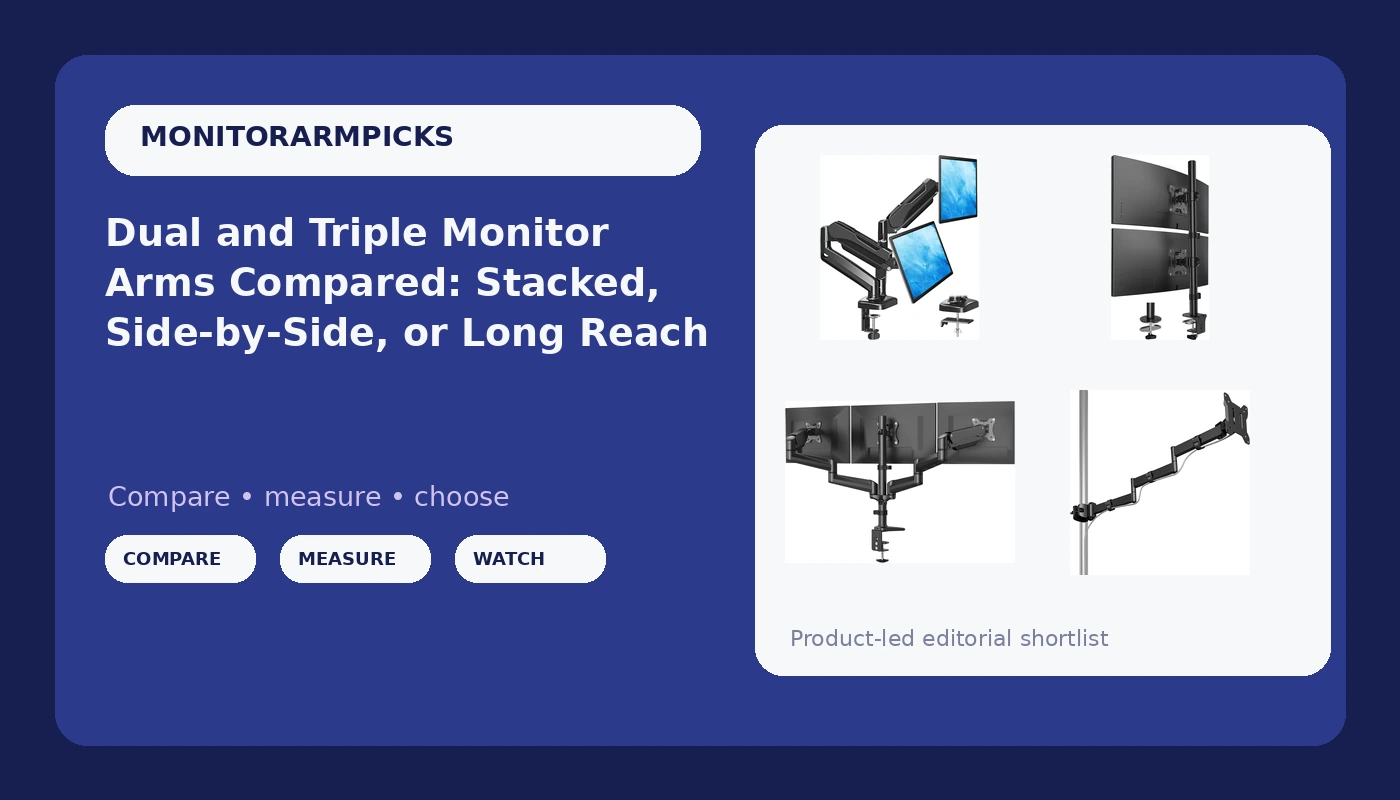
I have installed monitor arms on more than 200 desks around Raleigh, first as an IT infrastructure engineer and then as the guy friends call when their home office looks like a cable crime scene. In that time I have learned that the hard question is never "which arm is best." It is "which shape of arm does your desk and your neck actually want." That is what this comparison of dual and triple monitor arms is for: four mounts, four different answers, and the measurements that settle the choice before you spend anything.
The four mounts here cover the shapes that matter in 2026. Two arms hold monitors side by side, one stacks them vertically, one carries three screens on a single bar, and one is a long-reach pole mount that moves a single panel well out of the way. Every one of them is a clamp or grommet design, which means every one of them starts with you measuring the edge of your desk. That is not a formality. Desk clamp versus grommet mount is a desk-thickness problem, not a style preference, and it is the single most common reason a returned arm comes back to the warehouse.
For most two-monitor desks, the practical pick is the MOUNTUP dual monitor stand, because it gives you two independently adjustable arms, both mounting kits in the box, and a 17.6 lb rating per arm, and it is the lowest-cost way into two floating screens in this group. If your desk is narrow or your panels are large, the HUANUO vertical mount is the better shape. If you run three screens, there is essentially one candidate here. And if you want one monitor floating far off the desk edge, the pole mount is the specialist.
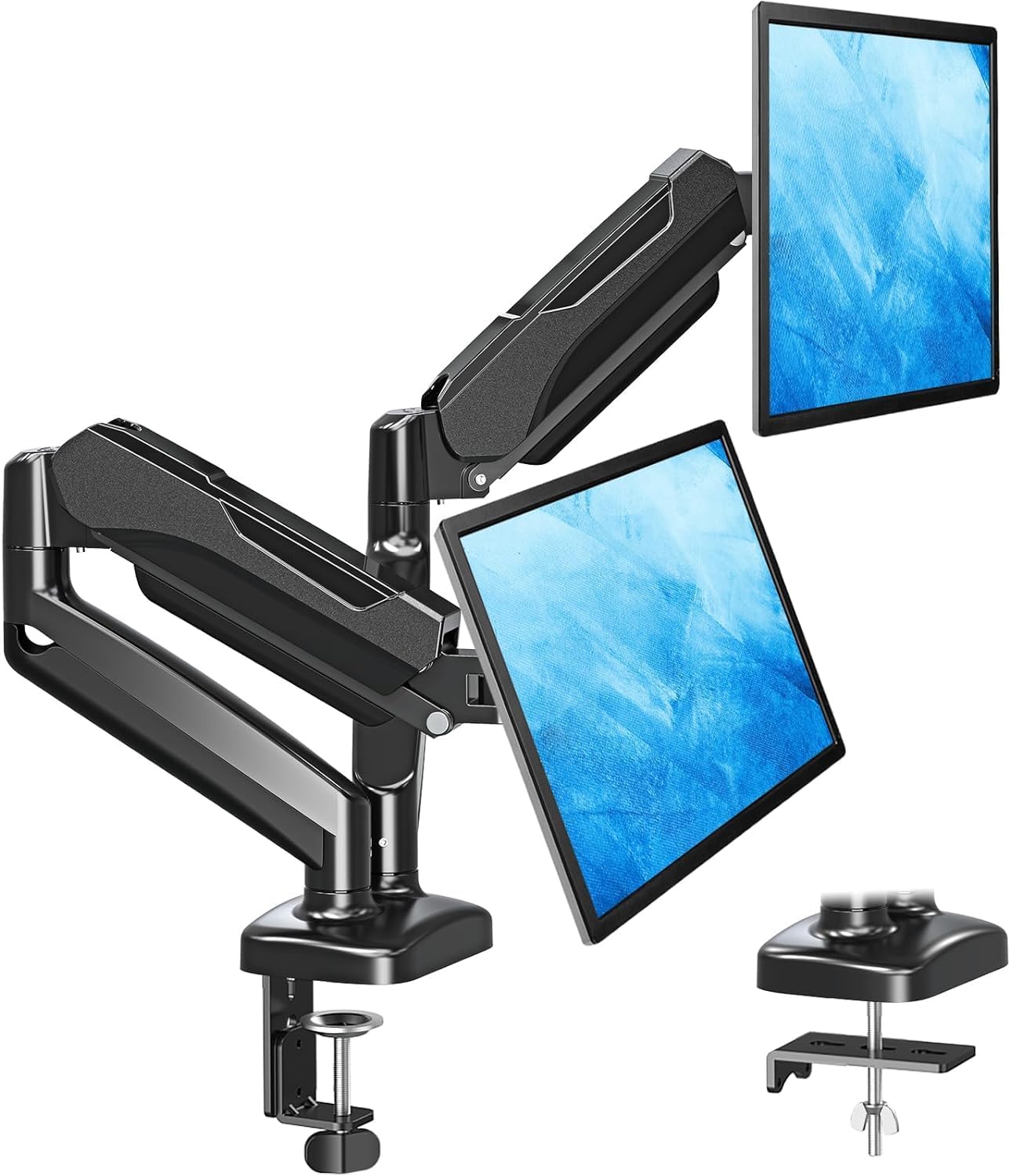
MOUNTUP Dual Monitor Stand for Desk
Two independent side-by-side arms, VESA mount, and both C-clamp and grommet base hardware included; a 17.6 lb per arm rating covers most 27 inch panels
Side-by-side only, so two 27 inch screens consume your entire desk width; the 4.4 lb floor means a very light panel may not hold tilt cleanly
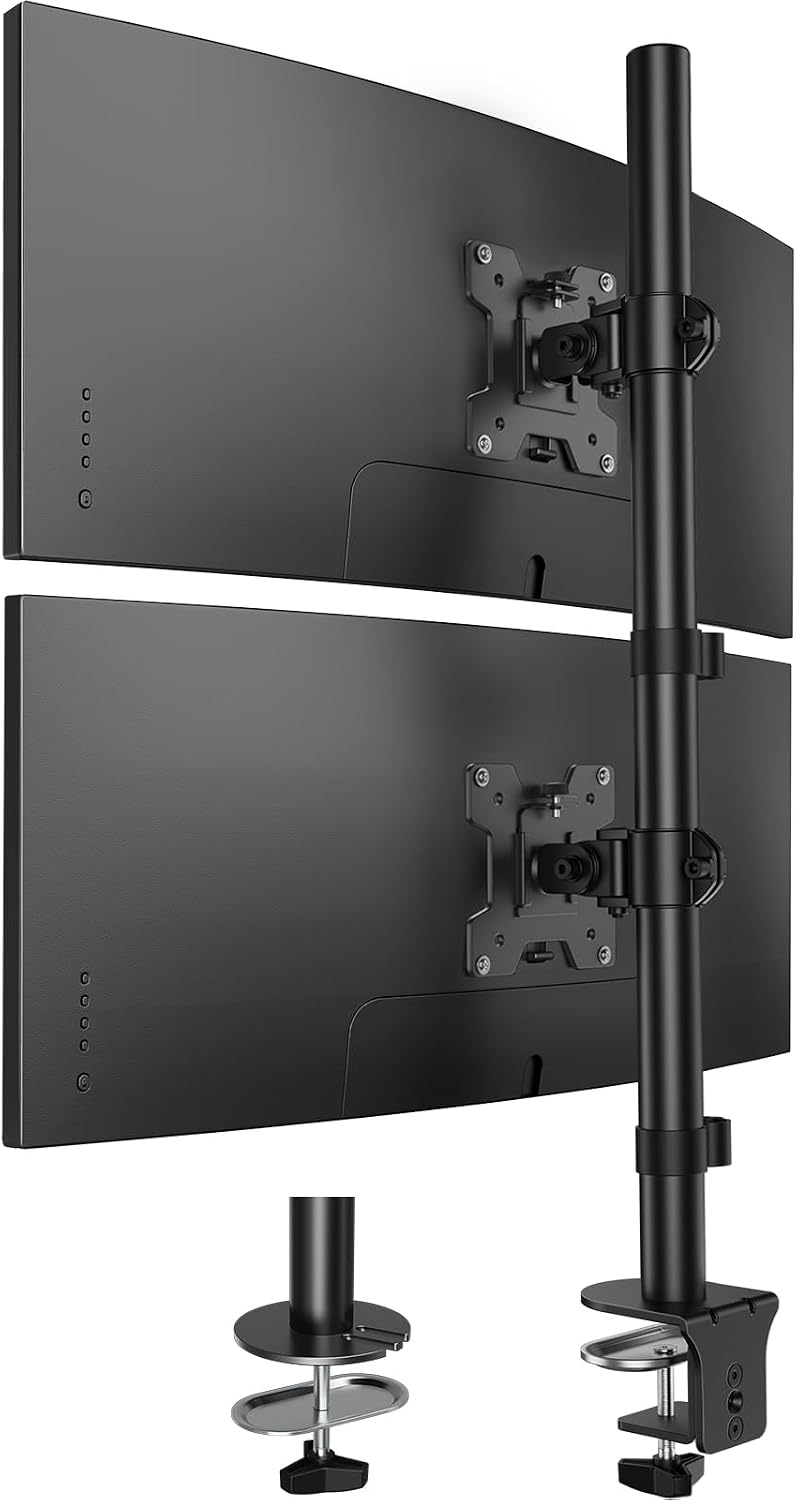
HUANUO Vertical Dual Monitor Mount
Stacks two panels into one vertical column, the only way to fit two 17 to 32 inch screens on a narrow desk; height adjustable, 17.6 lb per arm
Wrong shape if you want matched eye-level screens; the top panel angle is the whole point, so it is a specific ergonomic choice rather than a general one
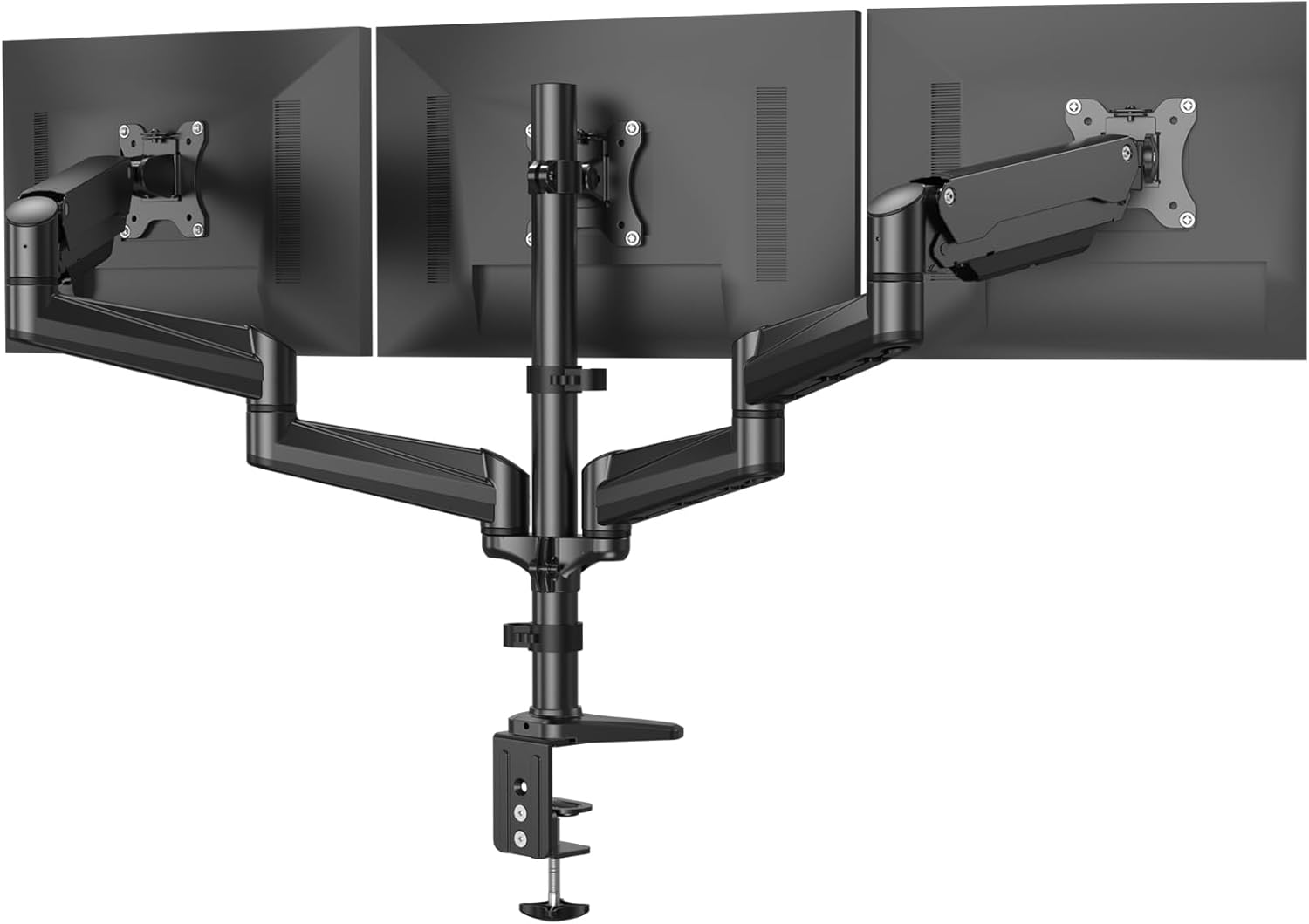
HUANUO Triple Monitor Mount
Three 17 to 32 inch screens on one mount with swivel, tilt, rotation, and both clamp and grommet kits in the box; the widest coverage here
The highest cost of the four, and a triple bar is a commitment: it wants desk depth, a solid edge, and a reason to run three screens
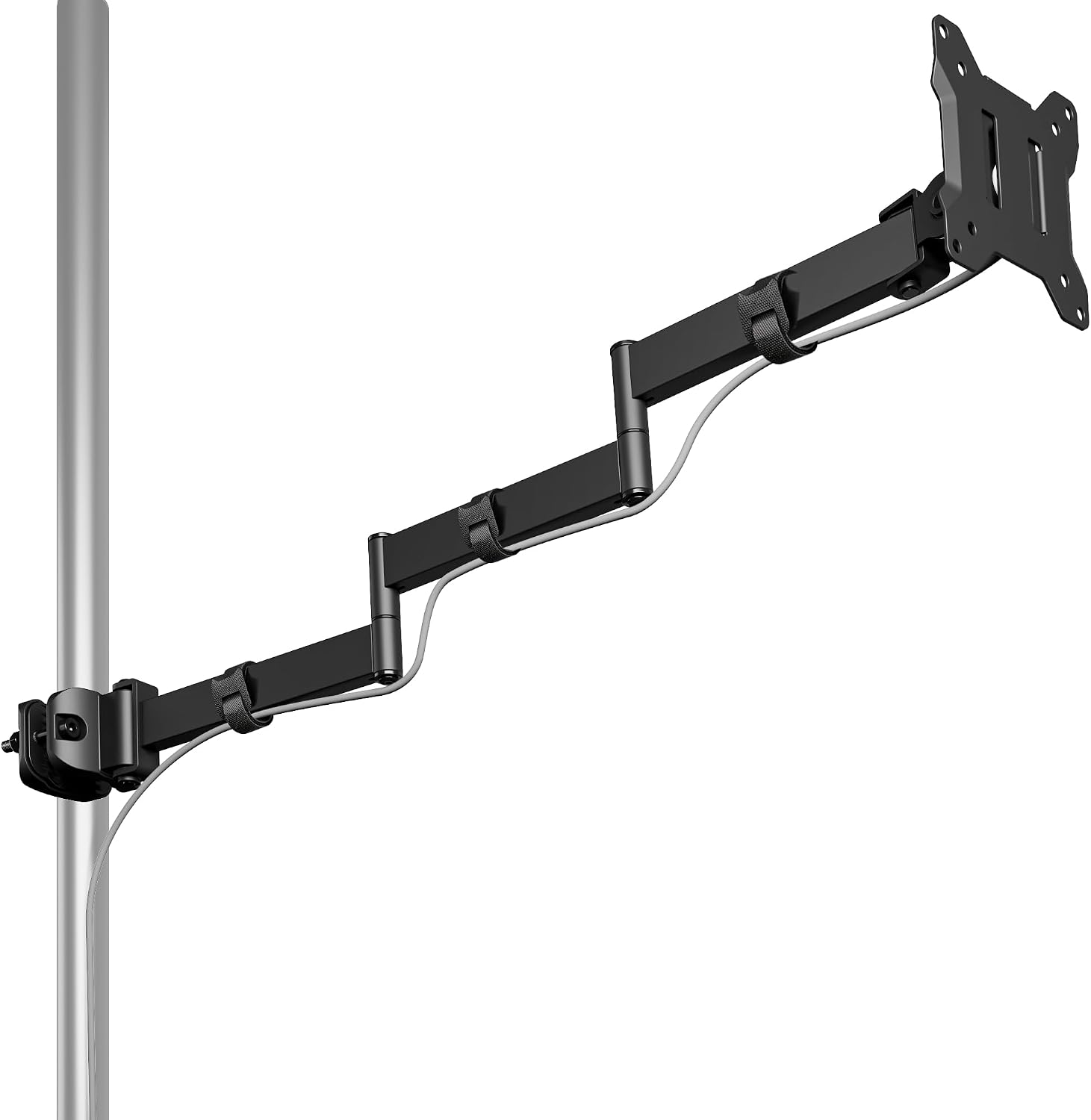
monTEK Long Arm Pole Mount Monitor Arm
25 inch reach and a 22 lb rating, the only pole mount in the group and the only one that gets a single 17 to 32 inch monitor far off the desk edge
One monitor only; pole mounts need a clear run behind the desk and are wasted on a two-screen setup
Prices and availability were captured from Amazon Creators API and may change.
What actually matters in a multi-monitor arm
Gas spring quality is the whole game. The difference between a budget arm and a premium arm is the gas spring, not the paint, and it is the part you cannot see in a product photo. The gas spring is the pressurized cylinder that holds your monitor up. When it dies, your monitor sinks like a souffle, usually a few weeks after the return window closes. Weight rating is your only proxy for spring quality, so treat the number as a ceiling, not a target.
VESA is next. That is the 100x100mm mounting pattern behind your monitor. No VESA holes, no arm, and no amount of adapter creativity fixes a panel that was never designed to be mounted. Check the back of your screen before you check anything else.
Then the clamp. A desk clamp grabs the edge of your desk and needs one to two inches of clearance underneath plus a solid lip. A grommet base goes through an existing hole in the desktop. Neither is better in the abstract; one of them fits your desk and the other does not. Measure the edge thickness and look underneath for a support rail or a drawer box, because a clamp that lands on a crossbar will never sit flush.
Cable management channels are not optional. A floating monitor with dangling cables looks broken, and it defeats the point of clearing the desk in the first place. Look for a channel that runs the length of the arm and a clip at the VESA plate. Two channels are better than one, because DisplayPort and power should not share a lane.
And tilt tension. If the tilt joint needs a hex key to adjust, you will adjust it once and never again, and your neck will pay for it. Hand-adjustable tilt is the feature people forget to check and the one they complain about six months later.
Side-by-side, stacked, or triple
Side-by-side is the default because it matches how most people already work: primary screen in front, reference screen to one side. The cost is horizontal real estate. Two 27 inch panels on arms can span close to five feet once you leave a gap between them, which is fine on a 60 inch desk and miserable on a 48 inch one.
Stacked is the space-saving answer. A vertical dual mount puts the second panel above the first, so the footprint stays narrow and your neck moves up instead of sideways. It suits code, logs, chat, and dashboards. It does not suit anything where you need to compare two full-width documents at the same height.
Triple is a workflow decision more than a hardware decision. Three panels on one mount means one clamp, one cable run, and one alignment problem instead of three. It also means you have committed to a wide desk and a wide field of view, and you should be honest about whether the third screen earns its place or just adds bezels.
The pole mount is the outlier. A long-reach pole arm moves a single monitor up, back, and over, which is exactly what you want when the desk is shared, when a laptop needs the center spot, or when the monitor should sit above a shelf rather than in front of it. Twenty-five inches of reach is a different category of flexibility than a standard articulating arm.
The four mounts in plain terms
MOUNTUP dual: the default two-screen answer
The MOUNTUP dual monitor stand is the one I would hand to most people with two screens and a normal desk. It holds two 32, 27, 24, or 22 inch panels on independent arms, uses the standard VESA mount pattern, and ships with both a C-clamp and a grommet base, which means you are not stuck if your desk edge turns out to be unusable. The 4.4 to 17.6 lb range per arm is wide enough to cover typical office panels, and the 17.6 lb ceiling is the headroom you want rather than the limit you plan to hit.
Check the MOUNTUP dual monitor stand on Amazon
The honest limitation is the shape. Side-by-side is the least space-efficient arrangement of the four, and if your desk is narrow, the vertical mount below will serve you better for the same money.
HUANUO vertical: stacked, for narrow desks
The HUANUO vertical dual monitor mount solves a specific problem: two screens, one column, no horizontal sprawl. It supports two 17 to 32 inch monitors, holds up to 17.6 lbs per arm, and adjusts in height so you can tune where the upper panel sits relative to your eye line. On a 48 inch desk, or in a room where the desk also has to hold a printer and a lamp, this is the configuration that actually fits.
Check the HUANUO vertical dual monitor mount on Amazon
What you give up is the side-by-side workflow. Stacked screens are great for reference material and poor for anything you need to read across at the same level. This is not a compromise mount, it is a different job.
HUANUO triple: three screens, one clamp
The HUANUO triple monitor mount carries three 17 to 32 inch screens with swivel, tilt, and rotation, and includes both clamp and grommet hardware. If you genuinely work across three panels, this is the tidy version of that setup: one mount, one clamp point, one place to route cables. Rotation matters more than people expect, since a portrait panel on the end of a triple bar is the best way to read long documents without scrolling.
Check the HUANUO triple monitor mount on Amazon
The trade-off is commitment. A triple bar is the most expensive option here, it needs desk depth behind the screens, and it wants a solid edge for the clamp. Buy it because three screens are your workflow, not because you might use a third screen someday.
monTEK long arm pole mount: reach over everything
The monTEK long arm pole mount is the one that does something the others cannot. It handles a single 17 to 32 inch monitor, holds up to 22 lbs, and reaches 25 inches, with full motion articulation. That reach is what lets you push a monitor back over a desk shelf, swing it out of the way when the desk becomes a workbench, or position it above a laptop that needs the center spot.
Check the monTEK long arm pole mount on Amazon
It is a one-monitor tool. Pole mounts also want a clear vertical run behind the desk, so check that a shelf, a monitor riser, or a wall does not sit where the pole needs to go.
Desk clamp or grommet: measure before you order
All four mounts include clamp hardware, and two of them include a grommet base as well. That matters more than the spec sheet suggests.
Measure three things before you buy. First, desk thickness at the edge, because clamps have a range and a thick butcher block top can exceed it. Second, clearance underneath, because a clamp needs room to turn and a support beam will block it. Third, the distance from the desk edge to the wall, because an arm that needs to swing back will find the wall before it finds its position.
If your desk has a grommet hole already, the grommet base is the more stable option and it frees the edge. If it does not, you are using the clamp, and that is fine as long as the lip is solid. Particle board with a hollow core is the case where I tell people to add a reinforcement plate or pick a different desk.
Weight ratings and headroom
A 17.6 lb rating is not a suggestion, and it is also not a target. Arms rated for 17.6 pounds will hold a 15 pound monitor, and that headroom is the point: the spring is not working at its limit, so it holds position and lasts longer. Three of the four mounts here top out at 17.6 lbs per arm. The pole mount goes to 22 lbs, which is the most headroom in the group and the reason it can handle a heavier single panel.
The floor matters too. The MOUNTUP dual arm lists a 4.4 lb minimum per arm, which is unusually low and useful if you mount small panels, but it also means a very light monitor at the bottom of that range may not have enough resistance to hold a tilt angle firmly. Heavier panels are easier to keep in place, not harder, as long as you are under the ceiling.
Add the monitor's own weight to nothing else. Weight ratings assume the monitor is the only thing on the arm. Hanging a webcam, a microphone boom, and a ring light off the VESA plate is how people end up with a sagging arm and a warranty claim that gets denied.
The trade-offs I would name out loud
Every mount here wins on one axis and loses on another. The MOUNTUP dual wins on cost and flexibility of mounting hardware, and loses on horizontal footprint. The HUANUO vertical wins on desk space and loses on side-by-side workflow. The HUANUO triple wins on screen count per clamp point and loses on cost and commitment. The monTEK pole mount wins on reach and weight headroom and loses on the number of monitors it can carry.
None of those are defects. They are the shapes of four different jobs. The mistake is buying the shape that looks best in a photo instead of the one that matches how you actually use the screens.
How I would choose in five minutes
Two monitors, normal desk, standard panels: the MOUNTUP dual arm.
Two monitors, narrow desk or large screens: the HUANUO vertical mount.
Three screens as a genuine workflow: the HUANUO triple mount.
One monitor that needs to move far, sit high, or clear the desk entirely: the monTEK long arm pole mount.
Whichever you pick, do the desk measurement first, confirm the VESA pattern on the back of every monitor, and check the weight of the heaviest panel against the rating. An arm is furniture, not a gadget. The one that sags in month three was never the cheap option.