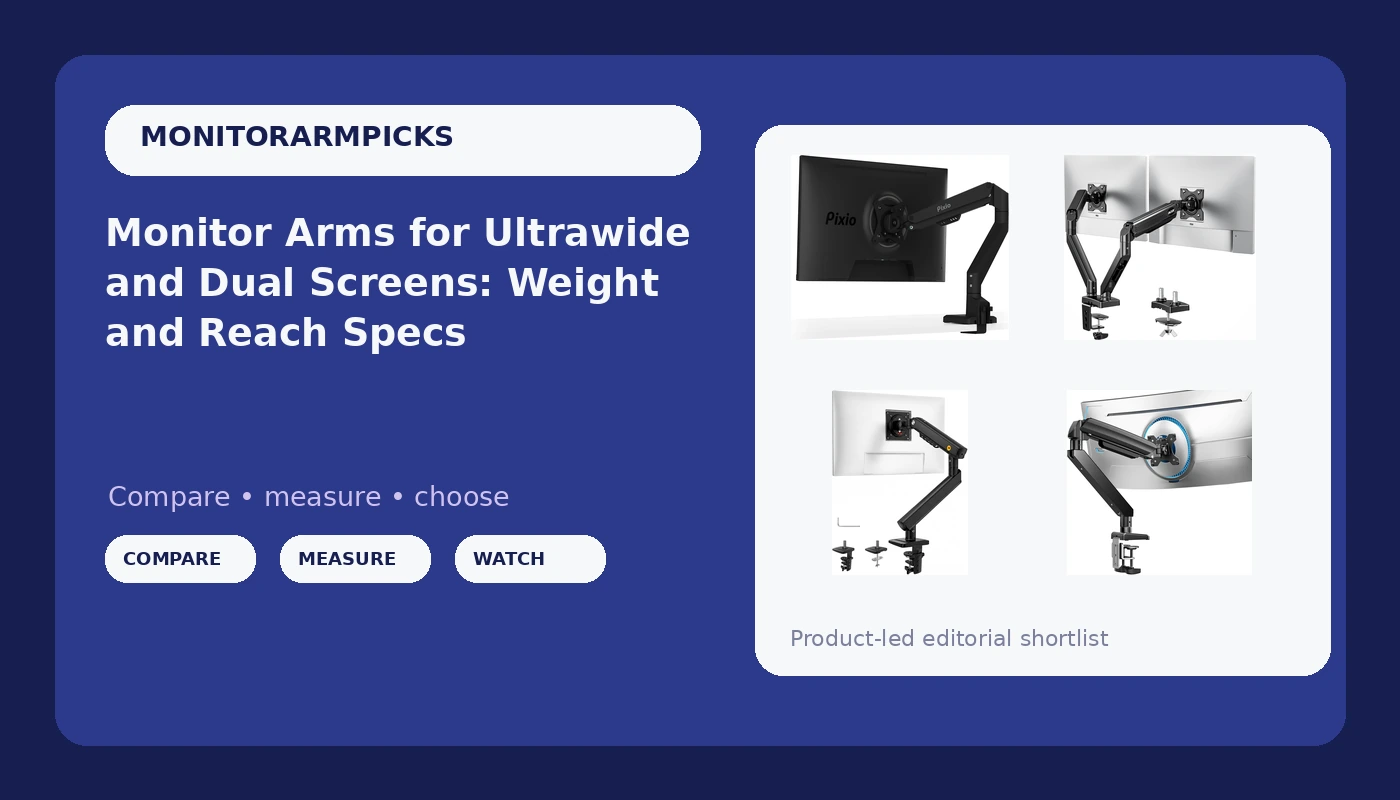
A monitor arm is one of the few desk upgrades that changes how the entire setup works. The screen floats, the desk surface comes back, and viewing height stops being a compromise you make every morning. The hard part is that arms are sold on weight ratings and screen-size ranges that rarely line up neatly with what you actually own. If you are shopping for a monitor arm for ultrawide screens, the numbers that decide the purchase are the weight capacity, the VESA pattern on the back of your display, and whether the mount can grip your desk at all.
This comparison covers five arms that sit in very different places on the price and capacity spectrum, from a compact mechanical spring mount for a single 32-inch screen to a heavy duty arm rated for 49-inch ultrawides. Rather than rank them by brand name, each one is described by what its published specifications say it can hold, how it attaches to a desk, and which VESA patterns it accepts. That is the information that determines whether an arm works in your room, and it is the information most product pages bury under marketing copy.
Related: How to Measure Your Desk for a Monitor Arm Clamp
Quick answer
The ErGear Heavy Duty Monitor Arm for 13-49″ Ultrawide Screens is the strongest fit for ultrawide and heavy monitor setups because it carries a 37.4 lb capacity rating, covers a 13 to 49 inch screen range, supports both VESA 75x75 and 100x100 patterns, and includes dual C-clamp and grommet mounting hardware. Choose the Pixio PS1S Wave Black Single Monitor Arm Stand Desk Mount instead when you are mounting one screen up to 32 inches and integrated cable management matters more than raw capacity.
Monitor arms worth comparing
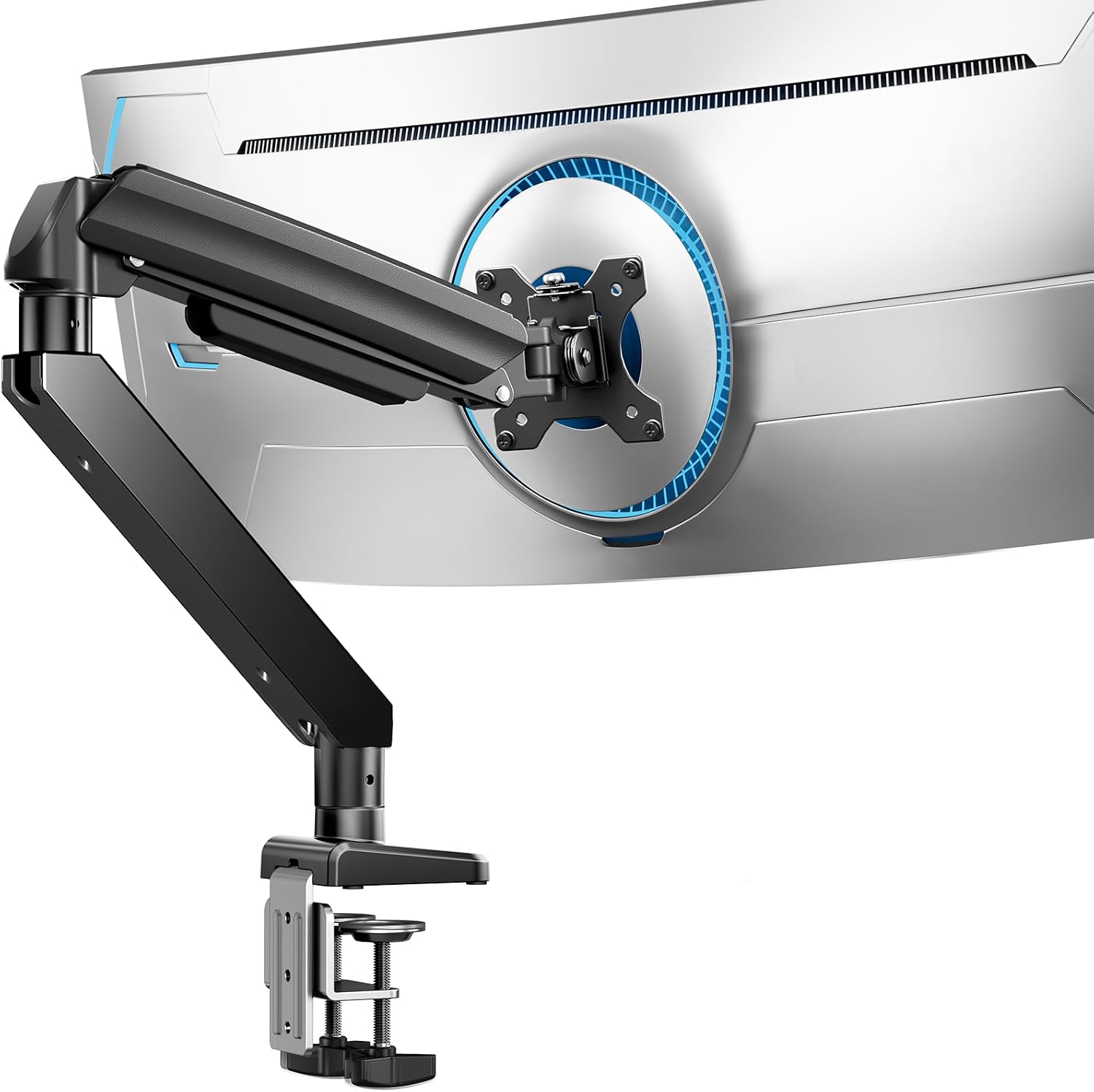
ErGear Heavy Duty Monitor Arm for 13-49″ Ultrawide Screens, 37.4 lbs Capacity, Full Motion Monitor Desk Mount, Rock-Solid Support, Dual C-Clamp & Grommet Mount, VESA 75x75/100x100mm
Rated for 13 to 49 inch screens and up to 37.4 lbs, with full motion articulation, VESA 75x75 and 100x100 support, and both dual C-clamp and grommet mounting options.
Visit on Amazon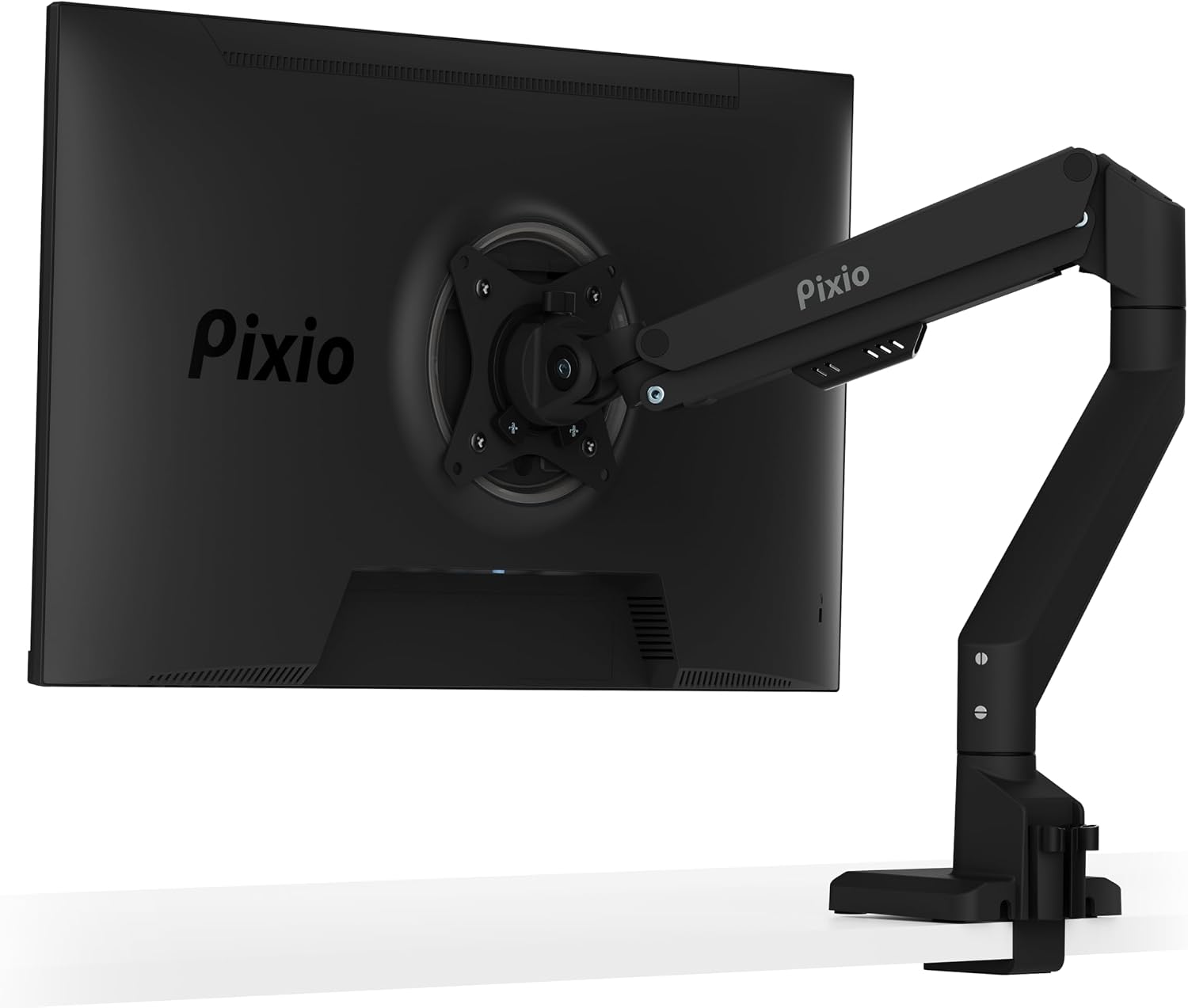
Pixio PS1S Wave Black Single Monitor Arm Stand Desk Mount - Fits up to 32 inches Monitors and up to 19.8lbs. VESA Compatibility and Integrated Cable Management
Check current Amazon price
A single-arm desk mount built for monitors up to 32 inches and 19.8 lbs, with VESA compatibility and integrated cable management channels.
Visit on Amazon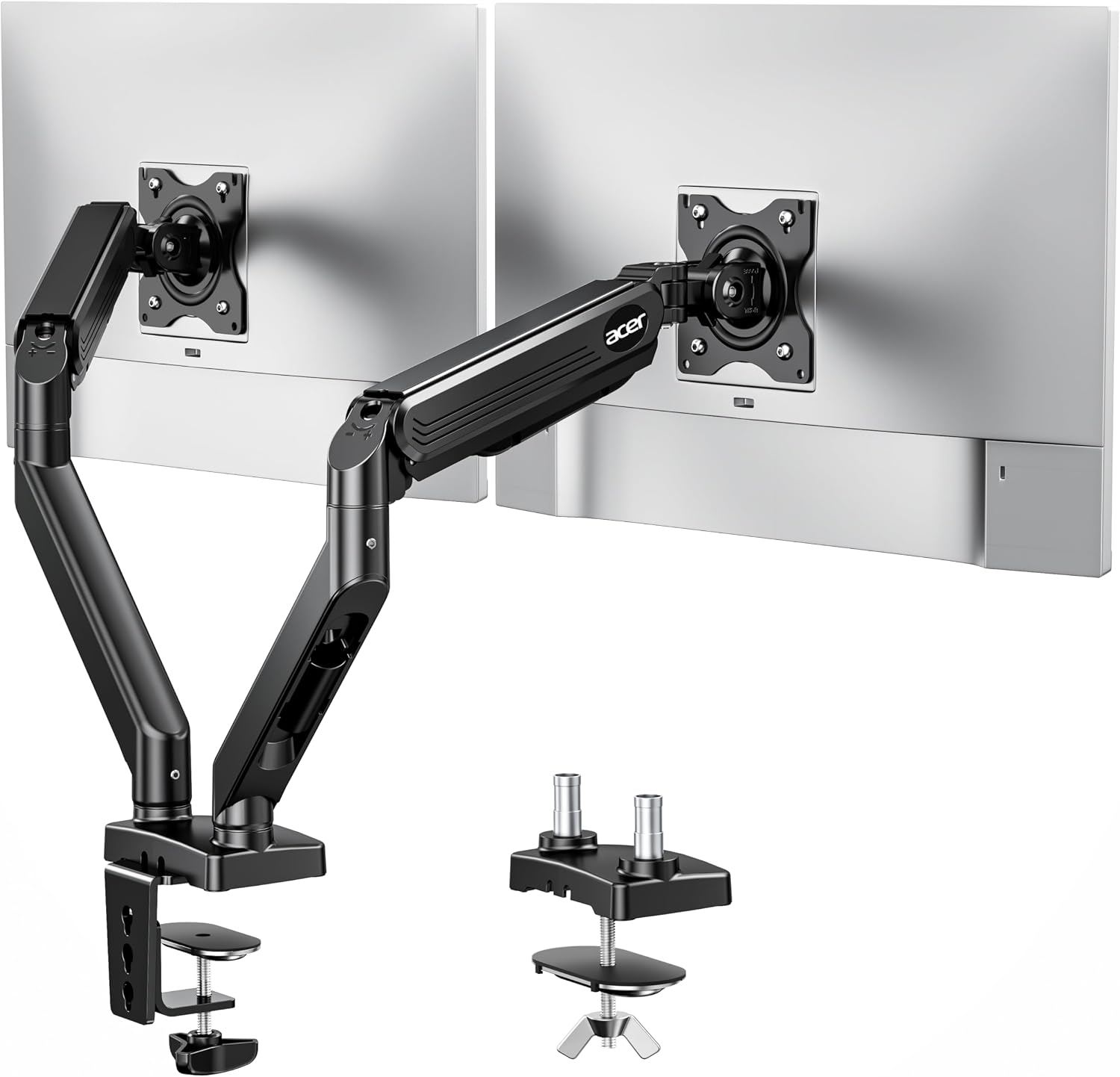
Acer Dual Monitor Arm, Gas Spring VESA Mount Stand for 17-32" Screens
A dual-monitor gas spring arm designed for 17 to 32 inch screens, with VESA mounting for side-by-side desk setups.
Visit on Amazon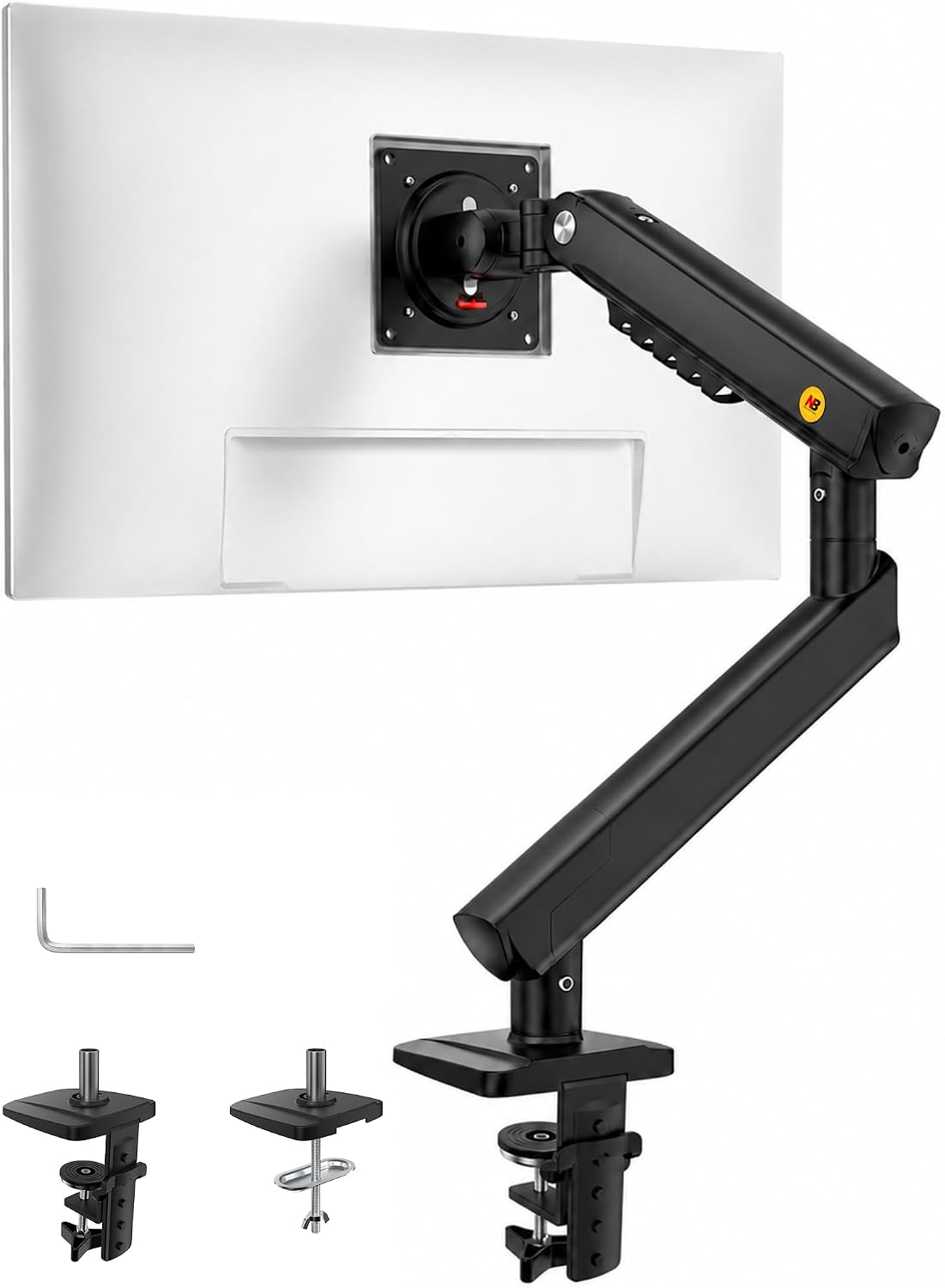
NB SmooVex™ Monitor Mount, Monitor Stand fits up to 32 Inch, Mechanical Spring Mount, VESA 75/100 mm, Model-A5(Black)
A mechanical spring mount for screens up to 32 inches, with VESA 75 and 100 mm patterns in a compact single-arm design.
Visit on Amazon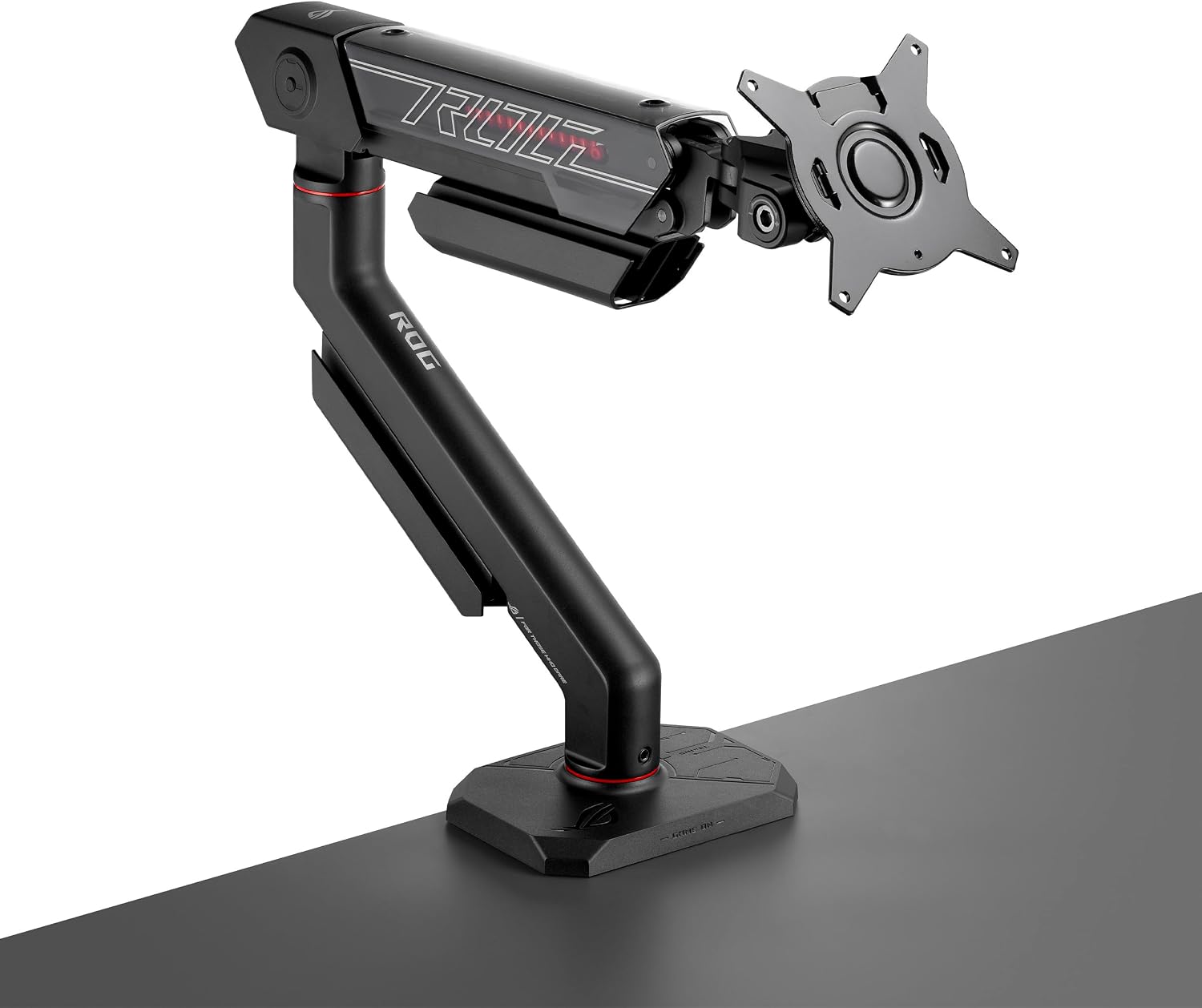
ROG Ergo Monitor Arm (AAS01R), Mechanical Spring Monitor Mount with Desk Clamp and Grommet Mount, Holds Up to 49-inch* Within 13.5kg, Pivot/Swivel/Tilt/Rotation/Height Adjustable, VESA 100 x 100 mm
A mechanical spring arm with desk clamp and grommet mounting, rated for screens up to 49 inches within 13.5 kg, with pivot, swivel, tilt, rotation, and height adjustment on a VESA 100 x 100 mm plate.
Visit on AmazonPrices and availability may change. Check the retailer for current details.
How these products were compared
This guide compares weight capacity and screen-size range, spring type and adjustment range, desk mounting options, supported VESA patterns, and cable management. Product names, images, and retailer links are matched by product identifier so that every card points to the product shown.
The comparison is built from published manufacturer specifications and the product records above. It is not a claim of timed installation trials or long-term durability testing. Where a spec is ambiguous, such as a screen-size range that depends on panel weight, that ambiguity is noted rather than smoothed over.
How to choose the right monitor arm
Start with weight, not screen size. A 34-inch ultrawide and a 32-inch 16:9 panel can weigh very different amounts, and the arm only knows about mass. Pick an arm whose capacity rating leaves headroom above your monitor's weight with its VESA plate attached. Arms rated well above the load they carry hold position better and put less strain on the tilt joint.
Then confirm the VESA pattern. Nearly every modern monitor uses 75x75 mm or 100x100 mm holes, but an arm that lists only 100x100 will not bolt onto a 75x75 panel without an adapter. The ErGear arm and the NB SmooVex mount both list 75 and 100 mm support, which covers the widest range of displays.
Mounting method is the third decision, and it is really a desk problem. A C-clamp needs a clear, solid desk edge with enough thickness and depth for the jaws. A grommet mount passes a bolt through an existing cable hole, which is more secure but requires a hole in the right place. If your desk has a thick frame, a beveled edge, or a glass top, measure before you buy. Our guide to measuring your desk for a clamp mount walks through the clearances.
Finally, decide between one arm and two. A dual arm like the Acer model holds two screens on a single base, which saves desk edge space and keeps the pair aligned, but it also concentrates more load on one clamp.
ErGear Heavy Duty Monitor Arm for 13-49″ Ultrawide Screens
This is the arm in the group built around heavier panels. It lists a 37.4 lb capacity, a 13 to 49 inch screen range, full motion articulation, VESA 75x75 and 100x100 support, and two mounting methods in the box: a dual C-clamp and a grommet mount. For a 34-inch ultrawide or a large 16:9 display, that combination is the difference between an arm that holds its position and one that slowly droops.
The trade-off is physical presence. An arm rated this high uses a beefier spring and a larger base, so it takes more desk-edge space and looks oversized behind a small 24-inch monitor. The wide screen range also means a light panel may sit near the bottom of the adjustment band, where fine-tuning tilt takes more patience. If your desk has a thin lip or a narrow clamp clearance, check the clamp dimensions before committing, because a heavy duty base needs real material to grip.
Alternatives to consider
The Pixio PS1S Wave Black Single Monitor Arm Stand Desk Mount is better suited to a single screen up to 32 inches and 19.8 lbs, where its integrated cable management channels do the quiet work of keeping the back of the desk clean. It is a one-monitor solution with a lighter footprint than a heavy duty arm.
The NB SmooVex™ Monitor Mount is a stronger fit when budget and simplicity matter more than capacity. It is a mechanical spring mount for screens up to 32 inches with VESA 75 and 100 mm support, so it covers the standard single-monitor desk without extra hardware.
The Acer Dual Monitor Arm, the ROG Ergo Monitor Arm, and the ErGear Heavy Duty Monitor Arm cover the rest of the range. The Acer arm is the dual-screen option with gas spring support for 17 to 32 inch panels. The ROG Ergo arm is the premium mechanical spring choice, with desk clamp and grommet mounting, a 13.5 kg limit, and pivot, swivel, tilt, rotation, and height adjustment on a VESA 100 x 100 mm plate, which means it pairs with displays that use the larger pattern.
Day-to-day use and maintenance
Once an arm is mounted, most of the ownership experience comes down to three things: tension, cable routing, and hardware. Set the spring tension to your monitor's weight when you install it, then adjust in small increments. A spring set too tight will drift upward on its own; one set too loose lets the screen sink through the day. Tilt joints should be tight enough that the panel stays where you leave it after you nudge it.
Route cables through the channels as you assemble the arm rather than after. It is far easier to feed a DisplayPort cable through a channel before the covers snap on, and a routed cable will not snag on the joint covers when the arm moves. Leave a service loop near the VESA plate so you can tilt the monitor without pulling on the connector.
Check the clamp or grommet hardware a week after installation, then every few months. Bolts settle as the desk material compresses, and a clamp that was tight on day one can loosen after a season of temperature swings. Do not hang anything extra from the arm, and do not exceed the rated capacity by adding a second display or a heavy accessory to the VESA plate.
Buying checklist
- Measure your desk edge thickness, depth, and clamp clearance, or the diameter of your grommet hole.
- Confirm the monitor's weight with its VESA plate attached, then compare it to the arm's capacity rating.
- Match the arm's VESA pattern support to the holes on the back of your display.
- Decide between a single arm and a dual arm based on how many screens you actually run.
- Check that the exact model includes the mounting hardware you need, whether clamp, grommet, or both.
- Verify the current retailer price, availability, and return terms before ordering.
Final recommendation
Choose the ErGear Heavy Duty Monitor Arm for 13-49″ Ultrawide Screens when you are mounting a large or heavy display and want a capacity rating with room to spare, plus the choice of clamp or grommet mounting. Choose the Pixio PS1S Wave Black Single Monitor Arm Stand Desk Mount when a single monitor up to 32 inches and 19.8 lbs is the whole job and you want integrated cable management in a smaller package. For dual screens, the Acer arm is the side-by-side option, and the ROG Ergo arm is the pick when you want a mechanical spring design with a full adjustment set on the larger VESA pattern.