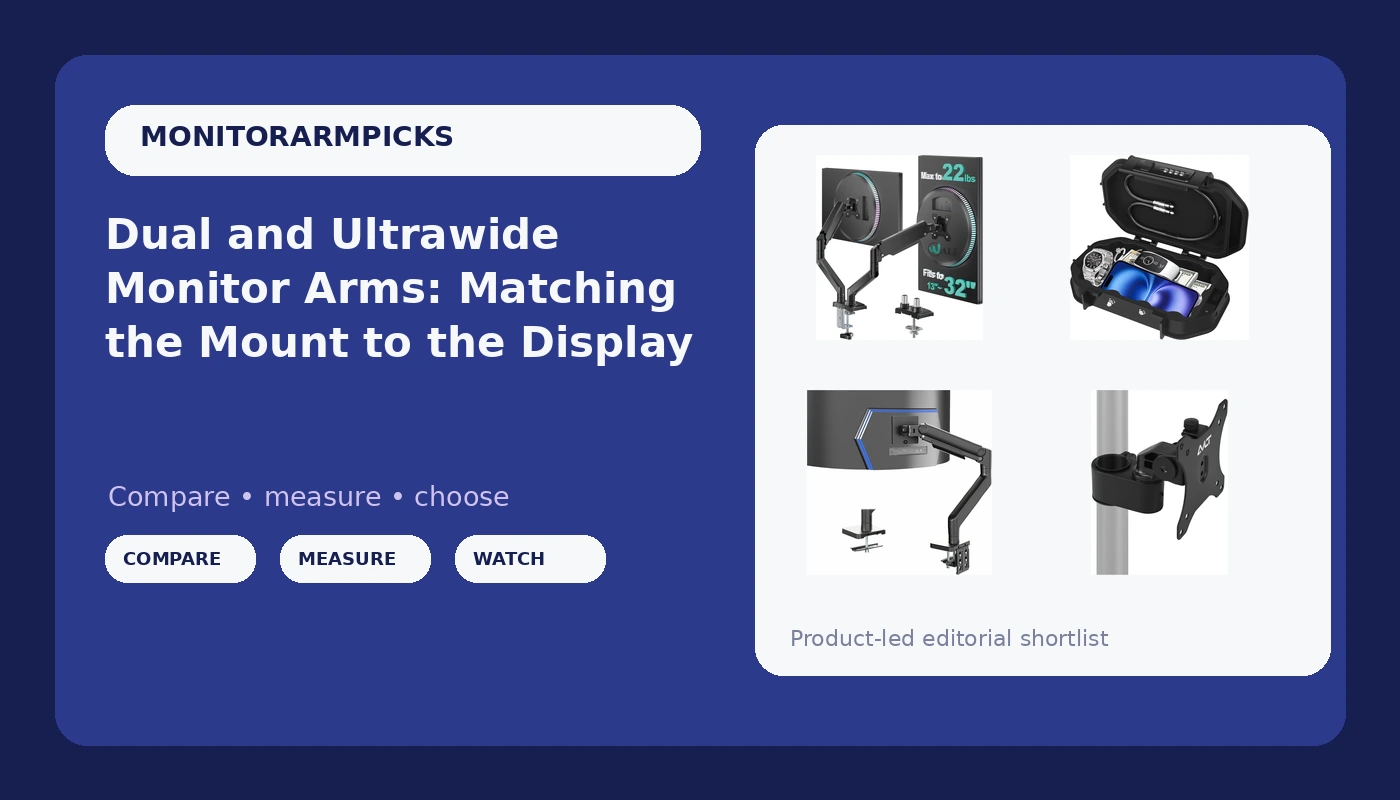
Floating two displays, or one 49-inch ultrawide, above a desk comes down to three numbers: the weight of the panel, the thickness of the desk, and the VESA pattern on the back of the monitor. Get any of those wrong and you end up with an arm that sags by month three, a clamp that will not close, or a mount that never sits level. This walkthrough covers dual and ultrawide monitor arms the way I spec them for client offices: what each mount is actually built to hold, how clamp and grommet mounting differ, and which of these four options fits the desk in front of you.
Related: Monitor Arm Weight Ratings Explained →
Quick answer
If you run two standard panels between 13 and 32 inches, a dual arm rated for 22 lbs per arm is the straightforward answer, and the WALI dual arm is built to that spec. If you run a 49-inch ultrawide such as a Samsung Odyssey G9, you need a tension arm rated to 44 lbs, which is the class the VIVO heavy duty aluminum arm belongs to. If you already own a pole-mounted system and want to add a single 40-inch head, the AVLT add-on kit is designed for exactly that. The Diyife portable safe is not a monitor mount at all; it belongs in the conversation only if securing small valuables at a shared or travel desk is part of the same setup.
Four useful options
| Model | Best fit | What stands out |
|---|---|---|
| WALI Adjustable Dual Monitor Arm | Two 13-32 inch screens on one clamp | 22 lbs of rated capacity per arm |
| VIVO Heavy Duty Aluminum Ultrawide Tension Arm | A single large ultrawide, up to 49 inches | 44 lb rating, aluminum construction, listed for the Samsung Odyssey G9 |
| AVLT Single 40 Inch Monitor Head Add-On Kit | Adding one 40-inch head to an existing pole | Pole top mount design, sold as an add-on rather than a full stand |
| Diyife Portable Safe Box | Securing small valuables at a shared desk | Waterproof, code-locked travel safe |
The dual-display workhorse: WALI Adjustable Dual Monitor Arm for 13-32 inch Screens, 22 lbs per Arm
The appeal of a dual arm is desk space and symmetry: two panels share a single clamp, so you reclaim the footprint of two bases and set both screens at the same height. The trade-off is leverage. Two monitors on one clamp put twice the load on one point of the desktop, and the arms have to hold their position independently. If your two screens differ a lot in weight, expect to spend some time on tension adjustment so the lighter one does not creep upward while the heavier one droops. Per-arm ratings are what you check here, not a single combined number.
The ultrawide specialist: VIVO Heavy Duty Aluminum Ultrawide Monitor Tension Arm for up to 49 inch Screens, Holds 44 lbs, Premium Desk Mount Stand Designed for Samsung Odyssey G9 and More, Black, STAND-V101V
Large ultrawides are where cheap arms fail, and they fail in a specific way. The panel is heavy and the moment arm is long, so the joint closest to the desk takes far more stress than it would with a 24-inch screen. A 44 lb rating is not marketing padding; it is the headroom that lets the gas or tension mechanism hold the display at the height you set instead of slowly sinking. This is the category where spending more is genuinely buying a different mechanism rather than a nicer finish. The trade-off is that a heavy duty arm is bulkier behind the desk and less forgiving of a flimsy desktop.
The expander: AVLT Single 40 Inch Monitor Head Add-On Kit for Pole Top Mount, Black
Add-on kits are the most misunderstood product in this category, because buyers assume a low price means a complete mount. It does not. This kit assumes you already have a compatible pole in place and gives you one more head to hang from it. The upside is real: you can stack a third or fourth display vertically without buying another full stand or drilling another hole in the desk. The catch is compatibility. Pole diameter, the mounting collar, and the existing system's weight limits all have to line up before the head goes on.
The desk-side extra: Diyife Portable Safe Box, [Waterproof] Travel Safe Lock Box with Code
I am including this one because it comes up constantly in shared-office and hot-desking conversations, and it deserves a clear label: it is not a monitor arm and it will not hold a display. What it does is give you a locked place for a wallet, keys, or a small drive when your desk is not private. If your setup question is about mounting screens, skip this section entirely. If your setup question is about what happens to your belongings when you walk away from a flex desk, a small code-locked box addresses a different problem.
Prices and availability may change. Product images, names, and retailer links are matched to verified listings. No current price, rating, stock status, or measured result is stated here without current evidence.
How monitor arm weight ratings work
A weight rating is a capacity claim, not a promise about how the arm will feel. Two arms rated for the same load can behave very differently depending on the mechanism inside. Gas spring arms use a pressurized cylinder to counterbalance the display; tension arms use an adjustable spring and a friction joint. Both can hold a monitor, but the gas spring type tends to hold its position longer under a heavy load, which is why the difference between a budget arm and a premium one is mostly in that cylinder rather than in the paint or the plastic covers.
The number to read carefully is the per-arm figure on a multi-monitor mount. A dual arm rated at 22 lbs per arm is not rated at 22 lbs total. Each side carries its own screen, and each side has its own tension adjustment. If you hang a 20 lb panel on one side and a 12 lb panel on the other, you will adjust both joints independently, and the heavier side will always be the one that decides how stable the whole assembly feels.
Headroom matters more than people expect. An arm rated well above your monitor's weight will hold position with less effort and less sag over time. An arm rated just barely above it will work on day one and start to drift once the mechanism has cycled a few hundred times. Running a panel that is comfortably under the limit is the single easiest way to avoid the sagging arm that everyone complains about after the return window closes.
Clamp or grommet: measure the desk before anything else
- Clamp mounting needs a desk edge with a solid lip and enough vertical clearance underneath for the C-clamp to close. A desk with a thick apron or a full-width drawer rail may have no room at all.
- Grommet mounting uses a hole through the desktop. It is more stable and cleaner looking, but it requires a hole, and not every desk has one or should get one.
- Desk thickness is a hard limit. If the clamp is specified for a range and your desktop falls outside it, no amount of tightening will make it safe.
- Hollow-core and glass desktops need specific attention. Point-loading a weak surface with a clamp is how desktops crack.
- Measure the depth of your desk before choosing arm length. A long arm on a shallow desk pushes the monitor closer to your face than you want.
A five-step check that prevents most returns:
- Weigh the monitor, or find its listed weight with the stand removed.
- Confirm the VESA pattern on the back of the panel, typically 75x75mm or 100x100mm.
- Measure desktop thickness at the exact spot where the clamp or grommet will sit.
- Check for obstructions underneath: drawer boxes, crossbars, cable trays, power bricks.
- Decide where the cables will run before the arm goes on, not after.
Practical setup notes that save a return
- Cable management channels are part of the product, not an accessory. An arm with no routing looks broken the moment the monitor floats.
- Tilt tension should be adjustable without hunting for a tool. If it needs a hex key every time, it will never get adjusted, and your neck pays for it.
- Set the arm at the height you actually work at before tightening anything. Adjusting a loaded arm is much harder than adjusting an empty one.
- Give the joint a few days of normal use, then re-check tension. Mechanisms settle after the first week of cycling.
- Keep the box and hardware for at least the return window. Missing screws are the most common reason a mount gets returned instead of fixed.
Which option should you choose?
Choose the WALI Adjustable Dual Monitor Arm for 13-32 inch Screens, 22 lbs per Arm when you run two panels in the 13 to 32 inch range and want them on one clamp with a stated 22 lb per-arm capacity. Choose the VIVO Heavy Duty Aluminum Ultrawide Monitor Tension Arm for up to 49 inch Screens, Holds 44 lbs, Premium Desk Mount Stand Designed for Samsung Odyssey G9 and More, Black, STAND-V101V when your display is a large ultrawide and the arm needs a 44 lb rating and a 49 inch ceiling to be a realistic match. Choose the AVLT Single 40 Inch Monitor Head Add-On Kit for Pole Top Mount, Black when you already have a compatible pole and want to add a single head for a display up to 40 inches. Choose the Diyife Portable Safe Box, [Waterproof] Travel Safe Lock Box with Code when the problem is securing small valuables at a shared desk rather than holding a screen.
One caveat on all four: the ratings and screen-size ranges above come from the product listings, not from a bench measurement. Before you buy, verify your monitor's weight without its stand, its VESA pattern, and your desk thickness against the listing for the specific mount you are considering.
The bottom line
The right monitor arm is decided by three measurements, not by brand loyalty. Weigh the panel, check the VESA pattern, and measure the desk where the clamp will land. If those three line up, a dual arm in the 22 lb per-arm class handles a two-screen setup, a 44 lb tension arm is the realistic match for a 49-inch ultrawide, and a pole-mounted add-on head is the cheapest way to grow a system you already own. The portable safe sits outside this category entirely, but it answers a real question for anyone working at a desk that is not theirs.