I have installed more than 200 home office desks in the last five years, and the single monitor arm is the part clients ask about last and complain about first. Nobody emails me six months later about a keyboard tray. They email me about the arm that drooped, the pole that wobbled, or the clamp that chewed a groove into a rental desk they have to give back.
So when four very different single monitor arm products landed on my bench in the same month, the comparison sorted itself out quickly. One is a heavy duty arm built for ultrawide panels. One is a bare steel pole with no moving parts. One is a premium wall mount that costs more than a lot of the monitors I hang on it. And one is a budget gas spring arm I fully expected to dislike.
The HUANUO TitanLift is the arm I would buy for a 34 to 49 inch ultrawide. The Ergotron LX Pro is the arm I would buy if the desk sits against a wall and the budget is not a concern. The Pholiten is the honest pick for a 24 to 27 inch monitor on a tight budget. The steel pole is for anyone who wants height and zero parts that can fail.
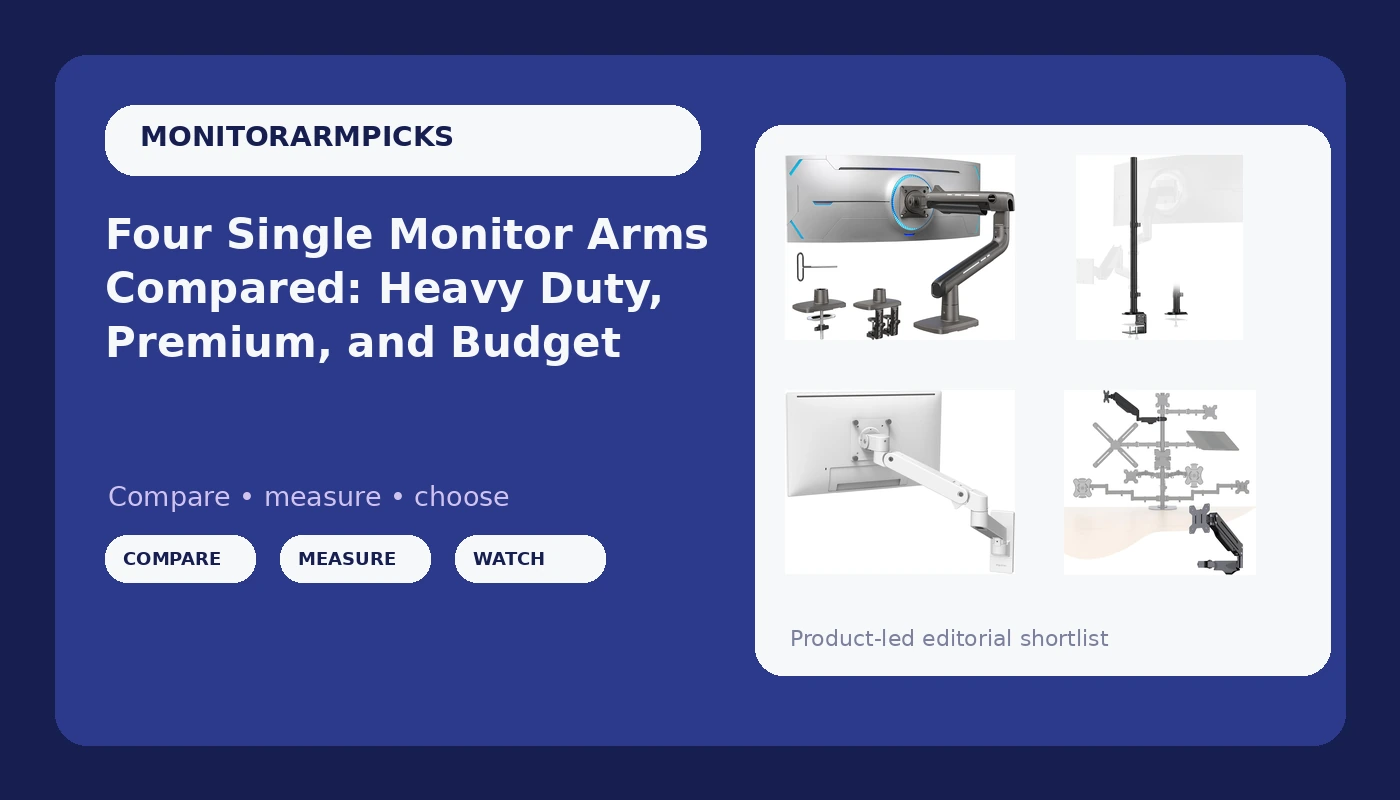
HUANUO TitanLift Heavy Duty Monitor Arm
Rated to 44 lbs and built around a 49 inch ceiling, with a dual C-clamp that grips thick desk lips
Far more arm than a 24 inch panel needs, and the body is bulky behind a shallow desk
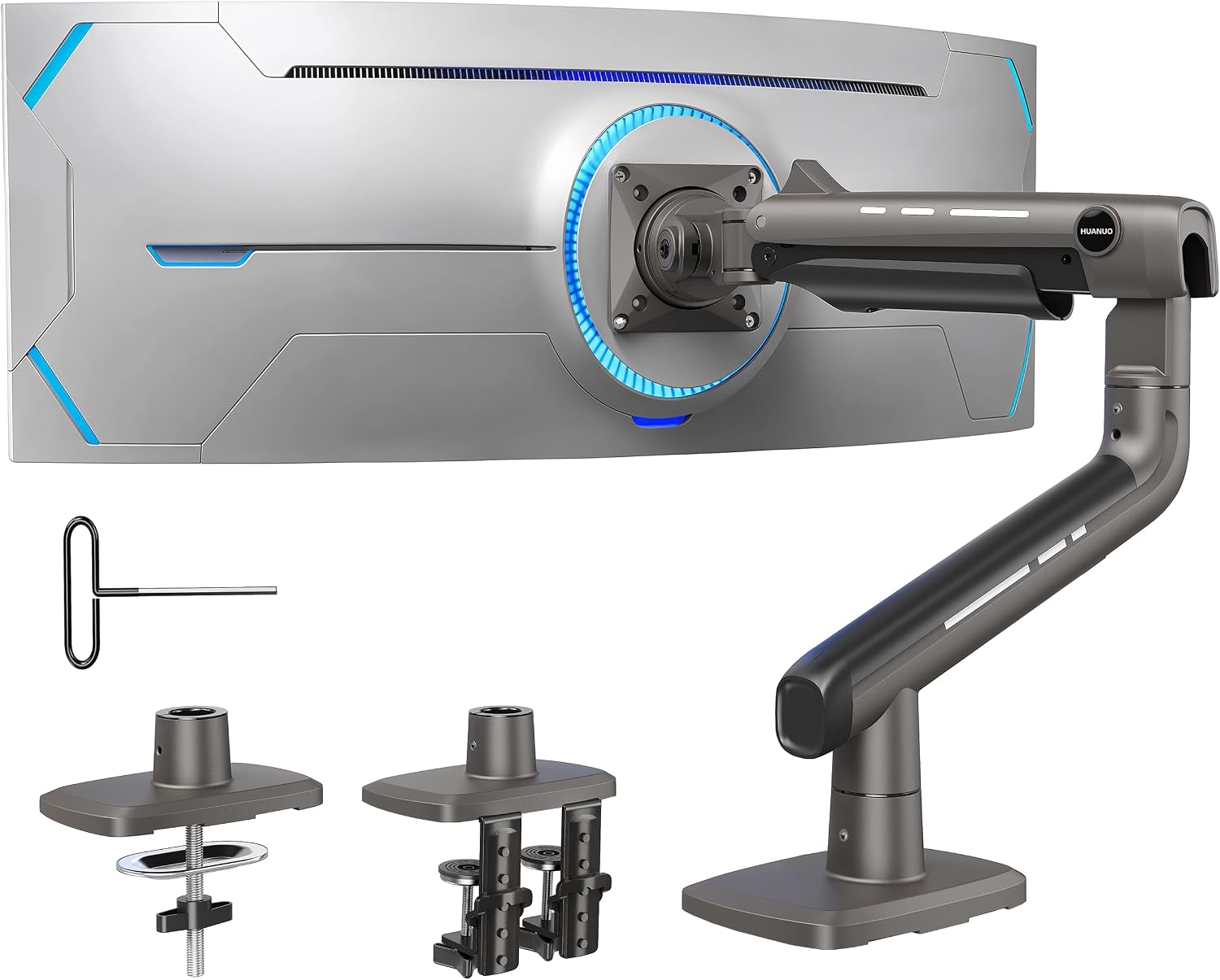
Steel Extra Tall 32 Inch 2-Section Monitor Stand Pole
Reaches heights no articulating arm here touches, and there is no gas spring to wear out
No articulation at all, so the monitor sits exactly where the pole puts it
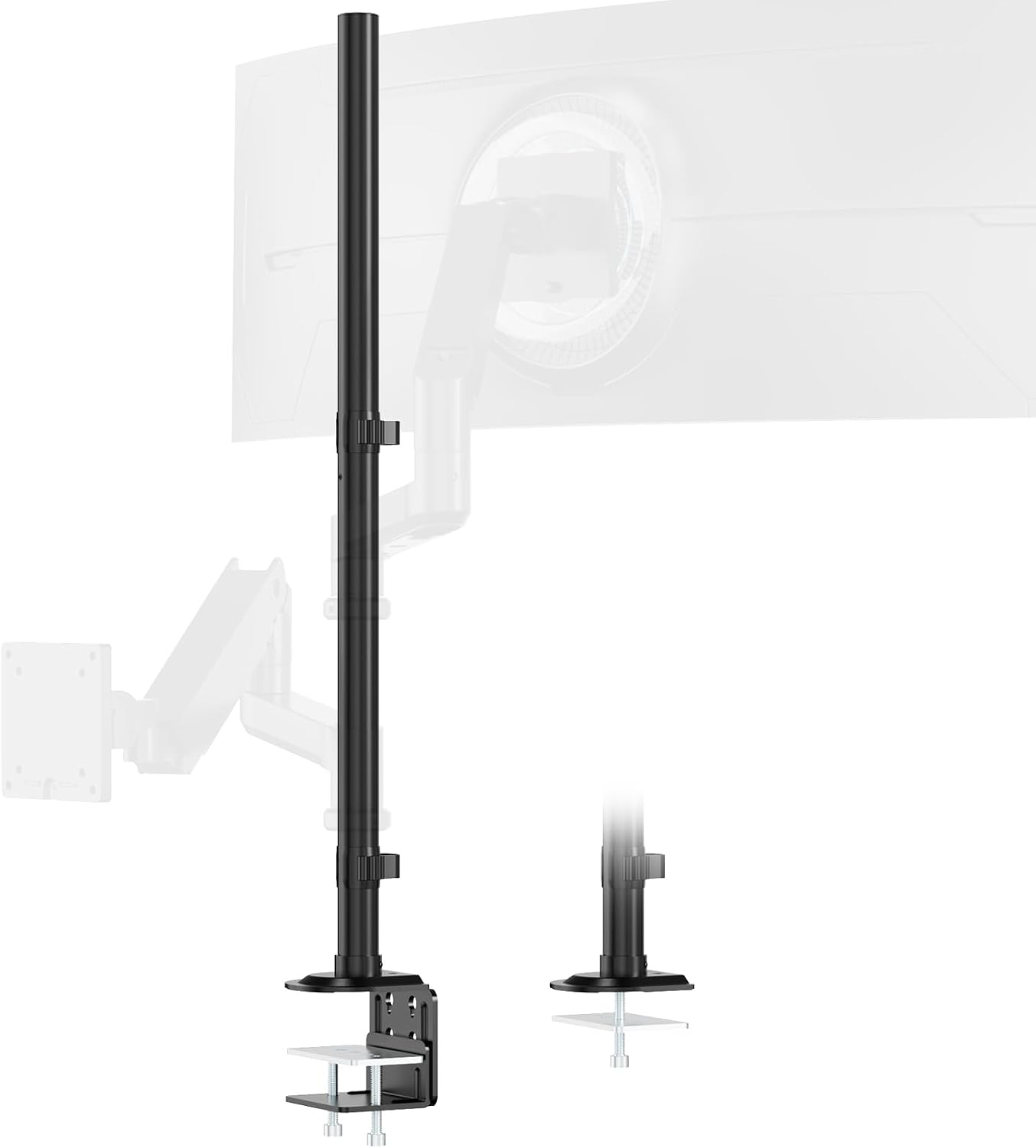
Ergotron Upgraded LX Pro Premium Single Monitor Arm
The benchmark gas spring and tilt joint, and a wall mount that clears the desk surface completely
It needs a wall and a stud, and it tops out at 34 inches and 22 lbs
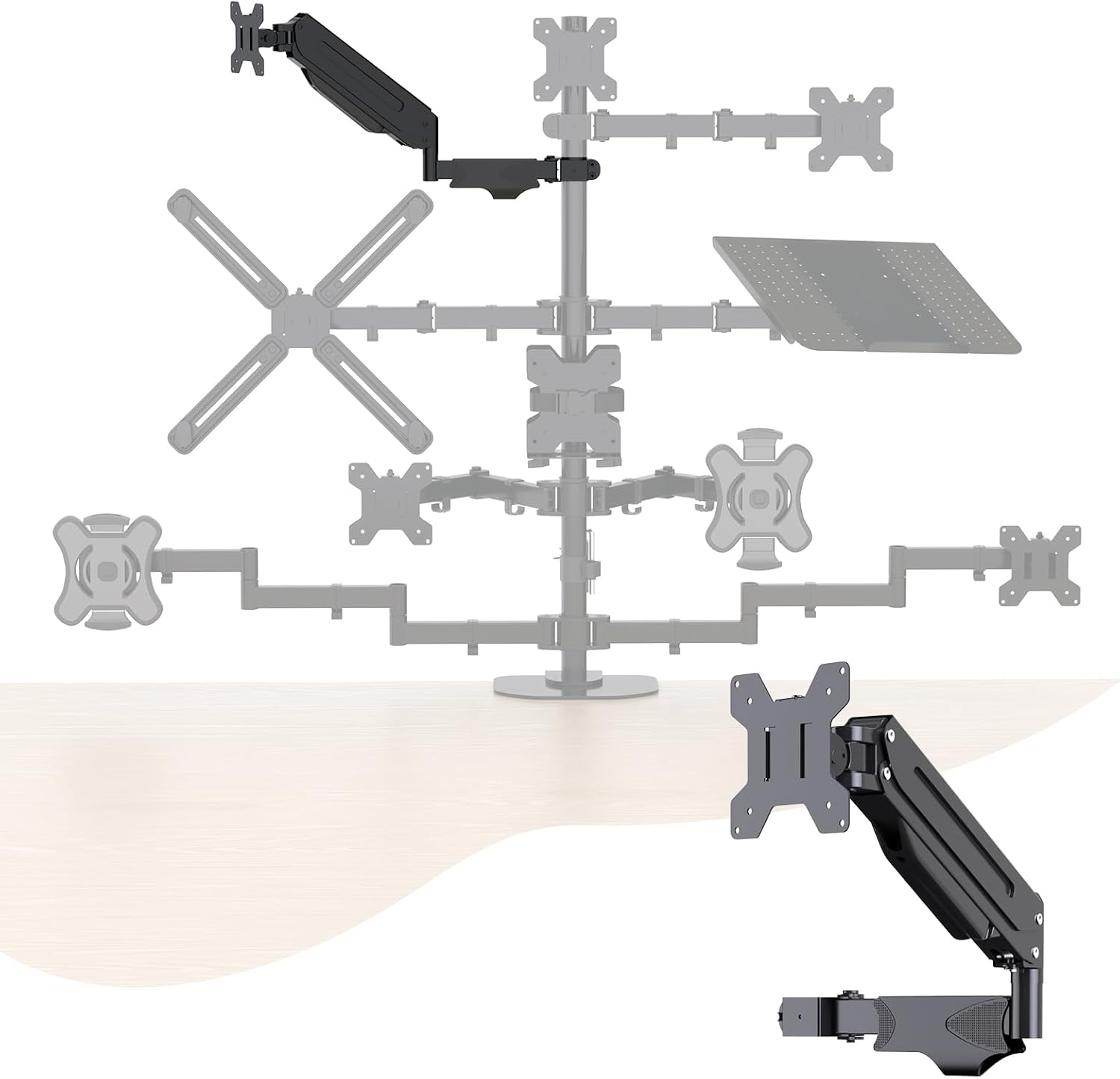
Pholiten Single Monitor Arm
The cheapest way to float a light monitor, with a double articulated arm that covers real distance
The gas spring and the tilt joint are exactly where the money went missing
Prices and availability were captured from Amazon Creators API and may change.
How I judge a single monitor arm
Gas spring, VESA pattern, clamp width. In that order.
The gas spring is the entire purchase. Everything else on an arm is stamped steel, plastic covers, and a VESA plate. The spring decides whether your monitor is still at eye level in year three or drifting toward the desk a millimeter at a time. A cheap spring does not fail dramatically. It loses pressure in small increments, and you stop noticing the drift until your neck starts filing complaints.
This is why I keep a torque wrench in my desk drawer. Arm bolts that claim to be finger tight rarely are, and a joint that is 10 percent under-tensioned today is a joint that sags by spring. I also time every install with a stopwatch, because "tool free" has become a marketing phrase rather than a description. If a product ships with three Allen wrenches, it is not tool free.
VESA comes second. If your monitor has no 100x100mm mounting holes, none of this matters. Almost every panel from the last decade does, but I have met the exceptions, and they were expensive ones.
Clamp width comes third and gets ignored the most. A C-clamp needs a solid lip and clearance underneath. A desk with a welded steel apron, a drawer housing, or a beveled edge can turn a five minute install into a two hour problem. Measure the desk edge before you buy the arm. Every time.
The weight class question
The four products here do not compete with each other so much as they split into weight classes, and the split is the most useful thing in this comparison.
The HUANUO TitanLift is rated for screens up to 49 inches and holds 44 lbs. That is not a number you need for a 24 inch office panel, and buying it for one is like renting a box truck to move a suitcase. But if you run a 34 inch ultrawide, or a 49 inch super ultrawide, the headroom is the point. A heavy panel on an arm rated right at its weight is a panel that sits low forever.
The Ergotron LX Pro covers monitors up to 34 inches and 4 to 22 lbs. That range tells you exactly who it is for. It is not built to hold the heaviest thing in the room. It is built to hold a normal monitor with a spring that behaves the same on day one and day nine hundred.
The Pholiten arm and the steel pole do not publish the same kind of headroom story. The Pholiten is a gas type, double articulated arm aimed at everyday single monitor duty. The pole is a 32 inch two section steel mast with a mounting base, and its job is height, not load ratings.
Here is the rule I give clients: buy an arm rated meaningfully above your monitor's actual weight, not one that matches it. Headroom is not marketing padding. It is the difference between a joint that holds and a joint that creeps.
Clamp, grommet, wall, or pole
This is a desk problem, not a style choice, and it eliminates more options than budget ever does.
The HUANUO TitanLift uses a dual C-clamp, which is my preferred mounting method because it is reversible and leaves nothing behind. Dual clamps spread the load across two contact points, which matters when you hang 44 lbs off the edge of a desk. The catch is clearance. You need a clean edge and room underneath.
The Pholiten arm also clamps, and it is the lightest commitment of the four. On a hollow core or glass topped desk, that is a real advantage, because a light arm with a light monitor does not stress the surface the way a heavy arm does.
The Ergotron LX Pro is a VESA wall mount, which changes the whole geometry. There is no desk edge involved, no clamp to tighten, and no arm base occupying surface area. You get the cleanest possible desk and the monitor floating above it. You also need a wall, a stud or proper anchors, and a permanent decision. Renters, think hard.
The steel pole needs neither a desk edge nor a wall. It is a 32 inch two section mast on a mounting base, which means it stands or sits where you put it and gives you vertical range that no articulating arm in this group can match. If you have ever wanted a monitor well above a standing desk converter, or a panel that clears a shelf, this is the tool.
Where each arm actually fits
HUANUO TitanLift: the ultrawide answer
If your monitor is big and heavy, start here and stop reading. The 49 inch ceiling and 44 lb rating put this in a different category from the other three, and the aluminum construction and dual C-clamp suggest it was designed for exactly the panel most arms fail on. The trade-off is physical size. This arm is not discreet, and behind a shallow 24 inch deep desk you will feel it.
Ergotron LX Pro: the buy once option
The LX line has been the reference point for two decades, and the Pro version keeps the reputation intact. White finish, wall mount, 4 to 22 lbs, up to 34 inches. What you are paying for is a gas spring and a tilt joint that behave identically in year five, plus a cable routing path that looks intentional instead of improvised. It is the arm I would install in a paying client's office without a second thought, and also the one I would have to justify on an invoice.
Pholiten: the budget floater
Twenty seven dollar arms are usually a gamble, and this one is at least an honest gamble. Double articulation means it reaches across a desk rather than just up, and gas type adjustment means you are not fighting a friction hinge with a hex key every time you move the screen. For a 24 or 27 inch monitor that stays put, it does the job. Do not ask it to hold an ultrawide, and do not expect the tilt joint to feel like the Ergotron.
Steel pole: the height specialist
No gas spring, no articulation, nothing to drift. A 32 inch two section steel mast with a mounting base is the simplest possible answer to "I need the monitor higher," and simplicity is a feature when the alternative is a joint that sags after the return window closes. You give up swing and tilt range you would get from an arm, and you keep the money.
Cable management is not optional
A floating monitor with dangling cables looks broken, and it undermines the entire point of spending money to clear your desk.
Articulating arms give you two options: route the cables along the underside of the arm segments with the built in channels, or run them down the back of the desk and accept a single tidy drop. The channels are better. They also add ten minutes to the install and require you to leave slack at every joint, because an arm that cannot extend without pulling a DisplayPort cable loose is an arm you will stop adjusting.
Poles are easier. Cables run straight down the mast and disappear. That is the pole's quiet advantage, and it is the reason some clients end up preferring the simplest product in the group.
The wall mounted LX Pro is the hardest case, because the cable has to travel from the monitor, along the arm, and down a wall. Do it badly and you have a floating screen with a waterfall behind it. Do it well and it is the cleanest setup in this article.
The trade-offs I would accept
I would accept the Pholiten's plastic joints for a 27 inch monitor on a starter desk. I would not accept them for anything heavier.
I would accept the Ergotron's price for a desk that never moves and a monitor that never changes. I would not accept a wall mount in a rental, no matter how good the spring is.
I would accept the steel pole's complete lack of articulation if height is the actual problem. I would not buy it expecting to swing a monitor sideways for meetings.
I would accept the HUANUO's bulk because it is the only product here that treats a 49 inch panel as a normal workload rather than an edge case.
The bottom line
Four products, four jobs. The TitanLift is the heavy duty answer for ultrawides. The LX Pro is the premium answer for a wall mounted, buy once setup. The Pholiten is the budget answer for a light monitor and a normal desk. The steel pole is the answer for height, and it is the one that will never sag because there is nothing in it to sag.
Match the arm to the monitor and the desk, not to the price tag. That is the whole test, and it is the one I run on every build.