Related: How to Measure Your Desk Edge for a Monitor Arm Clamp
I have clamped monitor arms to more than 200 desks, and I have watched almost every one of them fail for the same reason. The buyer picked on screen size and price, then found out the hard way that the clamp did not fit the desk edge or the gas spring could not hold a 15 pound panel at full extension.
A heavy duty monitor arm is furniture. It gets bolted to something you own, it carries something expensive, and it has to hold its position every day for years. The four arms below are the ones I keep coming back to when I spec a desk, and between them they cover the whole range: a 44 pound aluminum arm built for screens up to 49 inches, the benchmark single arm that has been the safe answer for years, a budget gas spring arm for a 27 inch panel, and a dual arm for side by side setups.
The order of decisions matters more than the brand. Weight capacity first, then VESA pattern, then clamp or grommet, then gas spring quality. Get those four right and almost any arm in this group will do the job. Get them wrong and you will be printing a return label.
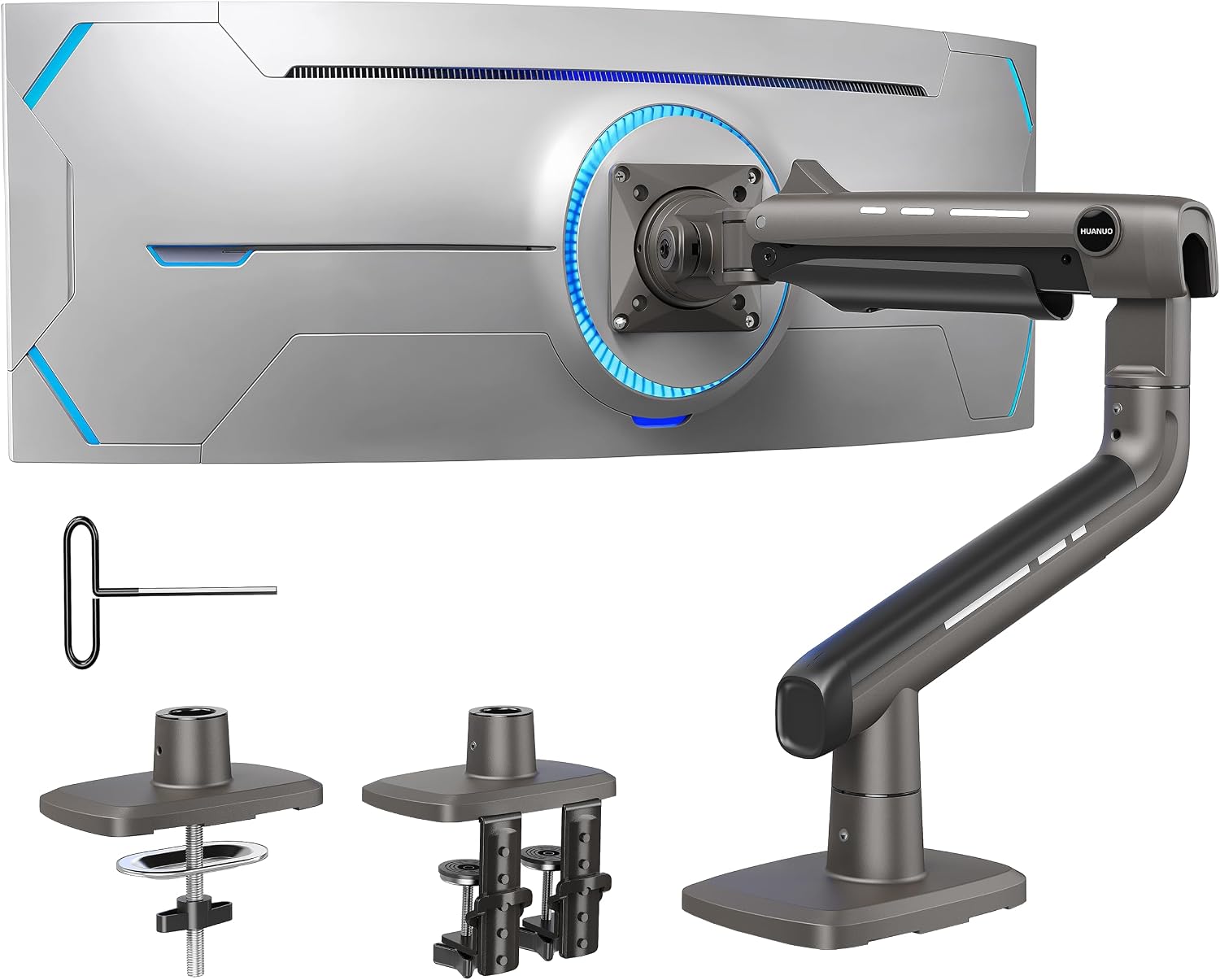
Best for Big Screens: HUANUO TitanLift Heavy Duty Monitor Arm
Most single arms stop somewhere between 15 and 25 pounds. The TitanLift is rated for 44 pounds and lists support for screens up to 49 inches, which puts it in a class of its own in this group. If you are mounting a large ultrawide, or a 32 inch panel that sits at the very top of a normal arm's range, this is the one to look at first.
Two things stand out on the spec sheet. First, the aluminum construction, because a 44 pound capacity in plastic is a warranty claim waiting to happen. Second, the dual C-clamp. Two clamps instead of one spreads the load across a wider section of the desk edge, and that is exactly what you want when the arm is fully extended and the screen is floating over your keyboard.
The arm is fully adjustable and tops out at the standard 100x100mm VESA pattern. Check the back of your monitor before you order. A 49 inch panel with a non standard bolt pattern is rare, but it happens, and no amount of arm quality fixes missing holes.
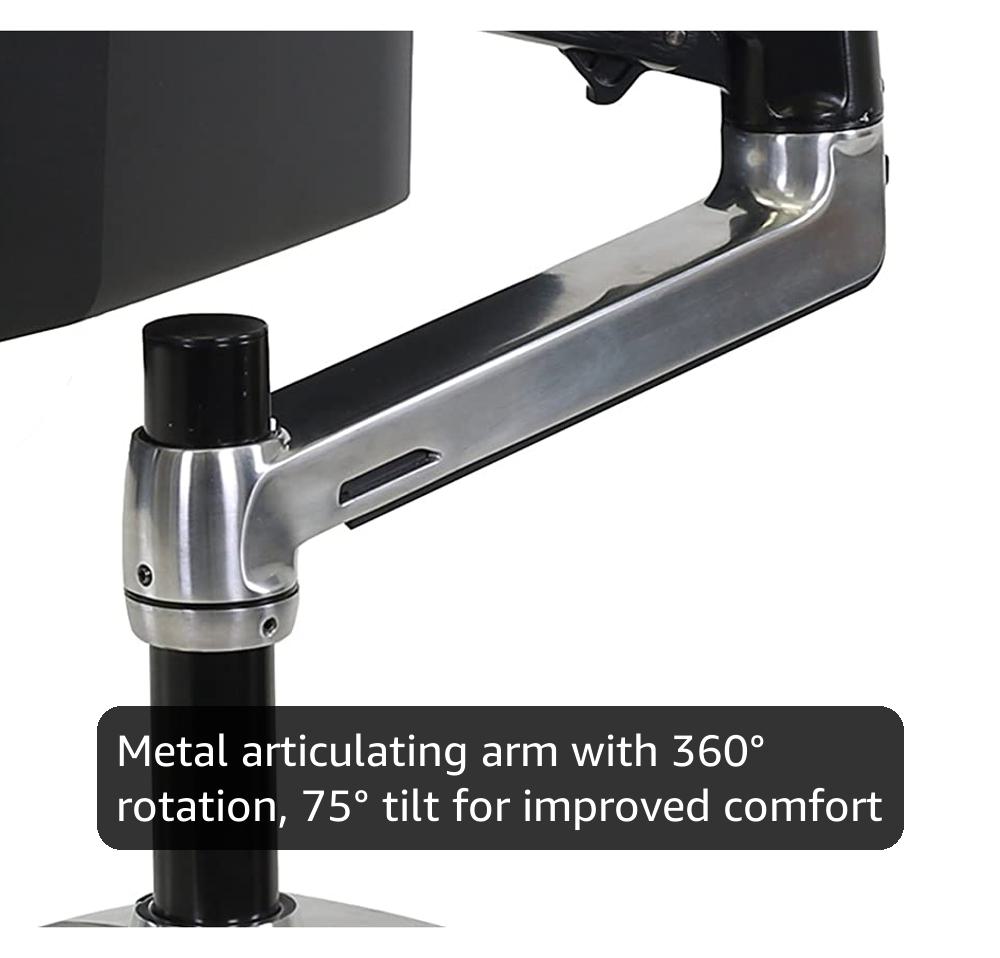
Best Overall: Ergotron LX Monitor Arm
The LX is rated for 7 to 25 pounds and screens up to 34 inches, with support for both 75x75mm and 100x100mm VESA patterns and a polished aluminum finish. That window covers a 27 inch panel with room to spare and takes most 34 inch ultrawides. The lower bound matters too: at 7 pounds it will still hold a small secondary screen without launching it toward the ceiling.
This is the arm I recommend when someone wants to buy once. The range is narrower than the TitanLift, but the range is honest. When a spec sheet says 7 to 25 pounds and the arm is designed to sit in the middle of that window rather than at the edge of it, you get a mount that stays where you put it. That is the entire game with a desk arm.
The trade is price, and the clamp is the one part I would measure twice. It is built for a standard desk edge, and a thick, lipped, or glass desk is a different conversation. Measure the edge thickness and the depth of the lip before you commit.
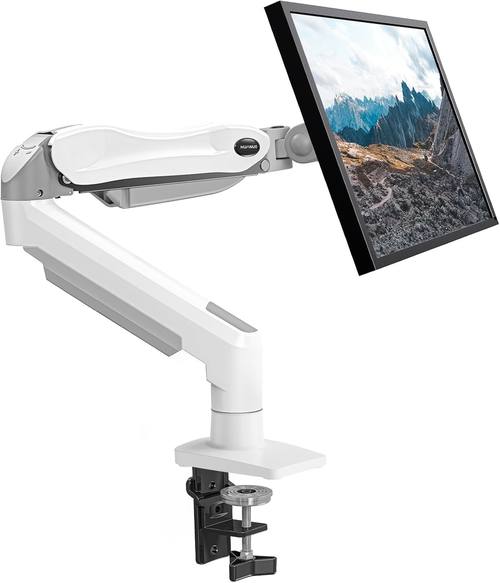
Best Budget Single: HUANUO Single Monitor Mount with Gas Spring
This one is rated for 13 to 32 inch screens and 4.4 to 19.8 pounds, it runs on a gas spring, and it ships with both a C-clamp and a grommet base. The dual mounting option is the underrated part, because a grommet hole is often the only way to mount on a desk with a thick or beveled edge.
The weight window is the real story. Just under 20 pounds covers a 27 inch panel and most 32 inch screens, but it does not cover a heavy ultrawide. A 34 inch ultrawide can sit well above that ceiling once the panel and the VESA plate are counted together, and that is how people end up with an arm that droops at full extension by month three.
If your monitor is a standard 24 or 27 inch panel and you want it off the desk without paying benchmark prices, this is the sensible starting point. Weigh your monitor with the stand removed, then weigh it again with the plate bolted on.
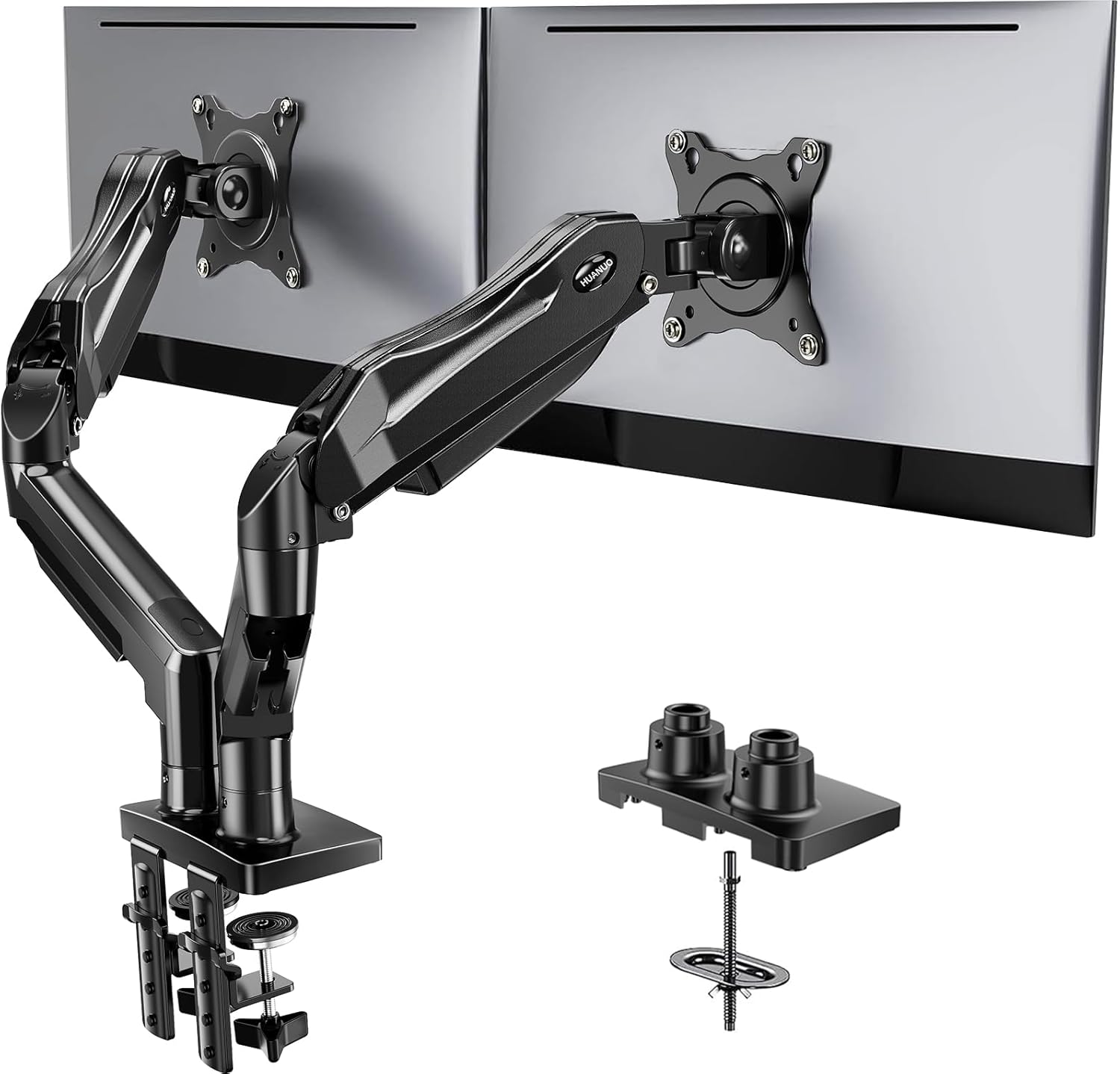
Best for Two Screens: HUANUO FlowLift Dual Monitor Stand
A dual arm is a different problem, because you now have two loads hanging off one clamp. The FlowLift is rated for 13 to 32 inch screens with each arm holding 4.4 to 19.8 pounds, supports 75x75mm and 100x100mm VESA patterns, and gives you the same choice of C-clamp or grommet base as the single arm.
The per arm rating is what to watch. Two 27 inch panels at roughly 12 to 15 pounds each sit comfortably inside the window. Two 32 inch panels near the top of the range do not leave much headroom, and headroom is what keeps arms from creeping downward over a long afternoon of work.
Full motion on both arms means you can angle the screens toward each other for a curved cockpit feel, or flatten them out for a wide desktop. Set the height once, then adjust the tilt and the swivel, which is the part you actually touch every day. If that joint fights you, the whole setup does.
How I judge a monitor arm
Every arm I spec for a desk goes through the same set of questions before it gets installed.
Weight capacity with headroom. A monitor's listed weight is the panel. Add the VESA plate, the bolts, and any adapter, and a 15 pound monitor can turn into a 17 pound load. I want an arm rated a few pounds above the real number, because running a gas spring at its limit is how arms sag. The rated window is a range, and the middle of it is where the arm wants to live.
Tilt adjustment without tools. If the tilt joint needs a hex key, it gets set once and never touched again, and your neck pays for it. Tool free tilt is worth more than any other feature on this list. I keep a torque wrench in my desk drawer for the bolts that claim to be finger tight, and I still want the daily adjustments to be hand only.
Clamp versus grommet. This is a desk thickness problem, not a style choice. Measure the thickness of the desk edge and the depth of the lip before you order. If the desk is too thick, or the edge is beveled, or the underside is not flat, the grommet base is the answer.
Cable management. A floating monitor with two cables dangling off the back looks broken. A channel that runs the cables down the arm and under the desk is not a luxury feature, it is the difference between a setup and a pile of parts.
VESA pattern. 75x75mm and 100x100mm cover almost everything, but you have to check. No VESA holes, no arm. That rule has never once been wrong.
What the specs actually tell you
Capacity is not quality. The TitanLift holds 44 pounds and the LX holds 25, but the LX is the arm I would put on a client's desk without a second thought. A high weight rating tells you what the arm can carry, not how well the joint is built. The LX sits in the middle of a narrower, more honest window, and that is why it stays put.
The ceiling on the two HUANUO arms is not a knock on them. It is a statement about who they are for. Most 24, 27, and 32 inch panels land under that number, and an arm designed around a realistic load tends to feel better at that load than an oversized arm that never gets used near its limit. Match the arm to the monitor, not to the biggest number on the box.
Mount type decides more installs than the arm itself. I have watched people buy exactly the right arm and the wrong base. A dual C-clamp like the one on the TitanLift grips a wider strip of the desk, which is what you want when a 49 inch screen hangs off the end of it. A single clamp is fine for a 27 inch panel on a solid desk.
VESA is the gate. Every arm here supports the 100x100mm pattern, and the two smaller arms also support 75x75mm. If your monitor uses something else, stop and find an adapter before you buy anything.
Monitor arm reference table
This is the table I keep open when a client asks what to buy. Screen size and weight capacity come straight from the manufacturer's rating. Weigh your monitor with the stand removed before you commit to anything.
| Arm | Screen size | Weight capacity | Mounting | VESA | Price |
|---|---|---|---|---|---|
 Visit on Amazon → Visit on Amazon →HUANUO TitanLift |
Up to 49 in | 44 lbs | Dual C-clamp | 100x100mm | $99.99 |
 Visit on Amazon → Visit on Amazon →Ergotron LX |
Up to 34 in | 7 to 25 lbs | Desk clamp | 75x75mm or 100x100mm | $199.99 |
 Visit on Amazon → Visit on Amazon →HUANUO Single Gas Spring Mount |
13 to 32 in | 4.4 to 19.8 lbs | C-clamp or grommet | 75x75mm or 100x100mm | $39.99 |
 Visit on Amazon → Visit on Amazon →HUANUO FlowLift Dual |
13 to 32 in per screen | 4.4 to 19.8 lbs per arm | C-clamp or grommet | 75x75mm or 100x100mm | $59.99 |
Clamp or grommet: measure before you order
Two of the arms here give you both options, and one gives you two clamps instead of one. That is not marketing filler, it is the difference between an install that takes twenty minutes and one that ends with a drill and a bad mood.
Slide a tape measure around the desk edge and write down the thickness. Then look under the desk. If the underside is flat and solid, a C-clamp will hold. If there is a drawer frame, a crossbar, or a beveled lip in the way, the grommet base is your path, and that means checking for an existing cable hole or drilling one. A dual clamp needs a wider stretch of clean edge than a single clamp does, so measure along the edge as well as around it.
Should you buy the HUANUO TitanLift?
Yes, if the screen is the reason you are shopping. It is rated for 49 inches and 44 pounds, it is aluminum, and the dual C-clamp is the right answer for a big panel on a long arm. Nothing else in this group is built for that load.
The catch is that a heavy duty arm on a 24 inch monitor is wasted capacity and wasted money. If your panel is a standard 27 inch screen under 20 pounds, the budget arm below does the same job for a fraction of the footprint on your desk edge. Buy the TitanLift when the monitor demands it, not because the number is bigger.
Should you buy the Ergotron LX?
Yes, if you want to buy once and forget about it. The 7 to 25 pound window, the 34 inch screen limit, and the support for both VESA patterns cover the overwhelming majority of single monitor desks, and the polished aluminum build is the reason people keep these for a decade.
If you are running a heavy 49 inch ultrawide, the LX is not the arm for you, and no amount of reputation changes a 25 pound ceiling. Go with the TitanLift instead. And if your budget is the deciding factor and your monitor is a 27 inch panel, the gas spring HUANUO arm covers that ground with a grommet base option the LX does not offer. Measure the desk, weigh the monitor, then pick the arm that sits in the middle of its own rating. That is the whole method.