I have built more than 200 desks for other people, and the follow-up email is never about the monitor. It is always about the arm. A tilt joint that will not hold a position. A clamp that will not close on a 1.75-inch desktop. A column that starts sinking in month four, right after the return window shuts. So when I compare budget monitor arms, I skip the product photos and go straight to four numbers: weight rating, VESA pattern, clamp and grommet fit, and the spring that does the lifting.
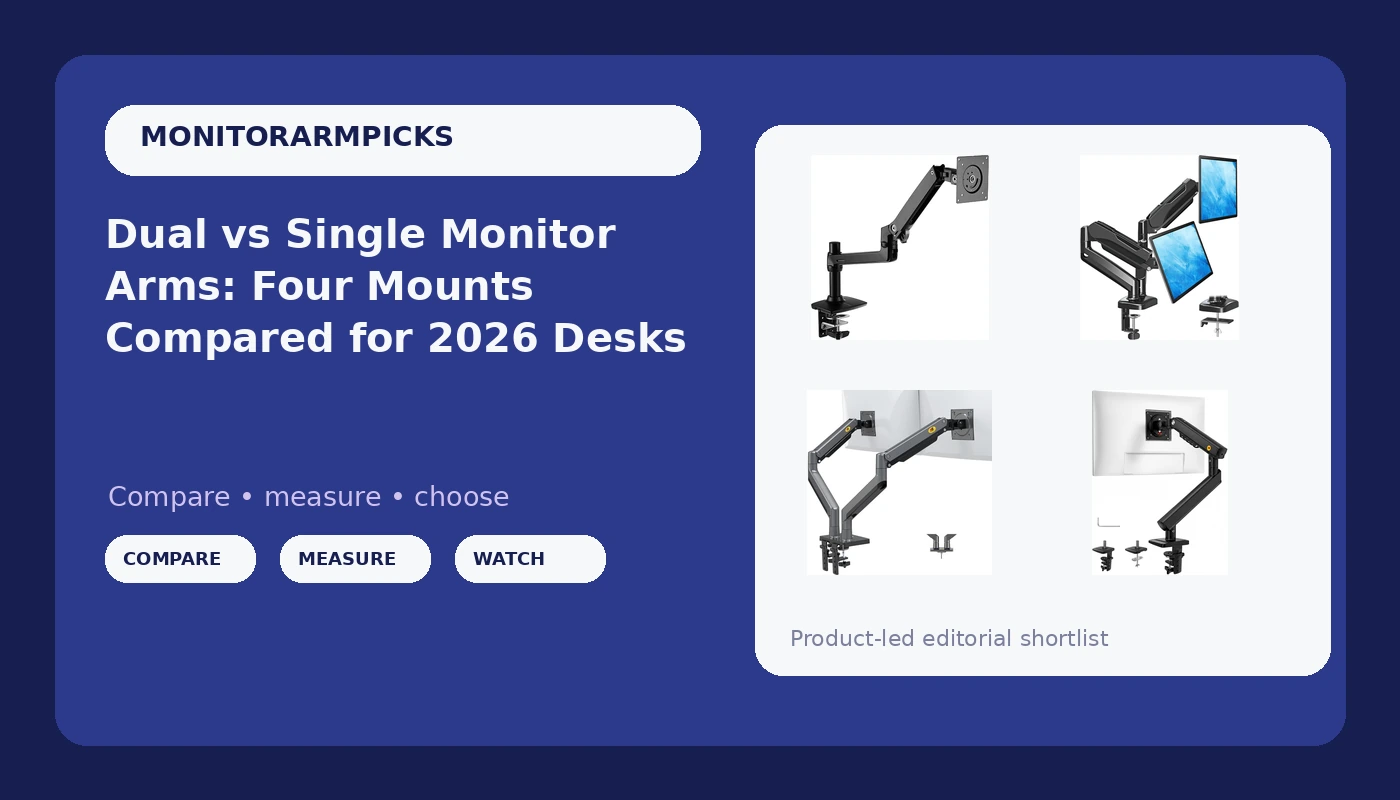
The four mounts here split into two singles and two duals. The NB SmooVex Model-A5 and the Amazon Basics Lift Engine Arm Mount each carry one screen. The MOUNTUP dual and the NB North Bayou G35 each carry two. That split matters more than brand, because the failure modes are different. A single arm that sags ruins one monitor's position. A dual arm that sags ruins the whole layout, and usually the symmetry you were trying to build in the first place.
The short version: for one monitor, the NB SmooVex Model-A5 has the widest screen fit in this group, rated up to 32 inches. For two monitors at or under 17.6 pounds each, the MOUNTUP dual is the value pick. If either screen is heavier than that, the NB North Bayou G35 is the one with real headroom, at up to 26.4 pounds per arm. The Amazon Basics Lift Engine Arm Mount is the plain single arm of the group, and it is the one I would verify hardest before buying, because the product name alone does not tell you the weight rating or the VESA pattern.
Here is the whole comparison in one table, with the wins and the losses side by side.
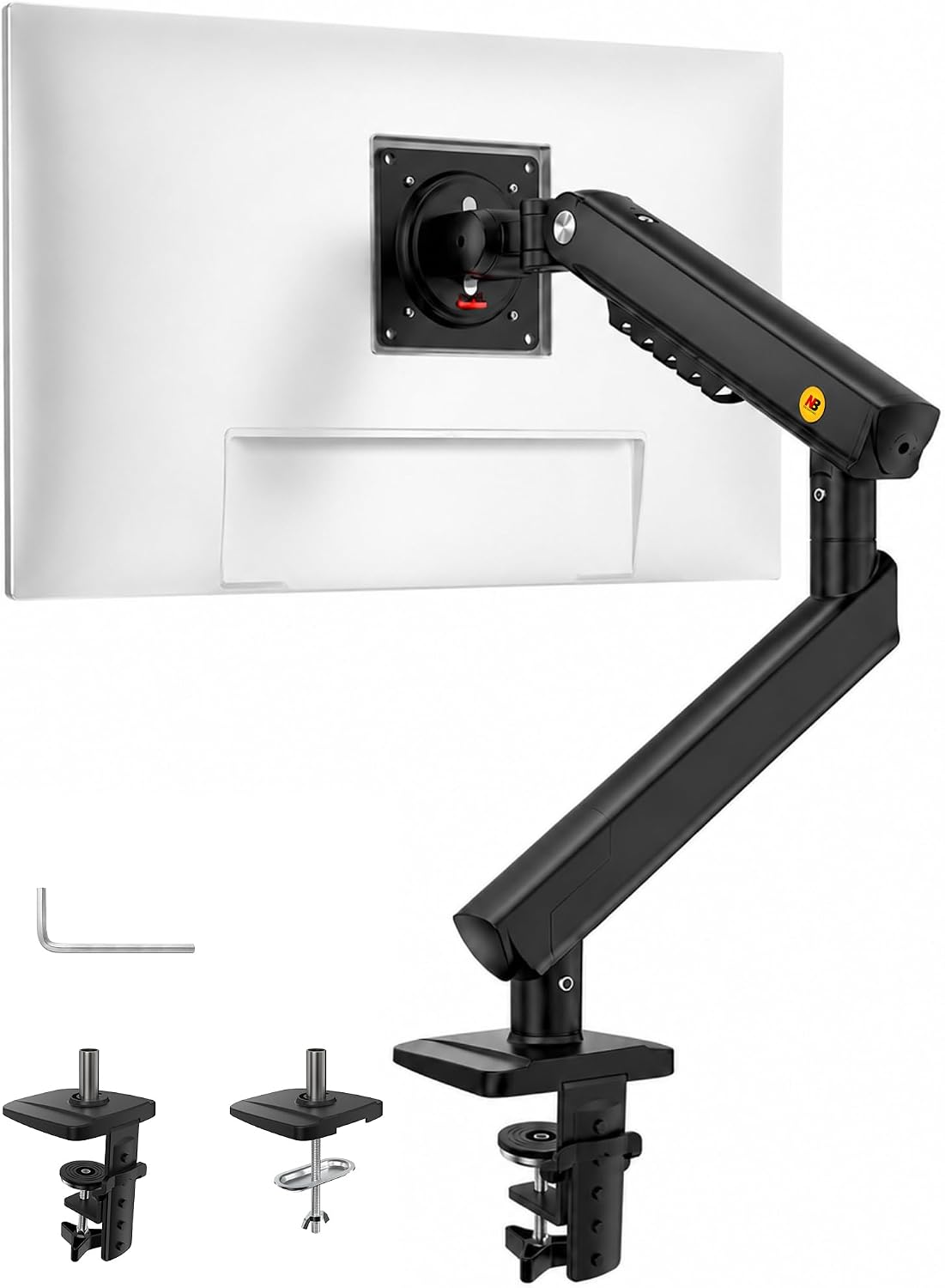
NB SmooVex Monitor Mount, Monitor Stand fits up to 32 Inch, Mechanical Spring Mount, VESA 75/100 mm, Model-A5(Black)
Widest single-screen fit here at up to 32 inches, VESA 75/100 support, and a mechanical spring you can re-tension instead of replacing
One screen only, and the tension screw is a maintenance item you have to remember once a year
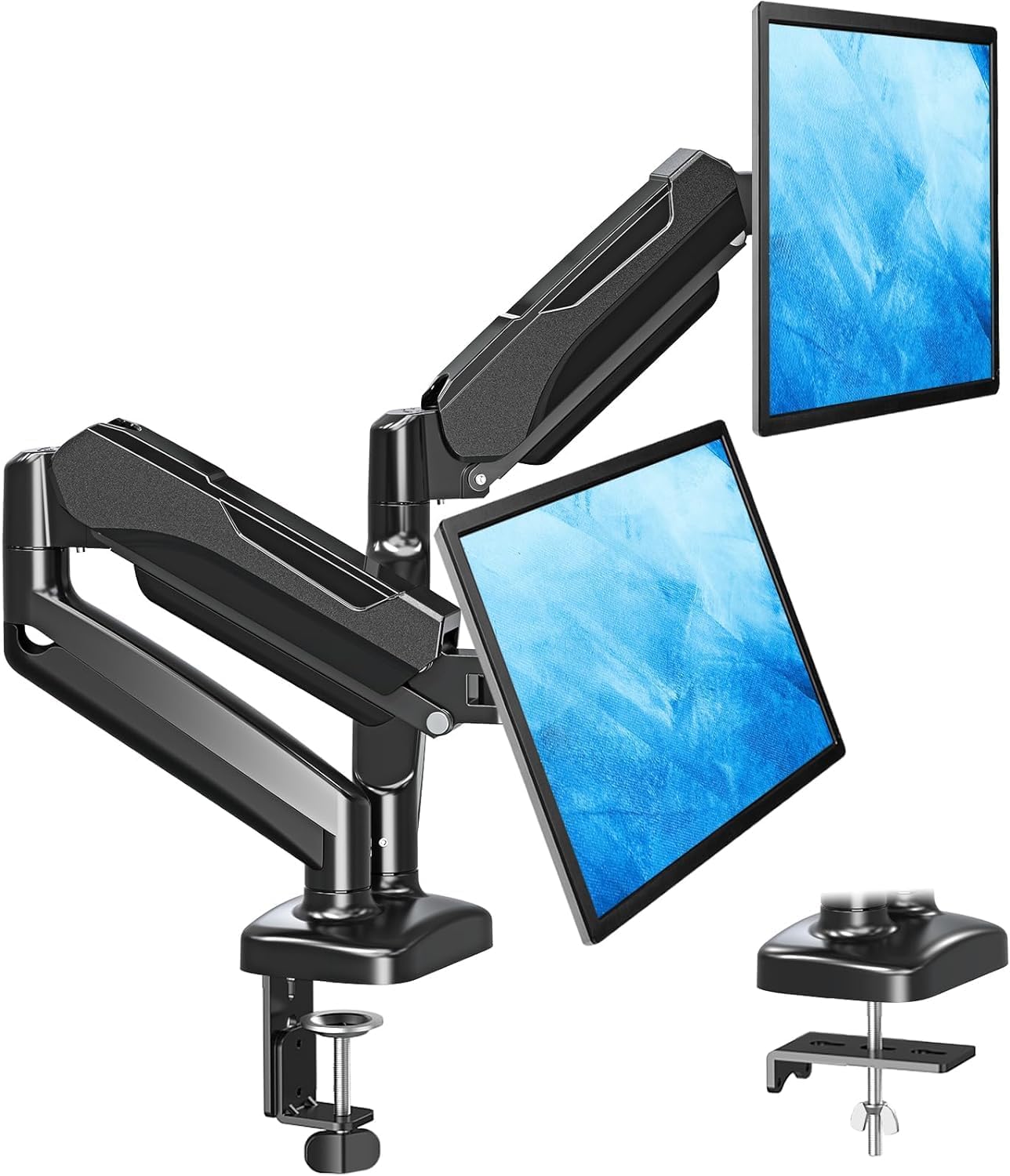
MOUNTUP Dual Monitor Stand for Desk, Monitor Arms for 2 Monitors 32 27 24 22 Inches, Height Adjustable Double Monitor Mount, VESA Mount with C-Clamp & Grommet Base, Holds 4.4-17.6lbs
Both clamp and grommet mounting in the box, 22 to 32 inch coverage, and a published 4.4 to 17.6 pound range per arm
The 17.6 pound ceiling rules out heavier panels, and dual arms in this class tend to flex at the center joint before the springs give out
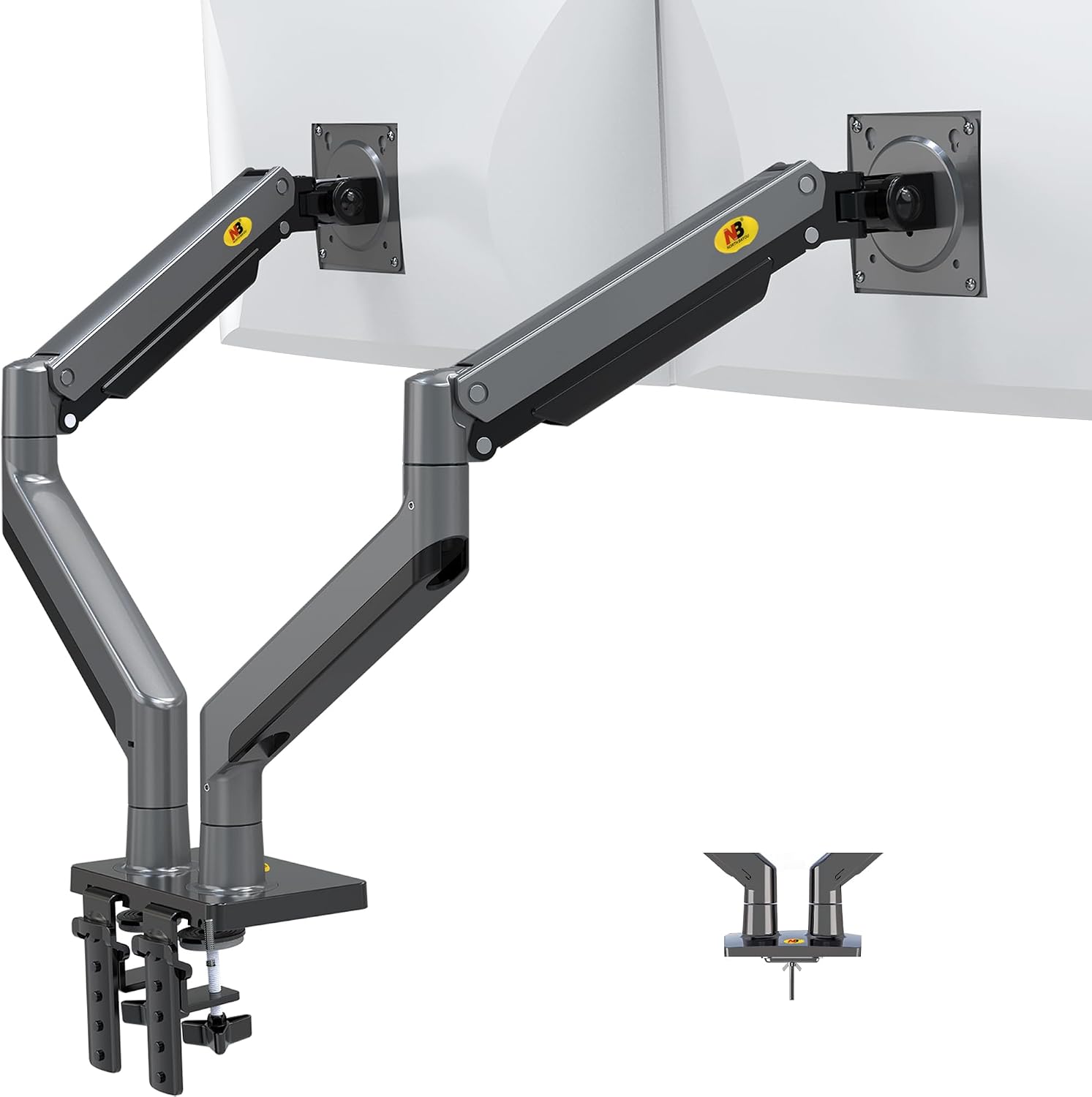
NB North Bayou Dual Monitor Arm Ultra Wide Full Motion Swivel Monitor Mount for 22''-32'' Monitors Load Capacity from 4.4 to 26.4lbs for Each Arm Height Adjustable Monitor Stand G35
The highest weight rating of the four at 26.4 pounds per arm, full motion swivel, and 22 to 32 inch coverage
Overkill if both your monitors are light, and heavier arms put more torque on the desk edge
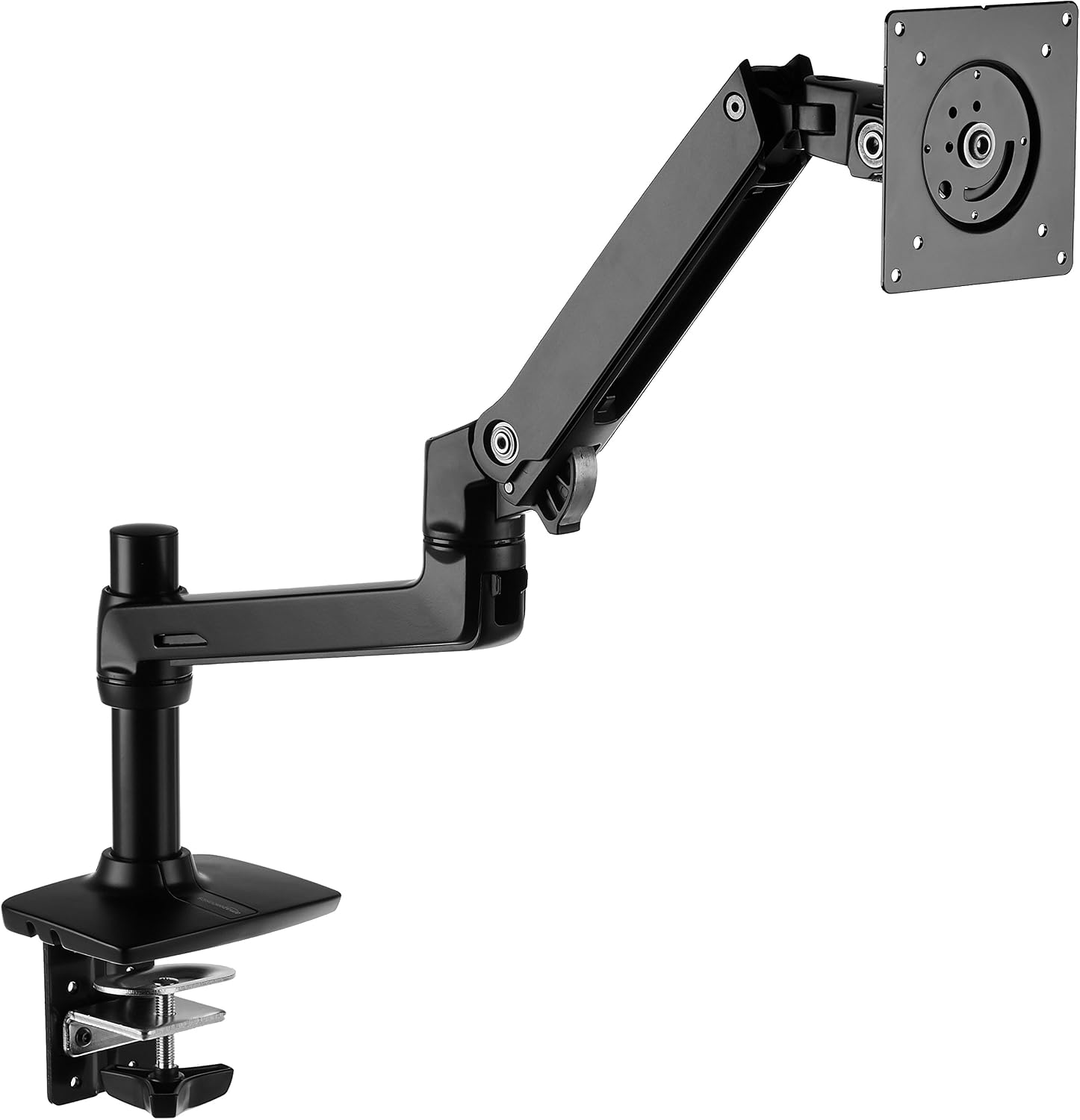
Amazon Basics Single Monitor Stand, Lift Engine Arm Mount, Black
The simplest install of the group and a single-arm footprint that leaves the desk edge clear
The listing name does not state a weight rating or a VESA pattern, so you have to dig before you commit
Prices and availability were captured from Amazon Creators API and may change.
How I read a monitor arm spec sheet
Four numbers, in this order. If a listing is vague on any of them, that is information too.
Weight rating. This is per arm, not per box. The rating assumes the monitor alone, without its factory stand attached, and it should be published as a range with a floor and a ceiling. The floor matters as much as the ceiling: a gas spring rated for 8 to 17 pounds will not hold a 4-pound panel at the top of its travel, because there is not enough load to compress the cylinder into its working zone. The MOUNTUP lists 4.4 to 17.6 pounds. The North Bayou G35 lists 4.4 to 26.4 pounds per arm. Those are usable ranges with real floors, which is what you want to see.
VESA pattern. 75 x 75 mm and 100 x 100 mm cover almost every monitor sold in the last decade, and the SmooVex explicitly supports both. If your monitor has no VESA holes at all, no arm on this page or any other page will mount it without an adapter plate, and those adapters are a separate purchase with their own weight limits.
Clamp or grommet. The C-clamp grabs the front edge of the desktop. The grommet base passes through an existing cable hole and bolts down from underneath. Both have a desk thickness range and a required lip depth, and both fail the same way: a hollow-core or thin desktop flexes under the load and the arm wobbles at the base, not at the joint. Measure the desktop before you order anything, and if your desk has a thick beveled edge or a metal frame rail running under the front lip, plan on the grommet option instead.
Spring type. Gas spring or mechanical spring. More on that below, because it is the single biggest predictor of how the arm feels in year three.
The single arms: SmooVex Model-A5 and Amazon Basics Lift Engine
NB SmooVex Monitor Mount, Model-A5
The SmooVex is the more interesting of the two singles because it publishes its numbers. It fits screens up to 32 inches, it covers VESA 75 and 100, and it uses a mechanical spring rather than a sealed gas cylinder. That last detail is the reason I would put it on a desk I have to maintain. A mechanical spring column carries an adjustment screw, so when the arm starts to creep downward after a couple of years, you tighten the screw and the tension comes back. A sealed gas spring that has lost its charge is a paperweight with a VESA plate.
The trade-off is that you have to actually do the adjustment. Nobody does it in month two. Everybody notices in month thirty.
Amazon Basics Single Monitor Stand, Lift Engine Arm Mount
This is the plain option, and plain is not an insult. A single arm with a lift engine design and a compact base is exactly what a one-monitor desk needs, and the Amazon Basics name usually means the instructions are clear and the hardware bag is complete. What the product name does not give you is a weight rating or a VESA pattern, and those are the two things that decide whether it works with your specific panel. Check both on the listing before you buy. If the listing does not publish a weight range, that is a reason to keep looking, not a reason to gamble.
The dual arms: MOUNTUP and North Bayou G35
MOUNTUP Dual Monitor Stand
The MOUNTUP dual covers 22, 24, 27, and 32 inch screens, holds 4.4 to 17.6 pounds per arm, and ships with both a C-clamp and a grommet base. That last part is more valuable than it sounds. Most dual arms make you pick one mounting method at purchase, and if you move desks six months later you find out the hard way that the new desk has a drawer rail where your clamp needs to sit. Having both bases in the box means the arm follows you to the next desk.
The 17.6 pound ceiling is the constraint. Two typical 24 or 27 inch panels sit comfortably under it with room to spare. A pair of heavier 32 inch displays, or one heavy panel and one light one, gets tight fast, and a dual arm that is running at 95 percent of its rating is a dual arm that drifts.
NB North Bayou Dual Monitor Arm G35
The G35 is the heavy lifter of this group. It covers 22 to 32 inch monitors and rates 4.4 to 26.4 pounds per arm, which is roughly nine pounds of extra headroom per side over the MOUNTUP. It also offers full motion swivel, so you can swing a screen toward a client chair during a walkthrough and push it back flat afterward without touching the tension.
The honest downside is that headroom has a cost in more than money. A stiffer arm with heavier springs takes more force to move, and if both your monitors are light 24 inch panels, you will spend the first week feeling like you are fighting the mount. Dual arms in this class also put real torque on the desk edge, so the clamp base and the desktop material matter more here than they do on a single arm.
Gas spring vs mechanical spring: the part that decides year three
The difference between a cheap arm and an expensive arm is not the paint or the plastic covers. It is the spring.
A gas spring is a sealed cylinder under pressure. It is smooth, it holds position well when it is new, and it is the reason premium arms feel effortless. It is also a wear item with no serviceable parts. When the charge bleeds off, the arm sags, and there is nothing to tighten.
A mechanical spring is a coiled spring with an adjustment screw or bolt. It is slightly less silky in the hand, and it usually needs a re-tension somewhere down the line. But you can fix it. The SmooVex in this comparison is the mechanical spring option, and that is a feature, not a compromise.
My rule: if you are buying an arm for a desk you plan to keep for five years, mechanical spring tension you can adjust beats a sealed gas spring you cannot. If you are buying for a setup you will rebuild in eighteen months, either works, and the gas spring will feel nicer on day one.
Clamp, grommet, and the desk you actually own
I have watched more installs fail at the desk than at the monitor. Three things to check before you order:
- Desktop thickness. Every clamp and grommet base has a published thickness range. Measure yours with a ruler, not by eye, and measure at the front edge where the clamp actually lands, not in the middle of the desk.
- Edge clearance. A C-clamp needs a flat lip and a couple of inches of unobstructed underside. A drawer rail, a keyboard tray bracket, or a metal frame rail will block it.
- Material. Solid wood and thick laminate handle clamp pressure fine. Hollow-core doors and thin particleboard flex. If your desk is in that second group, a grommet mount spreads the load better, and the MOUNTUP dual gives you that option in the box.
Cable management is not a finishing touch
A floating monitor with cables hanging off the back looks broken, and it defeats half the reason you bought the arm. Look for a channel that runs the length of the lower arm and a clip at the elbow, because that is where the slack wants to bunch up.
Route the cables before you tighten the final joint, not after. Leave a service loop at the monitor end long enough to pull the screen forward and swivel it, or you will stress the connector every time you move the display. And leave slack at the desk end, because arms move and cables do not stretch.
Which arm for which desk
- One monitor, up to 32 inches, and you want to be able to service the tension yourself: the NB SmooVex Model-A5. The mechanical spring and the published VESA support make it the most maintainable single in this group.
- One monitor, standard size, and you want the simplest install: the Amazon Basics Lift Engine Arm Mount, after you confirm the weight rating and VESA pattern on the listing.
- Two monitors at or under 17.6 pounds each, and you may move desks later: the MOUNTUP dual, because it ships with both clamp and grommet bases.
- Two monitors, one of them heavy, or a pair of 32 inch panels: the NB North Bayou G35, with 26.4 pounds of rated capacity per arm.
What I would verify before clicking
Three checks, every time. Pull the weight of your monitor from the manufacturer spec sheet with the stand removed, and compare it to the arm's published range, not to the top number alone. Confirm the VESA pattern on the back of the panel is 75 x 75 or 100 x 100, since the SmooVex and most of this group assume it. And measure your desktop thickness and edge clearance before you decide between clamp and grommet.
Do those three things and the arm you pick will still be holding its position when the next monitor upgrade comes around. Skip them and you will be the person writing me the follow-up email.