Two dual arms, two single arms, and one weight band that keeps showing up: 4.4 to 19.8 pounds per arm. That range is what two of these four gas spring monitor arms are built around, and it is the first thing I check before anything gets clamped to a desk. I have spent 13 years as an IT infrastructure engineer in Raleigh and the last five building home offices on the side, somewhere north of 200 desks at this point, and the arms that end up in a drawer are almost never the cheap ones. They are the ones matched to the wrong monitor count, the wrong screen size, or the wrong desk edge.
Here is the short version. Two monitors: the HUANUO FlowLift dual stand and the Acer dual arm are the two candidates, and the decision comes down to how much per-arm adjustability and mounting flexibility you want. One monitor: the HUANUO single gas spring arm and the Suptek single arm split the job, with the Suptek covering the largest screens on paper. Everything else is in the table below, followed by the reasoning and the trade-offs.
The one-line answer: pick by monitor count first, screen size second, weight rating third. Adjustability and cable routing are what you live with every day after that.
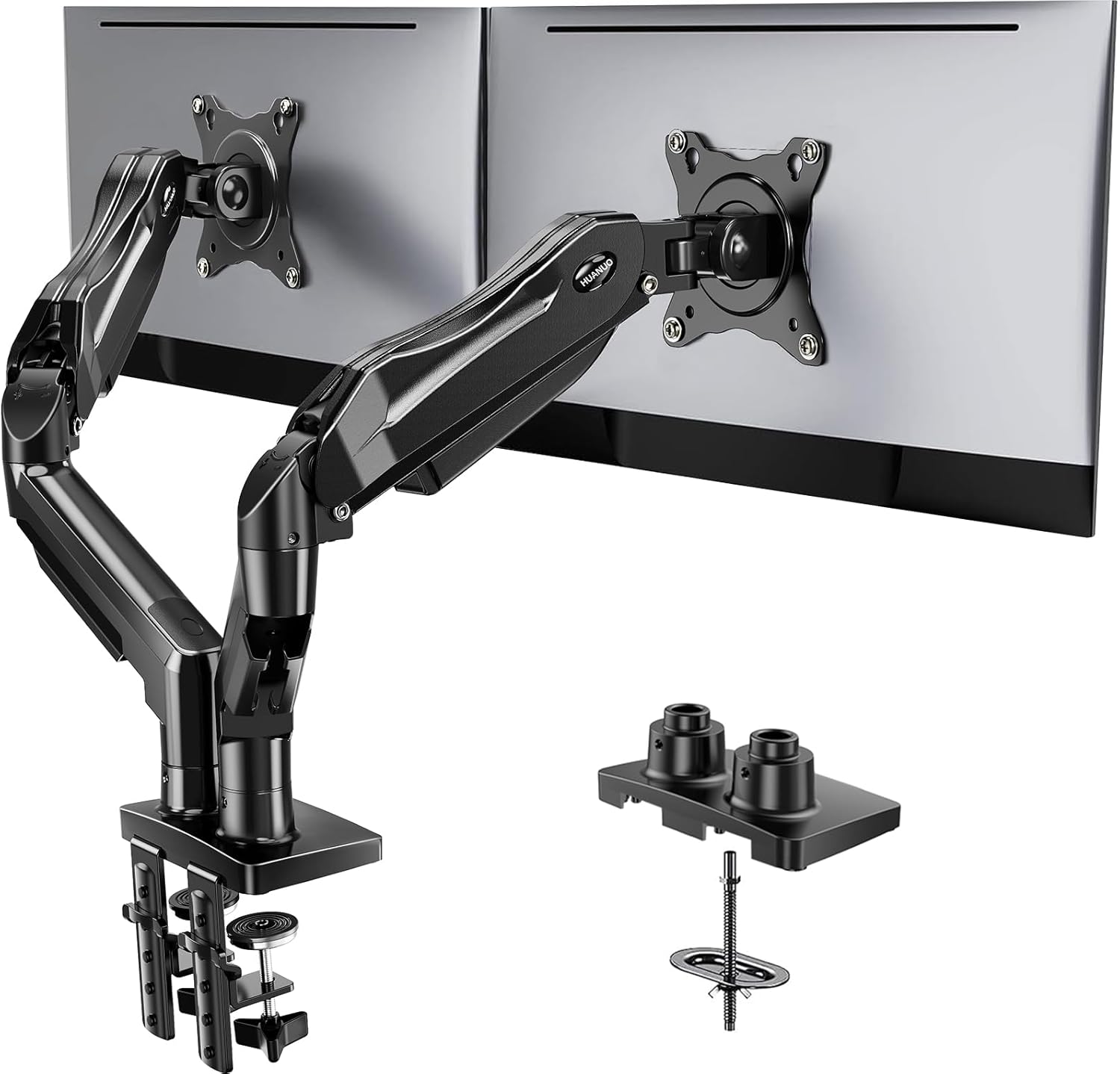
HUANUO FlowLift™ Dual Monitor Stand, Fully Adjustable Gaming Monitor Desk Mount for 13-32″ Computer Screens, Full Motion VESA 75x75/100x100 with C-Clamp & Grommet Base, Each Arm Holds 4.4 to 19.8 lbs
Publishes the most complete spec set of the four: dual arms, 13 to 32 inch range, both VESA patterns, both clamp and grommet mounting, and a stated per-arm weight band
Two monitors on one base means one desk edge carries the whole load, and a published 4.4 to 19.8 pound band is a wide one for a single spring setting
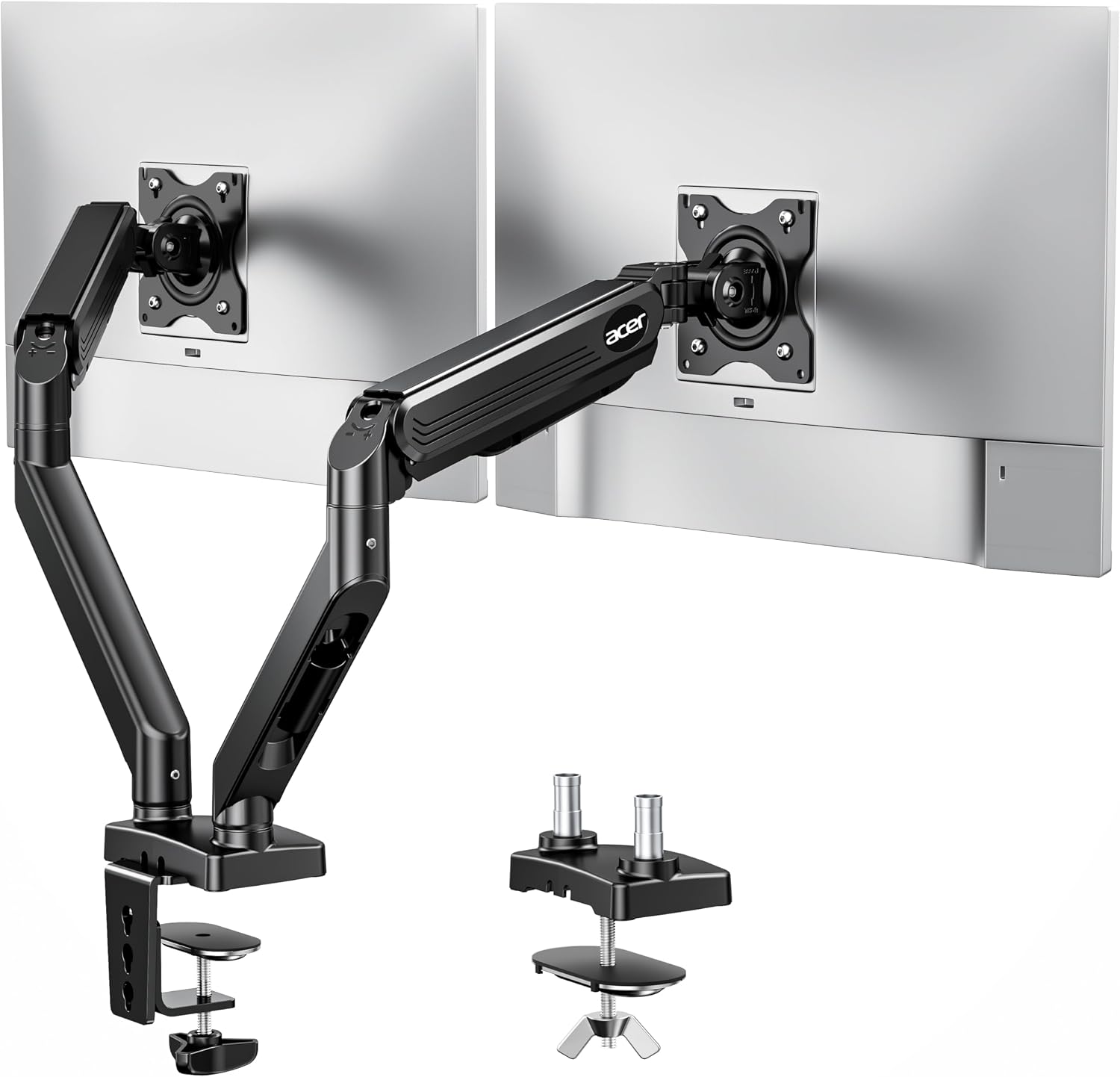
Acer Dual Monitor Arm, Gas Spring VESA Mount Stand for 17-32" Screens
Gas spring dual mount aimed squarely at standard desk monitors, 17 to 32 inch, from a brand with a long hardware track record
Screen range starts at 17 inches, so small panels are out, and the spec sheet is thinner on mounting and weight detail than the FlowLift
HUANUO Single Monitor Mount, 13 to 32 Inch Gas Spring Monitor Arm, Adjustable Stand, Vesa Mount with Clamp and Grommet Base - Fits 4.4 to 19.8lbs LCD Computer Monitors
Lowest screen-size floor of the group at 13 inches, gas spring, and both clamp and grommet bases in the box
One monitor only, and the same wide 4.4 to 19.8 pound band means very light panels need the tension dialed down
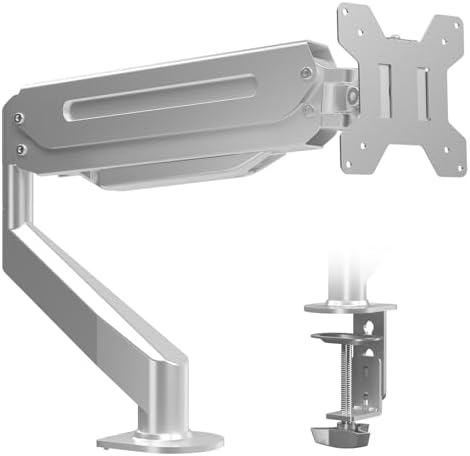
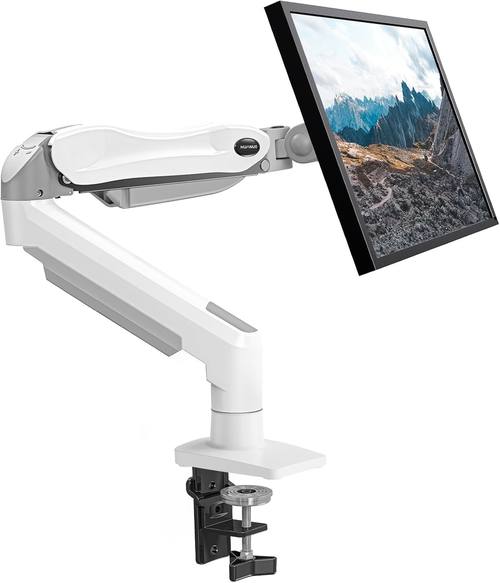
Suptek Single Monitor Arm Fully Adjustable for 17-34-35 Inch Screens
The only single arm here that lists support up to 34 and 35 inch screens, which is the ultrawide territory the others do not claim
No published weight band, and the "17-34-35" range is an odd way to write a spec, so you need to confirm your panel against the listing
Prices and availability were captured from Amazon Creators API and may change.
How I evaluate a monitor arm before it earns desk space
Three checks, in order. First, does the gas spring hold a 27 inch monitor at full extension and keep holding it through a workday, or does it drift down a centimeter an hour until you notice at 4 p.m.? Second, can you change tilt tension with your hand, or does it need a hex key that you will lose by Thursday and never think about again? Third, where do the cables go? An arm with no channel turns a floating monitor into a spider.
Those three questions are also the reason this shortlist is four arms and not forty. Every product here is a gas spring design, every one is a desk mount rather than a wall mount, and every one is aimed at the same basic job: get the monitor off the factory stand and back to a height your neck agrees with.
The difference between an entry-level arm and a premium one is not the paint or the logo. It is the gas spring, the metal in the joints, and how long the whole assembly holds its position. A monitor arm is a long-term furniture purchase, not a gadget, and the arm that sags in month three was never actually cheap.
The dual arms: HUANUO FlowLift against Acer
These two are the only dual options in the group, and they take different approaches to the same problem.
The HUANUO FlowLift dual stand is the more thoroughly documented of the two. Each arm holds 4.4 to 19.8 pounds, the screen range runs 13 to 32 inches, the VESA pattern covers both 75x75 and 100x100, and the base can be either a C-clamp on the desk edge or a grommet mount through a hole. For a two-monitor setup where you want full motion on both panels and you want the option to change mounting method later without buying a second product, that combination is the most flexible thing on this list.
The Acer dual arm is a gas spring VESA mount stand for 17 to 32 inch screens. It is a narrower claim than the FlowLift's, and it tells you what Acer thinks this product is for: two ordinary desk monitors, not a pair of tiny panels and not a pair of 34 inch ultrawides. If your setup is two 24 or 27 inch displays, that range covers you comfortably.
The trade-off with any dual arm is load concentration. Two monitors, two arms, one clamp. If your desk is a hollow-core top or a thin laminate surface, the clamp is now holding twice the weight it would hold with a single arm, and the failure mode is not dramatic, it is a slow dip in the desktop and a clamp that stops staying tight. A solid wood or thick engineered top handles it fine. A $90 particleboard special does not, and no arm on this list fixes that.
The single arms: HUANUO gas spring against Suptek
The two single arms here are not really competitors so much as two answers to different screen sizes.
The HUANUO single monitor mount covers 13 to 32 inches, uses a gas spring, and ships with both a clamp and a grommet base. It fits monitors from 4.4 to 19.8 pounds. That 13 inch floor is the lowest in this comparison, which matters if you are arm-mounting a smaller secondary panel or a compact display that other arms simply do not go down to.
The Suptek single arm is the size play. It lists full adjustability for 17 to 34 and 35 inch screens, and it is the only single arm here that reaches into ultrawide territory at all. If you own a 34 inch ultrawide and you want it on an arm, this is the one product in this group whose spec sheet even claims that screen size.
What the Suptek record does not give you is a weight band. That is not automatically a problem, but it means the weight question is unanswered until you read the listing. The "17-34-35" phrasing is also worth a second look. A range written that way usually means the manufacturer is hedging across two similar panel sizes, and it is exactly the kind of spec I would verify against my actual monitor before ordering.
Clamp or grommet: measure your desk edge first
This is the part people skip, and it is the part that ruins the install.
A desk clamp needs a flat edge with enough depth for the jaws to bite, plus clearance underneath for the screw. A grommet mount needs a hole in the desktop, usually the one your old cable routing grommet is already using, and it needs enough room under the desk for the plate and nut. Neither is a style choice. It is a desk geometry problem, and you solve it with a tape measure before you order.
Two products here publish both options: the HUANUO FlowLift dual stand, with C-clamp and grommet base, and the HUANUO single mount, with clamp and grommet base. The Acer dual arm and the Suptek single arm are listed as VESA mount stands, so the mounting hardware details are something to confirm on the listing rather than assume.
One more desk note. A grommet mount is the stronger of the two when the desktop allows it, because the load is centered over the hole instead of hanging off an edge. On a dual arm, that difference matters more than it does on a single.
VESA plates, tilt joints, and the hex key problem
Every arm here mounts through VESA, which is the 100x100mm or 75x75mm hole pattern on the back of your monitor. No VESA holes, no arm, and that includes a surprising number of older or unusually shaped displays. The FlowLift dual stand explicitly lists both 75x75 and 100x100, which is what you want to see, since 75x75 covers smaller panels and 100x100 covers the standard sizes.
Tilt is the other half of that. A tilt joint that needs a hex key to adjust is a tilt joint you will set once, badly, and then live with for three years. Check that the tension is reachable by hand. And when you set it, set it while the monitor is mounted and powered on, because a joint that feels fine on the bench behaves differently with a panel hanging off it.
Weight ratings and the headroom rule
An arm rated for 19.8 pounds will hold a 15 pound monitor, and that headroom is the point. You want the spring working comfortably inside its range, not pinned at the top of it, because the top of the range is where springs die and where tilt joints start creeping.
Two products here publish that 4.4 to 19.8 pound band, the FlowLift dual and the HUANUO single. The Acer and the Suptek do not publish a weight figure in their records, so treat the screen size range as the only stated limit and check the listing for the rest.
There is a second weight problem nobody mentions: everything you hang on the monitor. A webcam, a light bar, a small USB hub clipped to the bezel, a heavier aftermarket stand. The arm does not know those are accessories. It only knows total load, and the rating on the box was written for the panel alone.
Cable management is not optional
A floating monitor with dangling cables looks broken, and it also puts strain on your ports. The rule I use on client desks is simple: every cable that leaves the monitor should be captured within six inches of the VESA plate, then routed down the arm, then down the column, then into a single bundle behind the desk.
Check the arm for channels before you buy, not after. If the arm has no routing path, you are going to end up with zip ties and hope. On a dual arm this matters twice as much, because you now have two monitors' worth of DisplayPort, power, and USB cables wanting to take the shortest path off the desk edge.
Which arm for which desk
Match the setup, not the brand:
- Two 24 to 27 inch monitors, want maximum flexibility: the HUANUO FlowLift dual monitor stand gives you per-arm weight ratings, both VESA patterns, and both clamp and grommet mounting.
- Two standard desk monitors, 17 to 32 inch, gas spring simplicity: the Acer dual monitor arm covers that range directly.
- One monitor, 13 to 32 inch: the HUANUO single monitor mount has the lowest size floor here and both mounting options.
- One large panel, 32 to 34 or 35 inch: the Suptek single monitor arm is the only single arm in this group that lists that screen size.
What I am still skeptical about
A gas spring covering a 4.4 to 19.8 pound band with a single tension setting is doing a lot of work across a very wide load range. At the top of the band, the spring is near its limit. At the bottom, a light panel can float upward until you dial the tension down, and on some arms the adjustment range does not quite get you there. That is not a flaw unique to these products, it is the physics of a one-size spring, but it is the reason I check the bottom of the band as carefully as the top.
The other thing I would watch is the return window. An arm that sags is rarely sagging on day one. It sags after a few hundred tilt adjustments and a few months of a monitor sitting at full extension. Buy from a seller with a return policy you can actually use, and if the arm is holding position at the end of the first month, it is probably going to keep holding.
Measure your desk edge, weigh your monitor, count your monitors, then pick. That order has never once led me wrong on a client install, and it will not lead you wrong either.