Most desks ship with a stand that eats six to eight inches of depth and pins the screen at whatever height the factory chose. A monitor arm desk mount fixes both problems at once: it clamps to the desk edge, lifts the panel to eye level, and hands the space underneath back to your keyboard, notebook, or dock. The trouble is that arms look nearly identical in product photos while differing on the two numbers that decide whether they actually work, which are weight capacity and supported screen size range.
This roundup covers six mounts sold for desk and wall use, from budget clamp arms to a premium gas spring unit rated for a 34 inch ultrawide. Each entry below is matched to a verified product record, and each link points to that exact product so you can confirm current price and availability before you commit.
Related: Monitor Arm vs Desk Stand: Which One Saves More Desk Space
Quick answer
The Ergotron LX Monitor Arm is the strongest fit for a 27 to 34 inch panel that has to hold its angle at full extension because it is rated for 7 to 25 lbs on VESA 75x75mm or 100x100mm patterns. Choose the suptek Single Monitor Arm (MD6DB) instead when you want a desk clamp arm with a 22 lb capacity for a 13 to 32 inch screen and a simpler, lighter build.
Monitor arm desk mounts worth comparing
Four of the six products here are desk clamp arms built around a VESA plate, and two are wall-mounted items that solve problems next to the arm rather than on it. The specification sheet settles most of it: weight capacity, screen size range, VESA pattern support, reach, and whether the mount clamps a desk edge or bolts to a wall. A 34 inch ultrawide and a 24 inch office panel ask for very different hardware, and the gap between a 19.8 lb rating and a 25 lb rating is often the difference between a screen that holds position and one that creeps downward over a year of daily use.
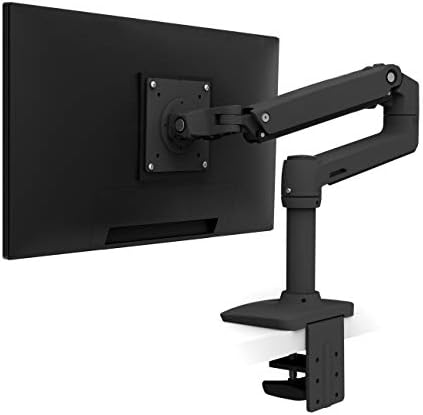
Ergotron, LX Monitor Arm, Single Monitor Desk Mount, fits Flat Curved Ultrawide Computer Monitors up to 34 Inches, 7 to 25 lbs, VESA 75x75mm or 100x100mm, Matte Black
Single monitor desk mount rated for flat and curved ultrawide screens up to 34 inches, with a 7 to 25 lb weight range and support for both 75x75mm and 100x100mm VESA patterns.
Visit on Amazon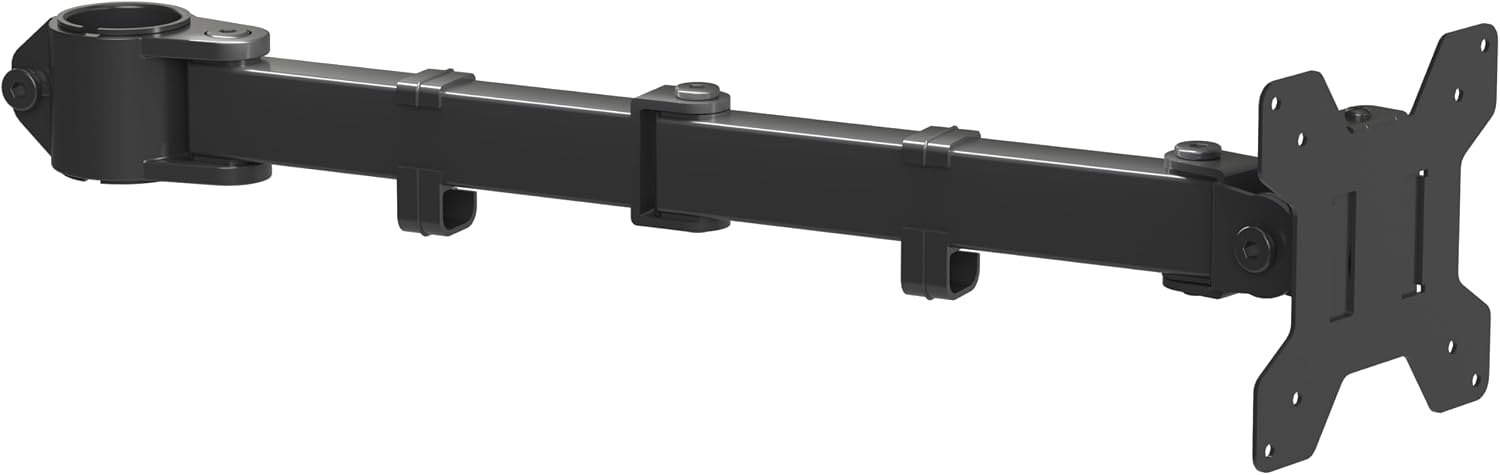
suptek Single Monitor Arm for Desk Mount Stand,Adjustable Monitor Arm for 13 to 32 inch Screen,Support Weight up to 22lbs,and Mounting Holes 75x75mm to 100x100mm,Black(MD6DB)
Check current Amazon price
Desk mount arm for 13 to 32 inch screens, supporting up to 22 lbs with mounting holes from 75x75mm to 100x100mm.
Visit on Amazon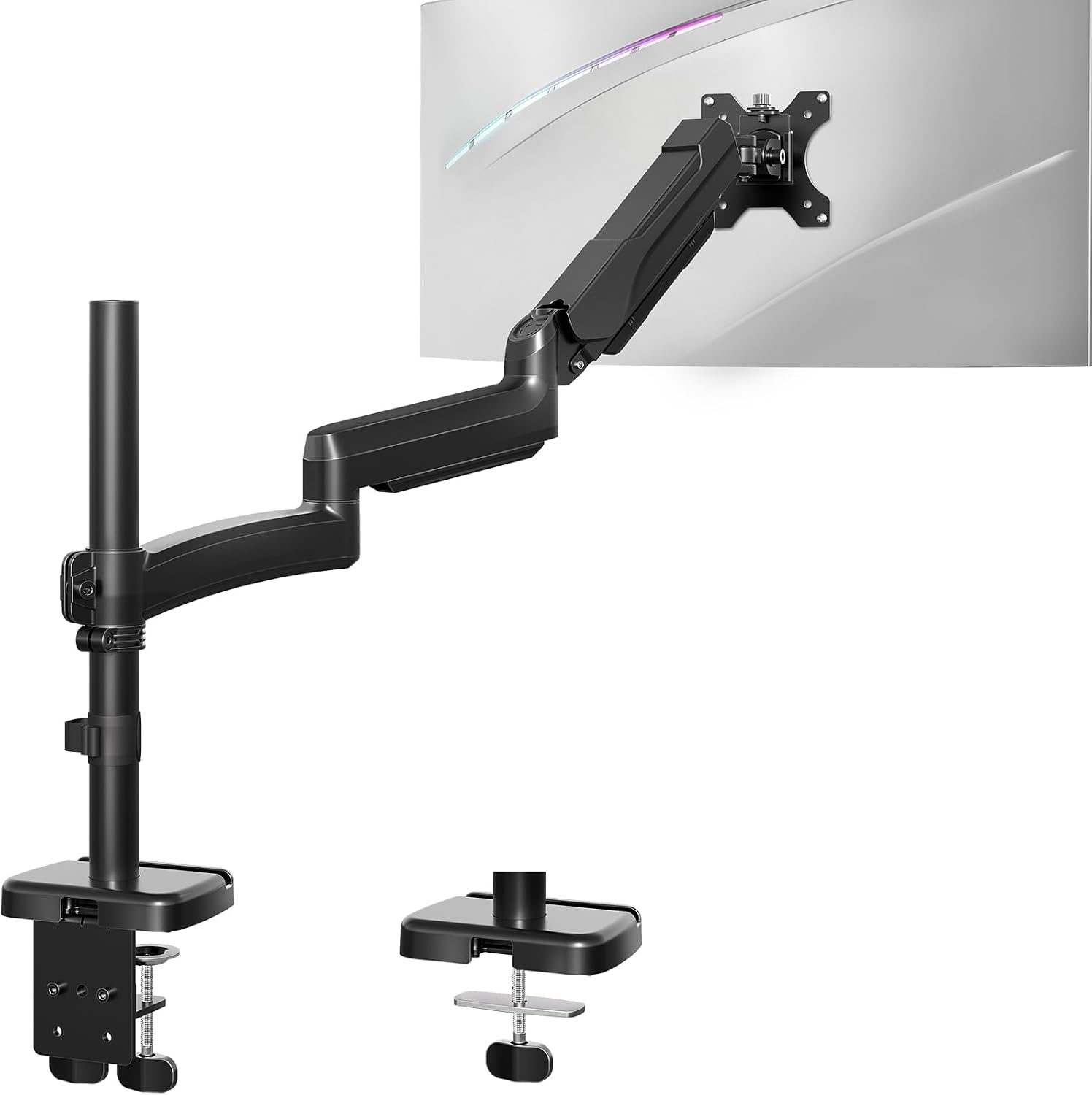
MOUNT PRO Single Long Monitor Arm, 13 to 32 inch Computer Monitor Desk Mount, Extra Long Adjustable Screen Stand, Tall Display Mount with Tilt, Swivel, Rotation, Hold up to 19.8lbs, VESA 75/100mm
Extra long, tall desk mount for 13 to 32 inch monitors with tilt, swivel, and rotation, holding up to 19.8 lbs on VESA 75mm or 100mm patterns.
Visit on Amazon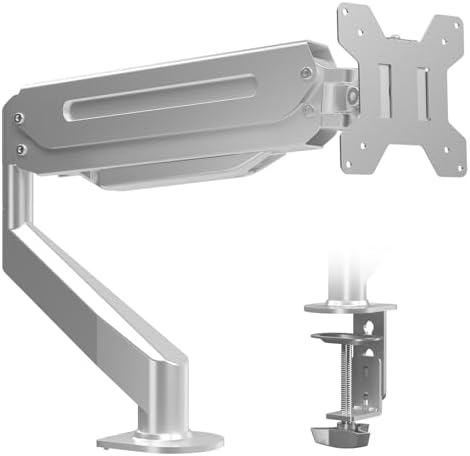
Suptek Single Monitor Arm Fully Adjustable for 17-34-35 Inch Screens
Fully adjustable single monitor arm sized for 17 to 34 or 35 inch screens, aimed at larger panels than the usual 32 inch ceiling.
Visit on Amazon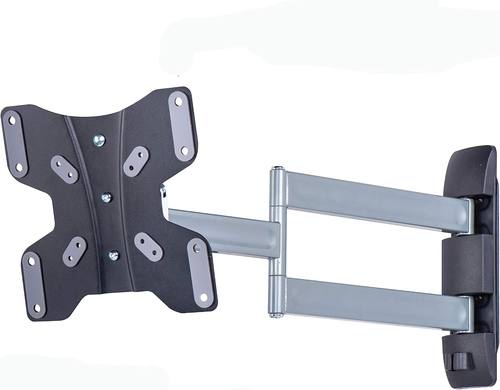
Amazon Basics Triple Arm Full Motion Articulating TV Wall Mount, fits TVs 23-50" up to 55lbs
Check current Amazon price
Wall mount with three articulating arms for 23 to 50 inch displays up to 55 lbs, the wall-mounted option in this group rather than a desk clamp.
Visit on Amazon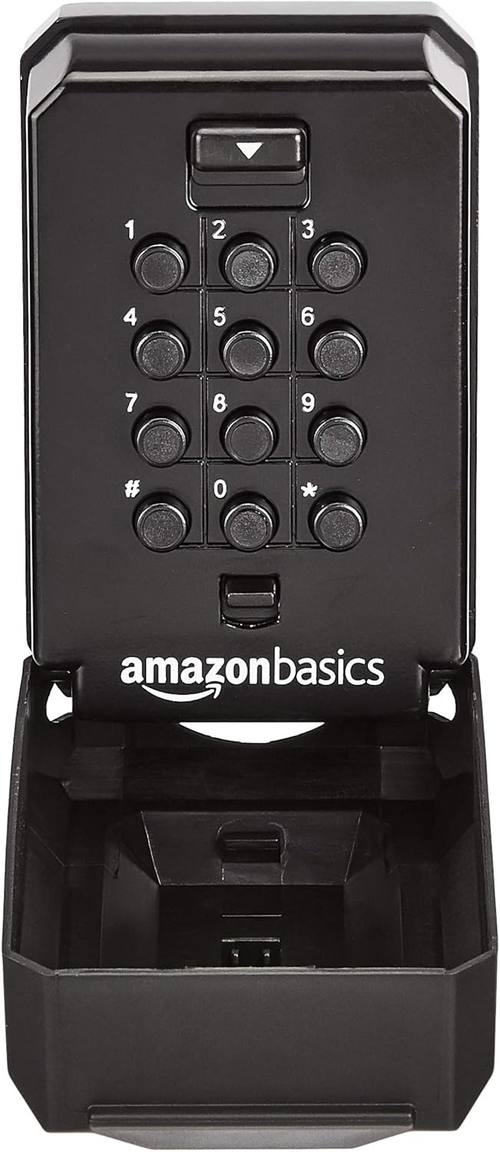
AmazonBasics Wall Mount Push Button Key Storage Lock Box, Black/Grey, 1-Pack
Check current Amazon price
Wall mountable push button key storage lock box. Not a monitor mount, but a practical companion for securing spare keys near a desk, cabinet, or equipment closet.
Visit on AmazonPrices and availability may change. Check the retailer for current details.
How these products were compared
This guide compares weight capacity, supported screen size range, VESA pattern compatibility, reach and articulation, and mounting type, meaning desk clamp versus wall plate. Product names, images, and retailer links are matched by product identifier so that every card points to the product shown.
Everything below comes from manufacturer specifications and from the geometry of ordinary desks. Nothing here is presented as a measured lab result, and no price is printed because listings move constantly. Use the button on each card to confirm current price, stock, and return terms.
How to choose the right monitor arm
Weight capacity comes first, and the monitor is not the only load. Every rating in this group assumes the panel is the only thing hanging on the arm. A VESA adapter plate, a heavy DisplayPort cable with a stiff connector, or a small shelf accessory adds weight that comes out of your headroom. The Ergotron LX carries a 7 to 25 lb range, the suptek MD6DB goes up to 22 lbs, and the MOUNT PRO tops out at 19.8 lbs. A typical 27 inch office panel lands somewhere between 9 and 15 lbs, so all three have room, but a 34 inch ultrawide can sit high enough in the range that the lower-capacity arm is the wrong bet.
Screen size range and VESA pattern are separate checks. The suptek MD6DB and the MOUNT PRO both cover 13 to 32 inch screens. The Ergotron LX goes to 34 inches and explicitly covers curved ultrawides. The second Suptek arm in this roundup is listed for 17 to 34 or 35 inch screens, which makes it the widest desk-clamp size range here, though you should confirm the weight rating and VESA pattern on the exact listing before assuming it matches a heavy curved panel. Then turn your monitor around and measure the hole spacing. If you see four threaded holes in a square about 75mm or 100mm apart, you have a standard VESA pattern and any arm here with 75x75mm or 100x100mm support will bolt up. If there are no holes, no arm will help without an adapter, and some slim panels simply do not offer one.
Reach matters as much as capacity. A short arm on a deep desk cannot center a large panel, and the monitor ends up hovering off to one side of your seating position. The MOUNT PRO is built as an extra long, tall arm, which suits deep desks, corner setups, and standing desks where the mounting point sits well behind the screen. If your desk is shallow and the clamp lands close to where you sit, a long arm just gives you more ways to accidentally swing the panel into a coffee mug.
Decide between clamping, grommet mounting, and wall mounting before you buy. Most single arms in this group are desk clamp designs, which need a solid lip and roughly one to two inches of vertical clearance under the desktop. A grommet mount uses an existing hole in the desk surface instead, which is more stable but only available if the hole exists. The Amazon Basics triple arm wall mount is the third path: it is a full motion articulating wall mount for 23 to 50 inch displays up to 55 lbs, so it fits a desk-adjacent TV or a large display that you would rather hang on the wall than float over the desk. That is a different installation with different hardware and anchoring requirements.
Plan cable routing at the same time. An arm without cable channels leaves the monitor floating with wires drooping behind it, which looks broken even when the hardware is fine. Look for channels along the arm segments and decide where the cables will drop before you mount anything, because retrofitting routing after the monitor is on the arm is a much worse afternoon.
Ergotron LX Monitor Arm
The Ergotron LX is the reference point in this roundup: a single monitor desk mount for flat and curved ultrawide displays up to 34 inches, rated from 7 to 25 lbs, with VESA 75x75mm and 100x100mm support and a matte black finish. That combination covers the widest range of screens here, and the 25 lb ceiling means a large curved panel sits comfortably inside the rating rather than at the edge of it.
The trade-off is straightforward. If you run a 24 inch panel that weighs around 10 lbs, most of that capacity is headroom you may never use, and the LX is more mount than the job requires. It is also the premium option in this group, so the honest question is whether you want the extra size range and capacity now or later. If your next monitor is likely to be a 34 inch ultrawide, buying the capacity once is cheaper than buying twice.
Alternatives to consider
The suptek Single Monitor Arm (MD6DB) is better suited to a standard 13 to 32 inch panel that needs a 22 lb capacity desk clamp with 75x75mm to 100x100mm mounting holes, while the MOUNT PRO Single Long Monitor Arm is a stronger fit when you need extra reach and height for a deep desk or a standing desk, with tilt, swivel, and rotation and a 19.8 lb limit.
The Suptek Single Monitor Arm for 17-34-35 Inch Screens is the pick to check when your panel is larger than 32 inches and you want a desk clamp rather than a wall plate. The Amazon Basics Triple Arm Full Motion Articulating TV Wall Mount covers the wall-mounted case for 23 to 50 inch displays up to 55 lbs, with three articulating arms for full motion adjustment. The AmazonBasics Wall Mount Push Button Key Storage Lock Box is not a mount at all; it is a wall-mountable lock box for spare keys, which is useful if your setup includes a locked cabinet or an equipment closet and you want the spare key stored out of sight.
Day-to-day use and maintenance
Once an arm is mounted, most of the long-term care is about fasteners and balance. Check the desk clamp after the first week and again after a month, since clamps can settle into the desk surface and lose a little tension. Recheck the VESA plate screws at the same time, particularly on a monitor you rotate between landscape and portrait, because that motion works screws loose faster than a fixed orientation.
Balance the arm so the monitor rests where you want it rather than drifting. If the panel creeps downward over a day, the arm is carrying more weight than its tension setting is set for, which is a sign to reduce the load or move to an arm with more capacity. Keep the weight rating in mind whenever you add anything to the monitor: a webcam, a light bar, or a small shelf all come out of the same budget. Clean the arm with a dry or slightly damp cloth and avoid solvent cleaners on the finish. Route cables through the channels and leave a little slack at the joints so the connectors are not under tension when the arm moves.
Buying checklist
- Measure your desk thickness at the clamp point and confirm the clamp opening will fit it, or check whether you have a grommet hole instead.
- Confirm the VESA pattern on the back of your monitor, 75x75mm or 100x100mm, and note whether an adapter is needed.
- Choose weight capacity with headroom above the monitor's actual weight, and remember webcams and adapters count.
- Match the screen size range to your panel, including any ultrawide or curved display.
- Check the reach and height of the arm against how far your mounting point sits from your seating position.
- Verify the current retailer price, availability, and return terms before ordering.
Final recommendation
Choose the Ergotron LX Monitor Arm when you run a 27 to 34 inch screen, especially a curved ultrawide, and you want a 7 to 25 lb rating with 75x75mm and 100x100mm VESA support that will not need replacing if your monitor grows. Choose the suptek Single Monitor Arm (MD6DB) when a 13 to 32 inch panel and a 22 lb capacity cover your setup and you would rather keep the mounting hardware simple. If your desk is deep or you stand part of the day, the MOUNT PRO Single Long Monitor Arm is the reach-oriented alternative within its 19.8 lb limit, and if the display belongs on the wall instead of over the desk, the Amazon Basics Triple Arm Full Motion Articulating TV Wall Mount is the wall-mounting option for 23 to 50 inch screens up to 55 lbs.