Related: Best Monitor Arms for a Standing Desk Setup
I have installed more than 200 desk setups for clients, and the arm is almost always the part people buy wrong. They compare clamp colors and paint finishes, then discover in month three that the joint holding a 32 inch panel has started to droop. A dual monitor arm desk mount is furniture, not a gadget. The gas spring inside it decides whether you are still happy with the purchase a year from now.
So here is how I think about the four arms below. Two are dual-arm mounts for side-by-side screens. Two are extra-long single arms built for a tall panel, a stacked layout, or a desk where the monitor needs to sit further back than a standard linkage allows. I will give you the numbers that matter, the mounting type that fits your desk, and the headroom math, without pretending a clamp is a style choice.
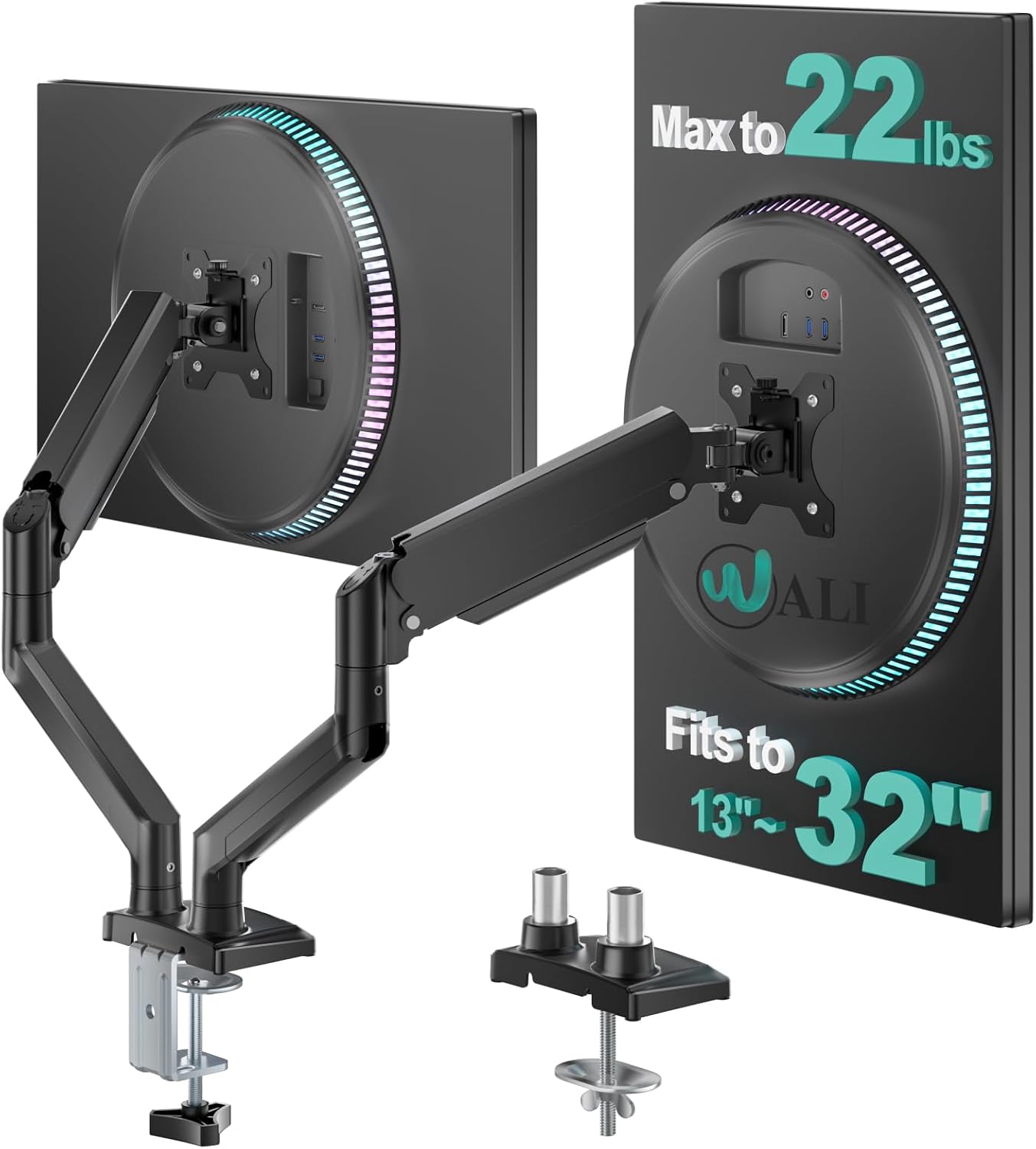
Best Overall: WALI Adjustable Dual Monitor Arm
Each arm is rated to 22 lbs and the mount covers 13 to 32 inch screens. Those two numbers are where I start with any dual arm, because headroom is the entire game with a gas spring. An arm that spends its life near its rated limit will not hold position as long as one running at two-thirds of it. If your panels sit comfortably under that 22 lbs figure, this is the dual arm I would hand to most people first.
Dual arms also earn their keep in the horizontal plane. Two screens on one base means one clamp point, one cable bundle running down one leg, and a layout you can adjust without moving anything underneath. That is the practical argument for dual over two singles, and it holds up in every office I have set up. Symmetry is not vanity when you stare at the seam between two panels for eight hours.
What I would check before buying is your desk lip. A dual arm concentrates the load at one clamp, so the edge of the desk carries the whole setup. A hollow-core or thin laminate top needs a backing plate, no exceptions. I keep a scrap of half-inch plywood in the truck for exactly this, and I have never once regretted cutting it.
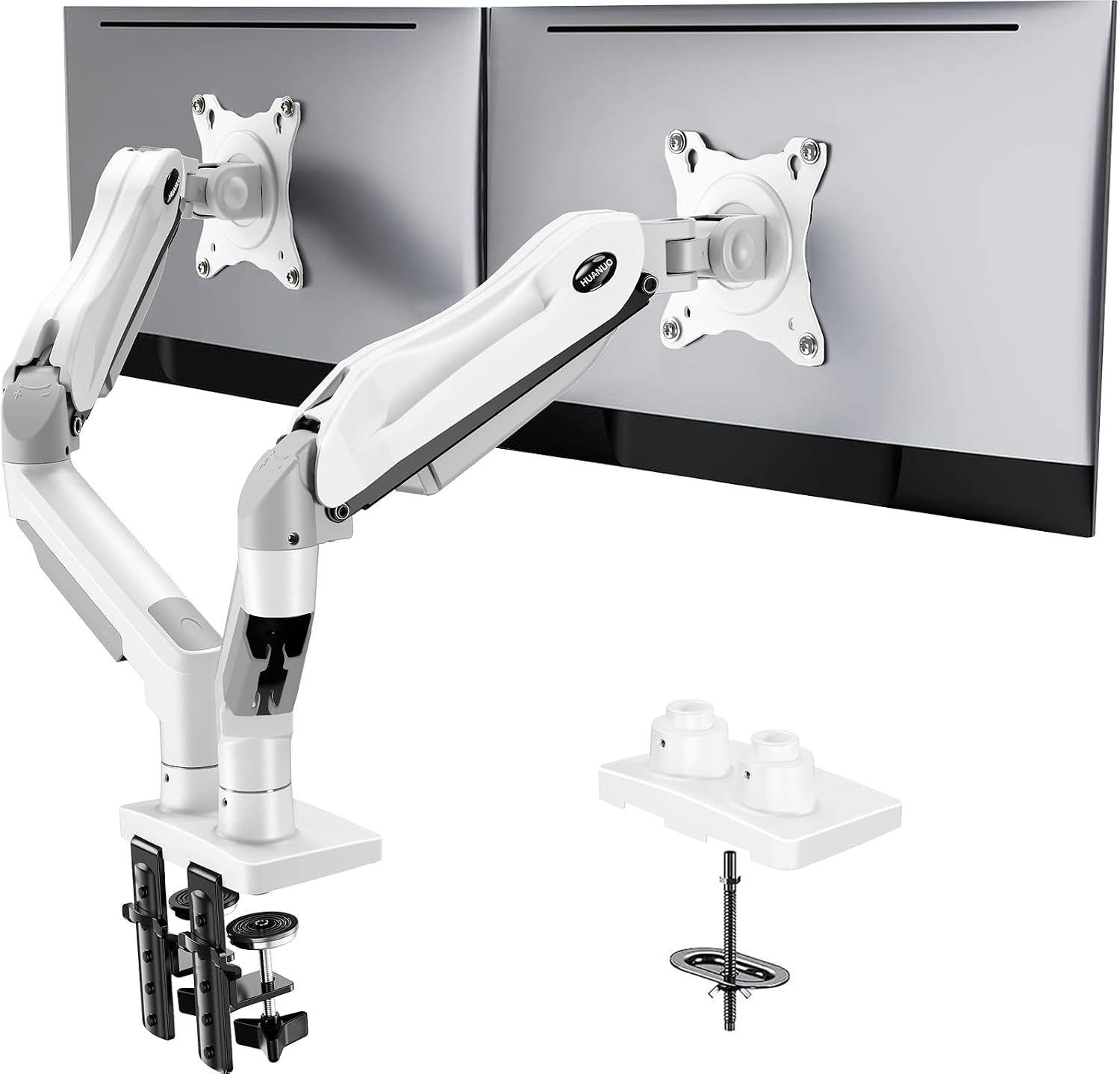
Best for Flexible Mounting: HUANUO Dual Monitor Stand
This one ships in white, which matters more than it sounds if your desk is a light finish and you would rather the hardware disappear. It covers 13 to 32 inch screens and each arm holds 4.4 to 19.8 lbs. Read that lower bound twice. Gas spring arms have a minimum as well as a maximum, and a very light panel on an arm tuned for heavy screens will drift upward and refuse to stay where you put it. If your monitors are on the lighter end, this is the arm that accounts for it.
The mount gives you both a C clamp and a grommet base, so you are not locked to the desk edge. Grommet mounting is the better answer when your desk has a solid core and a hole you do not mind using, because the load travels straight down through the desk instead of hanging off the lip. On a thick hardwood top, that is the difference between a mount that feels permanent and one that always looks like a temporary fix.
This is the arm I recommend when the monitors are mid-weight and the desk is a normal thickness. If you are running a heavy ultrawide, plan on checking the tilt tension at the joint after the first week and again a month in. That is true of every arm in this class, not just this one. Tilt tension is the joint that decides whether the arm stays pleasant to use or becomes something you fight.
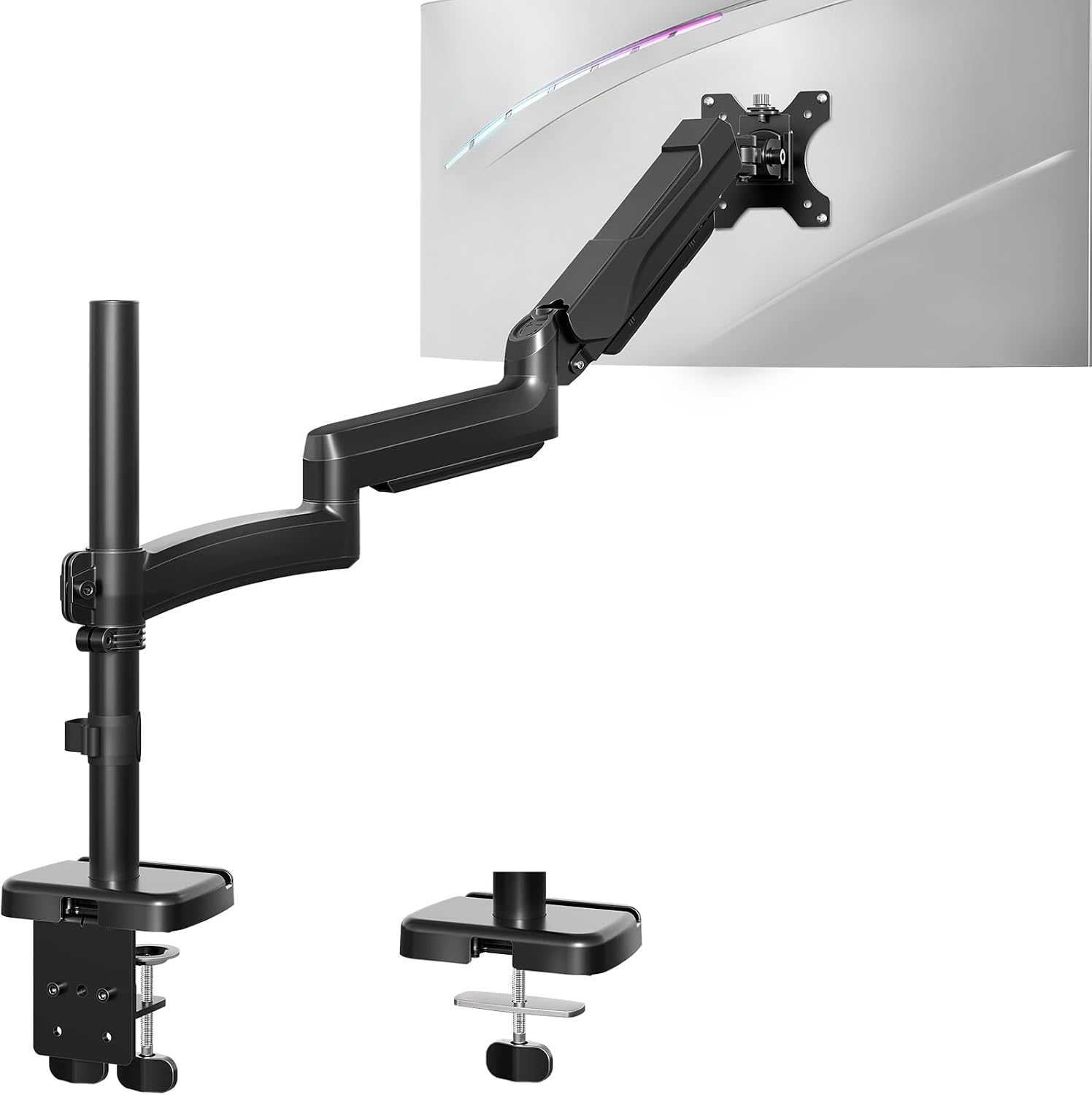
Best Long Single Arm: MOUNT PRO Single Long Monitor Arm
Not every desk wants two screens side by side. Some setups need one tall panel pushed back, angled over the keyboard, or positioned somewhere a standard linkage simply cannot reach. That is the case for a long-arm single mount.
The MOUNT PRO long arm fits 13 to 32 inch screens, holds up to 19.8 lbs, and covers both VESA 75 and 100 mm patterns, which is the 100 x 100 mm bolt square behind nearly every modern monitor. No VESA holes, no arm, so check that before anything else. It gives you tilt, swivel, and rotation at the head, so you can run a wide panel in landscape or spin it to portrait for code, documents, and chat. The longer linkage is the point: more reach, more height, and more room to get the screen out of your face while still keeping it where your eyes want it.
Long arms ask more of the clamp, because leverage at the base rises with reach. Tighten it properly, then check it again after a week of daily use. The failure mode I see most often is not a bad arm, it is a clamp that was snug on day one and loose on day thirty.
Best Budget Long Arm: Extra Long Arm Monitor Mount
Same idea, leaner execution. This extra long arm mount fits screens up to 32 inches and holds up to 19.8 lbs, which covers the tall, reach-far use case without the dual-arm spend. If you want one monitor floating above your desk at a height no stock stand will ever reach, this is the straightforward answer.
Budget long arms are where you feel the difference in the joints. The head holds position, but the adjustment feel is not the same as a premium arm, and cable routing is usually a clip-on guide rather than a channel molded into the linkage. That is a fair trade at this price. It stops being a fair trade if the arm sags in month three, so keep the receipt and work the tilt joint early, while you still have the option to send it back.
One habit that makes any budget arm last longer: set the tension once, then leave it alone. People crank the joint every time they bump the screen, and that is how you wear out a plastic bushing in a year.
How I evaluate a monitor arm
I run the same checklist on every arm, and it takes about ten minutes at the desk.
Weight headroom. Take the per-arm rating and compare it to your actual monitor, not the monitor you plan to buy next year. Twenty percent of headroom is the minimum I want. Fifty percent is comfortable. An arm rated for 17.6 lbs holding a 15 lb panel is not a mismatch, that gap is the design working.
Clamp versus grommet. This is a desk problem, not a style choice. Measure the thickness of your desktop and the depth of the lip before you order. A C clamp needs clearance underneath and a solid edge to bite. A grommet base needs a hole, and in exchange it carries load through the middle of the desk instead of off the front lip.
Tilt tension. If adjusting tilt requires a hex key, you will set it once and never touch it again. Your neck pays for that. Look for a joint you can tune by hand, and check it again after the first week of daily use.
Cable management. A floating monitor with two cables dangling off the back looks broken. A channel or a set of guides integrated into the linkage is not a luxury feature, it is the difference between a finished desk and a project.
VESA pattern. 100 x 100 mm is the standard. The MOUNT PRO long arm covers 75 and 100 mm, and if your monitor is older or smaller, verify the bolt pattern before anything else.
Monitor arm reference table
These are the four arms in this guide, side by side, with the numbers straight from the product listings. Match the weight capacity to your panel first, then pick the shape that fits your layout.
| Product | Screen range | Weight capacity | Arms | Notes | Price |
|---|---|---|---|---|---|
 Visit on Amazon → WALI Adjustable Dual Monitor Arm |
13 to 32 in | 22 lbs per arm | Two | Highest headroom of the group | $39.99 |
 Visit on Amazon → HUANUO Dual Monitor Stand |
13 to 32 in | 4.4 to 19.8 lbs per arm | Two | C clamp and grommet base, white finish | $70.99 |
 Visit on Amazon → MOUNT PRO Single Long Monitor Arm |
13 to 32 in | Up to 19.8 lbs | One | Extra long reach, VESA 75/100 mm, tilt, swivel, rotation | $49.99 |
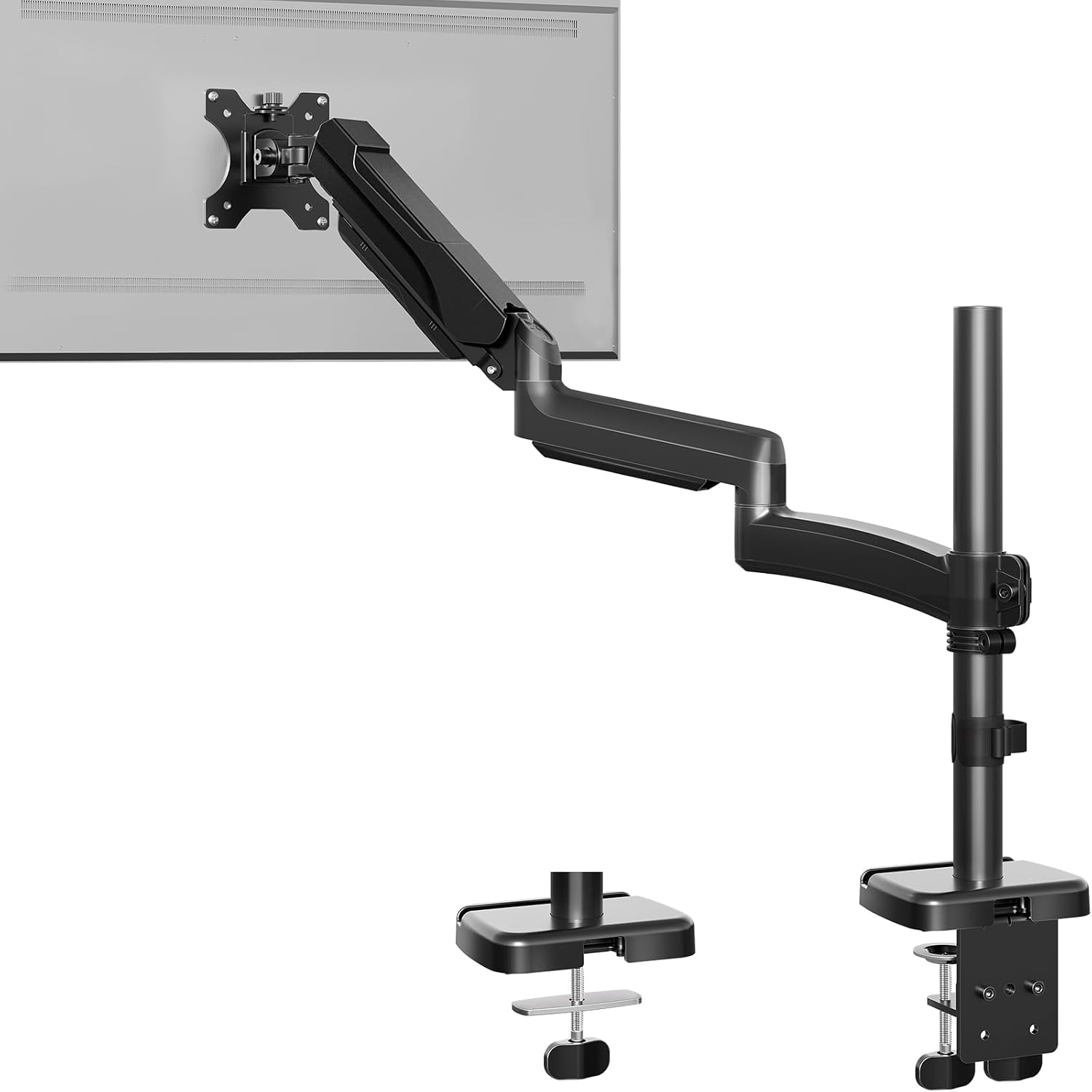 Visit on Amazon → Extra Long Arm Monitor Mount |
Up to 32 in | Up to 19.8 lbs | One | Extra long reach at a budget price | $65.99 |
Dual arms versus one long single arm
If you want two screens visible at once, buy a dual. Two clamps on one desk edge is more hardware, more cable, and more alignment work than one base with two heads. If you want one screen tall, or pushed deep toward the wall, or rotated to portrait for a long document, buy a long single. The two categories are not competing, they solve different layouts, and most people know which one they are in the moment they describe the desk.
A note on weight ratings
Every rating in this guide is per arm, and it assumes the monitor is the only thing on the arm. Add a heavy webcam, a microphone boom, or a laptop tray and you have eaten into your headroom. That is the single most common mistake I see, and it is why an arm that felt solid on install day starts to sag in the spring.
Should you buy the WALI Adjustable Dual Monitor Arm?
Yes, if your monitors sit comfortably under the 22 lbs per arm rating. That headroom is the whole reason to pick it, because a gas spring that runs well below its rated load holds position far longer than one that spends every day near the limit. It covers 13 to 32 inch screens, so it handles the usual pair of 27s and most 32 inch panels. This is the dual arm I would put on a client's desk without a second thought.
Should you buy the HUANUO Dual Monitor Stand?
Yes, if your monitors are mid-weight and your desk is normal thickness. The 4.4 to 19.8 lbs per arm range gives you a floor as well as a ceiling, which matters when a light panel wants to float upward on an arm tuned for heavy screens. The white finish suits a light desk, and having both a C clamp and a grommet base means you are not locked to one mounting method. It is the flexible pick of the group.
Should you buy the MOUNT PRO Single Long Monitor Arm?
Yes, if a standard linkage cannot put your screen where your eyes want it. The extra reach and height are the point, and the 75 and 100 mm VESA coverage means it fits nearly any modern panel up to 32 inches at up to 19.8 lbs. Tilt, swivel, and rotation at the head let you switch to portrait in seconds. Just tighten that clamp, then tighten it again a week later.
Should you buy the Extra Long Arm Monitor Mount?
Yes, if you want the reach without the price. It fits screens up to 32 inches and holds up to 19.8 lbs, and it does the one job it promises: getting a single monitor up and back where a stock stand cannot go. Expect clip-on cable guides rather than a molded channel and a plainer adjustment feel. Check the tilt joint in the first two weeks, while the return window is still open.
The short version: match the weight rating to your panel, match the mount to your desk, and give yourself headroom. Do those three things and the arm will outlast the monitor on it.