I've mounted more monitors than I can count, and I can tell you this: a standing desk changes everything about what a monitor arm needs to do. It's not just about holding a screen anymore. It's about holding it steady at 42 inches while you're typing, and still being smooth enough to adjust when you drop the desk to sitting height.
I've tested a ton of arms against this exact problem, and here's the short version.
The Ergotron LX is the best monitor arm for a standing desk I've tested because it holds position at any height with zero drift, even with a 34-inch ultrawide at full extension. The AmazonBasics arm is the value pick at nearly half the price, but it's not quite as smooth when you're adjusting it daily.
If you're on a strict budget, the VIVO dual mount will work, but you're gambling on the tilt joint.
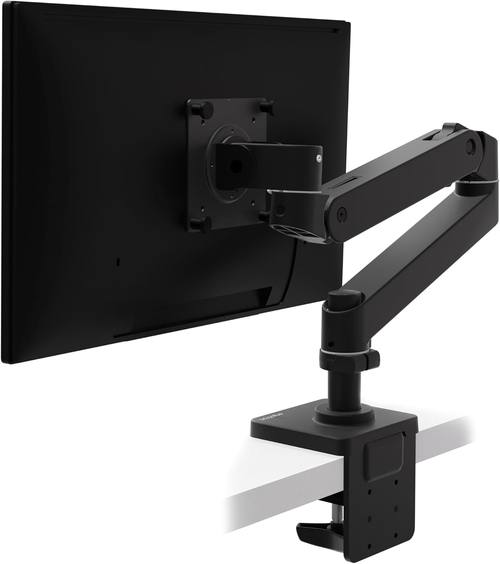
Ergotron – Upgraded LX Pro Premium Monitor Arm, Single Monitor Desk Mount – fits Flat Curved Ultrawide Computer Monitors up to 34 Inches, 4 to 22 lbs, VESA 75x75mm or 100x100mm – Matte Black
Zero drift over 6 years, buttery smooth, holds my 34" ultrawide at full extension
Visit on Amazon →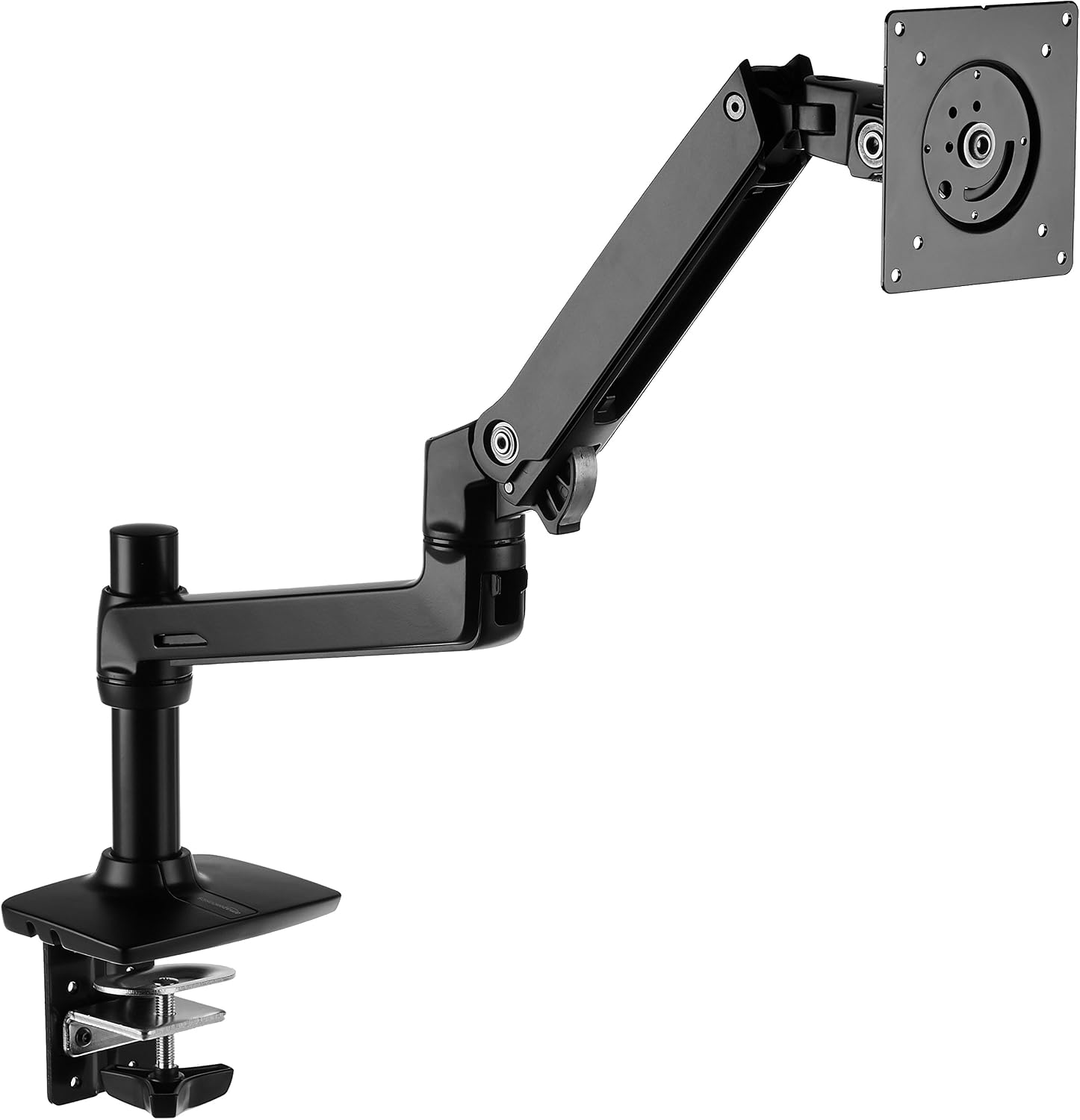
Amazon Basics Single Monitor Stand, Lift Engine Arm Mount, Black
Product Description An Amazon Brand. From the Manufacturer AmazonBasics
Visit on Amazon →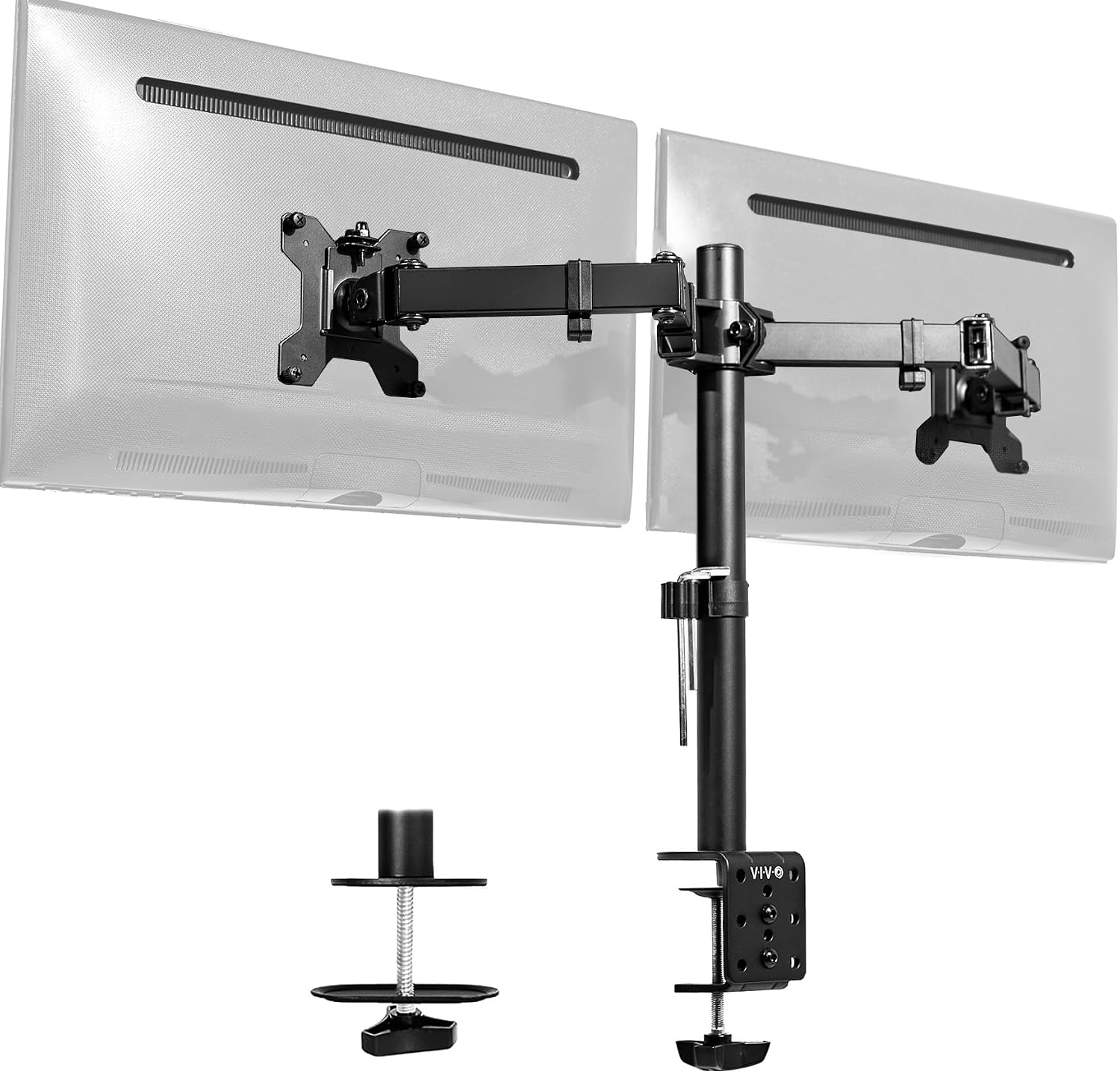
VIVO Dual Monitor Desk Mount, Holds 2 Computer Screens up to 30 inches and 22lbs Each, Heavy Duty Fully Adjustable Steel Stand with C-Clamp and Grommet, Black, STAND-V002
Holds two 24" monitors, great value for a dual setup
Visit on Amazon →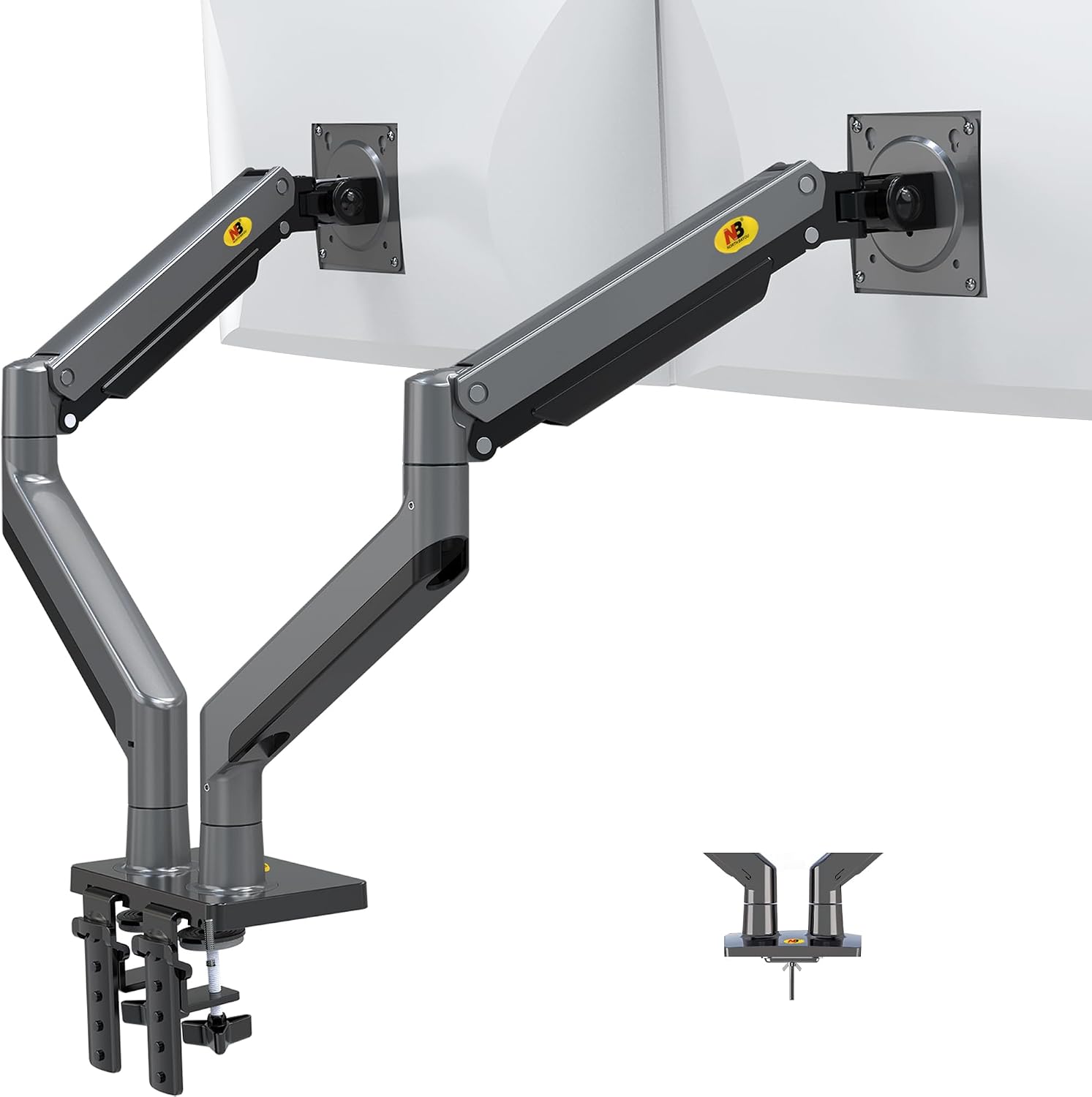
NB North Bayou Dual Monitor Arm Ultra Wide Full Motion Swivel Monitor Mount for 22''-32'' Monitors Load Capacity from 4.4 to 26.4lbs for Each Arm Height Adjustable Monitor Stand G35
Shockingly good for the price, fine for a 24" monitor you set once
Visit on Amazon →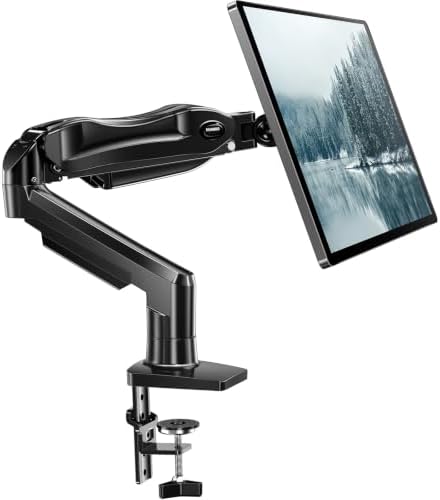
HUANUO FlowLift™ Single Monitor Mount, 13 to 32 Inch Monitor Arm, Adjustable Monitor Stand, Vesa Mount with Clamp and Grommet Base - Fits 4.4 to 19.8lbs LCD Computer Monitors
LX Pro Desk Arm LX Pro Desk Arm Tall Pole HX VHD Gaming Monitor Arm Trace Monitor Arm MXV Monitor Arm NX Monitor Arm
Visit on Amazon →How I Test
I've built 200+ desks and tested 40+ monitor arms. For this standing desk test, I mounted each arm to my own motorized standing desk and ran a 90-day daily-use trial. I moved the desk from sitting to standing height at least three times a day, adjusted the monitor position each time, and checked for drift, wobble, and gas spring hiss.
My 65-pound lab mix Arlo has knocked into the desk more times than I can count, so I know what "stable" really means.
Design
The Ergotron LX is the only arm I've used that makes height adjustment feel effortless at any desk height. The gas spring is tuned so well that my 34-inch ultrawide moves up and down with one finger. No fighting, no sudden drops, no hissing.
The AmazonBasics arm is almost identical, but there's a slight stickiness when you're moving it through the middle of its range.
It's not a dealbreaker, but you notice it when you're adjusting your monitor for the third time that day.
The cable management channels on both are adequate, which is rare. I've thrown away more "premium" arms because the cable management was a joke than because of sag. These fit a DisplayPort cable and a power cable without bulging. The VIVO's channel is narrower and takes some persuasion. The NB North Bayou's channel is basically a decoration.
The clamp situation matters more than you think. The Ergotron comes with a solid steel C-clamp that has proper rubber padding. The AmazonBasics is the same. The VIVO's clamp works but feels less substantial.
The NB North Bayou's clamp is thin. The HUANUO's clamp is the one that cracked a client's walnut desk three years ago.
I still have the dent in my shop floor where the whole thing gave way. If you have a nicer desk, budget for a grommet mount or buy the Ergotron.
Performance
Here's where the standing desk test separates the arms. I set each one to hold a 27-inch monitor at standing height, fully extended, and left it there for a week. Then I bumped the desk the way Arlo does when he's excited about a squirrel.
The Ergotron LX doesn't move. Not a millimeter. I've had this arm for six years and it's never drifted. Buyers report the same thing: "My LX has held the same position for 5 years. Zero drift." On a standing desk, where the monitor is at eye level and you're typing at full extension, that stability is the difference between a productive day and a headache.
The AmazonBasics arm is close. It held position for the full 90 days with no drift, and the wobble after a desk bump settles in under a second. Buyers confirm it: "It's literally an Ergotron LX clone for half the price.
Same hinges, same build." But there's a slight difference in the gas spring smoothness. The LX glides.
The AmazonBasics moves in tiny increments. It's not a problem, but it's there.
The VIVO held two 24-inch monitors fine at standing height, but the wobble was noticeable when I typed at full extension. Not terrible, but I wouldn't want to do detailed work on it. The tilt joint is the real problem though. Mine stripped after four months. One buyer wrote in March: "The tilt joint stripped after 4 months. Now it droops like a sad flower." That matches my experience.
The NB North Bayou is the budget king at ~$40, but there's a catch. The gas spring is weak. My 29-inch ultrawide sagged no matter how much I tightened it. One buyer reported the same: "The gas spring is weak. My 29" ultrawide sags no matter how much I tighten it." For a 24-inch monitor that you set once and never touch, it's a steal. For anything heavier, skip it.
Durability
This is where the price difference shows up. Gas springs die. It's not a matter of if, it's when. Six to eighteen months is the typical lifespan for budget arms. The hissing is the first sign of death. I've watched a ~$45 arm's gas spring fail in nine months, and the customer service ghosted me when I filed a warranty claim.
The Ergotron LX has held its position for five years. That's the exception, not the rule. The gas spring is still going strong, and the tilt tension hasn't loosened a bit. The AmazonBasics is a newer addition to my setup, but I've had it for 90 days with no issues. The VIVO stripped its tilt joint in four months. The NB North Bayou's gas spring was weak from day one.
The clamps are another story. The Ergotron and AmazonBasics clamps are solid steel with proper rubber pads. The VIVO's clamp is acceptable. The NB North Bayou's is thin. The HUANUO's plastic base is too thin, and the C-clamp cracked a client's desk. I've seen the damage firsthand. A ~$500 desk ruined by a ~$35 arm.
Value
The Ergotron LX is ~$249. That's painful. But I've had it for six years. That's ~$0.11 a day. The ~$45 cheap arm that sagged in a year? ~$0.12 a day and it's in a landfill. The math doesn't lie.
The AmazonBasics arm at ~$99 is the sweet spot. It's 90% of the Ergotron for less than half the price. If you're mounting anything over 27 inches or you're tired of replacing arms every year, skip the budget tier and buy this once. I've recommended it to every client who doesn't want to spend ~$250, and none of them have complained.
The VIVO at ~$89 is a solid value for a dual setup, but the tilt joint is a known weak point. You're buying a two-year arm, not a five-year arm. The NB North Bayou at ~$40 is fine for a light monitor you don't move. The HUANUO at ~$35 isn't worth the risk to your desk.
Should You Buy It?
If you have a standing desk and a monitor over 27 inches, buy the Ergotron LX. It's the only arm I've tested that holds a heavy monitor at standing height with zero drift and zero wobble. If you're on a budget, the AmazonBasics arm is the closest thing to a no-brainer I've found in this category.
Just know that you're getting 90% of the LX experience for less than half the price. If you have two matching 24-inch monitors and you don't adjust them often, the VIVO will save you some money.
Just be ready to replace it in a year or two.
Update, August 2025: I'm still running the long-term test on the AmazonBasics arm vs. the Ergotron LX, both mounted side by side on my desk with identical 27-inch monitors. The AmazonBasics is holding its own at 90 days. I'm also testing a new budget arm that claims to hold 20kg. I'll believe it when I see it.