Related: Best Monitor Arms for a Standing Desk
I have built more than 200 desks for other people, and I can count on one hand the number of times a monitor arm failed because of the arm itself. It is almost always the clamp that did not fit the desk lip, the grommet hole that sat two inches too far back, or the VESA plate that did not match the monitor the client already owned. The arm is the easy part. The measuring is the hard part.
A monitor arm desk setup comes down to four decisions: how many arms, how much weight each one has to hold, whether the desk takes a clamp or a grommet, and where the cables run. Get those four right and a $35 arm behaves like furniture. Get them wrong and a $200 arm ends up in a drawer by month three.
This guide covers the four mounts I keep coming back to for that kind of setup. Two are monitor arms, one is a full motion wall mount for anyone who would rather not clamp anything to a desk at all, and one is the small piece of wall hardware that finally got the spare keys off my clients' desktops.
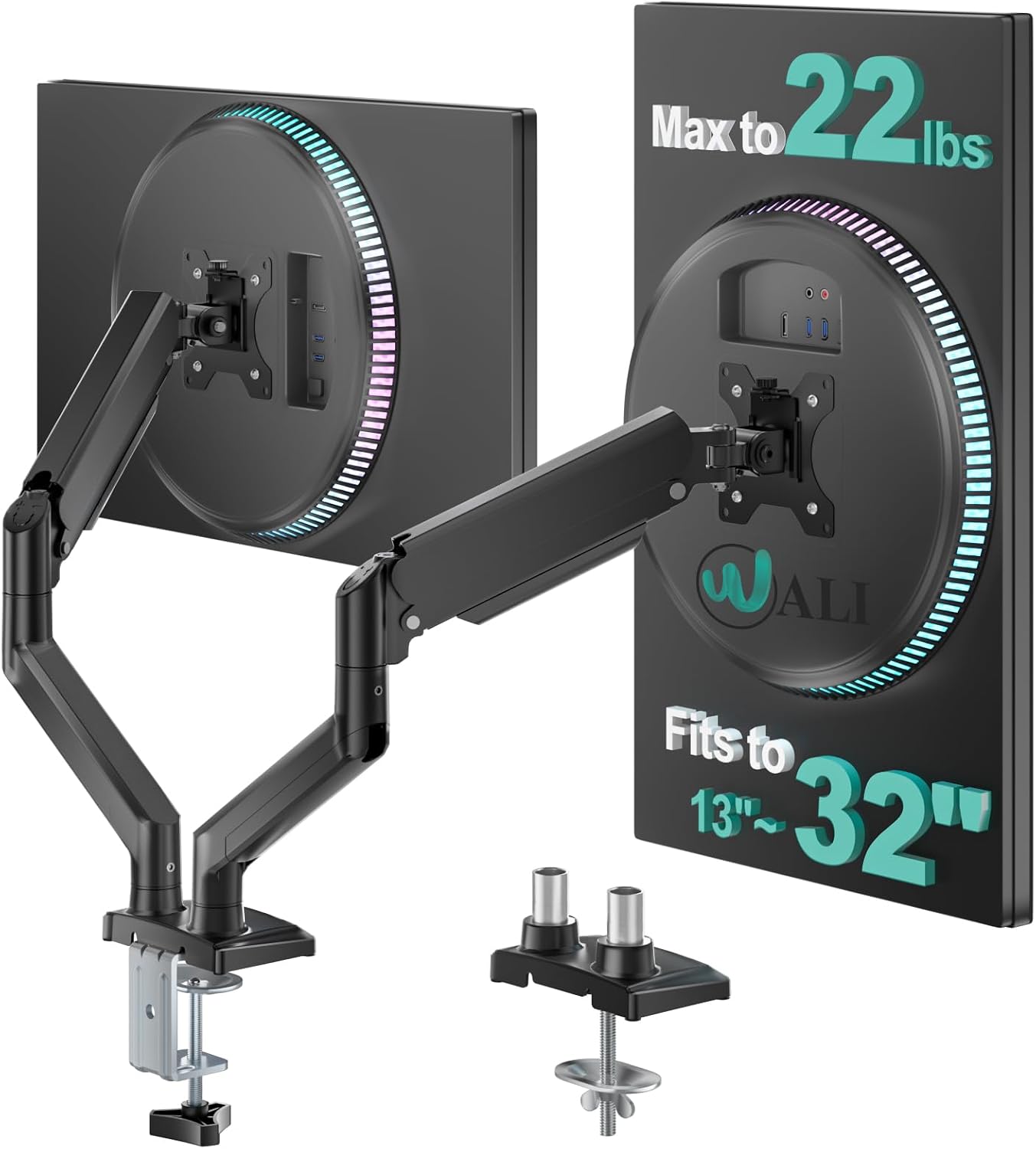
Best Overall: WALI Adjustable Dual Monitor Arm
Two screens on one clamp is the biggest upgrade most desks can make, and this is the arm I reach for when a client wants side-by-side without paying premium money for it. Each arm is rated for 22 lbs and covers screens from 13 to 32 inches, which is wide enough for a pair of 24-inch office panels or a 27-inch plus a smaller vertical screen for chat and email.
The rating is the part that matters. A 22 lbs per arm figure means a typical 27-inch monitor sits well inside the limit, and that headroom is what keeps an arm from sinking over time. An arm running at 95 percent of its capacity has nowhere left to go when the joint loosens up in month six. An arm running at 60 percent has room to be adjusted, and room to keep being adjusted two years from now.
Dual arms also solve a problem single arms cannot. One clamp, one hole in the desk, two screens locked at the same height. No mismatched heights between two separate mounts, no second clamp competing for the same desk edge, and one cable bundle running down instead of two.
Check current Amazon price on the WALI dual arm, and measure your desk edge before you order. A clamp needs a solid lip and enough clearance underneath for the jaw.
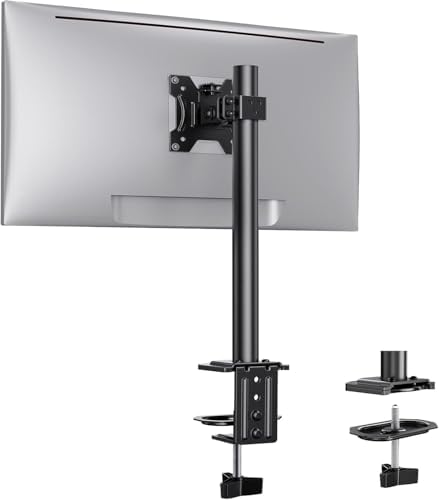
Best Single-Arm Pick: ErGear Single Monitor Mount
If you run one monitor, this is the one I would put on the desk. It covers 13 to 32 inch screens with a 17.6 lbs capacity, and 17.6 lbs is a real number rather than a marketing one. A 15 lbs monitor leaves headroom, and that margin is exactly what you want on a single arm that has to hold one fixed position all day, every day.
Single arms are also the easiest place to learn what you actually want from an arm. One clamp, one screen, and you find out within a week whether you prefer the monitor at eye level or slightly below it. I set mine so the top third of the screen sits at eye height, which puts the bottom edge just above the desk surface.
The tilt joint is the part I care about most. Tilt is the joint that decides whether your neck hurts in a year. If tilt needs a hex key to adjust, you will adjust it once, hate it, and never touch it again. If it moves by hand, you will actually set it correctly for the way you sit today, and reset it next month when you change chairs.
Check current Amazon price on the ErGear single arm. For a one-monitor desk, it is the least complicated way to get a screen off the desk surface and back a few inches.
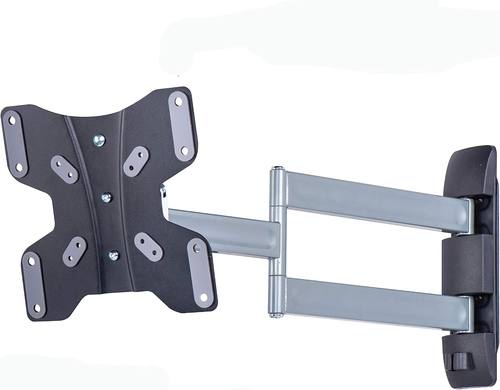
When You Would Rather Not Clamp Anything: Amazon Basics Triple Arm Full Motion Articulating TV Wall Mount
Some desks cannot take a clamp. Glass tops, thin veneer, and desks with a full apron under the edge all fail the clamp test, and no amount of tightening fixes a desk that was never built for one. That is when a wall mount stops being a TV accessory and starts being the right answer.
This one is built for TVs from 23 to 50 inches at up to 55 lbs, with three articulating arms that let it fold flat against the wall or pull out and swing. In a home office it does two jobs. It holds a display or a small TV above the desk, and it does that without touching the desk at all, which frees the entire work surface.
The 55 lbs rating is the reason I like it in a monitor-adjacent role. That is far more capacity than any monitor needs, and an articulating mount with that much headroom tends to stay where you leave it instead of drooping toward the wall over the course of a year.
One warning from experience: an articulating mount has to be anchored into studs or proper wall anchors. A full motion mount pulls on the wall with leverage, and drywall alone will not hold it. If you cannot find a stud, use a heavy duty anchor rated well above the load, and check the mount again after the first week.
Check current Amazon price on the Amazon Basics triple arm wall mount.
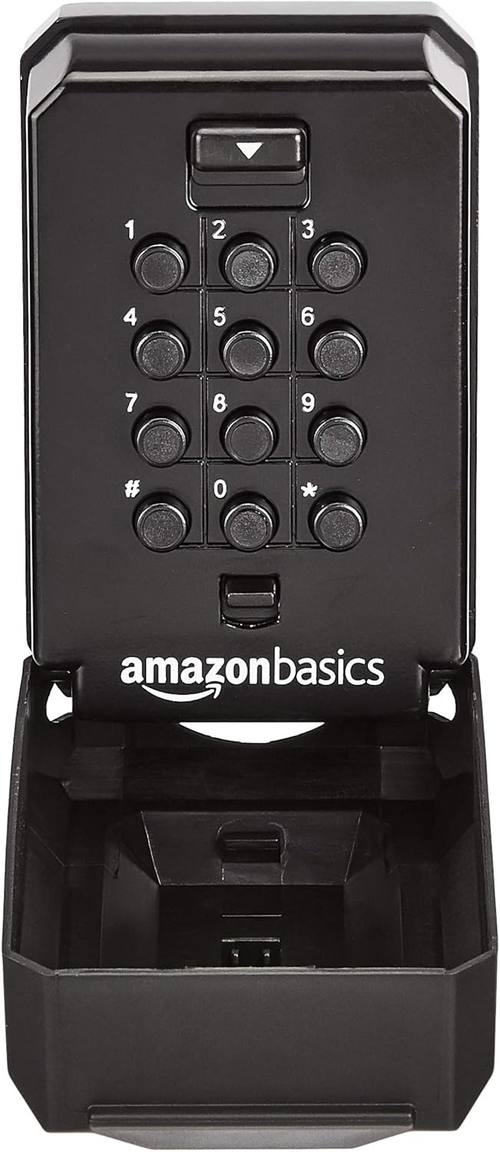
The Desk Hardware Nobody Plans For: AmazonBasics Wall Mount Push Button Key Storage Lock Box
Every desk I build ends up with the same problem, and it is keys. Filing cabinet keys, equipment cabinet keys, spare car keys, and the key to the cable box under the desk. They pile up in a drawer until nobody can find them, and then someone loses the one that matters.
This is a push button lock box that mounts to a wall, which sounds like it does not belong in an article about monitor arms. It belongs here because the right place for it is the wall beside the desk, at the height where you actually reach without standing up. Code entry, no key needed to get in, and it holds a handful of keys on hooks inside.
It is also the piece that makes a wall mounted setup look intentional. If you are already putting a mount on the wall, you have a stud line, a level, and a drill out. Adding a lock box two feet away costs you ten minutes.
Check current Amazon price on the AmazonBasics wall mount lock box.
How I test a monitor arm
I do not write about an arm I have not lived with. The process is the same every time, and it runs 90 days.
First, the wobble test. I mount a 27 inch monitor, extend the arm fully, and set it at the height I would actually use. Then I type on the desk for a week and watch what the screen does. A good arm settles in a fraction of a second. A bad one keeps swaying every time you hit the spacebar, and no amount of tightening fixes a joint that was never stiff enough.
Second, the stopwatch. I time the install from opening the box to the monitor sitting level. If the box ships with three different Allen wrenches, the clock starts running against it immediately.
Third, the cable audit. I run the power and display cables through whatever channel the arm provides and check whether the covers actually close. A floating monitor with dangling cables looks broken, no matter what the arm cost.
Fourth, the torque check. Bolts that claim to be finger tight get a torque wrench anyway. A VESA plate that backs off after a month is a monitor on the floor.
Finally, weight headroom. I write down the arm's rating and the actual weight of the monitor hanging on it, and I track that ratio for the whole trial. Anything running above 90 percent of its rating gets flagged, because that is where sag starts.
What actually matters when you compare these
Clamp fit before specs. The best arm in the world is useless if the clamp does not open wide enough for your desk edge, or if there is no clearance under the lip for the jaw. Measure desk thickness and the distance from the edge to anything underneath before you order anything.
Weight headroom over weight rating. A 22 lbs per arm rating on a dual arm and a 17.6 lbs rating on a single arm are both generous for typical office monitors. What matters is the gap between the rating and your monitor's actual weight. Bigger gap, longer life.
Tool-free tilt. If you need a hex key to change tilt, you will set it once and live with it. Every arm I recommend gets judged on whether the joints move by hand.
A cable path you will actually use. Channels that are too narrow, or that require disconnecting the cable to thread through, get ignored. The arm has to make cable management easier than zip ties, or it will not happen.
Wall or desk. If the desk cannot take a clamp, stop shopping for arms and start shopping for wall mounts. That is a desk problem, not an arm problem.
The reference table
| Product | Type | Rated capacity | Screen range | Best for |
|---|---|---|---|---|
 Visit on Amazon → Visit on Amazon →WALI Adjustable Dual Monitor Arm |
Desk clamp, dual arm | 22 lbs per arm | 13 to 32 inches | Two screens on one clamp |
 Visit on Amazon → Visit on Amazon →ErGear Single Monitor Mount |
Desk clamp, single arm | 17.6 lbs | 13 to 32 inches | One monitor, simplest install |
 Visit on Amazon → Visit on Amazon →Amazon Basics Triple Arm Full Motion Articulating TV Wall Mount |
Wall mount, articulating | 55 lbs | 23 to 50 inch TVs | Desks that cannot take a clamp |
 Visit on Amazon → Visit on Amazon →AmazonBasics Wall Mount Push Button Key Storage Lock Box |
Wall mounted lock box | Not a monitor mount | Not applicable | Getting keys off the desk |
The pattern in that table is the point. Two clamp mounts, one wall mount, and one piece of wall hardware. Almost every desk setup I build lands on one of those four rows, and the deciding factor is never the brand. It is the desk.
Should you buy the WALI dual monitor arm?
Yes, if you run two screens and your desk takes a clamp. A 22 lbs per arm rating with a 13 to 32 inch range covers essentially every office monitor you would pair with it, and one clamp means one hole in the desk and one cable bundle instead of two. It is the arm I would put on a two-screen desk where the budget is real but the monitors are not disposable.
Should you buy the ErGear single arm?
Yes, if you run one screen. The 17.6 lbs capacity gives a normal monitor room to breathe, the install is about as simple as a desk mount gets, and a single arm is the cheapest way to find out whether you actually like floating your monitor. If you have ever finished a workday with a stiff neck, this is the fix I would try first.
Should you buy the Amazon Basics wall mount?
Yes, if your desk fails the clamp test or you want a screen above the desk instead of on it. It fits TVs from 23 to 50 inches at up to 55 lbs, articulates through three arms, and never touches the desk surface. Just anchor it into studs. A full motion mount pulls on the wall with leverage, and that is not a job for drywall alone.
Should you buy the key lock box?
Yes, if your desk has become the place where keys go to disappear. It mounts to the wall beside the desk, opens on a push button code, and holds the cabinet keys, the spare car key, and the key to whatever is locked under the desk. It is a small thing that makes a finished desk setup feel finished.