Monitor arms and desk mounts are the one part of a home office that people tend to buy twice: once cheap, then again a few months later when the first one starts drooping. The failure is rarely the steel. It is almost always a mismatch between what the mount is rated to hold and what you actually bolted to it, or a clamp that never fit the desk in the first place. This guide compares monitor arms and desk mounts by the four specs that decide whether a setup works: VESA pattern, rated weight capacity, supported screen size, and how the mount attaches to the desk. It covers three mounting products, including a heavy duty arm for ultrawides and a stacked dual mount, plus three desk-adjacent items that keep turning up in the same builds: a combination-code storage box, a portable travel safe, and a hitch rack for the garage side of the commute.
Related: Desk Clamp vs Grommet Mount: Which One Fits Your Desk
Quick answer
The ErGear Heavy Duty Monitor Arm for 13-49″ Ultrawide Screens is the strongest fit for most desks because it is rated to 37.4 lbs, covers screens from 13 to 49 inches, uses the standard VESA 75x75 and 100x100 patterns, and includes both a dual C-clamp and a grommet mount. Choose the HUANUO 17-32 Inch Dual Monitor Stand instead when you run two monitors in a stacked layout and each panel is within its 19.8 lb limit.
Monitor arms and desk gear worth comparing
The list below starts with the mounting hardware, because that is the decision that changes how your desk actually feels, then covers the smaller items readers ask about alongside a build. Each card reflects the published specifications of that listing.
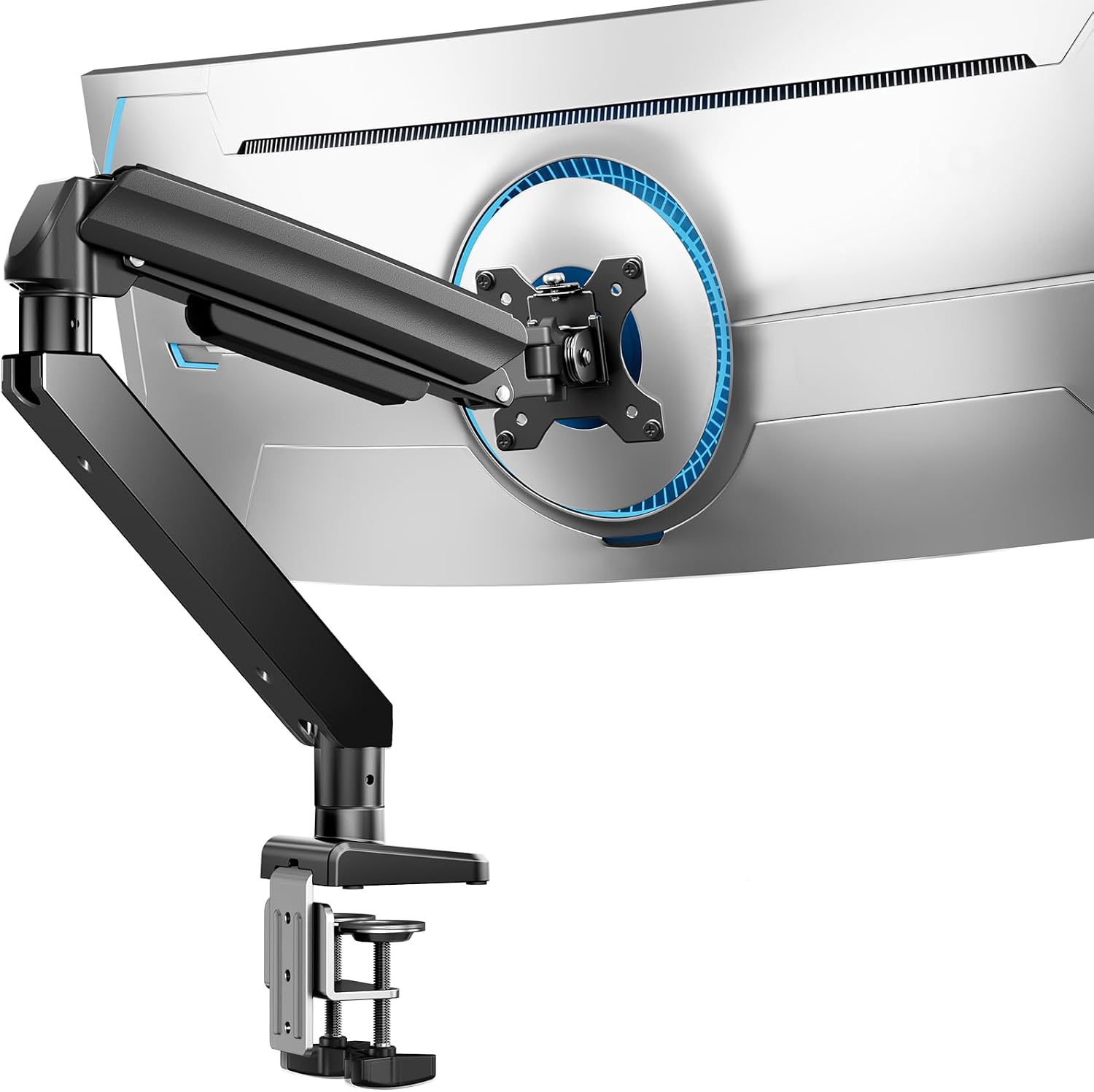
ErGear Heavy Duty Monitor Arm for 13-49″ Ultrawide Screens, 37.4 lbs Capacity, Full Motion Monitor Desk Mount, Rock-Solid Support, Dual C-Clamp & Grommet Mount, VESA 75x75/100x100mm
A heavy duty desk mount rated to 37.4 lbs for screens from 13 to 49 inches, with full motion adjustment, VESA 75x75 and 100x100 compatibility, and a choice of dual C-clamp or grommet installation.
Visit on Amazon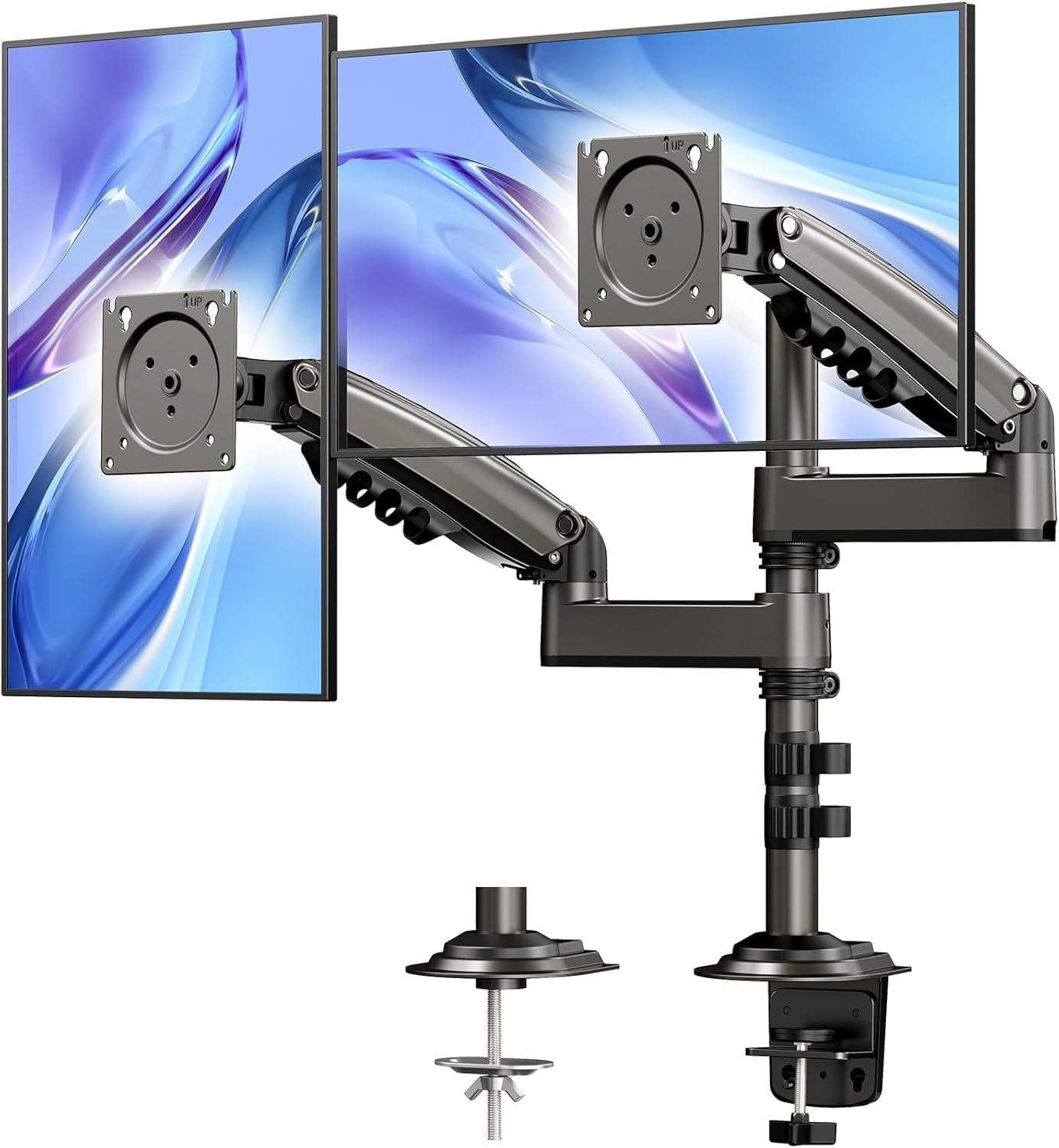
HUANUO 17-32 Inch Dual Monitor Stand, Stacked Monitor Mount, Monitor Arms for 2 Monitors, Ergonomic Adjustable Tilt/Swivel/Rotate, Weight Max 19.8 lbs, VESA 75/100mm
A stacked dual monitor mount for two 17 to 32 inch screens, with a 19.8 lb maximum weight, tilt, swivel and rotate adjustment, and VESA 75 and 100 compatibility.
Visit on Amazon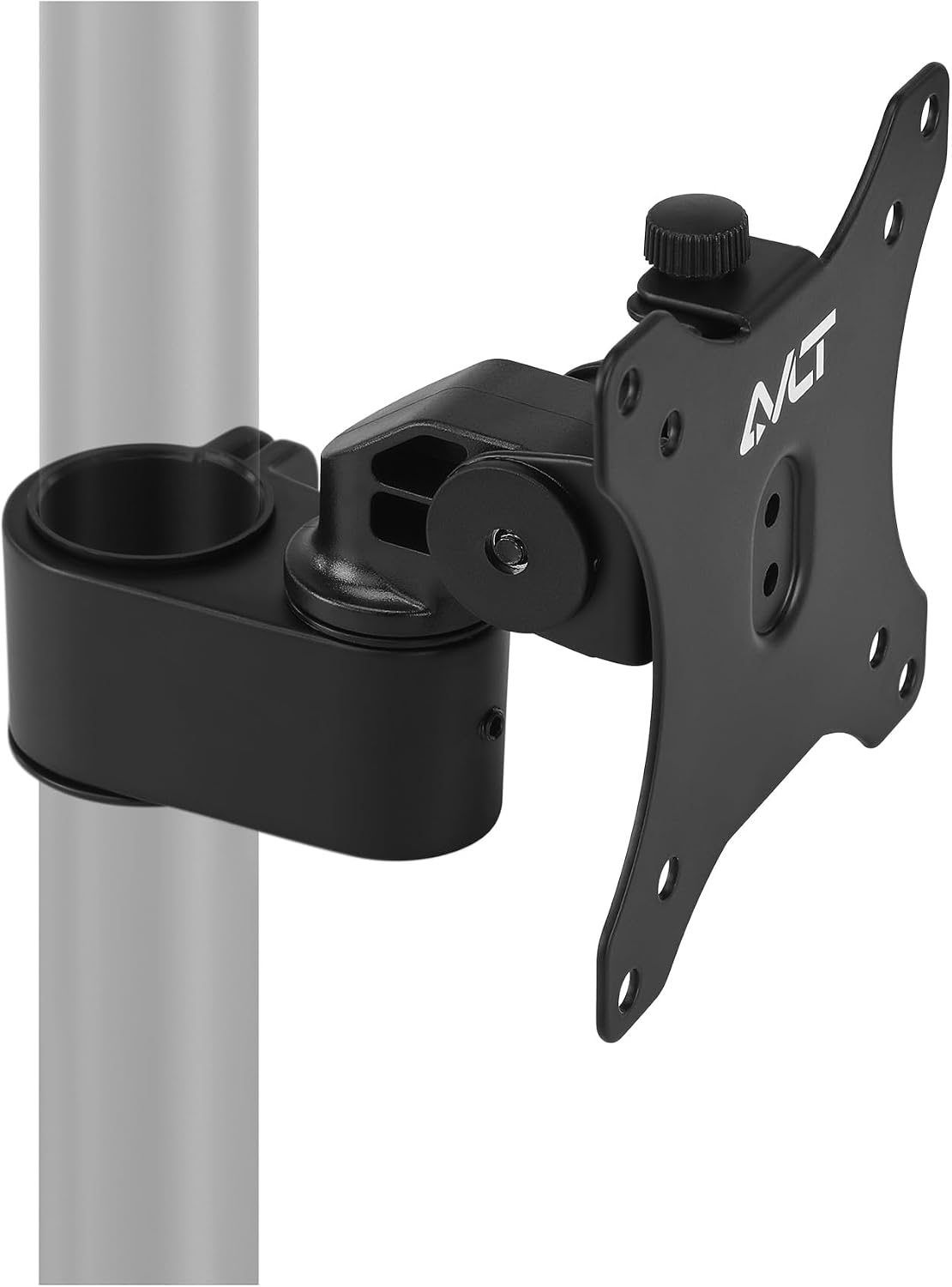
AVLT Single 40 Inch Monitor Head Add-On Kit for Pole Top Mount - Black
An add-on monitor head for a pole top mount, sized for a single screen up to 40 inches, in black. It is an expansion piece for an existing pole rather than a complete desk mount.
Visit on Amazon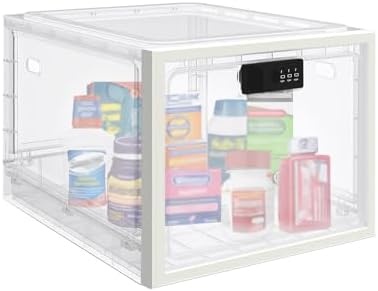
Medicine Lock Box for Safe Medication, 10L Lockable Storage Box for Fridge/Snacks Food, Phone Lock Boxes with Combination Code for Home/Dorms/Office Storage (1, Translucent White)
A 10 liter lockable storage box with a combination code, sized for medication, snacks, food in a shared fridge, or a phone, in a translucent white finish.
Visit on Amazon![Diyife Portable Safe Box, [Waterproof] Travel Safe Lock Box with Code](/images/products/B0F7XPKSG9.jpg)
Diyife Portable Safe Box, [Waterproof] Travel Safe Lock Box with Code
Check current Amazon price
A portable, waterproof lock box with a code lock, intended for travel and for keeping small valuables secured away from a desk or hotel room.
Visit on Amazon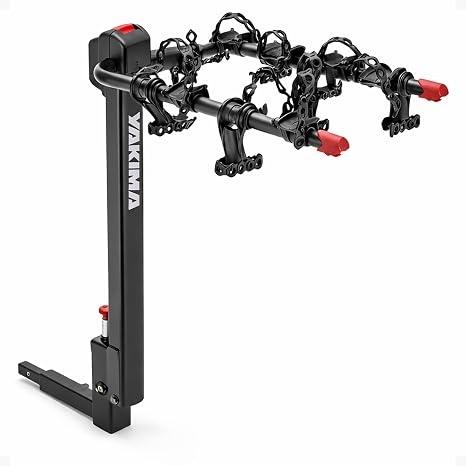
Yakima DoubleDown 4 Hitch Mount Bike Rack for Car, SUV & Truck
A four-bike hitch mount rack for cars, SUVs and trucks, for the part of a home office setup that lives in the garage rather than at the desk.
Visit on AmazonPrices and availability may change. Check the retailer for current details.
How these products were compared
This guide compares five things: VESA mounting pattern support, rated weight capacity, the supported screen size range, the desk attachment method (C-clamp versus grommet), and the adjustability each listing advertises. Product names, images, and retailer links are matched to the same product record, so every card points to the item shown above it. Everything here comes from published product information. None of it is presented as a measurement, a teardown, or a long-term test result.
The three mounting products are not interchangeable, and that is the point of listing them together. The ErGear arm is a complete desk mount built around a heavy payload. The HUANUO is a complete desk mount built around a stacked two-screen layout at a lighter payload per screen. The AVLT is neither: it is a monitor head add-on for a pole top mount, which means it only makes sense if a compatible pole is already part of your setup. The storage box, the travel safe, and the hitch rack are included because they solve adjacent problems in the same room or the same commute, and readers ask about them in the same breath as their desk build.
How to choose the right monitor arm
Start with the back of the monitor. VESA is the mounting pattern, and it is almost always 75x75mm or 100x100mm on a modern panel. If your monitor has no VESA holes, no arm on this list will help you, and an adapter is a separate purchase. Every mounting product in this guide supports both 75x75 and 100x100, which covers the large majority of screens sold today.
Then look at weight, and treat the rating as a ceiling rather than a target. The HUANUO lists a 19.8 lb maximum, and the ErGear lists 37.4 lbs. A 15 lb monitor on a 19.8 lb arm leaves headroom, and headroom is what keeps a gas spring from living at the end of its travel. The practical rule is to leave a few pounds of margin, because a monitor is not the only thing that ends up on an arm. Speakers, a webcam, and a USB hub all add load that the rating does not see.
Next, decide between a desk clamp and a grommet mount, and measure your desk before you order anything. A C-clamp needs a clear edge lip and enough thickness for the jaws to bite. A grommet mount needs an existing hole in the desktop, or a willingness to drill one. The ErGear includes both options, which is one reason it works as a default recommendation: it fits more desks without a second purchase. If your desk has a welded frame, a beveled edge, or a drawer that blocks the underside, check the clamp clearance first. That single measurement causes more returns than any spec on the box.
Finally, match the layout to the product. Side-by-side dual setups and stacked setups are different geometries, and the HUANUO is built specifically for stacking two screens vertically. An add-on head like the AVLT is the right answer when you already own a pole and simply want another screen on it.
ErGear Heavy Duty Monitor Arm for 13-49″ Ultrawide Screens
The ErGear arm is the pick here because it covers the widest range of real desks and real monitors in one purchase. It is rated for screens from 13 to 49 inches and up to 37.4 lbs, which reaches into ultrawide and curved territory where lighter arms run out of capacity. It supports VESA 75x75 and 100x100, and it offers full motion adjustment so the screen can be pushed back, pulled forward, tilted, and rotated. The mounting hardware covers both common attachment methods: a dual C-clamp and a grommet mount are included.
The trade-off is that a mount built for this payload is physically larger than a light duty arm. The column and the joint housings take up more room behind the desk, and the clamp assembly needs a desk that can handle the load and the clamping pressure. On a thin, hollow-core desk top, a heavy arm is the wrong tool regardless of how good the arm is. Measure the desk thickness and check the underside for obstructions before you commit. This is also a single-screen mount, so a two-monitor plan means either a second arm or a different product entirely.
Alternatives to consider
The HUANUO 17-32 Inch Dual Monitor Stand is better suited to a stacked two-screen layout, where one monitor sits above the other. It holds two screens from 17 to 32 inches with a maximum of 19.8 lbs each, supports VESA 75 and 100 patterns, and offers tilt, swivel, and rotate adjustment, while the AVLT Single 40 Inch Monitor Head Add-On Kit for Pole Top Mount is a stronger fit when you already own a pole top mount and want to add a single screen up to 40 inches without replacing the whole assembly. The AVLT piece is an add-on, so it should only be considered as an expansion of an existing mount, not as a standalone desk arm.
The Medicine Lock Box for Safe Medication, 10L Lockable Storage Box, the Diyife Portable Safe Box, and the Yakima DoubleDown 4 Hitch Mount Bike Rack cover the non-mounting side of a home office and garage setup. The 10 liter lock box uses a combination code and is sized for medication, snacks, food in a shared fridge, or a phone, which makes it a reasonable fit for a dorm, a shared office kitchen, or a home where a desk sits in a common area. The Diyife portable safe is a waterproof code lock box aimed at travel and small valuables. The Yakima rack is a four-bike hitch mount for cars, SUVs, and trucks, for the commute that happens before you sit down.
Day-to-day use and maintenance
Monitor arms do not need much maintenance, but they do need a first-week check. Bolts that were tightened during assembly can settle after a few days of movement, so re-check the clamp and the joint hardware once the arm has been in use. If the screen drifts down slowly, the usual cause is a tension setting rather than a broken part, so consult the listing or the manual for the adjustment procedure on your specific model before assuming the arm has failed. Route cables along the arm rather than letting them hang free, both to protect the connectors and to keep the floating look intact.
For the locking products, the maintenance question is the code. Set the combination when you unbox the item, record it somewhere you will actually find it, and test the lock a couple of times before you rely on it. A code box is a deterrent and a convenience, not a certified safe, so treat anything irreplaceable accordingly. The hitch rack should be checked for tightness at the hitch connection before each trip, and stored dry when it is not on the vehicle.
Buying checklist
- Measure the VESA pattern on the back of the monitor and confirm 75x75 or 100x100 support.
- Weigh the panel and leave a few pounds of headroom under the arm's rated capacity.
- Measure desk thickness and the clearance under the desk edge before choosing a clamp or grommet mount.
- Confirm the supported screen size range covers your monitor, especially for ultrawides.
- Check whether the product is a complete mount or an add-on that needs an existing pole.
- Verify the current retailer price, availability, and return terms before ordering.
Final recommendation
Choose the ErGear Heavy Duty Monitor Arm for 13-49″ Ultrawide Screens when you want one mount that covers a wide range of screen sizes and weights, and you have a desk that can take a clamp or a grommet mount. Choose the HUANUO 17-32 Inch Dual Monitor Stand when you run two monitors stacked and each panel stays within its 19.8 lb limit. If you already own a pole top mount and only need one more screen on it, the AVLT Single 40 Inch Monitor Head Add-On Kit is the right expansion rather than a replacement. For the storage and garage items, match the box size and lock type to what you are actually securing, and treat the hitch rack as a vehicle accessory with its own fit and inspection routine.