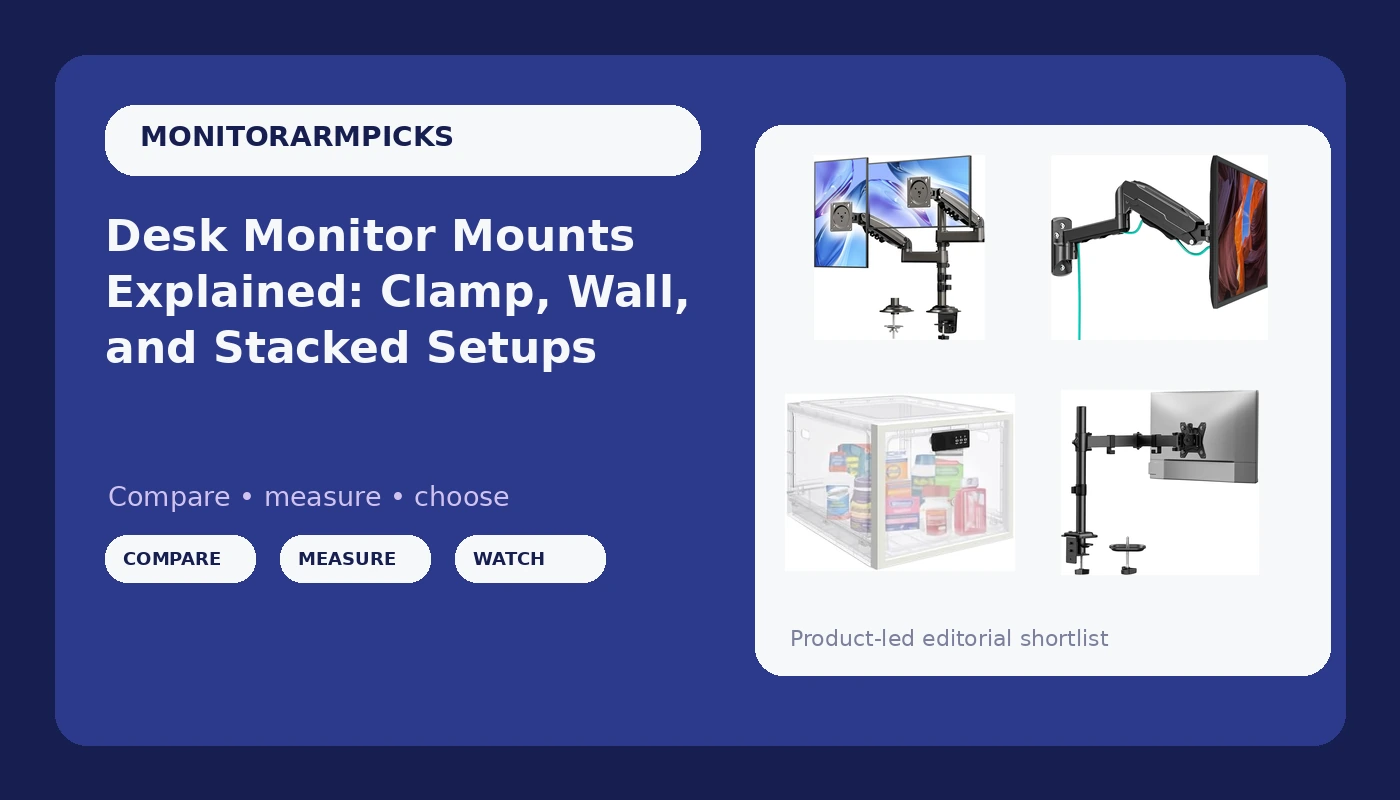
A monitor mount setup is really a desk problem wearing an arm costume. Most people shop the arm first and only then discover that the desk edge is too thin for the clamp, that the wall behind the desk has no stud where the screen needs to hang, or that a second monitor has nowhere to go because a shelf sits 18 inches above the work surface. Getting the mount right starts with a few measurements and one honest look at how you actually use the desk. This guide walks through the options here, what each one is for, and how to tell which one belongs on your desk.
Related: Monitor Arm vs Wall Mount: Which One Fits Your Desk? →
Quick answer
Measure three things before buying anything: the thickness of your desk at the clamp point, the VESA hole pattern on the back of each monitor (75x75mm or 100x100mm), and the weight of each screen without its stand. A single-arm desk mount rated for 17.6 pounds covers most 13 to 32 inch monitors with headroom to spare. A stacked dual mount handles two screens on one pole when desk width is the constraint, not desk height. A wall mount frees the desktop entirely, but only if the wall can take the load. A lockable storage box is a desk accessory, not a monitor mount, and it belongs in a different part of your shopping list.
Four useful options
| Model | Best fit | What stands out |
|---|---|---|
| HUANUO Single Monitor Mount for 13-32 Inch Screens, 17.6 lbs Capacity | One monitor on a standard desk | Single arm with a 17.6 lb capacity rating |
| HUANUO 17-32 Inch Dual Monitor Stand, Stacked Monitor Mount | Two monitors stacked vertically | Stacked layout, 19.8 lb max, VESA 75/100mm |
| MOUNT PRO Single Monitor Wall Mount for 13 to 32 Inch Computer Screens | Desks with no usable edge | Height adjustable, up to 19.8 lbs, full motion |
| Medicine Lock Box for Safe Medication, 10L Lockable Storage Box | Shared desks, dorms, hot-desking | Combination code, 10L capacity, translucent white |
Single-monitor desk arm: HUANUO Single Monitor Mount for 13-32 Inch Screens, 17.6 lbs Capacity
The appeal of a single-arm desk mount is the empty space it creates. Once the monitor floats, the area beneath it holds a keyboard, a notebook, or nothing at all, and the desk stops feeling like a monitor stand with a work surface bolted on. The number that matters most here is the 17.6 pound capacity rating. Pair it with a screen that weighs meaningfully less, and the arm is not working near its limit, which is where sag usually starts. The second number to check is desk thickness: a clamp needs a flat edge with enough depth for the jaws, and a beveled or curved edge can be a problem. Confirm the VESA pattern on the back of your monitor before ordering, since 75x75mm and 100x100mm are not interchangeable without an adapter.
Stacked dual mount: HUANUO 17-32 Inch Dual Monitor Stand, Stacked Monitor Mount
A stacked mount solves one specific problem: two monitors and not enough desk width. Side-by-side arms spread outward and consume horizontal space, while a stacked layout goes up instead, which is why it shows up on trading desks and in cramped home offices. This listing covers 17 to 32 inch screens, uses VESA 75/100mm, and carries a 19.8 pound maximum. Before committing, look up. The upper screen needs vertical clearance, and a shelf, cabinet, or sloped ceiling can rule the layout out entirely. Stacking also changes your viewing angles, with the lower screen near eye level and the upper one tilted down, so tilt and swivel range matters more here than on a single arm. Read the listing carefully to see whether the weight figure applies per arm or to the whole assembly, because that changes what you can hang.
Wall mount: MOUNT PRO Single Monitor Wall Mount for 13 to 32 Inch Computer Screens
A wall mount is the answer when the desk itself is the obstacle: a glass top, a thick apron, a sit-stand frame with no clear clamping edge, or a desk pushed flush into a corner. This MOUNT PRO bracket fits 13 to 32 inch screens, holds up to 19.8 pounds, offers full motion, and works with VESA 75x75 and 100x100. Height adjustability is the feature that earns its place, because you can set the screen at eye level independent of whatever the desk is doing. The catch is the wall. Drywall on its own will not carry a monitor, so plan on a stud, an anchor rated for the load, or a mounting plate that spreads the force. Cable routing changes too: cables now run down the wall instead of along a desk edge, which usually means a channel or raceway to keep the floating look intact.
Desk-side storage: Medicine Lock Box for Safe Medication, 10L Lockable Storage Box
This is the one item in this guide that does not hold a monitor, and it is worth saying plainly. The Medicine Lock Box is a 10L lockable storage box with a combination code, listed for medication, fridge and snack storage, phones, and home, dorm, or office storage. On a desk, that translates to a place for small items you would rather not leave in an open drawer: keys, a phone during a focus block, or personal items in a shared or hot-desked workspace. The translucent shell means you can see what is inside without unlocking it. It will not mount a screen, and it should not be compared with a monitor arm on price or function. Treat it as desk organization, not desk hardware.
Prices and availability may change. Product images, names, and retailer links are matched to verified listings. No current price, rating, stock status, or measured result is stated here without current evidence.
What monitor mount specs actually mean
Three specs decide whether a mount works, and the marketing copy rarely leads with them. The VESA pattern is the hole layout on the back of the monitor, and nearly everything in the 13 to 32 inch range uses either 75x75mm or 100x100mm. If your monitor has no VESA holes at all, no arm or bracket will attach without an adapter, and some slim panels genuinely do not have them. Weight capacity is the load the mount is rated to hold, usually stated as a maximum for the assembly. A monitor plus a heavier aftermarket VESA plate can push you closer to that ceiling than the spec sheet suggests.
Headroom is not waste. A mount running at 90 percent of its rating has less margin to tolerate a stiff tilt joint or an off-center load, and that margin is what keeps a screen where you left it a year from now. The mechanism holding the screen up is either a gas spring or a friction joint. Gas springs hold position and adjust with a light touch, while friction joints rely on bolt tension and tend to need re-tightening over time. Tilt tension is the third piece of the puzzle: if adjusting it requires a hex key, plan on setting it once and never touching it again.
Match the mount to the surface it attaches to
Clamp mounts grab the edge of a desk and need a flat lip with enough depth for the jaws. Grommet mounts pass a bolt through a hole in the desktop and suit desks with a pre-drilled cable hole or a willing owner. Wall mounts depend entirely on what is behind the drywall. Working through the order below takes about ten minutes and prevents most returns.
- Weigh each monitor without its stand and write the number down.
- Check the VESA pattern on the back of each screen, 75x75mm or 100x100mm.
- Measure desk thickness at the clamp point and look for a flat, unobstructed edge.
- Decide the layout: one screen, two side by side, or two stacked.
- Confirm the mounting surface, whether that is a desk edge, a grommet hole, or a wall with a stud or a rated anchor.
Practical guidance before you order
- Keep the total monitor weight comfortably under the mount's rating rather than matching it exactly.
- For stacked setups, measure the vertical clearance above the desk before assuming the top screen fits.
- Route cables before the final tightening so you are not feeding them through a compressed channel later.
- For wall mounts, locate a stud with a finder before drilling, and use an anchor rated for the load if there is not one.
- Keep the hardware and manual together. Tilt tension on a friction joint usually needs revisiting after a few weeks of use.
Which option should you choose?
Choose the HUANUO Single Monitor Mount for 13-32 Inch Screens, 17.6 lbs Capacity when you have one monitor, a standard desk with a clampable edge, and you want the space under the screen back. Choose the HUANUO 17-32 Inch Dual Monitor Stand, Stacked Monitor Mount when two screens are non-negotiable but desk width is not, and you have vertical clearance to stack them. Choose the MOUNT PRO Single Monitor Wall Mount for 13 to 32 Inch Computer Screens when the desk edge is unusable and the wall can carry the load. Choose the Medicine Lock Box for Safe Medication, 10L Lockable Storage Box when the real problem is small items sitting in the open on a shared desk, not the monitor at all.
A caveat on all four: the weight figures and screen size ranges come from the listings, not from a measurement in your room. Your monitor's actual weight without its stand and your desk's actual thickness are the two numbers that decide whether any of this works, and both are easy to check with a kitchen scale and a ruler.
The bottom line
A monitor mount purchase goes wrong for boring reasons: a clamp that does not fit the desk, a VESA pattern nobody checked, a weight rating treated as a target instead of a ceiling. Sort those three things first and the choice between a single desk arm, a stacked dual mount, and a wall bracket becomes obvious. The storage box is a different category entirely, and it earns a place on a shared desk for reasons that have nothing to do with holding a screen up. Measure, then buy.