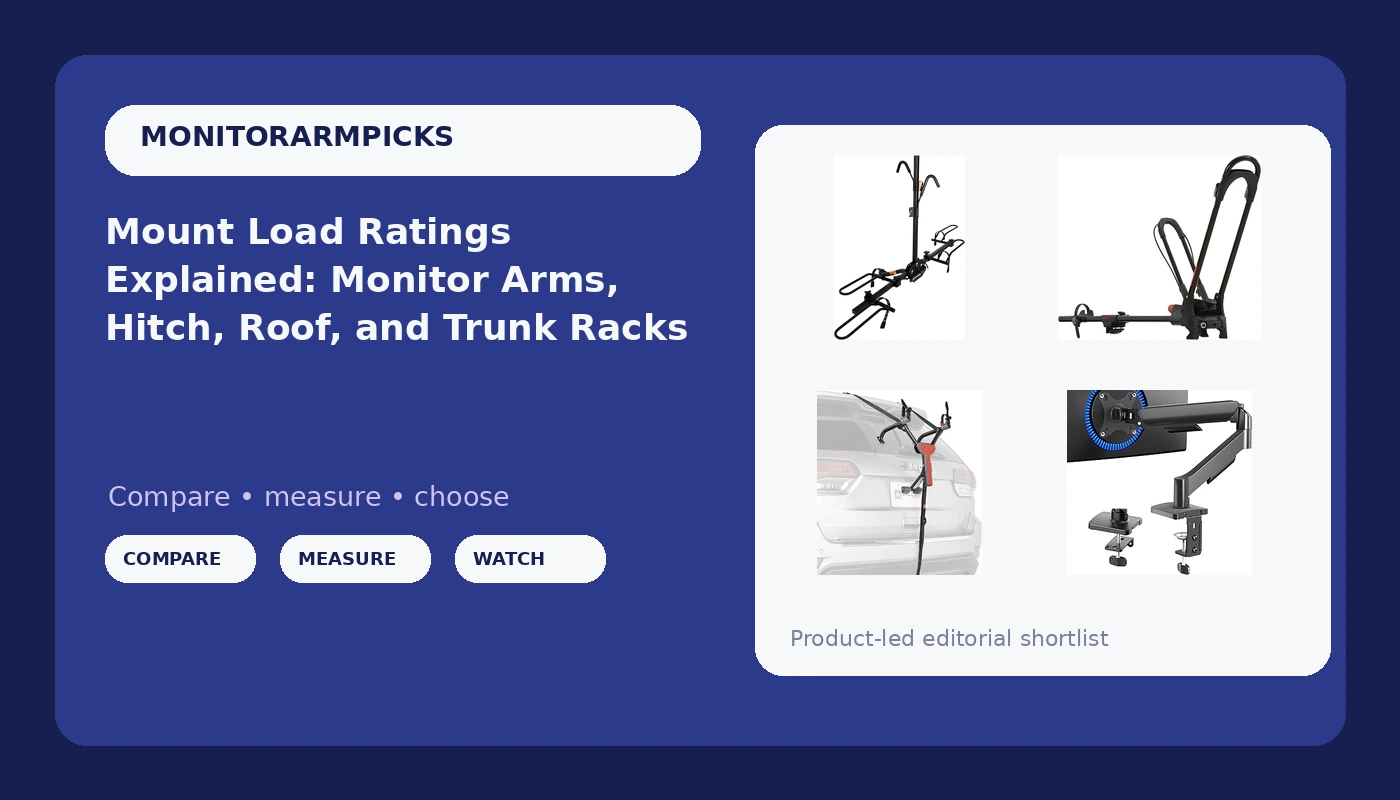
Every mount makes the same promise in a different shape: it holds a load exactly where you put it. A desk arm holds a display at eye level. A hitch rack holds two bikes behind a car at highway speed. A rooftop carrier lifts a bike above the roof line, and a trunk rack presses one bike against a sedan's sheet metal. The hardware looks unrelated, but the questions you answer before buying are identical, and answering them in the wrong order is how people end up with a monitor that sags within a few months or a rack that rattles at every expansion joint. This guide treats monitor arm and rack mounts as one category of problem: attachment point first, load rating second, adjustment hardware third.
Related: Desk Clamp vs Grommet Mount: Which One Fits Your Desk? →
Quick answer
A mount holds its load when three things line up: the attachment point is rated for that kind of mount, the actual load sits inside the mount's stated ceiling with some headroom, and the joint or hook that locks everything in place can be adjusted without a tool you will lose. A single-monitor desk arm is the simpler case, because the variables are screen size, VESA pattern, and weight. Vehicle racks add a second layer, because a hitch receiver, a set of roof crossbars, and a trunk lid each impose their own geometry and their own limits. Match the attachment point first, then compare the load rating, then look at how the mount is adjusted and how it stores when it is empty.
4 useful options
| Model | Best fit | What stands out |
|---|---|---|
| VIVO Single Monitor Stand (STAND-V001O) | One screen between 17 and 32 inches on a desk | Mechanical articulating arm with VESA 75x75 and 100x100 support and a stated 19.8 lb ceiling |
| Swagman XTC2 Hitch Mount Bike Rack | A vehicle with a hitch receiver and two bikes | Platform carrier with a ratcheting hook system and a compact clam-shell folding design |
| Yakima FrontLoader Rooftop Bike Rack Mount | Cars and SUVs already set up for roof carrying | Rooftop carrier that loads the bike at the front wheel |
| Allen Sports MT1-B Trunk Mount Rack | One bike and a sedan or hatchback trunk lid | Ultra compact folding design with a gray powder coated finish |
The desk mount: VIVO Single Monitor Stand, Fully Adjustable Arm for 17 to 32 inch Screen, Mechanical Articulating Desk Mount, Gaming and Office Setups, VESA 75x75, 100x100, Max 19.8 lbs, Classic, Black, STAND-V001O
The interesting number here is not the screen size range, it is the 19.8 lb ceiling. A 27 inch display often lands somewhere between 9 and 15 lbs before you add a VESA adapter plate, a webcam, or a heavy DisplayPort cable pulling down on the connector. The headroom between your actual load and the stated ceiling is what keeps an arm from drifting out of position over months of daily tilt and swivel. Mechanical arms trade the spring feel of a gas cylinder for a joint you tension yourself, which is a plus if you would rather set it once and forget it, and a mild annoyance if you change monitor positions every week. Before ordering, measure your desk edge and confirm it has the flat lip a clamp needs, and check whether the clamp or the grommet version suits your desk thickness.
The hitch platform: Swagman XTC2 Hitch Mount Bike Rack, Platform Carrier for 2 Bikes, Ratcheting Hook System, Compact Clam-Shell Folding Design
Platform carriers are the rack type where the load rating question gets serious, because the bikes sit on a tray that hangs off a single insertion point. That means the receiver matters as much as the rack: a hitch receiver has its own class and its own tongue weight limit, and a rack plus two bikes has to stay under it. The ratcheting hook system is the part that keeps wheels and frames from shifting, and it is worth understanding how the hooks contact your frame before you commit, especially on carbon or thin-walled tubes. The clam-shell fold is the detail that matters in daily life, because a rack that folds flat is a rack you can leave on the car between rides instead of wrestling it on and off every weekend.
The roof mount: Yakima FrontLoader Rooftop Bike Rack Mount, Car & SUV Roof Carrier
Roof carrying solves the problem of a car with no hitch and no usable trunk lip, but it introduces a height problem. You are lifting a bike to roof level, and the carrier depends on the vehicle already having a roof rack or crossbars with a spread the carrier can span. Wheel-based retention is generally kinder to frames than hooks that clamp a tube, since the load goes through the wheels and the tray. Two practical checks before buying: whether you can comfortably lift your bike overhead, and whether the loaded height still clears your garage door. Wind noise and fuel cost are the other trade-offs, and they scale with how much of the roof the carrier occupies.
The trunk mount: Allen Sports Ultra Compact Folding 1-Bike Trunk Mount Rack, Model MT1-B, Gray powder coated
Trunk racks are the most attachment-sensitive design of the four. They rely on straps hooked to panel edges and on the shape of the trunk lid or hatch, and they distribute load across painted surfaces. That makes fitment the first question, not weight: a trunk rack that fits a boxy sedan may not sit correctly on a curved hatchback, and hooks need a metal edge that is actually there. The single-bike capacity keeps the load modest, which suits occasional use and cars that have neither a receiver nor crossbars. The ultra compact fold is the payoff, because a rack this size can live in the trunk until the day you need it.
Prices and availability may change. Product images, names, and retailer links are matched to verified listings. No current price, rating, stock status, or measured result is stated here without current evidence.
What a weight rating actually covers
A load rating describes the payload the mount is designed to carry, and nothing else. It does not include the mount's own weight, and it usually assumes the load is centered and static. On a desk arm, that means the rating applies to the display plus anything you bolt to it. Adapter plates, a heavy webcam, and a stiff cable pulling on the connector all add to the number the joint has to hold. This is why a stated ceiling with real headroom is more useful than a rating that exactly matches your monitor: the arm spends its life at whatever position you set, and every degree of tilt and swivel moves the load away from the pivot.
Vehicle racks face a harsher version of the same problem. A hitch rack carrying two bikes over a rough road sees dynamic forces that are far higher than the parked weight, because every bump turns the bikes into a lever arm on the receiver. Roof carriers add wind resistance on top of that. So the rated capacity on a rack is not a target to reach, it is a boundary to stay well under, and the receiver class or crossbar rating has to support the combined load as well. In both worlds, the useful habit is the same: weigh the real load, add the accessories, and compare that total to the stated limit rather than to your memory of the monitor or bike spec sheet.
Attachment points decide more than the rating does
The attachment point is where most mount purchases go wrong, because it is the one variable you cannot change after the fact. A desk clamp needs a flat edge with enough thickness and a solid lip for the jaws to grip; a desk with a thick beveled apron or a hollow core may not work at all. A hitch receiver has a size and a class, and the rack's insertion point has to match. A rooftop carrier depends on existing crossbars and on the spread between them. A trunk rack depends on the contour of the lid and on the presence of a metal edge that a hook can grab without pulling on plastic trim.
Work through the decision in this order:
- Measure the attachment point: desk edge thickness and lip depth, receiver size, crossbar spread, or trunk lid contour and hook locations.
- Weigh the actual load, including adapter plates, cables, and accessories on the desk side, and the real bike weight on the vehicle side.
- Compare that total against the mount's stated ceiling and keep headroom rather than planning to hit the number exactly.
- Check how the mount is adjusted and locked: a joint or hook that needs a hex key is a joint you will stop adjusting.
- Plan routing and storage: cable channels on an arm, strap placement on a rack, and how the mount folds or parks when nothing is on it.
Practical guidance for either kind of mount
- Measure the desk edge before you buy an arm, and measure the receiver, crossbars, or trunk lip before you buy a rack. Fitment failures are not fixable with a wrench.
- Keep the load under the stated ceiling on purpose. A mount that runs near its limit at full extension is the mount that drifts out of position first.
- Decide whether you want tool-free adjustment or set-and-forget tension, then buy accordingly. Both are valid; mixing them up is what causes regret.
- Route cables and straps deliberately. An arm with dangling cables and a rack with loose straps both look and behave worse than they need to.
- Store the mount correctly when it is empty. A rack that folds into a compact clam shell or an ultra compact fold is far easier to live with than one that has to be removed entirely.
Which option should you choose?
Choose the VIVO Single Monitor Stand when you have one screen between 17 and 32 inches, a desk edge that accepts a clamp, and you want the display off the desk surface. Choose the Swagman XTC2 when your vehicle has a hitch receiver, you carry two bikes, and you want the rack to fold down compactly between trips. Choose the Yakima FrontLoader when the vehicle already has roof crossbars, you can lift a bike overhead comfortably, and you would rather keep the hitch and trunk clear. Choose the Allen Sports MT1-B when you carry a single bike, the car has no receiver or crossbars, and the trunk lid geometry suits a strap-based rack.
The caveat on all four is the same: the listing states the mount's own figures, and your desk, receiver, crossbars, or trunk lid are the other half of the equation. Verify the current specification, capacity, and fitment notes on the listing before you buy, and treat the numbers here as the manufacturer's stated figures rather than measured results.
The bottom line
Mounts are load-bearing hardware, and the order of operations never changes. Confirm the attachment point exists and is rated for the job, keep the real load comfortably under the stated ceiling, and pick adjustment hardware you will actually use. A desk arm with VESA 75x75 and 100x100 support and a stated 19.8 lb maximum gives a single-screen setup a clear ceiling to design around. A platform hitch carrier, a rooftop front-wheel carrier, and a folding trunk rack each solve the same problem on a vehicle, and each depends on a different part of the car being there. Get the attachment point right first, and the rest of the decision gets much shorter.