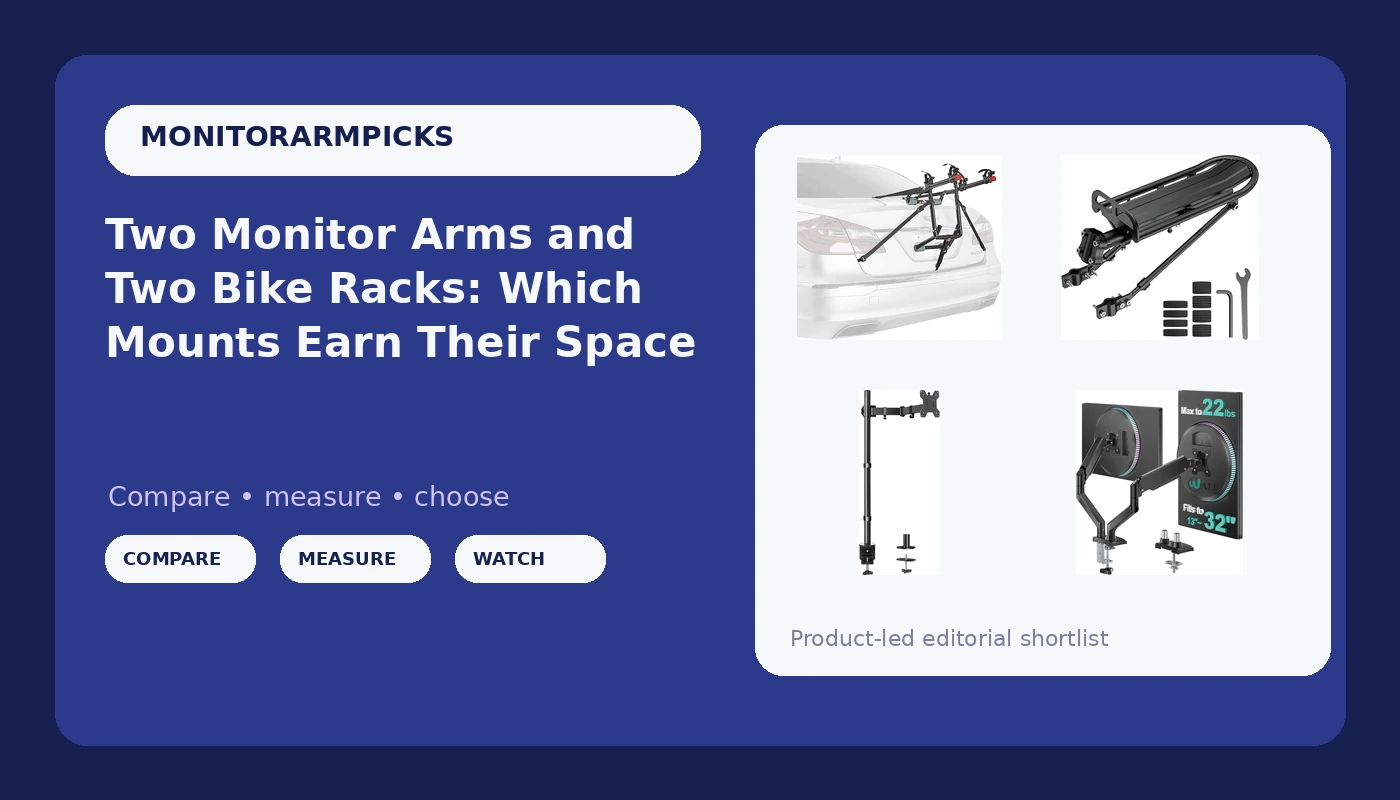
The four mounts on my bench this month don't look like they belong in the same article: two monitor arms and two bike carriers. They ended up side by side because of a client's garage-to-office rebuild, desk upstairs and bikes downstairs, and because every mount I evaluate gets asked the same four questions. What does the clamp grab? How thick is the material it grabs? What load does it claim, and how much headroom sits between that claim and what I'm actually hanging on it? And what happens at month three, when the return window has closed and the novelty has worn off?
That is the honest version of a monitor arm and bike rack mount comparison. A mount is a clamp, a lever arm, and a joint. If the clamp slips, nothing else matters. If the joint won't hold its position, you will spend the next two years adjusting it with a hex key you can never find.
One thing to get out of the way first: I don't call anything a review until it has 90 days of daily use at full extension. These four are a comparison based on the supplied specs, the mounting hardware, and the failure points I check before anything goes on a desk edge or a car. If one of them earns a full writeup later, I'll say so.
The short answer: for one screen, the pick here is the HUANUO arm with the 39 inch extra-tall pole, because pole height is the one thing you cannot add later with a wrench. For two panels side by side, the WALI dual arm gets both screens off the desk from a single clamp. The two bike carriers are a different job, and the Allen Sports trunk rack is the one I'd hand to somebody who needs two bikes on the car this weekend.
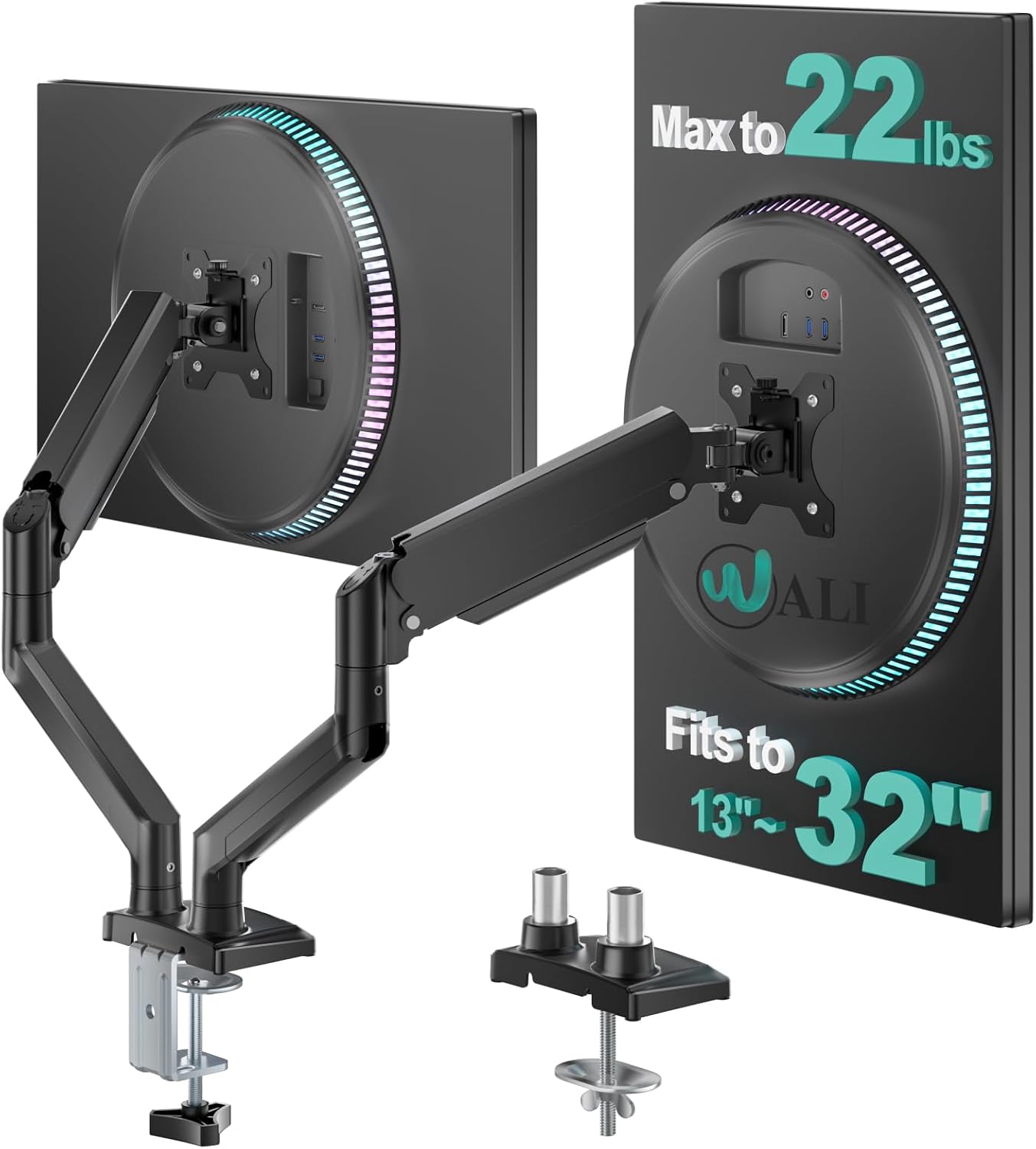
WALI Adjustable Dual Monitor Arm for 13-32 inch Screens
Two screens off one clamp, 22 lbs per arm of rated headroom, covers 13-32 inch panels
Both panels share a base, so one loose joint moves the pair together
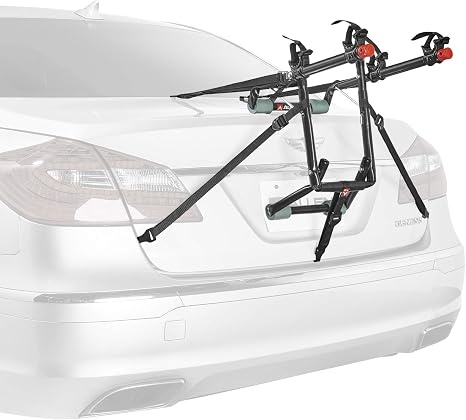
Allen Sports Deluxe 2-Bike Trunk Mount Rack, Model 102DN-R, Black
Nothing drilled or bolted to the car, carries two bikes, comes off in a minute
Straps and hooks touch paint, and a rushed install is the most common bad install there is
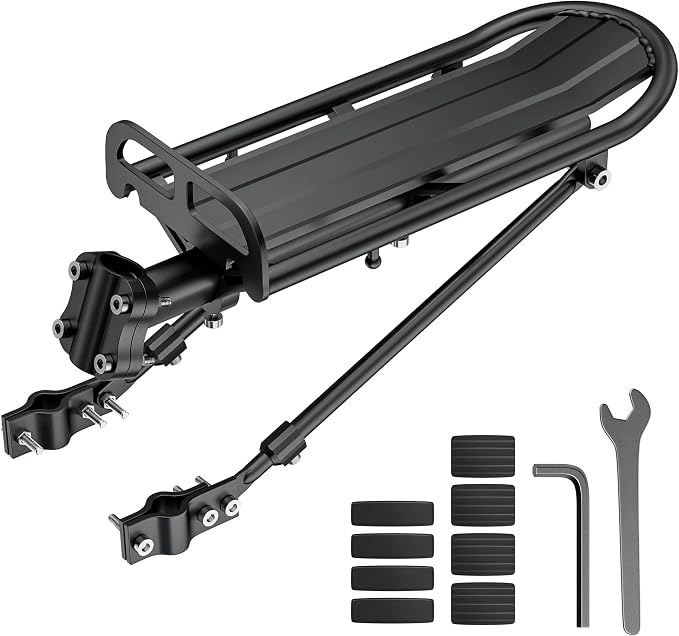
Outtag Rear Bike Rack Aluminum Alloy Cargo Rack, Quick Release Adjustable, Seat Post and Frame Mount
Aluminum alloy, quick release, adjustable, stays on the bike instead of the car
Load path runs through one seat post tube, so it is a cargo rack, not a touring rack
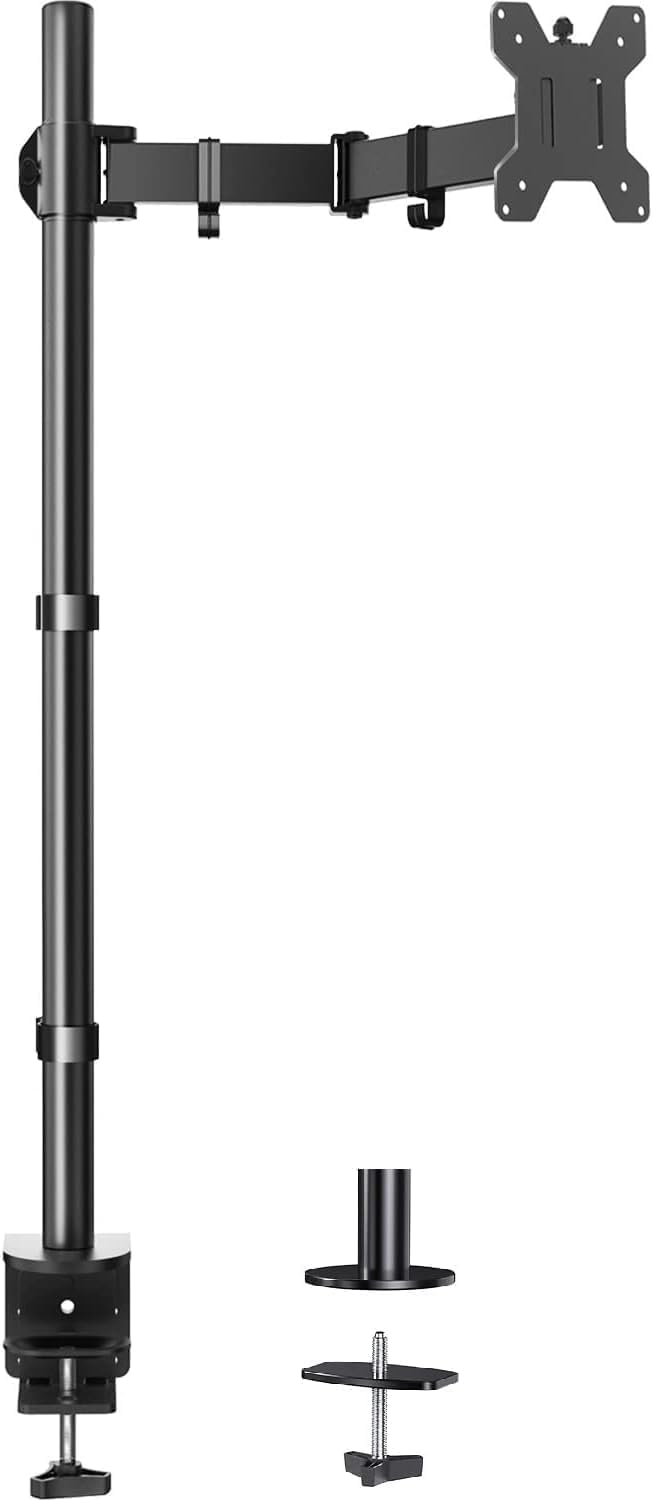
HUANUO Single Monitor Arm with 39 inch Extra-Tall Pole, C-Clamp and Grommet Base
39 inch pole reaches heights short arms can't, holds 22 lbs, covers 13-32 inch screens and up to 38 inch ultrawides
One screen only, and a tall pole magnifies any flex in the base
Prices and availability were captured from Amazon Creators API and may change.
How I judge a mount before it goes anywhere
Every mount on this list runs the same four checks, whether it holds a 27 inch panel or a bicycle.
Clamp and contact. A desk clamp needs a solid lip and roughly an inch of flat material to bite. A trunk rack's hooks need a metal edge that isn't plastic trim. A seat post rack needs a post diameter it can actually close around. Measure the thing you're clamping to before you buy the clamp. Most mount failures I get called about start here, and none of them are the mount's fault.
Load headroom. A 22 lb rating holding a 15 lb monitor is the point of the rating. Manufacturers assume the load is centered and nothing else is hanging on the arm. Add a heavy VESA adapter, a webcam, or a laptop tray and you have eaten your headroom without noticing. I keep a torque wrench in the drawer for bolts that claim to be finger tight, and I weigh the load before I trust a number.
Tool-free adjustment. Tilt that needs a hex key is tilt you will set once and never touch again. That's acceptable on a rack that lives on a car for one season. It is not acceptable on a monitor you raise and lower every day, because you won't, and your neck will pay for it.
Cable and strap routing. A floating monitor with cables dangling off the back looks broken. A trunk rack with straps flapping at highway speed is worse than broken. Both need a routing plan, and only one of these categories usually ships with one built in.
The desk arms: one clamp or two screens
WALI Adjustable Dual Monitor Arm
The WALI's pitch is arithmetic. One clamp, two arms, 22 lbs each, screens from 13 to 32 inches. If you run two panels of the same size at the same height, a dual arm is the cleanest thing you can do to a desk: one bite on the desk edge, one cable path down the middle, and the entire footprint under both screens comes back to you.
The trade-off is that both screens share one base. Any flex in the clamp shows up on both panels at once, leaning the same direction, and you will notice it most at full extension. That's the reason I tell people to mount a dual arm on a solid desk edge rather than a thin hollow-core top. Before buying anything in this category, check the back of your monitors for the VESA mounting pattern. No VESA holes, no arm.
HUANUO Single Monitor Arm with the 39 inch pole
The HUANUO's differentiator is right in its name: a 39 inch extra-tall pole. Most arms ship with a pole that gets a monitor to roughly eye level and stops. A pole this tall is for the setups that need more than eye level, a laptop below and a screen above, a standing desk where you want the panel well above the work surface, or a single screen that has to clear gear stacked on the desk.
It's rated to hold 22 lbs, fits 13 to 32 inch screens, and supports up to a 38 inch ultrawide. It ships with both a C-clamp and a grommet base, which matters more than people expect. A grommet mount passes through a hole in the desktop and is the more stable of the two. A C-clamp grabs the front edge and needs clearance underneath for the clamp body. Measure your desk edge and your clearance before you choose, because swapping later means pulling the desk apart.
The honest criticism: it's one screen. If you need two panels, this isn't the arm, and buying two of them means two clamps and two desk-edge decisions. A tall pole also amplifies base flex, so the mounting method matters more here than it does on a short arm.
The bike racks: straps versus a permanent mount
Both of these carry bikes, and they solve it in opposite ways. The right answer depends on whether the rack should live on the car or on the bike.
Allen Sports Deluxe 2-Bike Trunk Mount Rack
The 102DN-R is the classic trunk rack: straps over the trunk lid, hooks on the edges, two bikes hanging off the back. Nothing is drilled, nothing is bolted to the car, and the whole thing comes off in under a minute when you don't need it. For one car that occasionally carries two bikes, that's the correct amount of hardware.
The trade-off is contact and tension. Straps and hooks touch paint, and the rack's stability depends entirely on how carefully you route and tension those straps and where the pads land. A trunk rack installed in a hurry is the most common bad install I see. The other thing to check: trunk racks need a trunk lid or hatch with a metal edge to hook, and plenty of newer cars put plastic or glass exactly where the hooks need to go.
Outtag Rear Bike Rack
The Outtag is a different philosophy. Aluminum alloy, quick release, adjustable, mounted to the seat post and frame, which means it stays with the bike instead of living in the trunk between rides. That's a genuinely better arrangement if you ride to the store and back with a bag.
It's a cargo carrier, not a car carrier, and the load path runs through one seat post tube. That's fine for a bag, a lock, and a change of clothes. It is not a touring rack for a fully loaded pannier setup, and I wouldn't treat it as one. Quick release is the feature that sells it and also the feature to verify on arrival: an adjustable seat post clamp has to close fully on your post diameter. If it doesn't, no amount of tightening will make it stable.
What these four have in common
Strip the categories away and the failure modes are identical. Clamp surface, load path, joint design, routing. The desk arms fail when the clamp bites a desk edge that can't take the pressure. The racks fail when the contact points aren't where the mounting hardware needs them to be. In all four cases the mount gets blamed for a mismatch that was decided at the measuring tape.
None of these four sits in the buy once, cry once tier, and that's fine. That tier exists for people who want a gas spring that will still hold a 27 inch panel at full extension in year five. This tier is for people who read the spec sheet, measure the surface, and install it properly the first time. Do that and a budget mount behaves like a good one for years.
The trade-offs, in one place
- Two screens, one desk: the WALI dual arm, one clamp, 22 lbs per arm, 13 to 32 inch panels.
- One screen, mounted high: the HUANUO with the 39 inch pole, especially if you want the grommet base option.
- Two bikes on a car you also commute in: the Allen Sports trunk rack, because it comes off and goes back on in a minute.
- A bike that needs to carry its own cargo: the Outtag rear rack, quick release and adjustable on the seat post.
What I'd skip, and what I'd wait on
Skip any mount whose clamp you can't verify fits the thing you're clamping to. That's not a brand problem, it's a measuring problem, and it's the single reason I get asked to redo installs. For the desk arms, that means checking desk thickness and edge clearance. For the trunk rack, that means checking the trunk lid edge for metal. For the seat post rack, that means checking post diameter.
What I'd wait on is the upgrade urge. If you're mounting a single lightweight panel, the tall pole HUANUO is more arm than you strictly need, and the money is better spent on a second screen later. If you're mounting two heavy panels, buy the dual arm once rather than two single arms and two clamps.
Buy the mount that fits the surface, not the one with the longest feature list. Route the cables through the channel. Torque the clamp bolts with something other than your wrist. That's the whole job, and it's the difference between a floating monitor and a monitor that sags in month three.