A monitor arm is furniture, not a gadget. The stand that ships in the box eats a square foot of desk, pins your screen at whatever height the factory decided, and treats cable management as an afterthought. Replacing it with an arm fixes all three problems, but only if the arm actually holds your display at full extension without sinking toward the desk. That single question, does it hold, is what separates the best monitor arms from the ones that end up in a closet.
The six mounts below cover the range most home offices actually need: a single 27-inch panel, a 34-inch ultrawide, a lightweight 24-inch screen, and one dual setup for side-by-side work. They differ in weight ratings, VESA pattern support, how they attach to the desk, and how the joints are adjusted. Those are specification differences, not marketing differences, and the specification list is what decides whether a mount works on your desk before you ever open the box.
Related: Monitor Arm Clamp vs Grommet Base: Which Mount Fits Your Desk
Quick answer
The Ergotron, LX Monitor Arm, Single Monitor Desk Mount, fits Flat Curved Ultrawide Computer Monitors up to 34 Inches, 7 to 25 lbs, VESA 75x75mm or 100x100mm, Polished Aluminum is the strongest fit for a single 27-inch to 34-inch display on a desk you plan to keep, because its 7 to 25 lb rating covers heavier panels with headroom and it supports both the 75x75mm and 100x100mm VESA patterns. Choose the VIVO Dual Monitor Desk Mount, Holds 2 Computer Screens up to 30 inches and 22lbs Each, Heavy Duty Fully Adjustable Steel Stand with C-Clamp and Grommet, Black, STAND-V002 instead when you need two screens side by side and each one weighs up to 22 lbs.
Monitor arms worth comparing
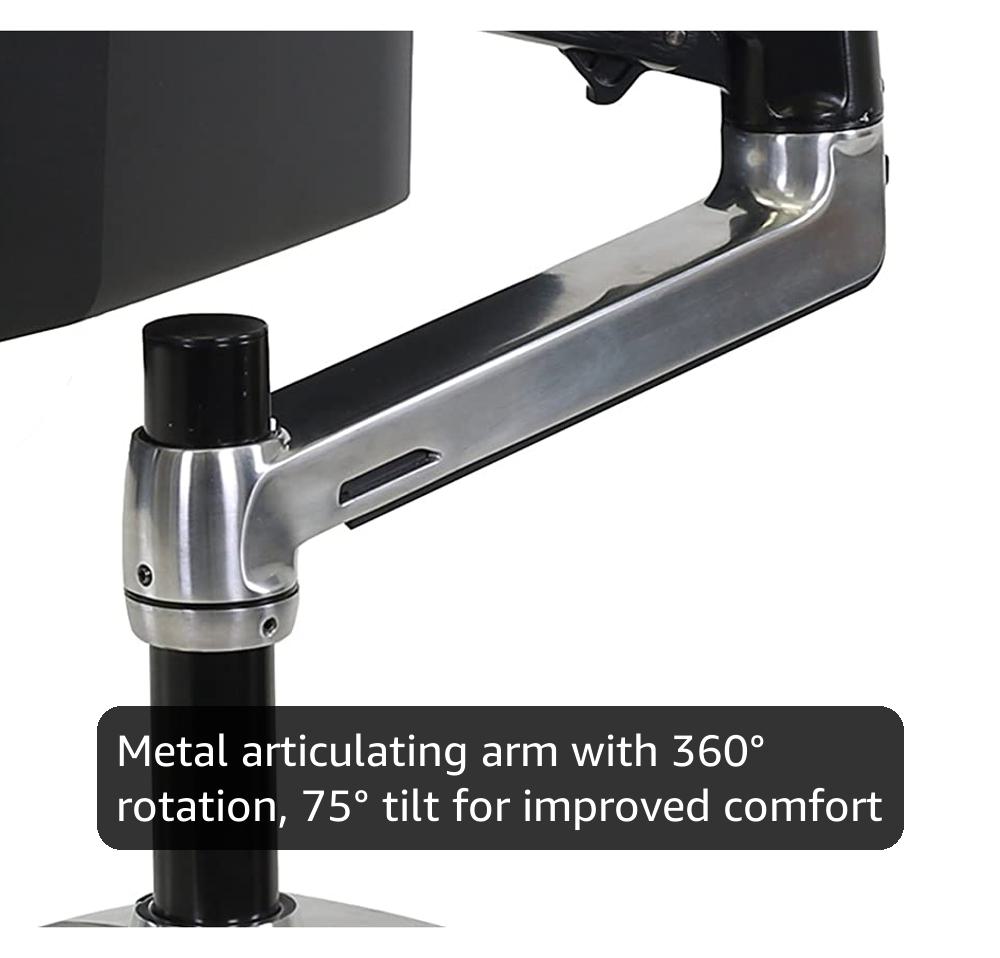
Ergotron, LX Monitor Arm, Single Monitor Desk Mount, fits Flat Curved Ultrawide Computer Monitors up to 34 Inches, 7 to 25 lbs, VESA 75x75mm or 100x100mm, Polished Aluminum
Single monitor desk mount rated for screens up to 34 inches and 7 to 25 lbs, with VESA 75x75mm and 100x100mm support and a polished aluminum finish.
Visit on Amazon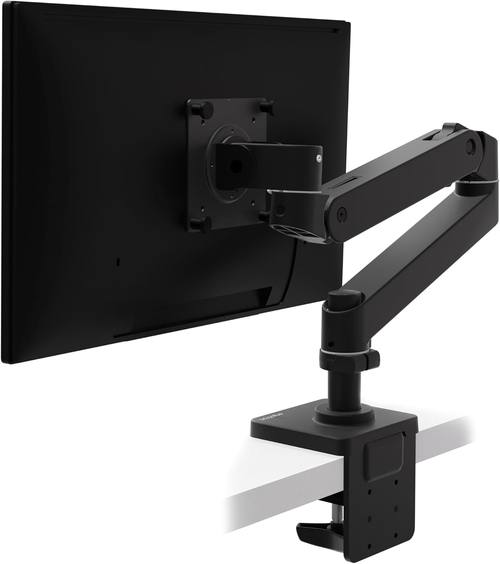
Ergotron, Upgraded LX Pro Premium Monitor Arm, Single Monitor Desk Mount, fits Flat Curved Ultrawide Computer Monitors up to 34 Inches, 4 to 22 lbs, VESA 75x75mm or 100x100mm, Matte Black
The upgraded LX design in matte black, rated for flat or curved ultrawides up to 34 inches and 4 to 22 lbs, with 75x75mm and 100x100mm VESA support.
Visit on Amazon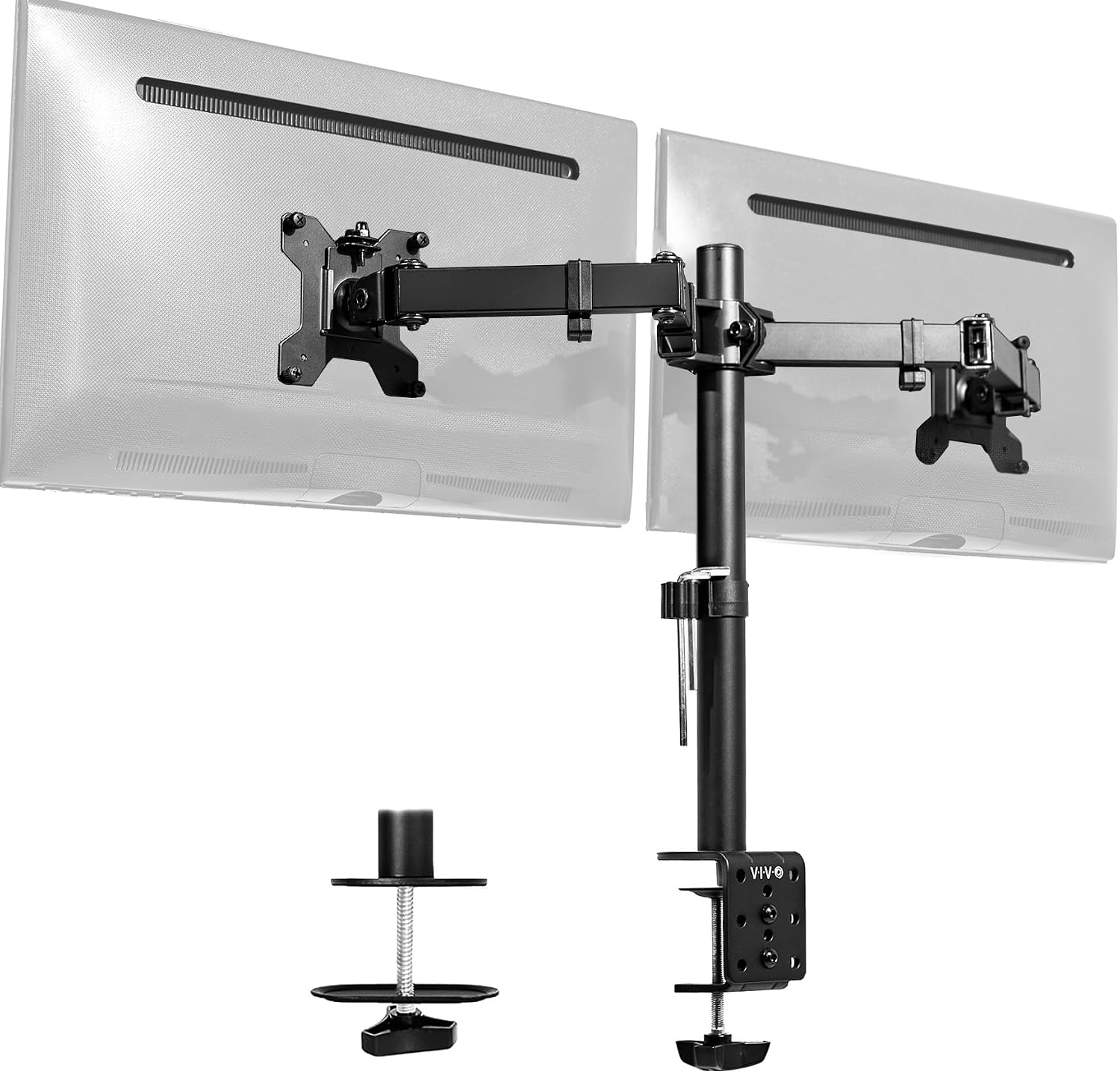
VIVO Dual Monitor Desk Mount, Holds 2 Computer Screens up to 30 inches and 22lbs Each, Heavy Duty Fully Adjustable Steel Stand with C-Clamp and Grommet, Black, STAND-V002
Dual monitor desk mount that holds two screens up to 30 inches and 22 lbs each, with a steel stand and both C-clamp and grommet base options.
Visit on Amazon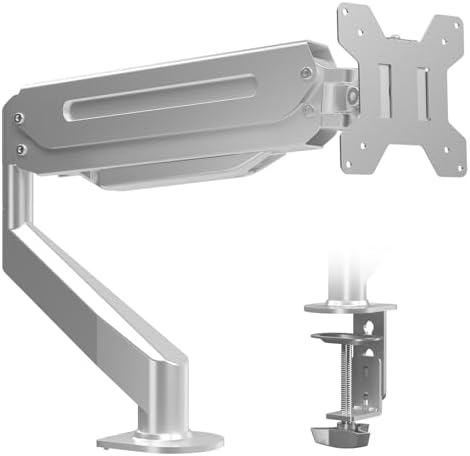
Suptek Single Monitor Arm Fully Adjustable for 17-34-35 Inch Screens
Single monitor arm with full adjustability, listed for screen sizes from 17 inches up through 34 and 35 inch displays.
Visit on Amazon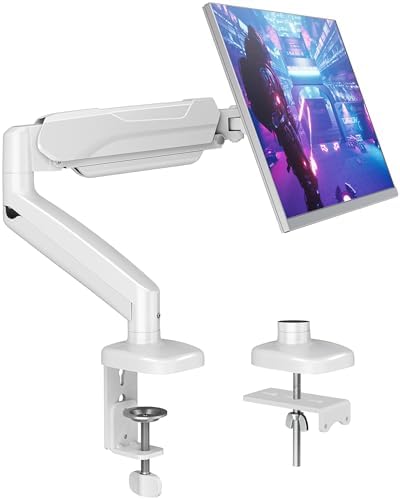
MOUNTUP Single Monitor Desk Mount Holds Screen up to 32 inch, Height Adjustable Monitor Arm, Full Motion Computer Monitors Stand with Clamp/Grommet Base, VESA Mounts Fit 4.4-19.8lbs Computer, Black
Single monitor desk mount for screens up to 32 inches and 4.4 to 19.8 lbs, with height adjustment, full motion movement, and a clamp or grommet base.
Visit on Amazon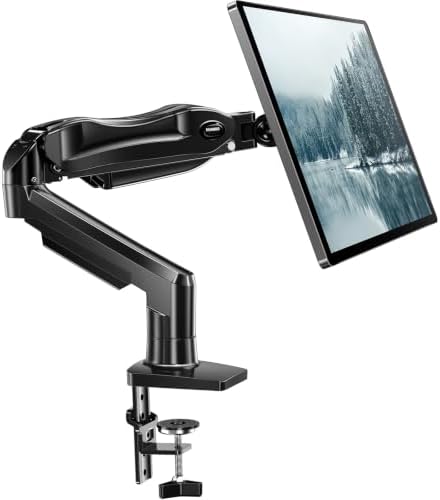
HUANUO FlowLift™ Single Monitor Mount, 13 to 32 Inch Monitor Arm, Adjustable Monitor Stand, Vesa Mount with Clamp and Grommet Base - Fits 4.4 to 19.8lbs LCD Computer Monitors
Single monitor mount for 13 to 32 inch screens weighing 4.4 to 19.8 lbs, with both clamp and grommet base options.
Visit on AmazonPrices and availability may change. Check the retailer for current details.
How these products were compared
This guide compares published weight ratings, supported screen sizes, VESA pattern coverage, base mounting options, and adjustment design. Product names, images, and retailer links are matched by product identifier so that every card points to the product shown.
The comparison starts with weight because it is the specification that decides everything else. A mount rated for 4.4 to 19.8 lbs and a mount rated for 7 to 25 lbs can both be advertised as fitting a 32-inch display, but only one of them has room left over for a heavier panel. The second criterion is VESA support. A 75x75mm or 100x100mm pattern covers the overwhelming majority of monitors sold today, but it is worth confirming before you buy, because a mount cannot attach to a display that has no mounting holes at all.
The third criterion is how the mount attaches to the desk. Clamp and grommet bases are not interchangeable in practice: one needs a desk edge with clearance underneath, the other needs a drilled hole or an existing cable cutout. The fourth is adjustment design, meaning which joints move and what kind of tension control each one uses. The fifth is cable routing, because a floating monitor with loose cables hanging off the back looks worse than the stand it replaced.
No current prices appear in this article. Use the retailer link on any card to confirm price, availability, and return terms at the time you buy, since those change far more often than the specifications do.
How to choose the right monitor arm
Start by weighing your monitor without its original stand. Manufacturer specifications list panel weight, and that number, not the shipping weight, is what the arm has to hold. Then add a little headroom. An arm rated for 19.8 lbs holding an 18 lb ultrawide is technically within spec but leaves no margin for a heavier VESA plate or a webcam clamped to the bezel. An arm rated to 25 lbs gives you that margin.
Next, confirm the VESA pattern on the back of the display. Both 75x75mm and 100x100mm appear on the mounts here, and most monitors use one or the other. Then measure the desk. A clamp base needs a flat edge with enough vertical clearance below it and enough lip for the clamp jaws to bite. A grommet base needs a hole roughly in the range the mount specifies, or a cable cutout you are willing to route through. If your desk has a thick apron, a beveled edge, or a frame running underneath, the clamp option may not fit at all.
Decide between one screen and two before you shop. A single arm keeps the geometry simple and the weight budget generous. A dual mount like the VIVO unit here puts two panels on one base, which saves desk space but doubles what the base has to support. If you are still weighing that trade-off, the comparison of clamp and grommet bases linked above walks through the mounting side in more detail.
Finally, look at how tilt and tension are adjusted. Joints that require a tool for every tweak tend to stay where they were set on day one, which defeats the purpose of an adjustable arm. Prioritize mounts whose tension controls you can reach without disassembling anything.
Ergotron, LX Monitor Arm, Single Monitor Desk Mount, fits Flat Curved Ultrawide Computer Monitors up to 34 Inches, 7 to 25 lbs, VESA 75x75mm or 100x100mm, Polished Aluminum
The LX is the reference point for a reason. It is a single monitor desk mount rated for flat and curved ultrawides up to 34 inches and 7 to 25 lbs, and it supports both 75x75mm and 100x100mm VESA patterns. That weight window is the widest in this group, which means it covers a heavier 34-inch ultrawide and still has room for accessories mounted near the panel. The polished aluminum finish is a deliberate look rather than a hidden bracket, so it suits a desk where the arm is visible.
The trade-off is at the bottom of the range. A 7 lb minimum means very light monitors, the kind that ship with budget 24-inch panels, sit below what this arm is designed to hold well. If your display is closer to 5 lbs, the LX Pro or one of the lighter-rated mounts here is the better match. The LX is also the most expensive type of arm in this comparison, which is a real consideration if the screen it holds is a $120 panel.
Alternatives to consider
The Ergotron, Upgraded LX Pro Premium Monitor Arm, Single Monitor Desk Mount, fits Flat Curved Ultrawide Computer Monitors up to 34 Inches, 4 to 22 lbs, VESA 75x75mm or 100x100mm, Matte Black is better suited to lighter displays and to anyone who wants a matte finish, since its 4 lb floor reaches down to panels the standard LX cannot hold. The VIVO Dual Monitor Desk Mount, Holds 2 Computer Screens up to 30 inches and 22lbs Each, Heavy Duty Fully Adjustable Steel Stand with C-Clamp and Grommet, Black, STAND-V002 is a stronger fit when you run two screens side by side, because it carries both on one base and offers clamp and grommet mounting.
The Suptek Single Monitor Arm Fully Adjustable for 17-34-35 Inch Screens, the MOUNTUP Single Monitor Desk Mount Holds Screen up to 32 inch, Height Adjustable Monitor Arm, Full Motion Computer Monitors Stand with Clamp/Grommet Base, VESA Mounts Fit 4.4-19.8lbs Computer, Black, and the HUANUO FlowLift™ Single Monitor Mount, 13 to 32 Inch Monitor Arm, Adjustable Monitor Stand, Vesa Mount with Clamp and Grommet Base - Fits 4.4 to 19.8lbs LCD Computer Monitors cover the lighter end of the range. The Suptek arm is listed for screens from 17 inches up through 34 and 35 inch displays. The MOUNTUP and HUANUO mounts both list a 4.4 to 19.8 lb window and a 32-inch ceiling, with clamp or grommet bases, which makes them sensible choices for a mid-size panel that does not need a heavy-duty arm.
Day-to-day use and maintenance
Most monitor arm problems trace back to setup rather than wear. Set the weight tension before you hang the monitor if the instructions call for it, then fine-tune after the panel is mounted. Adjust tilt with the screen supported by one hand until the joint holds on its own. Route cables through the integrated channels as you assemble the arm rather than after, because threading them through a fully extended arm is considerably more annoying.
Check the desk clamp or grommet hardware a few days after installation, then periodically after that. Clamps can settle slightly as the pad compresses, and a mount that was tight on day one may need a quarter turn a week later. Keep the total load within the published rating, including anything you attach to the arm or the panel. Clean the arm with a soft, slightly damp cloth and avoid solvents on painted or anodized surfaces. If a joint starts to drift, recheck the tension adjustment before assuming the arm has failed.
Buying checklist
- Weigh your monitor without its stand and compare that number to the arm's published weight range, leaving headroom.
- Confirm the VESA pattern on the back of the display matches what the mount supports.
- Measure desk thickness, edge clearance, and any grommet hole diameter before choosing a clamp or grommet base.
- Decide whether you need one screen or two, since a dual mount changes the load on the base.
- Verify the current retailer price, availability, and return terms before ordering.
Final recommendation
Choose the Ergotron, LX Monitor Arm, Single Monitor Desk Mount, fits Flat Curved Ultrawide Computer Monitors up to 34 Inches, 7 to 25 lbs, VESA 75x75mm or 100x100mm, Polished Aluminum when you are mounting a single 27-inch to 34-inch display of ordinary to heavy weight and want the widest weight window in this group. Choose the Ergotron, Upgraded LX Pro Premium Monitor Arm when your monitor is lighter than 7 lbs or you prefer the matte black finish. Choose the VIVO Dual Monitor Desk Mount when two screens on one base makes more sense than two separate arms.
If your panel sits in the 4.4 to 19.8 lb range and you want a simpler single mount, the MOUNTUP and HUANUO options cover that ground, and the Suptek arm extends the listed screen range up to 34 and 35 inches. Match the weight rating and the VESA pattern to your actual display first, confirm the base fits your desk second, and the rest of the decision tends to make itself.