
Every floating monitor desk I build comes down to two purchases: the arm that holds the panel and the cable management that keeps the whole thing from looking broken. I have set up more than 200 desks over the last five years as a side business in Raleigh, on top of a day job in IT infrastructure, and I have never once installed an arm without fixing the cable problem on the same visit. So when I sat down to write a monitor arm and cable management kit comparison, I did not want six arms or forty different clips. I wanted the two categories that share a desk, side by side, with the trade-offs spelled out in plain language instead of spec-sheet bragging.
For most desks, the pairing that makes sense is the Ergear Single Monitor Mount for 13-32 Inch Screens with the Cord Management Organizer Kit 4 Cable Sleeve set: 17.6 lbs of capacity gives a 27-inch panel real headroom, and a 192-piece kit handles the entire desk rather than one arm. The long answer involves reach, weight ratings, desk thickness, adhesive quality, and why an extra long arm is sometimes worth the extra leverage it puts on your desk edge. That is what this comparison covers.
Related: Monitor Arm Desk Clamp Vs Grommet Mount
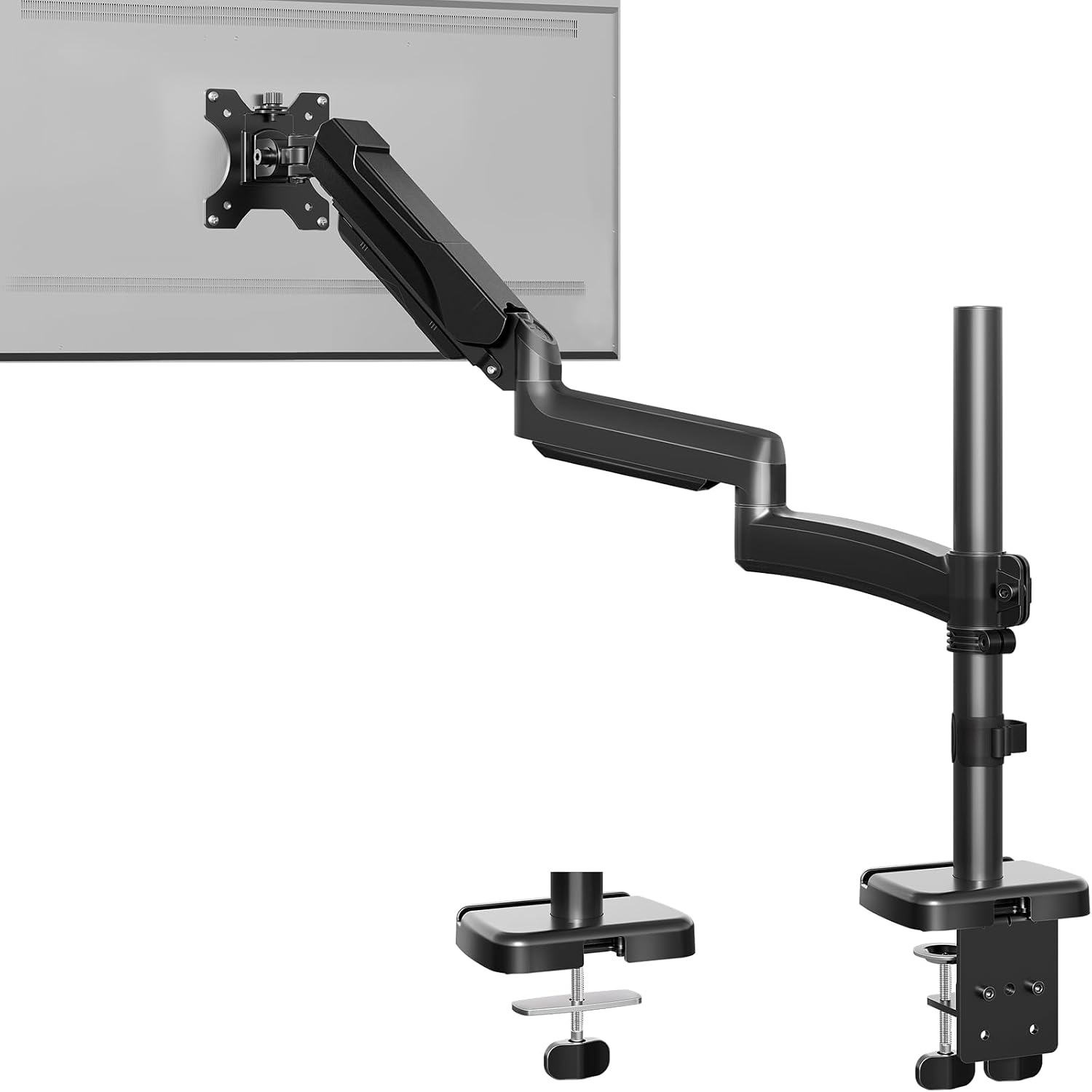
Extra Long Arm Monitor Mount, Fits Max 32" Hold up to 19.8lbs
Highest capacity here at 19.8 lbs and the longest reach, which matters on deep desks and corner setups
Long arms put more leverage on the desk clamp, so the edge has to be solid and thick enough
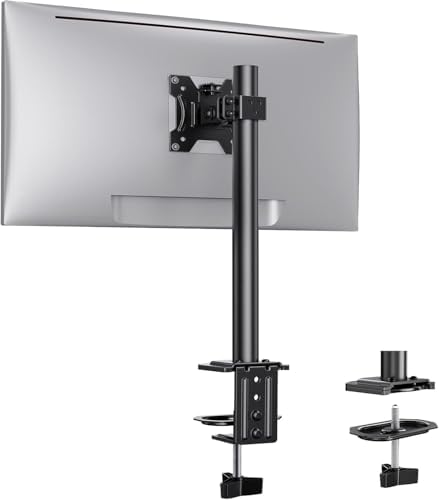
Ergear Single Monitor Mount for 13-32 Inch Screens,17.6 lbs Capacity
The sensible middle: a 13-32 inch range covers nearly every desk monitor, and 17.6 lbs is genuine headroom for a 27-inch panel
Shorter reach than the long-arm option, so a deep desk or a corner return can leave the screen sitting too close
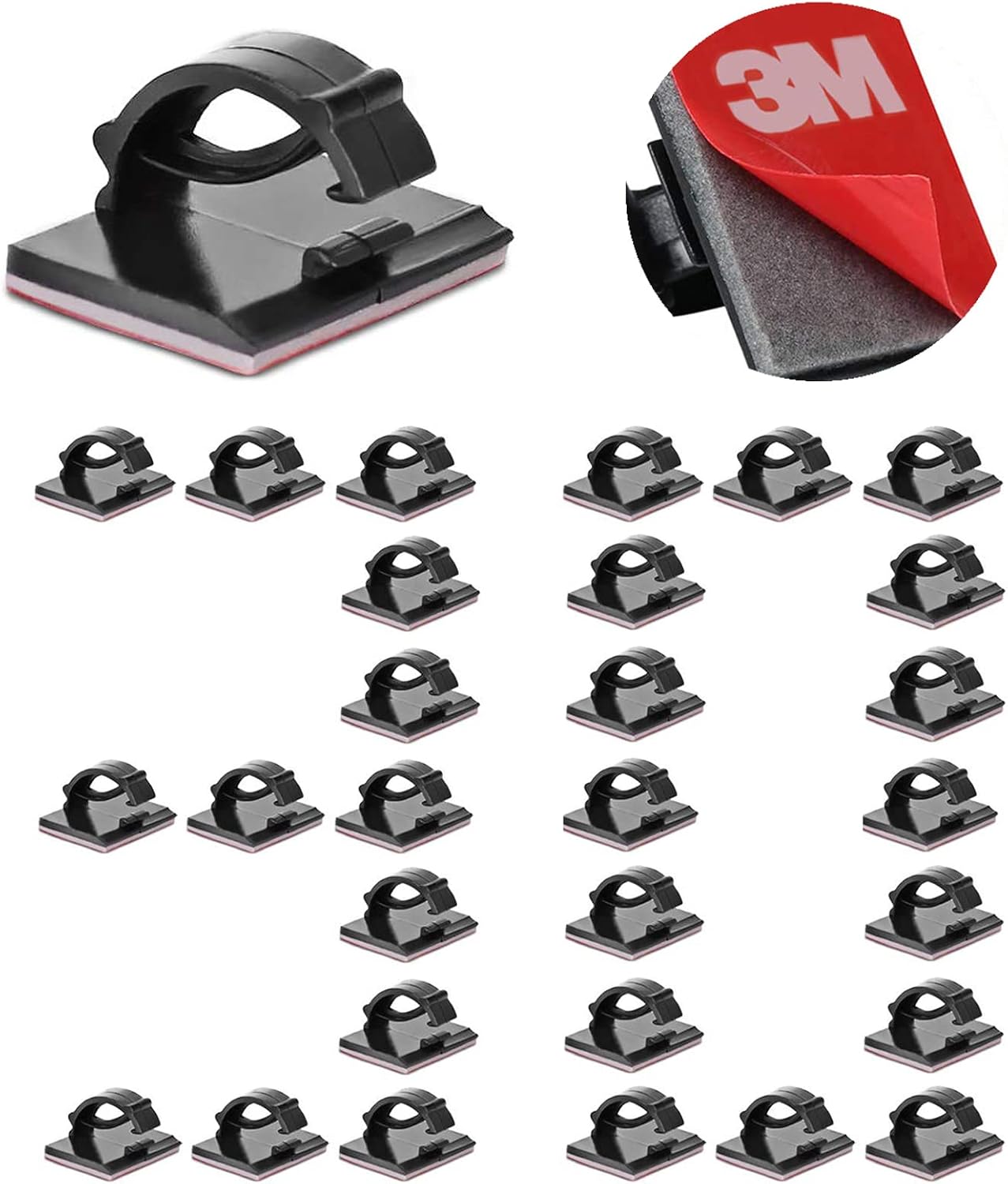
Cable Clips Self with 3M Adhesive Cord Organizer, Wire Holder Clamp Management Sticky for Desk Car Dash Cam Tables Wall, Black 30pcs
30 individual clips let you route exactly the cables you own and reposition them as the setup changes
Individual clips cannot bundle four cables into one clean run the way a sleeve does
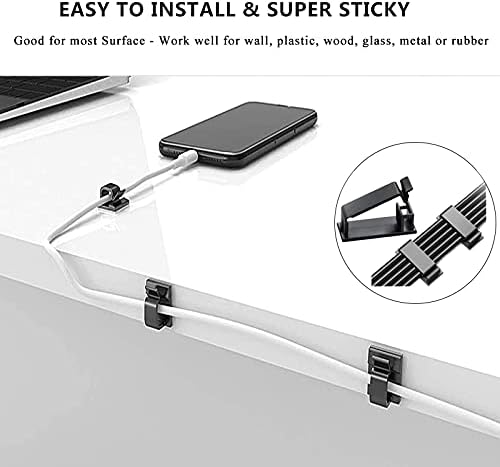
Cord Management Organizer Kit 4 Cable Sleeve split 192PCS Cable Management
192 pieces and 4 split sleeves cover a whole desk setup instead of just one arm
Overkill if all you need is to tame two cables behind a single monitor
Prices and availability were captured from Amazon Creators API and may change.
How I evaluate arms and cable systems
Every arm that lands on my bench gets a 90-day daily-use trial before I form an opinion. That means on-call pages at 2 a.m., a fully extended 27-inch panel, the wobble check at full reach, and a cable audit at the end to see how the routing held up after three months of a desk being raised and lowered.
The specs I care about, in order, are weight capacity, reach, VESA compatibility, and clamp range. Gas spring quality is the whole game on an arm. The difference between a $40 arm and a $150 arm is the spring inside the housing, not the paint on the outside, and a spring that sags in month three was never cheap in the first place. Cable management gets the same treatment: adhesives that let go in a warm room are worse than no clips at all, because now you have residue on your desk and a cable on the floor.
The two arms: reach versus capacity
Two arms here, and they solve different problems rather than competing on the same axis. One is built for distance. One is built for the typical desk.
Extra Long Arm Monitor Mount, Fits Max 32" Hold up to 19.8lbs
This is the reach pick. A maximum 32 inch panel and a 19.8 lb capacity make it the heavier-rated of the two arms in this comparison, and the longer arm geometry is what sets it apart. On a deep desk, or a corner return where the monitor needs to swing out and forward, reach is the spec that decides whether the setup works at all. A short arm on a deep desk means the panel ends up behind your keyboard, which defeats the entire point of floating it.
The trade-off is physics. The further the monitor sits from the clamp, the more leverage it applies to your desk edge, and the more a mediocre desk will flex. I check desk thickness and the condition of the lip before I install anything with a long reach, and I torque the clamp bolts rather than trusting a hand tighten. If your desk is a thin hollow-core top or has a beveled edge, a long arm is the wrong call no matter how good the capacity number looks.
Capacity note that applies here: 19.8 lbs is headroom. A typical 27-inch panel lands well under that, and headroom is the point, because your monitor is not the only thing loading the joint. Cable weight, an adapter, and the reach itself all eat into the margin.
Ergear Single Monitor Mount for 13-32 Inch Screens, 17.6 lbs Capacity
This is the arm I would install on a standard desk without a second thought. The 13 to 32 inch screen range covers essentially every monitor a normal person owns, and 17.6 lbs of capacity is real headroom for a 27-inch panel. That headroom matters more than people expect: an arm rated for 17.6 lbs holding a 15 lb monitor is exactly the margin you want, because gas springs lose a little strength over years, and you do not want to be at the ceiling of the rating on day one.
The limitation is reach. On a shallow desk this is a non-issue. On a deep desk, or if you like your monitor pushed far back and angled, the shorter arm may not give you the placement you want. That is the honest knock, and it is a layout problem rather than a build problem.
Budget arms live or die on the gas spring and the tilt joint. A tilt joint that needs a hex key to adjust is a tilt joint you will adjust once and then resent for five years, and a spring that cannot hold at full extension turns your monitor into a slow-motion souffle. When you shop this category, check the return window and test tilt at full extension in week one, not month four.
The two cable systems: clips versus full kit
Cable management is where most floating monitor setups fall apart. You spend the money, you get the monitor off the desk, and then four cables hang off the back like a jellyfish. Two different approaches here, and the right one depends on how much mess you are actually managing.
Cable Clips Self with 3M Adhesive Cord Organizer, 30pcs
Thirty individual clips with 3M adhesive backing. The strength of this approach is granularity: you route exactly the cables you have, put a clip where the cable actually wants to go, and redo it when you add a webcam or swap a display cable. Nothing is bundled that should not be bundled, which matters when you need to trace one cable without dismantling a sleeve.
The weakness is the same as the strength. Thirty separate clips are thirty separate decisions, and a run of four cables looks like four cables with clips on them rather than one clean line. Adhesive is the other variable. 3M tape is the right brand to see on the backing, and surface prep decides whether it stays: clean the desk with alcohol, let it dry, press and hold. Skip that and you will be re-sticking clips in a month, which is when people decide cable management does not work.
Because the count is generous, this kit also travels well beyond the monitor arm. Desk edge, under-desk tray, the back of a standing desk frame, even a car dash if you have a dash cam cable flopping around.
Cord Management Organizer Kit, 4 Cable Sleeve Split, 192PCS
This is the whole-desk answer. Four split sleeves plus 192 pieces total means you can wrap the main trunk of cables running down the back of the desk, chase the run from the arm to the floor, and still have parts left for the power brick and the under-desk routing. Split sleeves are the key detail: you do not have to unplug everything to add a cable, you open the sleeve, lay the new cable in, and close it. Anyone who has threaded a display cable through a closed tube knows why that matters.
The honest criticism is scope. If your entire cable problem is two cables behind one monitor, a 192-piece kit is more product than problem. You will use eight pieces and the rest lives in a drawer. Buy this when you are doing the whole desk: arm, monitor, peripherals, charger, the run to the wall. Buy it when you are rebuilding a setup rather than patching one.
Sleeves also change how cables behave. Bundled cables do not snag on a desk frame during height adjustment, and a single trunk is far easier to dress against a wall or a leg.
Clamp or grommet, and the measurement that decides it
Before any of this, measure two things: your desk thickness and the clearance under the edge. A C-clamp needs a flat lip and usually an inch or two of thickness to bite properly, and a beveled or rounded edge is a clamp's worst enemy. A grommet hole solves the clamp problem but requires a hole in the right place, which most desks do not have.
This is not a style decision, it is a desk-thickness problem, and it is the single most common reason a monitor arm ends up back in the box. Measure first, then buy the arm.
Trade-offs, stated plainly
The extra long arm wins on reach and on a 19.8 lb rating, and it loses on leverage: it asks more of your desk edge and your clamp torque than a shorter arm does. The Ergear arm wins on the practical middle ground, since 13-32 inches and 17.6 lbs cover the overwhelming majority of desks, and it loses on placement flexibility for deep desks.
On the cable side, the 30-clip set wins on flexibility and repositioning, and it loses on visual tidiness for a multi-cable trunk. The 192-piece sleeve kit wins on coverage and clean runs, and it loses on efficiency if your cable problem is small.
There is also a cost shape to notice. The arms carry the money in this comparison; the cable kits are the cheap part of the build and the part that most changes how the finished desk looks. Skimping on cable management is how a $200 arm setup ends up looking like a $200 arm setup with a problem.
The pairings I would actually install
Standard desk, 27-inch monitor, cables running down the back: Ergear Single Monitor Mount for 13-32 Inch Screens plus the Cord Management Organizer Kit. The arm covers the panel with headroom, and the sleeve kit cleans up the whole run instead of one segment.
Deep desk, corner return, or a 32-inch panel that needs to swing out: Extra Long Arm Monitor Mount plus the 30-clip set. You get the reach, and individual clips let you follow the longer cable path and adjust when you inevitably move the arm.
Whole-desk rebuild with a standing desk frame: Extra Long Arm Monitor Mount if the top is thick and solid, Ergear if it is not, plus the 192-piece kit. Height-adjustable desks are where bundled cables earn their keep, because a loose cable catches a frame and a bundled one does not.
Light setup, one monitor, two cables, no ambition beyond that: the 30-clip set alone. Not every desk needs a project.
What I am still testing
Gas springs in the budget tier keep getting better, or the marketing keeps getting more confident, and I am not sure yet which. Both arms here are on my watch list for the same reason: I want to know how the tension holds at full extension after a hot summer and a cold winter in a garage office. That is the kind of failure nobody notices in a 30-day review and everybody notices in month eight, and it is exactly why I run arms for 90 days before I recommend them.
Cable kits are easier to judge, because adhesive either holds or it does not. Clean the surface, press and hold, and give it a day before you load the cable. That one instruction prevents most of the complaints in this category.