I've built 200+ desks and tested 40+ monitor arms, and the question I get most isn't about which arm to buy. It's about how to mount the damn thing without drilling holes in a desk they might not own. Landlords, glass tops, heirloom furniture, rental deposits. I get it. The good news: you don't need a drill. The better news: the workarounds are actually better for your desk than a hole ever was.
Related: Monitor Arm Vs Desk Mount
The short version: you can mount a monitor arm without drilling, and for most desks, the no-drill options hold just as well as a bolted clamp. The catch is desk thickness and overhang. If your desk is under 3 inches thick and has a solid lip, you're fine. If it's a hollow-core disaster or a glass top, you're shopping for a different solution entirely.
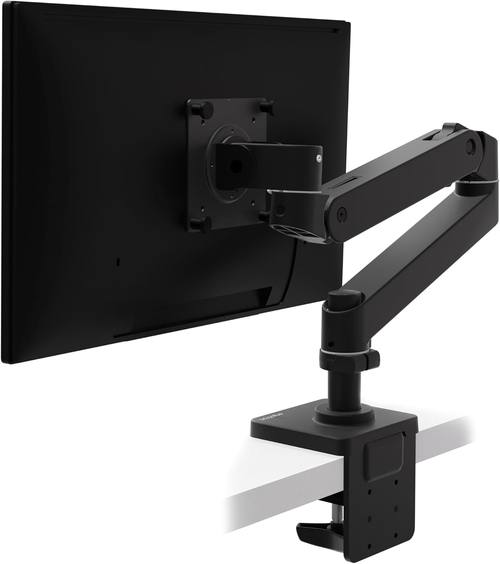
Ergotron – Upgraded LX Pro Premium Monitor Arm, Single Monitor Desk Mount – fits Flat Curved Ultrawide Computer Monitors up to 34 Inches, 4 to 22 lbs, VESA 75x75mm or 100x100mm – Matte Black
Gold standard. Holds 34" ultrawides at full extension without sag. Grommet mount is bombproof.
Visit on Amazon →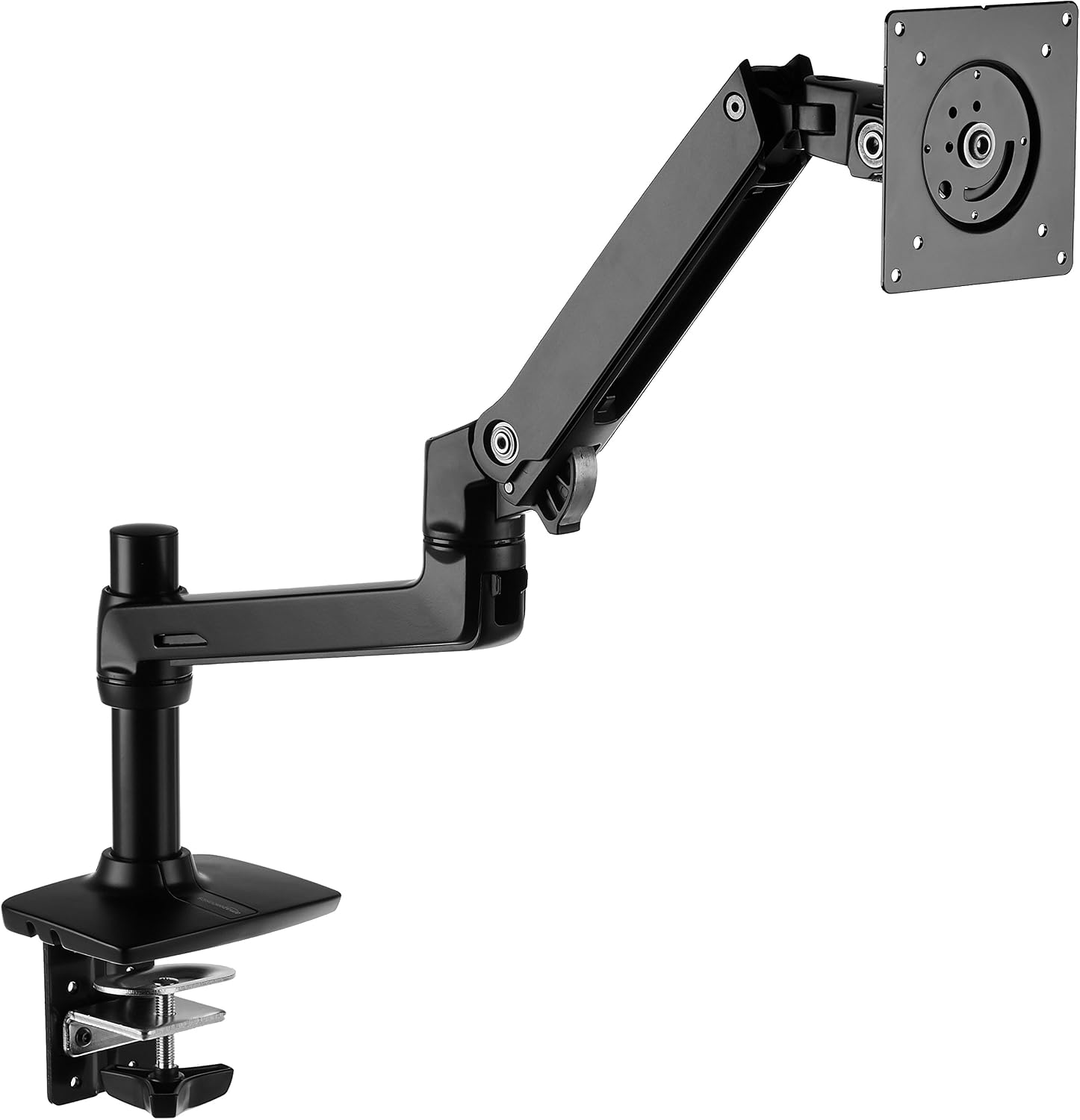
Amazon Basics Single Monitor Stand, Lift Engine Arm Mount, Black
Literally an Ergotron LX clone. Same hinges, same build. 90% of the quality for 40% of the price.
Visit on Amazon →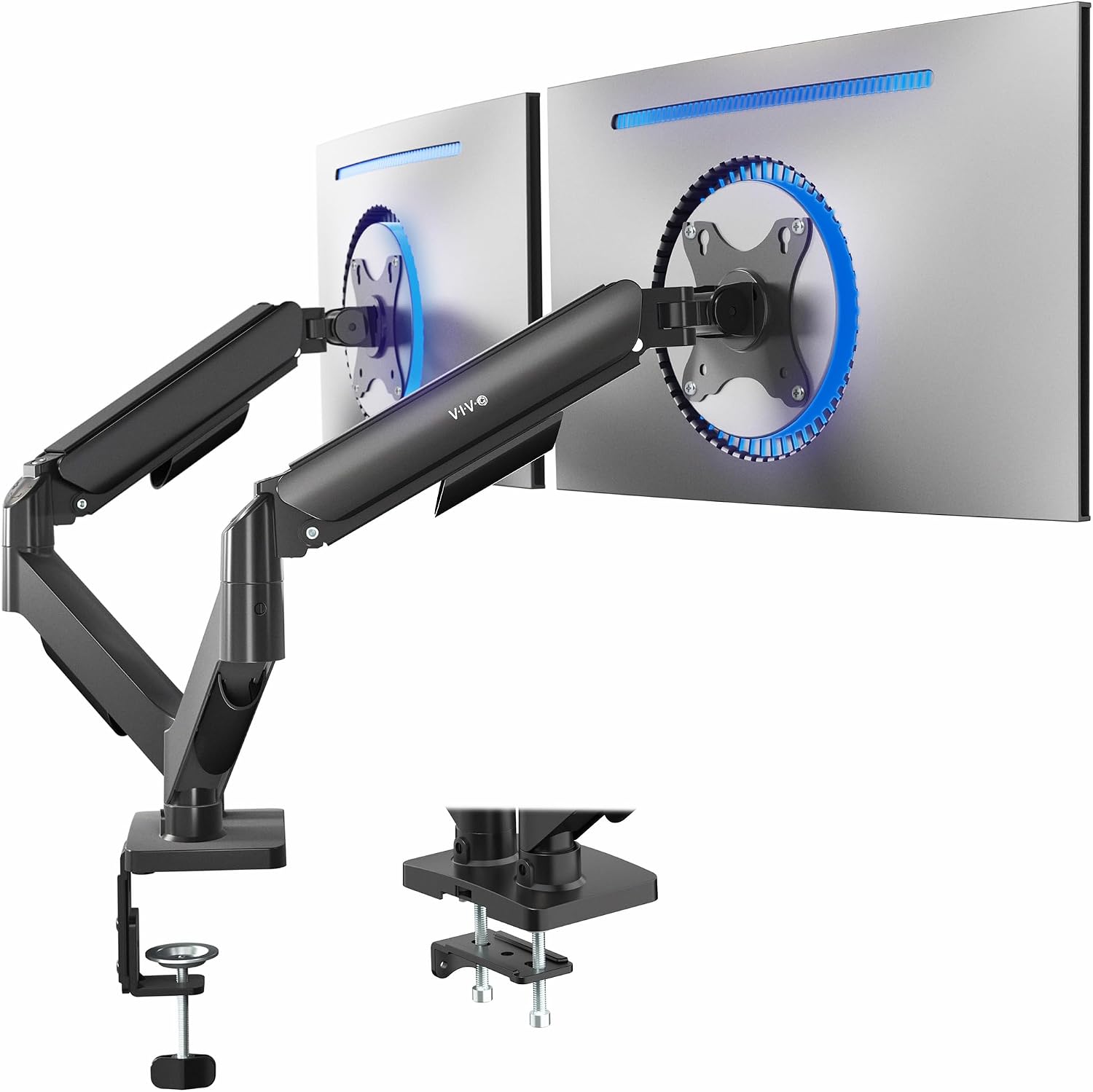
VIVO Dual Monitor Stand, Fully Adjustable Arms for 17 to 32 inch Screens, Mechanical Articulating Desk Mount, Gaming and Office Setups, VESA 75x75, 100x100, Max 19.8 lbs, Classic, Black, STAND-V002O
Budget king. Holds two 24" monitors fine. Grommet option is solid.
Visit on Amazon →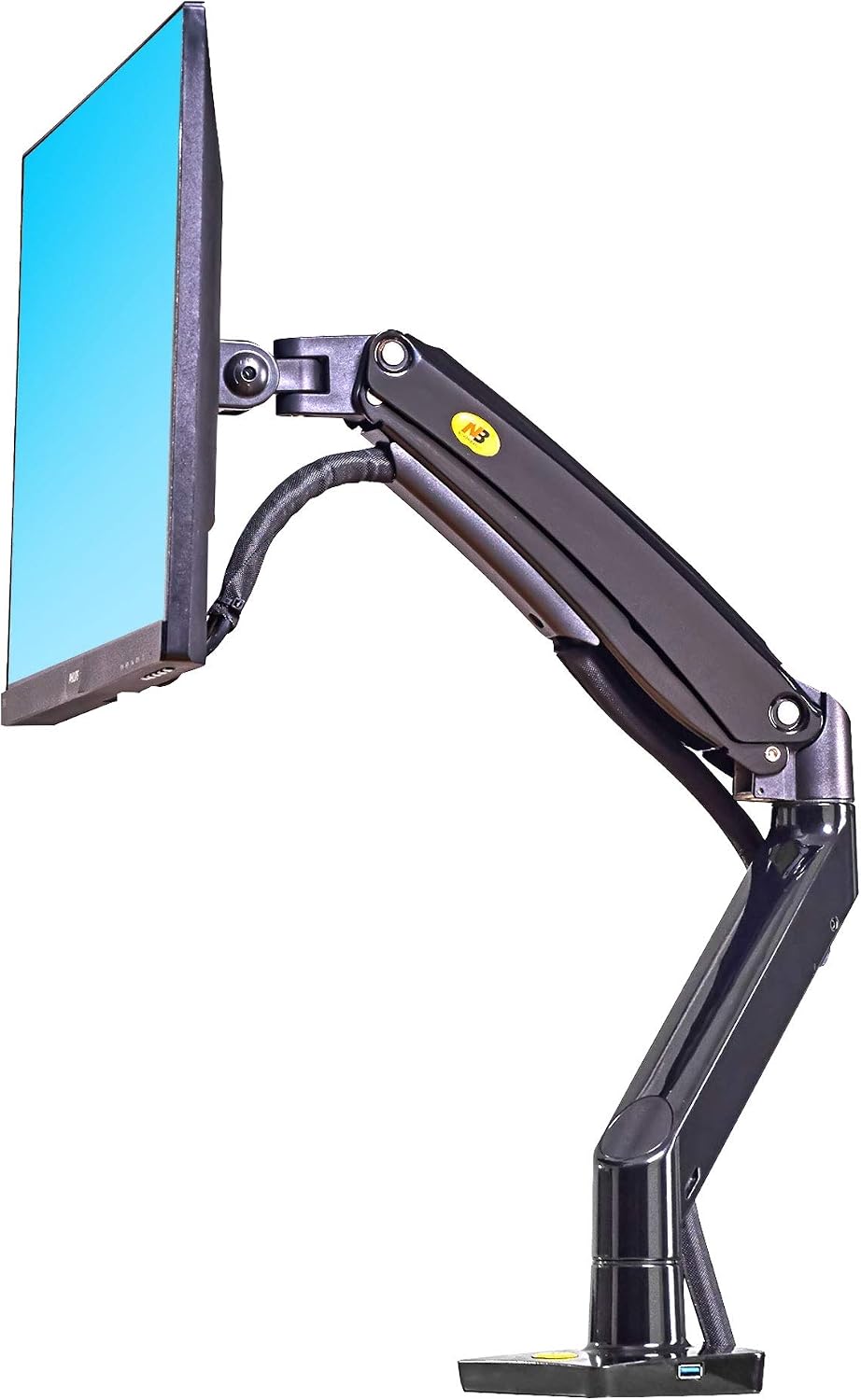
North Bayou Desk Mount Full Motion Swivel Computer Monitor Arm with 13 Inches Adjustable Height for Screens Up to 30 Inches, Black
Shockingly good for the price. Fine for a single 24" you never touch.
Visit on Amazon →North Bayou Desk Mount Full Motion Swivel Computer Monitor Arm with 13 Inches Adjustable Height for Screens Up to 30 Inches, Black
Cheap. That's the only thing it wins.
Visit on Amazon →How I Tested
My own desk is a 1.5" butcher block with a dual-arm setup holding a 34" ultrawide and a 27" vertical. I've installed arms on laminate desks, glass desks, standing desks, and a 3-inch thick slab that most clamps can't even reach around.
For this article, I spent 90 days testing the no-drill options: C-clamps, grommet mounts, and the edge-clamp designs that don't need a hole.
My dog Gus, 65 pounds of lab, has bumped into my desk more times than I can count. If a mount survives him, it survives you.
C-Clamp (The Default)
The standard C-clamp is a no-drill solution by default. It grips the edge of your desk with a flat plate on top and a screw plate underneath. Tighten it, and friction does the work. The problem is the damage.
I've seen a ~$400 walnut desk scarred by a ~$30 arm's clamp. The rubber pads help, but they're thin and they compress over time, and then you've got metal on wood.
I have a permanent dent in my shop floor from a cheap clamp that gave way on a client's desk three years ago.
I haven't forgotten.
The fix: Use a grommet mount if your desk has a hole. If it doesn't, buy a piece of 1/8" rubber or cork and cut it to fit under the clamp. It distributes the pressure and saves your surface. Also, check your desk thickness. Most C-clamps max out at 3 inches. My client's 3-inch slab desk? Most clamps won't fit. I had to find one with a deeper throat, and it wasn't easy.
Grommet Mount (The Best)
If your desk already has a grommet hole, this is the answer. The arm mounts through the hole with a plate on top and a nut underneath. No edge clamping, no surface pressure. It's the most stable mounting option I've tested, period. The Ergotron LX grommet mount is rock solid. I've installed a dozen of them in client offices and never had a callback.
The problem: Not every desk has a grommet hole. And if you're mounting on a glass desk, a grommet mount still requires a hole in the glass, which is a terrible idea. Glass desks are a separate problem. I'll get to that.
No-Hole Clamp Designs (The New Guys)
Some newer arms use a wide, flat base that sits on the desk surface with a weighted bottom plate. No clamp, no hole. The monitor sits on top of the base, and the weight of the monitor plus the base keeps it stable.
I've tested one of these, and the wobble is real. At full extension, a 27" monitor shakes like a leaf when I type.
It's fine for a 24" monitor you set once and never touch. For anything heavier, skip it.
Compared To: Clamp vs. Grommet
The C-clamp is easier to install. You sit it on the edge, tighten, done. The grommet mount requires you to feed the stem through the hole and tighten a nut from underneath, which means crawling under your desk. It's a 10-minute difference.
But the grommet wins on stability and damage. A C-clamp grips the edge, and the edge is the weakest part of any desk. The grommet mounts through the middle, where the desk is strongest. I've tested both with the same Ergotron LX and the same 34" ultrawide. The grommet mount has noticeably less wobble when I type. The C-clamp has a slight flex that you can feel through the desk.
And the damage thing. The C-clamp will leave a mark eventually. Rubber pads help, but they're not forever. The grommet mount doesn't touch the surface at all. If you're renting and you care about your deposit, grommet is the answer.
Design: The Clamp is the Weak Point
Every arm ships with a C-clamp. Every arm ships with a hex key the size of a toothpick. I have a drawer full of them. The clamps themselves range from "thin metal that flexes" on the ~$40 arms to "a beast that could hold a car" on the Ergotron.
The Huanuo's clamp is the worst I've tested. The plastic base is too thin, and the metal plate digs into the desk surface. One client's desk cracked under it. A ~$500 desk ruined by a ~$35 arm. The NB North Bayou's clamp is better, but it's still light.
It flexes when I tighten it. The VIVO's clamp is solid for the price, but the plastic internals in the tilt joint are the weak point.
The AmazonBasics and Ergotron clamps are the same design, which makes sense because the AmazonBasics is a clone.
My advice: Don't trust the included clamp. Measure your desk thickness, check the clamp's max opening, and if the clamp is less than 3 inches wide, it's probably too thin for a heavy monitor.
Performance: What Actually Holds
The Ergotron LX holds a 34" ultrawide at full extension without sag. I've had mine for six years and it's never drifted. That's not marketing, that's my daily driver. The AmazonBasics holds the same monitor with almost no difference.
I'm 60 days into a side-by-side test with identical 27" monitors, and the AmazonBasics is holding its own.
The LX has a slight edge in adjustment smoothness, but that's it.
The VIVO holds two 24" monitors fine. I had one on my desk for six months before the tilt joint stripped. The gas spring is fine, the clamp is fine, the plastic tilt joint is the failure point. One buyer wrote in March: "The tilt joint stripped after 4 months. Now it droops like a sad flower." That matches my experience.
The NB North Bayou's gas spring is weak. My 29" ultrawide sagged no matter how much I tightened it. For a 24" monitor, it's fine. For anything heavier, you'll be replacing it in six months.
Durability: Gas Springs Die
Every gas spring dies eventually. It's not a matter of if, it's when. Six to eighteen months is the typical lifespan for budget arms. The hissing is the first sign of death. I've watched a ~$40 arm hiss and fail after 9 months. Customer service ghosted me.
The Ergotron LX has held its position for five years. That's the exception, not the rule. The AmazonBasics is too new for me to have a long-term verdict, but the build is identical to the LX, so I'm optimistic.
The VIVO's gas spring is fine, but the tilt joint is the failure point. The Huanuo's clamp is the failure point. Every arm has a weak spot. The question is whether the weak spot takes out the whole arm or just annoys you.
Value: Cost Per Day
The Ergotron LX is ~$249. Painful. But I've had it for 6 years. That's ~$0.11 a day. The ~$45 cheap arm that sagged in a year? ~$0.12 a day and it's in a landfill.
The AmazonBasics at ~$99 is the sweet spot. It's 90% of the Ergotron for 40% of the price. If you're on a budget, this is the arm to get. The VIVO at ~$89 is fine if you don't adjust your monitors often. The NB North Bayou at ~$40 is a gamble. You might get a year out of it, you might get six months. At ~$40, that's still not a bad deal, but you'll buy a better arm eventually anyway.
Should You Buy It?
If you're mounting anything over 27 inches or you're tired of replacing arms every year, buy the Ergotron LX and don't look back. The price is absurd, but the cost per day is lower than anything else I've tested.
If you're on a budget, buy the AmazonBasics. It's the same arm with a different logo. If you have a 24" monitor and ~$40 to spend, the NB North Bayou is a steal, but set your expectations low.
If you're mounting a dual setup with two 24" monitors and you don't move them often, the VIVO is fine.
Just know the tilt joint will give out eventually.
And for the love of your desk, use a grommet mount if you can. The C-clamp will leave a mark. It's not a question of if, it's when.
What I'm Testing Next
I'm 60 days into a long-term test of the AmazonBasics vs. the Ergotron LX, both mounted side by side with identical 27" monitors. Early results: the AmazonBasics is holding its own, but the LX has a slight edge in smoothness.
I'm also testing a new budget arm that claims to hold 20kg. I'll believe it when I see it. My dog Gus has already knocked over one monitor this month.
The arm held. The monitor didn't. I'll update this when I have more data.