Related: Monitor Arm Weight Ratings: What 22 Pounds Really Means
A dual monitor arm is really three products sharing one name: a desk-clamp arm, a grommet-mount arm, and a freestanding stand. Choose the wrong base and the best spring mechanism in the world will not save you. Choose the right one and two screens float over your desk with nothing underneath them but a coffee mug and a keyboard.
I have assembled more than 200 desks for clients around Raleigh, and the failures I get called about are almost never the arm's fault. They are a desk lip that no clamp can grab, a glass top that flexes under a C-clamp, or a 34-inch ultrawide hung on an arm rated for a 24-inch panel. The arm is the easy part. The desk is the hard part.
So here is the useful version: three dual monitor arms, three different base types, three different weight ratings. I will go through what each listing actually tells you, what it leaves out, and which desk it belongs on. Then a reference table you can screenshot before you measure anything.
Best Overall: HUANUO Dual Monitor Stand for 13 to 40 inch Screens
This is where I would start for most desks, and the reason is the number 26.4. That is the per-arm weight rating, and it is the highest in this group. A 27-inch panel usually lands somewhere between 10 and 15 pounds with the VESA plate attached. A 34-inch ultrawide can push past 15. When an arm is rated at 26.4 pounds per side, a 27-inch screen is sitting at roughly half capacity, and headroom is what keeps a monitor from creeping down an inch a week.
The screen range is 13 to 40 inches, which covers nearly everything short of a 43-inch television pretending to be a monitor. It is height adjustable, it is VESA compatible, and it ships with a clamp or grommet base option, which matters more than people think. Clamp if your desk has a solid edge and 1 to 2 inches of clearance underneath. Grommet if there is a hole in the desktop, which is the more secure of the two and the one I use on anything heavy.
The USB ports on the base are a genuine convenience. Two monitors, a webcam, and a phone charger all fighting for one hub is a real problem, and moving a couple of those ports down to the base cleans up the desk. Just do not buy an arm for the USB ports. Buy it for the weight rating and the base options, and treat the ports as a bonus.
The joint to watch on any dual arm is tilt. On heavier ultrawides, tilt joints are the first thing to loosen, and that is the pattern I keep an eye on with any arm in this class. Check whether tilt adjusts without tools. If it needs a hex key, you will set it once and never touch it again, and your neck will pay for it.
Best Value: WALI Adjustable Dual Monitor Arm for 13 to 32 inch Screens
Here is the honest version of the budget conversation. The WALI lists 22 pounds per arm and a 13 to 32 inch screen range. For a pair of 24-inch or 27-inch monitors, that is plenty of arm. For a pair of 32-inch panels, you are near the top of the range, and I would want to know the actual panel weight before committing, because the rating is per arm and it does not account for the VESA plate or the cables you will eventually zip-tie to the arm.
What the listing I have here does not spell out is the base style. That is not a knock on the product, it is a reminder: confirm whether it is a clamp, a grommet, or both before you order. Base mismatch is the single most common return I see on budget arms, and it has nothing to do with the arm's quality. It is a desk problem, and it is solved with a tape measure.
Where a budget dual arm earns its money is on light and mid-weight screens at moderate extension. If your monitors sit close to the base and you are not fighting to push a 32-inch panel out to arm's length, a 22-pound rating gives you room to work. If you plan to extend both screens far out over the desk, the leverage on the joints goes up, and that is where cheaper hardware starts to show its age first.
How I evaluate a dual monitor arm
Five things, in this order.
Weight headroom. I want a rating that clears the panel by a comfortable margin, because the number in a listing does not include the VESA plate, the cables, or the fact that your monitor's weight hangs at the end of a lever. Pull the stand off your monitor and weigh the panel, or look up the weight without the stand. That is the number that matters, not the shipping weight.
Base fit. Clamp, grommet, or freestanding. A clamp needs a solid desk edge and clearance underneath, usually 1 to 2 inches depending on the arm. A grommet needs a hole, and it is the most stable of the three. A freestanding base needs desk depth and a flat surface, and it gives up nothing in adjustability if the base is heavy enough to stay put.
Tilt adjustment without tools. If tilt needs an Allen wrench, the arm is a fixed installation, not an adjustable one. This is the difference between a setup you tune weekly and a setup you abandon.
Cable channels. A floating monitor with cables dangling off the back looks broken. Channels, clips, or a spine that hides the run. Non-negotiable for me.
VESA pattern. 100x100mm and 75x75mm covers nearly every monitor built in the last decade. If your monitor has no VESA holes, none of these arms will help you without an adapter, and you should know that before you buy rather than after.
What the specs actually tell you
Screen size range is not a weight statement. A 40-inch panel and a 13-inch panel are both listed as supported on some arms, and that range is really about reach and plate size. The weight rating is the load-bearing number.
Per-arm weight ratings are per arm, and they are optimistic. Manufacturers rate the arm, not the arm plus the plate plus a cable bundle. I treat a rating as the ceiling and aim for the middle. That is why the 26.4-pound rating on the HUANUO is worth more than it looks at first glance: it puts a 27-inch panel at roughly half capacity, which is where you want to live.
"Premium" is a marketing word. Every arm in this group claims it. What separates them is the weight rating, the base options, and the joint hardware you cannot see in a product photo.
USB ports are a feature, not a reason. Nice to have, not worth accepting a weaker arm to get.
Freestanding bases solve a specific problem. If your desk is glass, if it is a standing desk with a thin top, or if you cannot reach under the edge at all, a freestanding stand is the answer. The trade is desk real estate and a cable run that has to reach the base instead of a clamp.
The dual monitor arm reference table
| Mount | Weight rating | Base | Notes |
|---|---|---|---|
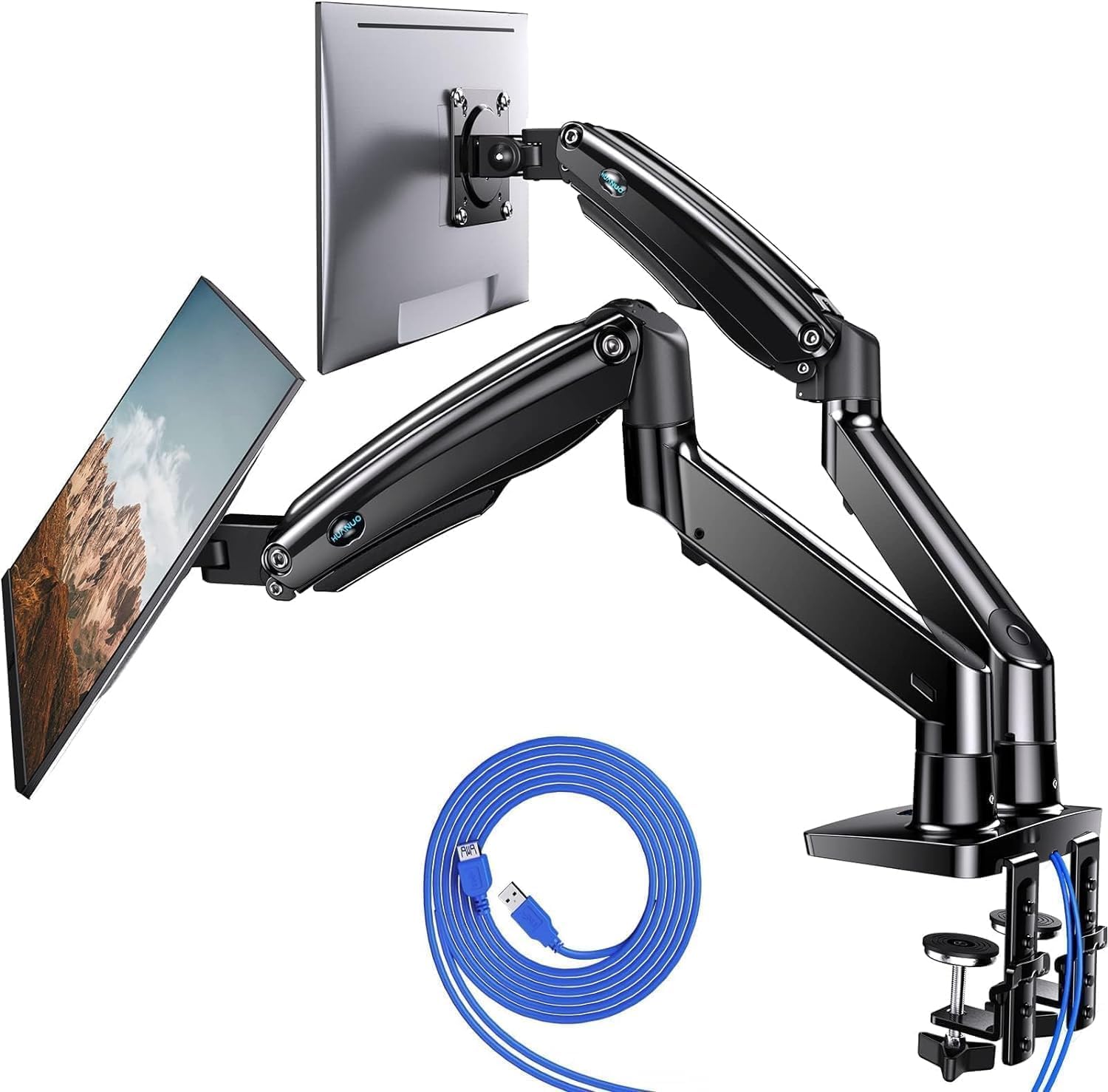 Visit on Amazon → HUANUO Dual Monitor Stand for 13 to 40 inch Screens |
26.4 lbs per arm | Clamp or grommet | Widest screen range here, USB on the base, best headroom for heavier panels |
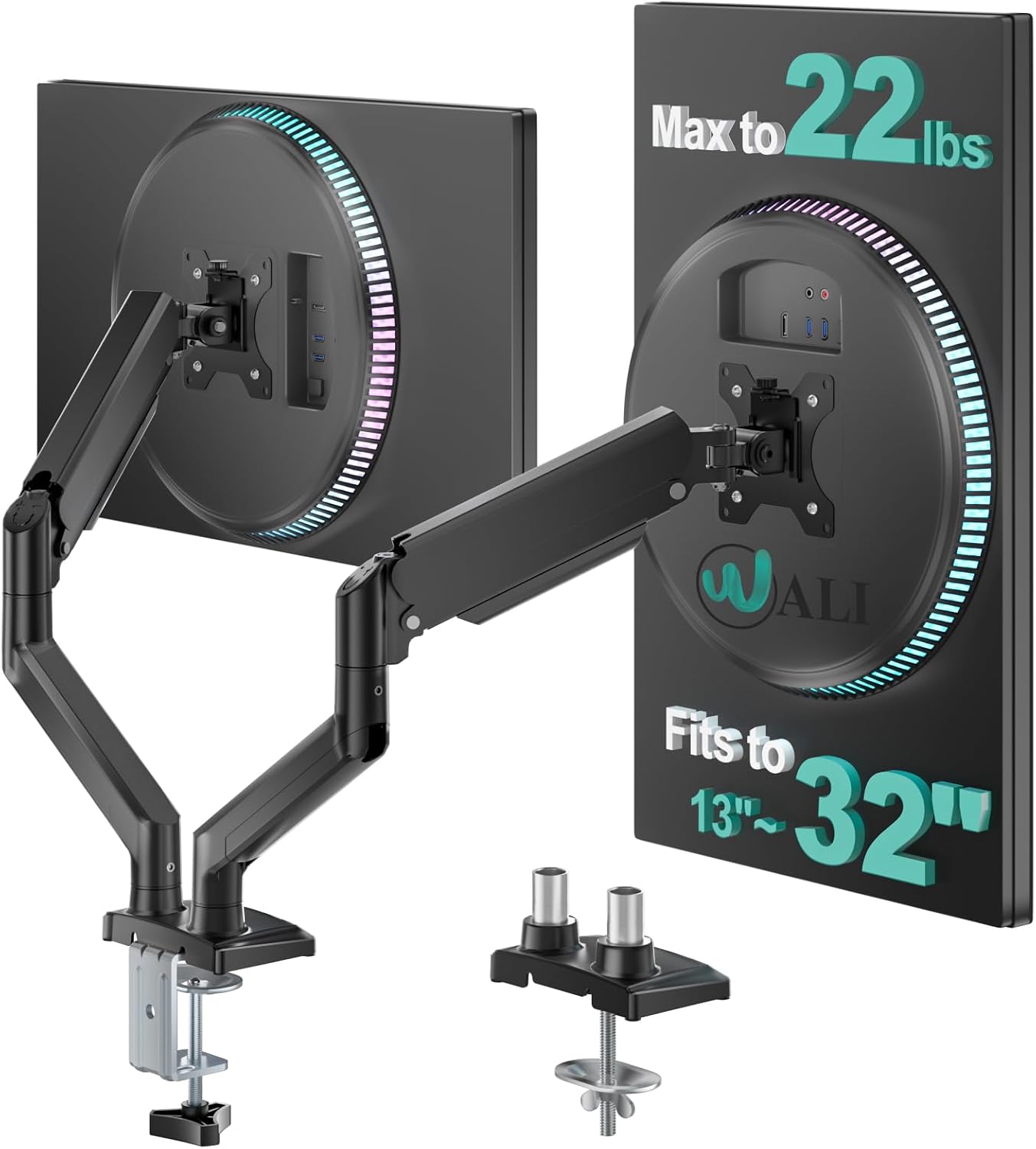 Visit on Amazon → WALI Adjustable Dual Monitor Arm for 13 to 32 inch Screens |
22 lbs per arm | Confirm in the listing | Budget pick for 24 to 27 inch panels at moderate extension |
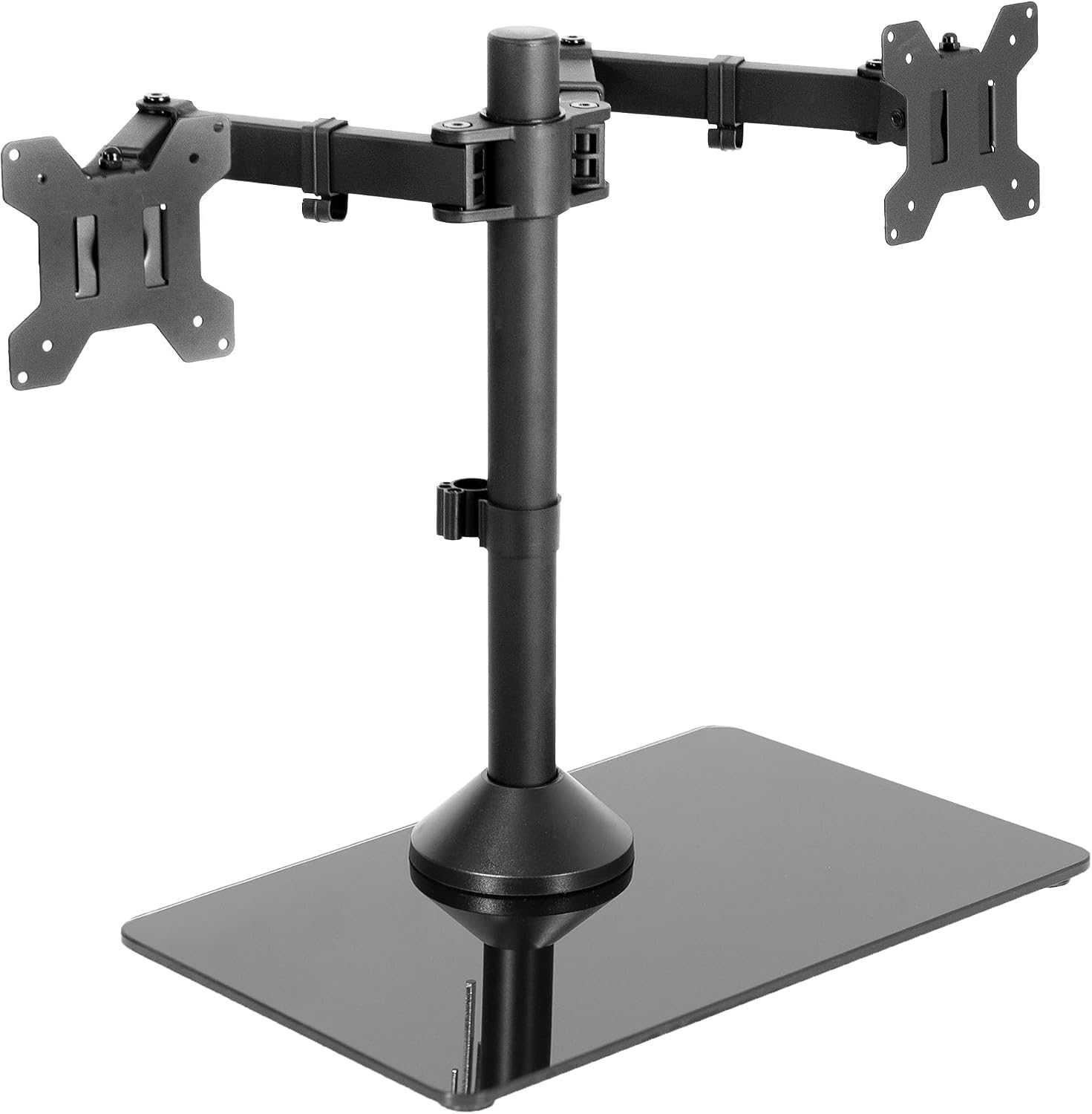 Visit on Amazon → VIVO Freestanding Dual Monitor Stand with Sleek Glass Base |
22 lbs each | Freestanding glass base | No clamp, no grommet, no modification to the desk |
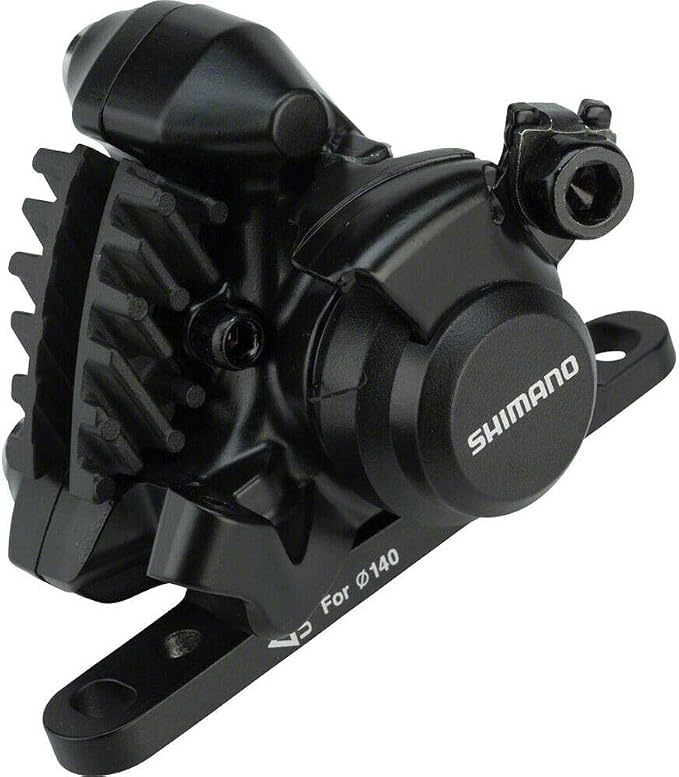 Visit on Amazon → Shimano BR-RS305 Front Flat-Mount Disc Brake Caliper |
Not a monitor arm | Bike part | Not a mount. Included here for completeness, not for your desk |
Freestanding alternative: VIVO Freestanding Dual Monitor Stand
The VIVO freestanding stand solves the desk you cannot clamp. The base is glass, the arms are adjustable, and it mounts two screens up to 32 inches at 22 pounds each. If you have ever put a C-clamp on a glass desktop, you already know why this exists. It also works on a standing desk with a thin top and no accessible underside, and it works when you are renting and not drilling anything.
The cost is desk real estate. A freestanding base sits where a keyboard tray or a notebook would, and the cable run has to reach the base rather than disappear under a clamp. The other thing to know is the VESA plates. VIVO's dual arms are the best value in side-by-side setups, but the plates are fiddly to line up, so budget a few extra minutes on install day and do not start the job twenty minutes before a meeting.
Clamp, grommet, or freestanding
Clamp is the default and the fastest. Grommet is the most secure and the hardest to undo. Freestanding is the only option for glass, thin tops, and desks you do not own. Measure your desk edge thickness and your under-desk clearance before you order anything, because that measurement decides which arm you can actually use, not the weight rating.
Should you buy the HUANUO Dual Monitor Stand?
Yes, for most desks with a clampable edge. The 26.4 pound per-arm rating is the most headroom in this group, the 13 to 40 inch range covers nearly every panel you would put on a desk, and the clamp or grommet option means you are not locked into one mounting method. The USB ports on the base are a nice cleanup, not the reason to buy.
Watch the tilt joint over the long run on heavier ultrawides, and check that tilt adjusts without a tool. If it does, you will actually use it, and your neck will notice the difference within a week.
Should you buy the WALI Adjustable Dual Monitor Arm?
Yes, for a pair of 24 to 27 inch monitors at moderate extension. The 22 pound per-arm rating gives you room at that size, and this is the arm I would hand to someone building a first dual setup on a budget.
Two conditions. Confirm the base style before you order, because the listing does not spell it out and base mismatch is the most common return on budget arms. And weigh your panels, or look up the weight without the stand. If you are running two 32-inch screens at full extension, spend the extra on the arm with more headroom and save yourself the sag.