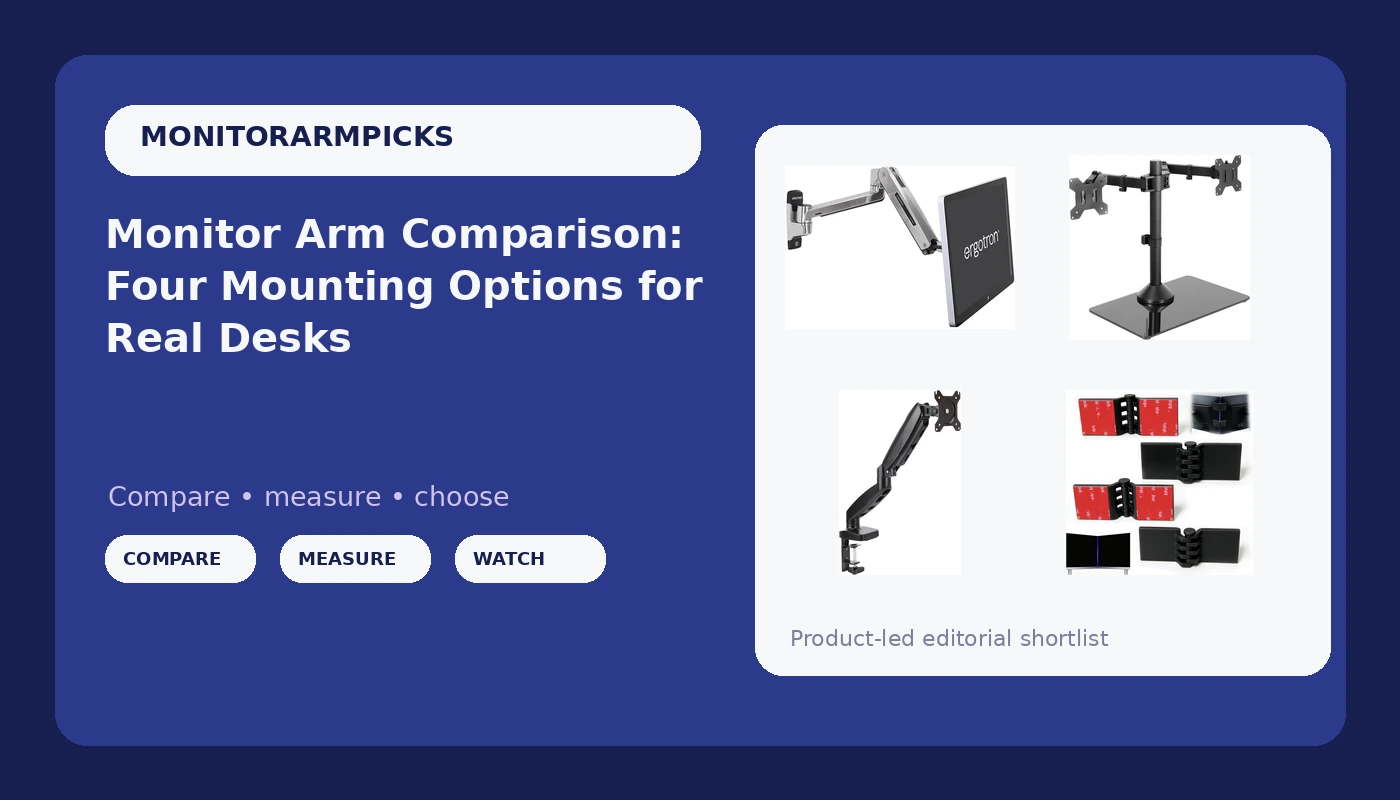
Four products, four completely different answers to the same question: where should the monitor actually live? A useful monitor arm comparison starts with the desk, not the spec sheet, and that is the order I work in after 200-plus home office builds. Two of the items below are mounts. One is a freestanding stand that never touches your desk edge. One is not a mount at all, it is a four-pack of alignment clips that fixes the crooked dual-screen setup you already own. Between them they cover nearly every desk I have walked up to in the last five years, from a $90 particleboard special to a solid walnut slab that the owner was afraid to drill.
What makes this group interesting is that the cheapest item and the most expensive item solve problems at opposite ends of the same desk. The budget arm is about getting one monitor off the surface without spending real money. The wall-mounted Ergotron is about buying the last arm you will own and never thinking about sag again. The freestanding VIVO sits in the middle because it refuses to touch the desk edge at all, which matters more than most buyers realize until the clamp will not fit.
Related: Monitor Arm Weight Ratings Explained
For most desks, the practical pick is the Amazon Basics gas spring arm if your monitor sits between 4.4 and 15.4 pounds, and the VIVO freestanding dual stand if you run two screens and your desk cannot take a clamp. If you have a 49-inch panel or you want the load in the wall, the Ergotron LX HD is the buy-once option. If your only problem is a visible seam between two monitors, skip the mounts and buy the alignment clips.
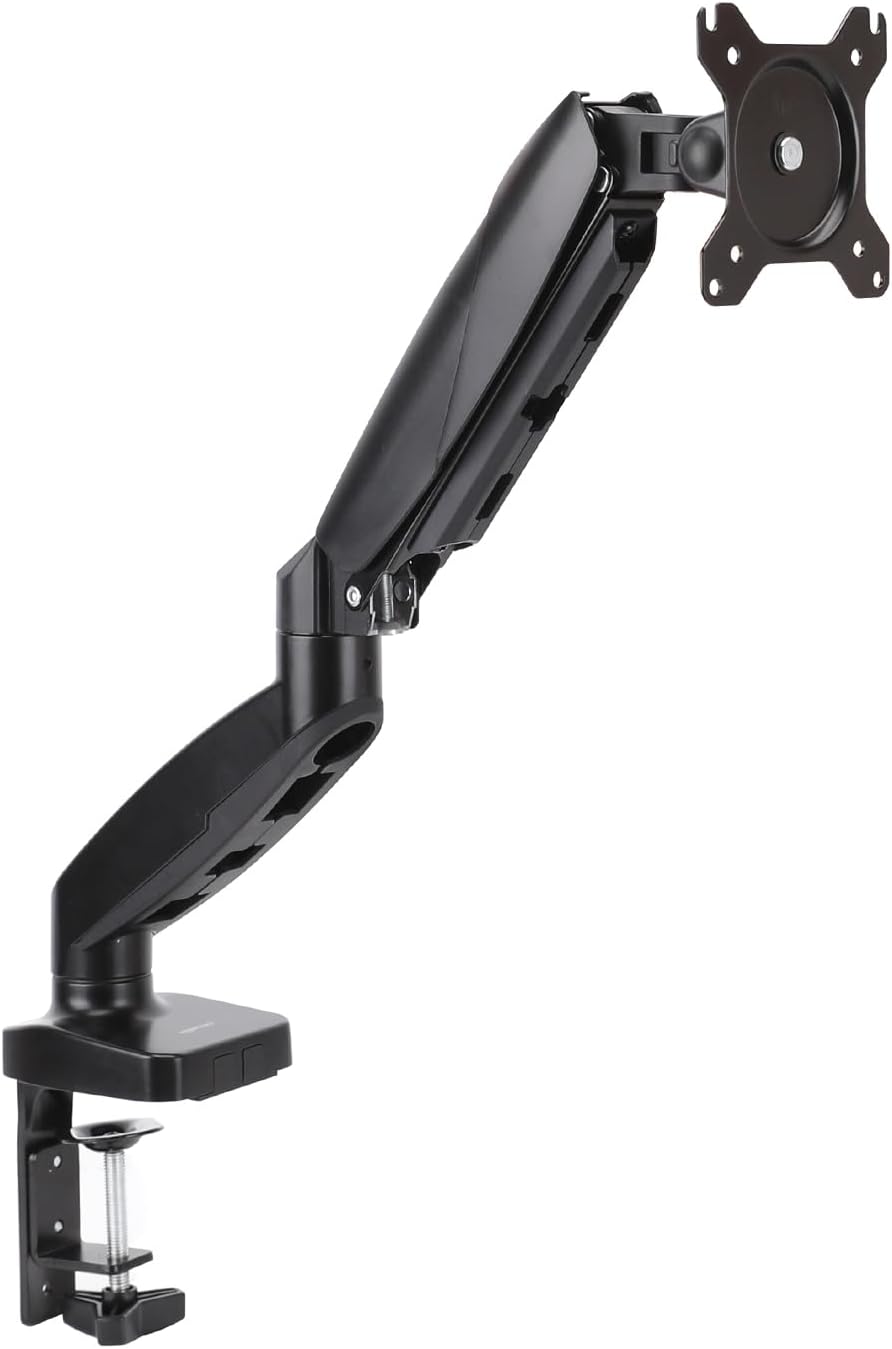
Amazon Basics Gas Spring Single Monitor Arm Desk Mount
Real gas spring with adjustable tension, both 75x75 and 100x100 VESA patterns, the lowest entry point in this group
The 4.4 to 15.4 lb window and 27-inch ceiling rule out big panels and heavy ultrawides
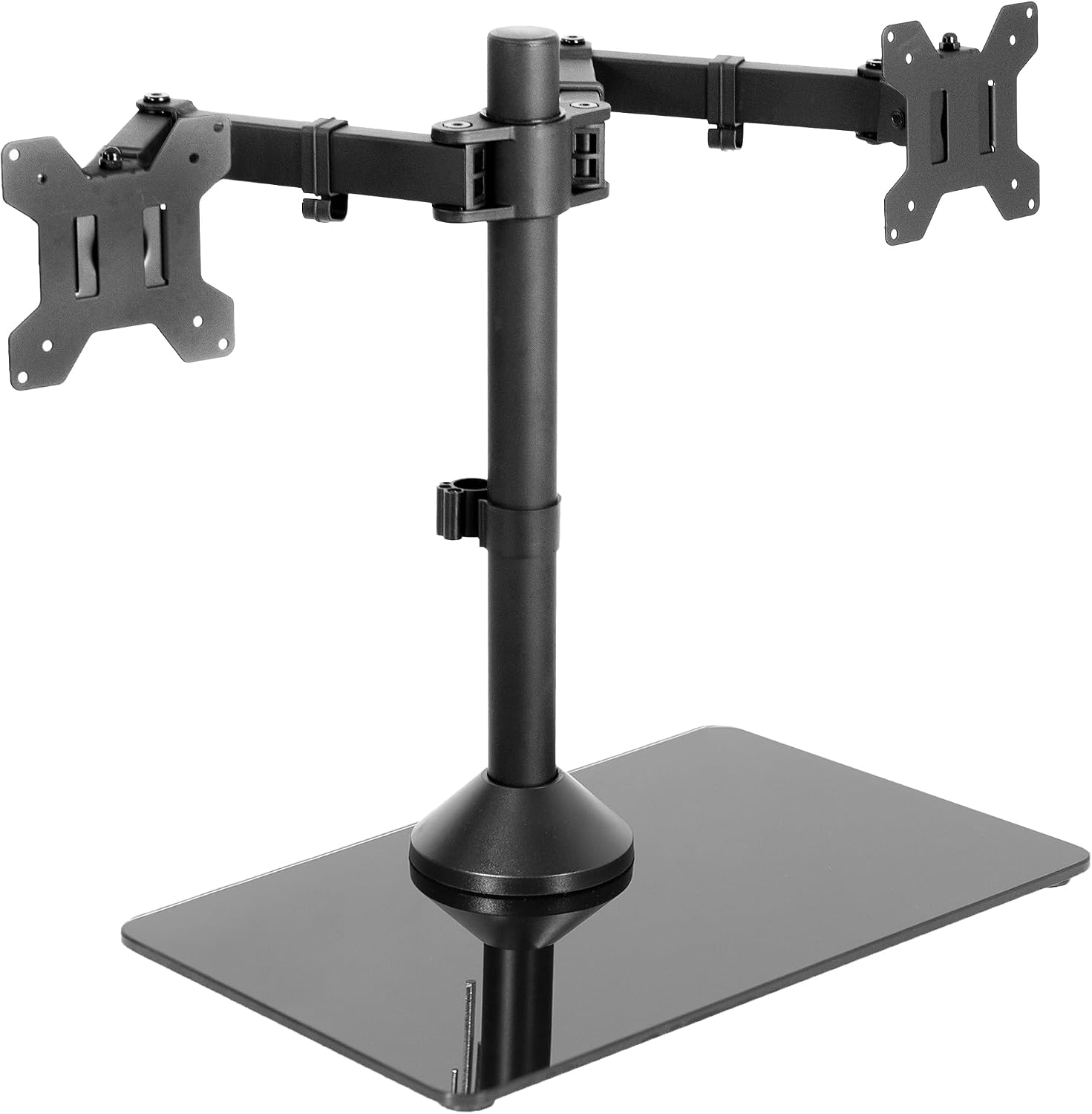
VIVO Freestanding Dual Monitor Stand, STAND-V002FG
Two screens up to 32 inches and 22 lbs each, no clamp, no grommet, no drilling, no desk edge required
The glass base eats desk depth, and the VESA plates are the slowest part of the install
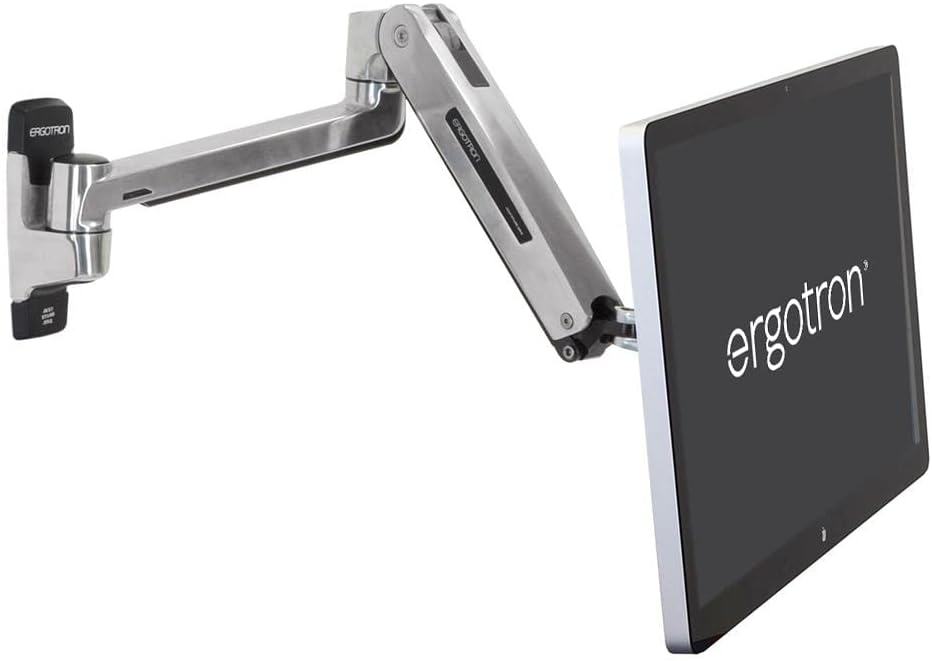
Ergotron LX HD Sit-Stand Single Monitor Arm, VESA Wall Mount
49-inch and 30 lb ceiling, sit-stand travel, and a wall mount that gives the desk back entirely
The priciest item here by a wide margin, and it only works if you can find real structure in the wall
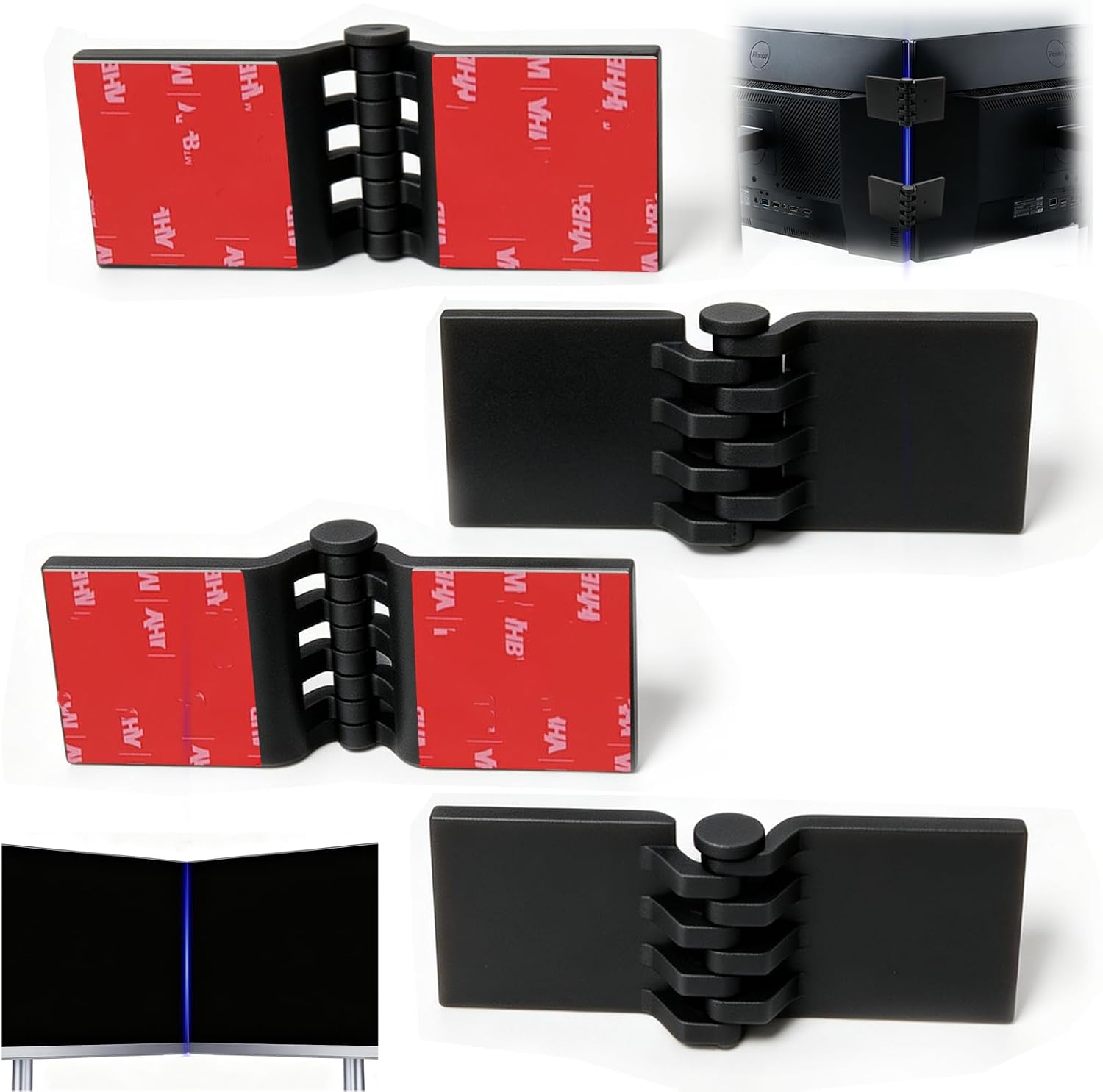
4 Pack Dual Monitor Alignment Tool, Alignment Connector Clips
The cheapest way to kill the visible seam between two panels, universal fit for VESA mounts and stands
Not a mount at all, and it cannot rescue an arm that sags or a stand that droops
Prices and availability were captured from Amazon Creators API and may change.
What the specs actually tell you
Three numbers decide whether a mount works on your desk, and the marketing copy on most listings buries all three.
The first is the weight window, and it has a floor as well as a ceiling. A gas spring arm needs a minimum load to push against. The Amazon Basics arm lists 4.4 to 15.4 pounds, which means a very light panel might drift upward because the spring has nothing to fight. That is not a defect, it is physics, and it is why the same arm can feel rock solid with a 24-inch panel and slightly floaty with a featherweight portable display.
The second is the VESA pattern, the bolt square behind the monitor. Both the Amazon Basics arm and the VIVO stand cover the standard patterns, and no VESA holes means no mount, period. Check the back of your monitor before you buy anything.
The third is how the mount attaches to the desk. A clamp grabs the edge and needs clearance and a solid lip. A grommet mount goes through a hole. A wall mount moves the entire load into your wall, which is either the best or worst decision on this list depending on what is behind the drywall. A freestanding stand asks nothing of the desk at all, which is exactly why it exists.
Amazon Basics Gas Spring Single Monitor Arm Desk Mount
This is the arm I would hand to someone setting up their first single-monitor desk. It is a true gas spring design with adjustable tension, which is the difference between an arm you set once and an arm you fight for three years. The tension adjustment is what lets you tune the spring to your specific panel weight instead of accepting whatever the factory decided.
The compatibility list is honest about its limits. It fits 15 to 27 inch monitors at 4.4 to 15.4 pounds, with both 75x75 and 100x100 VESA patterns. That covers the overwhelming majority of 24-inch and 27-inch office panels, which is the desk this arm was built for. It does not cover 32-inch screens, and it does not cover the heavier ultrawides, so if you are shopping for one of those, keep reading.
The desk mount means you need an edge. Measure your desk thickness and the lip clearance before you order, because clamp geometry is the single most common reason a mount goes back in the box. If your desk has a thick beveled edge, a cable tray running along the back, or a drawer that blocks the underside, the clamp may not seat properly.
VIVO Freestanding Dual Monitor Stand, STAND-V002FG
The freestanding design is the whole pitch, and it is a better pitch than it sounds. No clamp means no desk thickness problem, no grommet means no drilling, and the load never touches your desk edge. Glass-topped desks, thin veneer tops, and rental furniture that you would rather not modify all become viable. The glass base carries the weight and the arms adjust from there.
Per-screen ratings are generous for this class: up to 32 inches and 22 pounds each. That is real headroom, and headroom is the point. An arm rated for 22 pounds holding a 15-pound monitor is an arm that is not working at its limit.
The trade-offs are footprint and patience. A freestanding base occupies desk depth that a clamped arm would have given back to you, so on a shallow desk you are trading surface area for mounting freedom. And dual-arm assemblies like this one are not fast to build. Expect the VESA plate mounting to be the slowest step, especially if you are working alone and trying to hold a panel in place while you drive screws. Lay the monitors face down on a towel, attach the plates first, then lift the assembly into the arms.
One more consideration: because the base sits behind the monitors, cable routing is on you. There is no desk edge channel to hide behind, so plan a path before the monitors go up.
Ergotron LX HD Sit-Stand Single Monitor Arm, VESA Wall Mount
This is the outlier, and it is the one I would spec for a client who never wants to think about this purchase again. The weight window runs 14 to 30 pounds, the widest here by a wide margin, and it supports monitors up to 49 inches. That is not a marketing number, that is a category of panel the other three products in this comparison simply cannot hold.
The sit-stand part matters more than people expect. An arm with real vertical travel lets you pull the monitor up when you stand and back down when you sit, without touching a single tool. That is the difference between a monitor that follows your posture and a monitor that dictates it.
The wall mount is the catch and the feature. Moving the load into the wall frees your entire desk surface and eliminates clamp compatibility as a question, which is genuinely liberating on a small desk. But a wall mount is only as good as what it is bolted to. Find studs or use hardware rated for the load, and if you are renting or the wall is masonry or plaster over lath, budget time for that conversation. A monitor arm that pulls out of drywall is worse than no arm at all.
The polished aluminum finish is the least important spec on the page, and I mention it only because it is the one thing you cannot retrofit later.
4 Pack Dual Monitor Alignment Tool, Alignment Connector Clips
This one is not a mount, and pretending otherwise would waste your money. These are connector clips that bridge two adjacent monitors and hold their bezels in a straight line, so the seam between panels reads as one continuous surface instead of a stair step. The listing covers a four-pack with universal fit for VESA mounts and monitor stands, and the use cases it names, racing sims and multitasking, are exactly where a crooked seam is most obvious.
Here is the engineering reality: alignment clips only work when the two arms holding your monitors are already capable of holding position. Clips are a brace, not a correction. If your arm sags under load, the clip is fighting a losing battle against gravity, and the seam will drift back within a week. Fix the sag first, then align.
Where clips earn their place is in a setup that is structurally sound but visually off by a few millimeters. That is a very common problem with dual arms, and it is exactly the kind of thing that no amount of re-tightening fixes, because the arms are doing their job and the panels simply are not level with each other. The clips are the least expensive item in this comparison and they solve a problem the other three products do not address at all.
Check bezel thickness and the gap between your panels before ordering. The clips need the two monitors close enough to bridge.
The trade-offs nobody puts on the box
Weight headroom is not padding, it is lifespan. An arm working at 95 percent of its rating will hold today and sag in eighteen months. The VIVO stand gives you 22 pounds per screen and the Ergotron gives you 30 pounds total, which is why those two are the picks for anything heavier than a standard office panel.
The mount type is a desk problem, not a style choice. Clamp, grommet, wall, freestanding. Four products in this comparison, three different answers to that question, and picking wrong means a return either way. Measure your desk edge, measure your wall, then choose.
Cable management decides whether the setup looks finished. A floating monitor with cables hanging off the back looks broken regardless of how good the arm is. Route the cables along the arm or the stand column before you finalize monitor height, because doing it afterward means redoing your positioning.
Tilt adjustment should not require a tool. If the tilt joint needs a hex key, you will set it once and never touch it again, and your neck will pay for that. Prioritize arms with hand-adjustable tilt tension.
How to choose in five minutes
Answer three questions and the decision makes itself.
One monitor, 27 inches or smaller, under 15.4 pounds, with a usable desk edge: the Amazon Basics gas spring arm is the correct buy, and it costs a fraction of the wall-mount option.
Two monitors up to 32 inches, or a desk edge that cannot take a clamp: the VIVO freestanding stand is the answer, and the 22-pound-per-screen rating means you are not pushing it.
One large panel, up to 49 inches and 30 pounds, or you want the desk surface completely clear and you can anchor into structure: the Ergotron LX HD wall mount is the one that ends the search.
Two monitors that are already properly supported but visibly misaligned: the alignment clips, and nothing else on this list.
What I would actually put on my own desk
For a single-monitor desk, the budget gas spring arm does 90 percent of what the premium wall mount does for a fraction of the money, and that math is hard to argue with when the panel weighs 12 pounds. The place I stop compromising is weight. Anything over 15.4 pounds or anything past 27 inches and the budget arm is simply the wrong tool, no matter how good the price looks.
For a dual setup, I would start with the freestanding stand and add the alignment clips in the same order. The stand does the structural work, the clips do the finish work, and together they cost less than the wall-mount arm alone.
The one purchase I would not talk anyone out of is the Ergotron, provided they actually own a panel in its weight range and can mount to structure. That is a buy-once situation, and the weight window of 14 to 30 pounds means it will still be holding a monitor years after the cheaper arms have started to droop. Buy once, cry once is not a slogan when the alternative is replacing the arm every other year.
Whatever you pick, check the weight window and the VESA pattern on your monitor before you order. Those two numbers decide more than any review, including this one.