A monitor arm is furniture, not a gadget. The cheap arm that sags by month three was never actually cheap, and the expensive arm that fits your desk on the first attempt saves you a return label and a Saturday afternoon. If you are comparing the best monitor arms right now, the decision usually comes down to four things: the gas spring that carries the weight, the VESA pattern on the back of your display, the clamp or grommet hardware that grips your desk, and whether the arm is built for one screen or two.
This guide covers six current models across those jobs. There is a vertical stacking dual arm for people who want two panels in one column, two side-by-side dual mounts at different weight ratings, two single-display arms built for very different monitor sizes, and one extension accessory for readers who already own a compatible mount. Everything below is organized around verified product data: what each arm is rated to hold, what display sizes it is built for, and how it attaches to a desk. Prices move constantly, so every card sends you to the retailer to confirm the number that matters today.
Related: Monitor Arm Desk Clamp vs Grommet Mount: Which One Fits Your Desk?
Quick answer
The Ergotron, LX Vertical Stacking Dual Monitor Arm, VESA Desk Mount, for 2 Monitors Up to 40 Inches, 7 to 22 lbs Each, Tall Pole, Matte Black is the strongest fit for two-display desks that stack panels vertically, because it is a VESA desk mount rated for two monitors up to 40 inches at 7 to 22 lbs each on a tall pole. Choose the WALI Adjustable Single Monitor Arm for 13-34 inch Screens, up to 26.4 lbs instead when you run a single display and want the widest screen range and the highest single-display weight rating in this group.
Monitor arms worth comparing
The first fork in the road is display count, and the second is orientation. A single arm frees up desk space and lets you dial in one viewing angle; a dual arm has to carry two panels, and that changes the weight math, the pole height, and how much reach each joint needs. Side-by-side dual mounts swing two screens outward from one base. Vertical stacking arms put the second panel above the first, which is a different desk geometry entirely and usually needs a taller pole.
From there, compare four specs before anything else. Weight capacity per display tells you whether the gas spring or lift mechanism has headroom, and headroom is the whole point: an arm rated well above your monitor's weight holds position longer and needs fewer tension adjustments. Screen size range tells you whether your panel is even in the supported window. Mount type tells you whether the base is a VESA desk mount, a pole mount, or a lift engine arm mount, and each one grabs a desk differently. Finally, adjustment range and cable routing decide how livable the arm is once the novelty wears off.
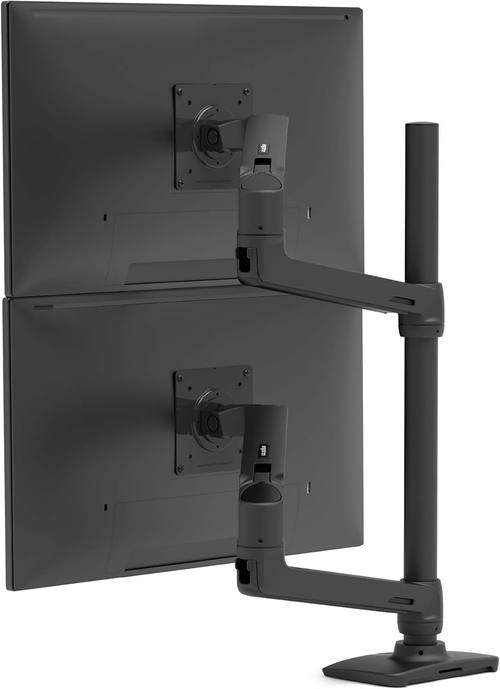
Ergotron, LX Vertical Stacking Dual Monitor Arm, VESA Desk Mount, for 2 Monitors Up to 40 Inches, 7 to 22 lbs Each, Tall Pole, Matte Black
A VESA desk mount dual arm built for vertical stacking, with a tall pole and a per-display rating of 7 to 22 lbs for monitors up to 40 inches.
Visit on Amazon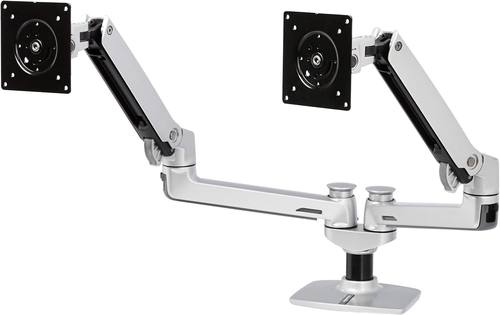
Amazon Basics Dual Monitor Stand, Lift Engine Arm Mount, Silver
Check current Amazon price
A silver dual monitor stand built around a lift engine arm mount, aimed at straightforward side-by-side two-screen desks.
Visit on Amazon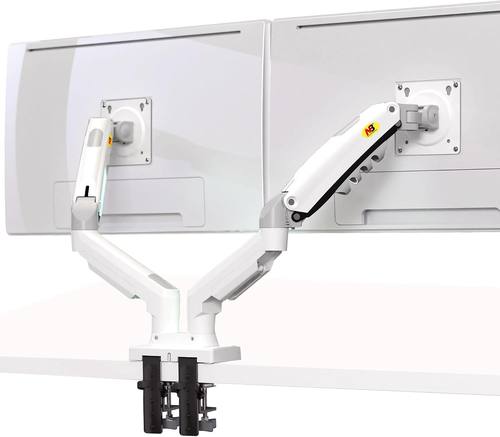
NB North Bayou Dual Monitor Desk Mount Stand Full Motion Swivel Computer Monitor Arm for Two Screens 17-27 Inch with 4.4~19.8lbs Load Capacity for Each Display F160-W
Check current Amazon price
A full motion dual desk mount for two screens from 17 to 27 inches, with a load capacity of 4.4 to 19.8 lbs per display.
Visit on Amazon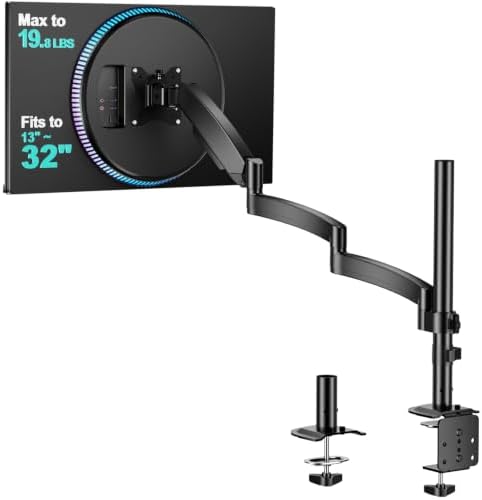
WALI Adjustable Single Monitor Arm for 13-34 inch Screens, up to 26.4 lbs
An adjustable single monitor arm that covers 13 to 34 inch screens and carries up to 26.4 lbs.
Visit on Amazon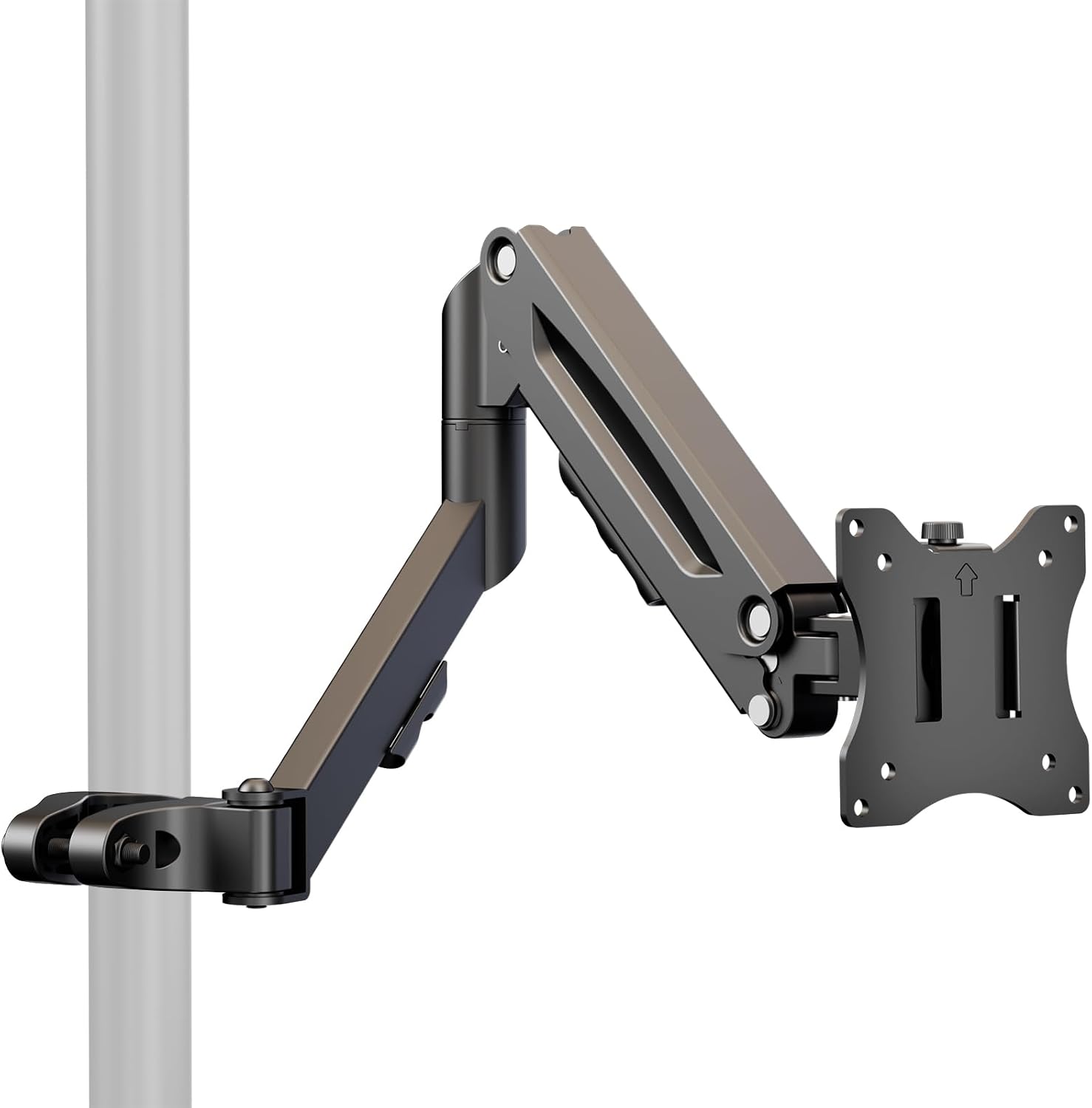
Height Adjustable Pole Mount Monitor Arm for 17"-32" with Gas Spring
A pole mount arm with a gas spring, sized for 17 to 32 inch displays, with height adjustment along the pole.
Visit on Amazon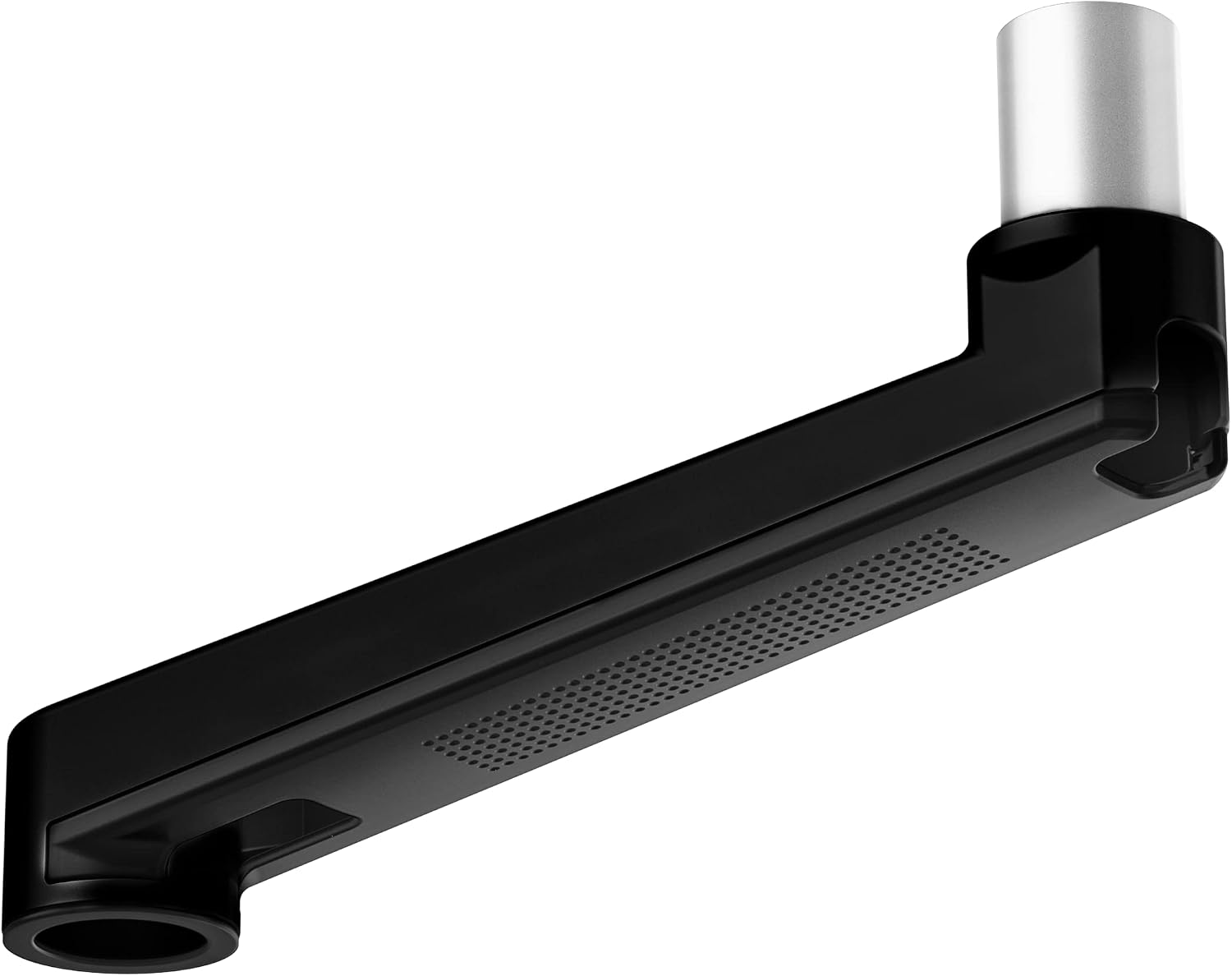
Ergounion Extension Arm Only for Ergounion Monitor Mounts, to Increase Arm Length, Perfect Upgrade for the E6/W6 Series Monitor Arm, Not Compatible with Other Brands Mount, Black
An extension arm that adds reach to Ergounion E6 and W6 series mounts. It is not compatible with other brands.
Visit on AmazonPrices and availability may change. Check the retailer for current details.
How these products were compared
This guide compares display count, per-display weight rating, supported screen size range, mount type, and expansion options such as extension arms and cable routing. Product names, images, and retailer links are matched by product identifier so that every card points to the product shown.
The weight ratings here come from the manufacturer specifications listed with each product, not from a test bench, and that distinction matters. A rating of 4.4 to 19.8 lbs per display and a rating of 7 to 22 lbs per display describe different windows, and your monitor's actual weight with its stand removed is the number you bring to that comparison. Nothing in this article reports a measured price or a measured performance result, because both change. Use the call to action on each card to confirm current price and availability before you commit.
How to choose the right monitor arm
Start with your monitor, not the arm. Weigh it with the stand off, note the diagonal size, and check the back for a VESA mounting pattern. Then look for an arm whose rated window comfortably contains that weight. If your panel sits near the top of a range, the joint has less headroom and the tilt tension will need more attention over time. If your panel is well inside the range, the arm holds position with less fuss. The WALI arm's 26.4 lb ceiling and the North Bayou's 4.4 to 19.8 lb per-display range are two very different answers, and neither is wrong, they just serve different monitors.
Next, measure your desk before you buy hardware. Clamp bases need a solid, flat lip with enough thickness for the jaws to bite, and they need clearance underneath for the screw. Grommet mounting needs an existing hole. Pole mounts need a base that can sit where you want the pole, which is often a corner or a rear edge. A VESA desk mount and a pole mount are not interchangeable on every desk, so take thirty seconds with a tape measure. If your desk edge is chamfered, thin, or has a drawer directly beneath it, work through desk clamp versus grommet mounting before ordering anything.
Then decide orientation. Side-by-side dual arms swing two panels out from a shared base and generally want a wider desk. A vertical stacking arm like the Ergotron LX places the second panel above the first, which suits narrower desks and keeps your horizontal sweep short, but it also means the upper panel sits higher and the pole itself is taller. If you run one wide display, a single arm with a broad size range keeps your options open if you upgrade later.
Finally, budget for the long run rather than the first month. The gas spring and the joints are what you are paying for, and they are also what fails first on a cheap arm. An arm that holds a monitor at full extension without creeping downward after a few months is worth more than one that saves you money and needs re-tightening every other week. That is not a knock on lower-cost arms as a category, it is a reason to read the weight rating carefully and buy with headroom.
Ergotron, LX Vertical Stacking Dual Monitor Arm, VESA Desk Mount, for 2 Monitors Up to 40 Inches, 7 to 22 lbs Each, Tall Pole, Matte Black
This is the top pick because it covers the widest monitor range of the dual arms here while keeping a meaningful per-display weight rating. It is a VESA desk mount rated for two monitors up to 40 inches at 7 to 22 lbs each, and it uses a tall pole to stack one panel above the other in matte black. For a desk where horizontal space is tight but vertical space is available, that geometry solves a problem a side-by-side mount cannot.
The trade-off is exactly that geometry. A stacking arm commits you to a vertical arrangement, so the upper display sits well above the lower one and the pole needs vertical clearance behind the desk. It is also a two-display solution, so it does nothing for you if you eventually drop back to a single monitor. If your desk sits under a shelf, a low window, or an angled ceiling, measure the pole clearance before you buy. And if you only ever run one screen, this is more arm than you need.
Alternatives to consider
The Amazon Basics Dual Monitor Stand, Lift Engine Arm Mount, Silver is better suited to a conventional side-by-side two-screen desk where you want a lift engine arm mount and a neutral silver finish, while the NB North Bayou Dual Monitor Desk Mount Stand Full Motion Swivel Computer Monitor Arm for Two Screens 17-27 Inch with 4.4~19.8lbs Load Capacity for Each Display F160-W is a stronger fit when both of your displays are in the 17 to 27 inch range and you want full motion swivel on a dual mount.
The WALI Adjustable Single Monitor Arm for 13-34 inch Screens, up to 26.4 lbs, the Height Adjustable Pole Mount Monitor Arm for 17"-32" with Gas Spring, and the Ergounion Extension Arm Only for Ergounion Monitor Mounts, to Increase Arm Length, Perfect Upgrade for the E6/W6 Series Monitor Arm, Not Compatible with Other Brands Mount, Black cover the single-display and upgrade paths. The WALI arm is the flexible single choice with the broadest size range and the highest weight ceiling in this group. The pole mount arm brings a gas spring and height adjustment to a 17 to 32 inch display. The Ergounion extension is not a standalone mount at all: it adds reach to Ergounion E6 and W6 series arms and is explicitly not compatible with other brands, so it only makes sense if you already own one of those.
Day-to-day use and maintenance
Most monitor arm complaints trace back to two things: tilt tension and fastener torque. Tilt tension is the resistance in the joint that holds your screen angle. If the display drifts downward on its own, the joint is too loose for the weight, and if you have to fight it to reposition the screen, it is too tight. Adjust it in small increments with the monitor mounted, because the joint behaves differently under load than it does in your hand.
Bolts are the second item. Clamp jaws and VESA plate screws loosen slightly over the first weeks of use as the arm settles under a static load, so re-check them after installation and again after a month. A torque wrench is not necessary, but a proper tightening pass is. Keep the total load on the arm within the rated capacity, including anything you hang off the mount, and route cables through the arm's channels rather than letting them hang free from the display. A floating monitor with a dangling cable bundle looks broken and puts strain on the connectors.
Buying checklist
- Measure your desk thickness, lip depth, and the clearance underneath before choosing a clamp, grommet, or pole base.
- Confirm the VESA pattern on the back of each monitor and match it to the mount.
- Compare the per-display weight rating against your monitor's actual weight with the stand removed, and leave headroom.
- Check the supported screen size range so your panel is inside the window, not at the edge of it.
- Verify whether the product is a complete mount or an accessory, since extension arms only fit specific series.
- Read the maintenance and adjustment instructions for tilt tension and fastener checks.
- Verify the current retailer price, availability, and return terms through the product link.
Final recommendation
Choose the Ergotron, LX Vertical Stacking Dual Monitor Arm, VESA Desk Mount, for 2 Monitors Up to 40 Inches, 7 to 22 lbs Each, Tall Pole, Matte Black when you want two displays stacked in one column and need a dual arm rated for panels up to 40 inches. Choose the WALI Adjustable Single Monitor Arm for 13-34 inch Screens, up to 26.4 lbs when you run one display and want the widest size range and the most weight headroom of the single arms here. If your setup is two panels side by side in the 17 to 27 inch range, the North Bayou dual mount fits that brief, and the Amazon Basics stand covers the straightforward two-screen desk. The Ergounion extension is a different kind of purchase entirely, so only add it if you already own a compatible Ergounion mount. Where the verified data does not support a meaningful difference between two arms, this guide does not invent one.