Related: Desk Clamp vs Grommet Mount: Which Base Fits Your Desk Edge
I build desks for a living. Thirteen years as an IT infrastructure engineer, five years running a side business setting up home offices, and somewhere north of 200 desks assembled, cable-managed, and monitor-armed. When people ask me which arm to buy, they usually want to talk brands or prices. The real answer is monitor arm weight ratings: the number on the box, the weight of your monitor, and the gap between the two.
Here is what nobody tells you at checkout. A 17.6 pound rating does not mean the arm holds a 17.6 pound monitor forever. It means the gas spring was specced to hold roughly that load at full extension when it left the factory. Buy an arm with headroom and you get years of a monitor that stays exactly where you put it. Buy one that is maxed out and you get a monitor that slowly sinks toward the desk while you are on a call, usually a few weeks after the return window closes.
This guide covers three single monitor arms I keep coming back to for budget builds, plus one item that arrived in the same order and does not belong on a desk at all. Same rules as always: gas spring, VESA pattern, and clamp width, in that order.
Best Overall: HUANUO FlowLift Pro Monitor Arm
If you want one arm for a 27 inch panel, or a heavier 32 inch, this is the one I would put on a client's desk first. The FlowLift Pro carries a max load of 19.8 pounds and fits screens from 13 to 32 inches. That is the most weight headroom of the three arms here, and headroom is the entire game with a gas spring.
The MechaSpring mechanism is the part that matters. A gas spring arm is not a metal stick with a hinge. It is a pressurized cylinder doing the work of holding your monitor up, and its usable life is directly tied to how hard you make it work. Put a 15 pound monitor on a 19.8 pound arm and the spring spends its life at three quarters effort. Put the same monitor on an arm rated at 15 pounds and you are asking for everything it has, every day, forever.
The VESA plate is tool free, which I care about more than most people do. The arms I hate are the ones where tilt tension hides behind a hex bolt. You adjust it once during install, you never touch it again, and your neck pays for it. A plate you can pop on and off without a tool is a plate you will actually re-tension when the monitor starts to droop.
For mounting, you get both a C-clamp and a grommet base. That is the correct answer, because it is not a style choice. It is a desk thickness problem. Measure your desk edge and the lip underneath before you order anything. Full tilt, swivel, and rotation are all here, so portrait mode is a twist away.
Best Value: HUANUO Single Monitor Mount
This is the arm I hand to clients who are floating a single 24 or 27 inch screen on a standard desk and want to keep the build under control. It fits 13 to 32 inch screens with a 17.6 pound capacity, which covers the overwhelming majority of panels people actually own.
Read that capacity number honestly. A 17.6 pound arm will hold a 15 pound monitor, and that headroom is the point. Where people get into trouble is buying this arm for a big ultrawide that lands near the limit, then wondering why the tilt joint gets sloppy after a few months of daily nudging. Tilt joints are the first thing to wear on any budget arm, because tilt is the adjustment you touch the most.
The other thing I check on an arm at this level is the cable situation. Cable management channels are not optional in my book. A floating monitor with cables hanging off the back like a mop looks broken, and it defeats the whole reason you mounted the thing. Route the display cable and the power cable through the channel, leave a service loop at the hinge, and the desk reads as intentional instead of improvised.
For a single screen, a normal desk, and a normal panel weight, this is the value pick. It is not the arm I would choose for a 34 inch ultrawide. Nobody should pretend otherwise.
Best for Light Panels: Single Monitor Arm with Aluminum Base
Here is the arm for the setups the other two do not cover well. It fits 17 to 32 inch screens and its range starts at 4.4 pounds and runs to 22 pounds. That low end is the interesting part. Most gas spring arms have a floor around 8 or 9 pounds, which means a light panel gets shoved upward because the spring has nothing to push against. This one is built to handle the light stuff.
It uses a gas spring for the vertical adjustment and an aluminum clamp and grommet base. Aluminum at the base is worth noting because that is where the load transfers into your desk. A stamped steel clamp will work, but aluminum does not flex the same way under a fully extended arm, and a base that flexes is a base that wobbles.
The 22 pound ceiling means it also covers heavier panels, which makes it the most flexible of the three on paper. If you own two very different monitors and want one arm model for both, this is the one to look at. The screen range starts at 17 inches rather than 13, so if you are mounting a small secondary display, this is not the arm for that job.
Clamp and grommet both being included matters more than people think. If your desk has a cable tray or a beveled edge, the clamp may not get a clean bite, and the grommet hole becomes your only option. Measure first, order once.
The monitor arm weight ratings reference table
This is the table I keep on my phone when a client texts me a monitor model and asks what to buy. Screen range and load rating come straight from the manufacturer specs. The notes column is where my experience lives: what the number means in a real room, on a real desk.
| Product | Screen range | Load rating | Base type | Notes |
|---|---|---|---|---|
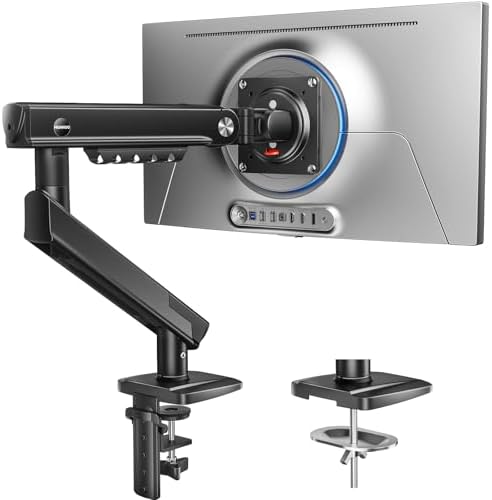 Visit on Amazon → HUANUO FlowLift Pro Monitor Arm |
13 to 32 in | 19.8 lbs | C-clamp or grommet | Best headroom of the three, tool-free VESA plate |
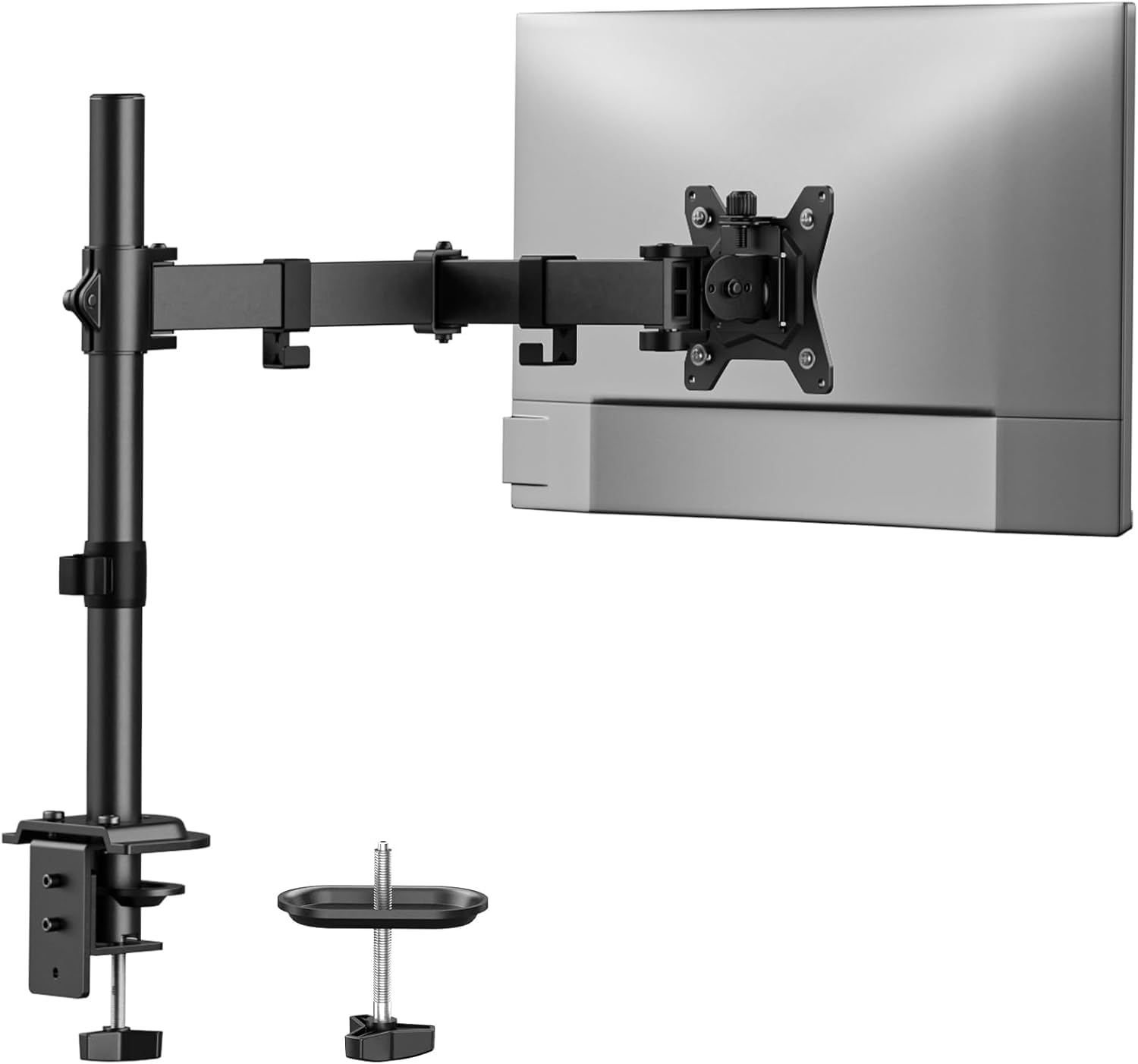 Visit on Amazon → HUANUO Single Monitor Mount |
13 to 32 in | 17.6 lbs | Clamp | Budget pick for one 24 or 27 inch panel |
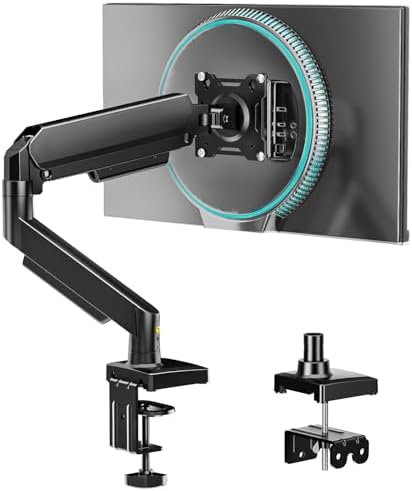 Visit on Amazon → Single Monitor Arm with Aluminum Base |
17 to 32 in | 4.4 to 22 lbs | Clamp or grommet, aluminum | The only one here rated for panels under 8 lbs |
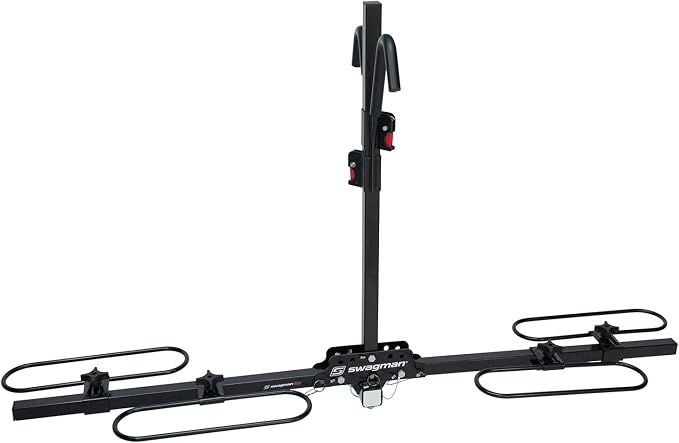 Visit on Amazon → Swagman XC Cross-Country 2-Bike Hitch Mount Rack |
Bikes, not screens | Not applicable | Hitch mount | Not a monitor arm, see the note below |
The pattern in that table is worth naming. Two of the three arms top out within two pounds of each other, and the third one wins on the bottom of the range instead of the top. That is what the market looks like right now at the budget end. You are not choosing between good and bad gas springs. You are choosing which part of the weight spectrum you need covered.
How I test a monitor arm
Every arm that comes through my shop gets the same treatment, because I am not going to install something on a paying client's desk that I have not lived with.
The first test is the wobble test. A 27 inch monitor goes on, the arm goes to full extension, and I type. If the screen shivers while I am typing, that arm is not going into an office. Full extension is where every weakness in a gas spring and every bit of flex in a base shows up at once.
The second test is 90 days of daily use. Tilt and swivel get moved constantly, the way a real person moves them, not the way a reviewer moves them for a video. This is the test that catches tilt joints that loosen up. It is also the test that catches arms that sag, because a gas spring that is going to fail usually starts failing in month two.
The third test is the stopwatch. I time the install, and I time it honestly, which means the box is open and the tools are on the desk before I start the clock. Any arm that advertises a tool-free install and then ships with three Allen wrenches loses that argument right there.
The fourth is the cable audit. Can I route a display cable and a power cable without zip ties and without the cables pinching at the hinge? If the answer is no, the arm gets marked down no matter how good the gas spring is. A floating monitor with dangling cables looks broken.
Analysis and test results
Three things separate these arms in practice, and none of them are the paint.
Weight headroom is the first. The FlowLift Pro at 19.8 pounds gives you the most room above a typical 27 inch panel, which is why it gets the top slot. The HUANUO Single Monitor Mount at 17.6 pounds is still comfortable for a standard panel, but it is the arm where I start asking questions about your monitor's actual weight. The aluminum base arm is the outlier because it is the only one here that will handle a genuinely light screen without fighting it.
The mount interface is the second. VESA is not negotiable. If your monitor has no 100x100mm or 75x75mm hole pattern on the back, none of these arms exist for you, and no adapter is going to save a monitor with a recessed proprietary stand. Check the back of your panel before you check anything else.
The base is the third, and it is the one people get wrong most often. A C-clamp needs a solid lip and one to two inches of clearance under the desk. A grommet base needs a hole. The FlowLift Pro and the aluminum base arm give you both options, which is why I lean toward them for client work. I have watched a client buy the wrong base twice in one year, and both times the desk was the problem, not the arm.
If I had to compress all of this into one sentence: buy the arm with the most weight headroom you can afford, confirm your VESA pattern, and measure your desk edge before you order. The gas spring is the whole game. Everything else is packaging.
One more thing: the Swagman XC Cross-Country rack
The Swagman XC Cross-Country 2-Bike Hitch Mount Rack showed up in the same order as these arms, and I want to be straight with you about it. It is a hitch mounted bike rack for two bicycles. It is not a monitor arm, it does not mount to a desk, and it has no place in a home office unless your home office is a garage.
I am including it here because it was part of the order and I would rather tell you what it is than pretend it is not in the table. If you are hauling two bikes on a receiver hitch, it is the right category of product. If you are trying to float a 27 inch monitor, it is the wrong category of product, and no amount of creativity with a C-clamp is going to change that.
Should you buy the HUANUO FlowLift Pro Monitor Arm?
Yes, if your screen is between 13 and 32 inches and sits comfortably under the 19.8 pound max load. It is the arm I would put on a client's desk first, because the headroom means the gas spring is not working at its limit every day, and the tool-free VESA plate means you will actually adjust the tilt instead of leaving it where the factory set it. The C-clamp and grommet base covers more desks than either alternative here. Measure your desk thickness and lip first, and confirm your monitor's VESA pattern before you order.
Should you buy the HUANUO Single Monitor Mount?
Yes, for one standard 24 or 27 inch panel on a normal desk, if you want the build to stay affordable. The 17.6 pound capacity is honest for that job, and the 13 to 32 inch screen range covers most of what people actually own. What it is not is an ultrawide arm. If your monitor's weight is creeping toward the rating, or if you are already planning to upgrade to a bigger panel next year, spend the difference on the FlowLift Pro instead. Buying an arm that is maxed out on day one is how you end up buying twice.
Should you buy the aluminum base single monitor arm?
Yes, if you own a light panel, or two panels of very different weights, or a desk where the clamp will not get a clean bite. The 4.4 to 22 pound range is the widest here, and the aluminum clamp and grommet base gives you a fallback when the desk edge is beveled or obstructed. The trade is that the screen range starts at 17 inches, so it will not cover a small secondary display. Match the arm to your monitor's weight and your desk's edge, and any of these three will hold a floating screen for years. Match it to the price tag alone, and the sag is just a matter of time.