Well, is a monitor arm really a "set it and forget it" purchase? I've been living with these things for six years, through four arms, a 65-pound lab mix named Gus who's body-checked my desk more times than I can count, and enough failed gas springs to fill a recycling bin. I've been testing monitor arms for my own builds and client installs since I started building desks five years ago. Here's the truth: every arm needs maintenance, and most of the stuff you read about it is either marketing fluff or panic.
Related: How To Choose A Monitor Arm For Your Desk
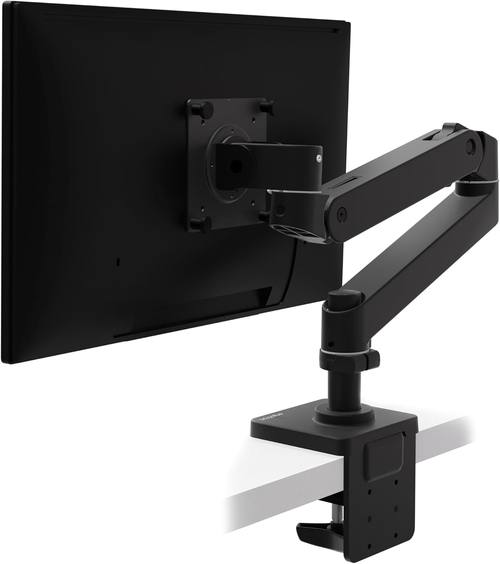
Ergotron – Upgraded LX Pro Premium Monitor Arm, Single Monitor Desk Mount – fits Flat Curved Ultrawide Computer Monitors up to 34 Inches, 4 to 22 lbs, VESA 75x75mm or 100x100mm – Matte Black
Six years, zero drift, gas spring still holds my 34" ultrawide
Visit on Amazon →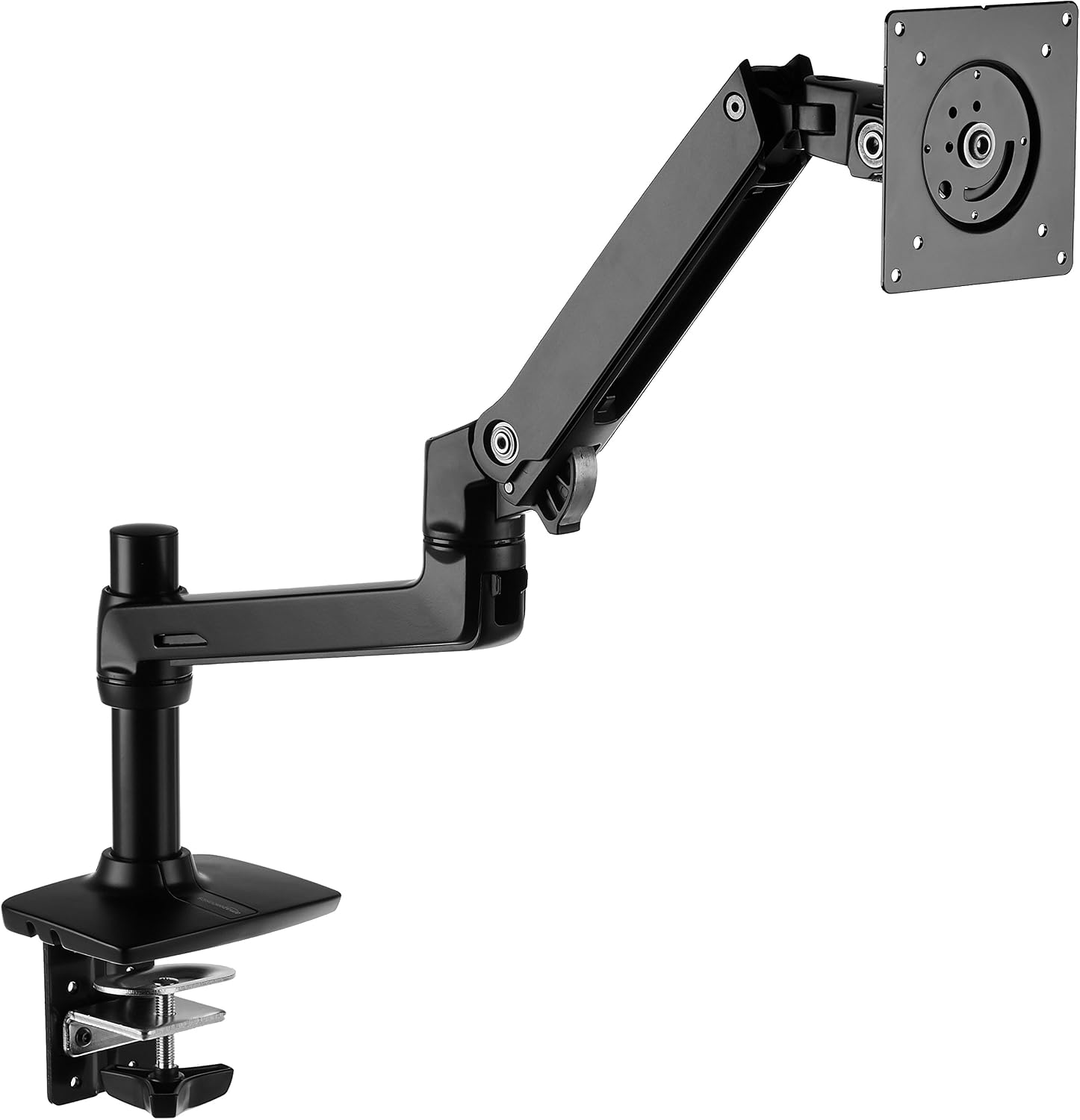
Amazon Basics Single Monitor Stand, Lift Engine Arm Mount, Black
Product Description An Amazon Brand. From the Manufacturer AmazonBasics
Visit on Amazon →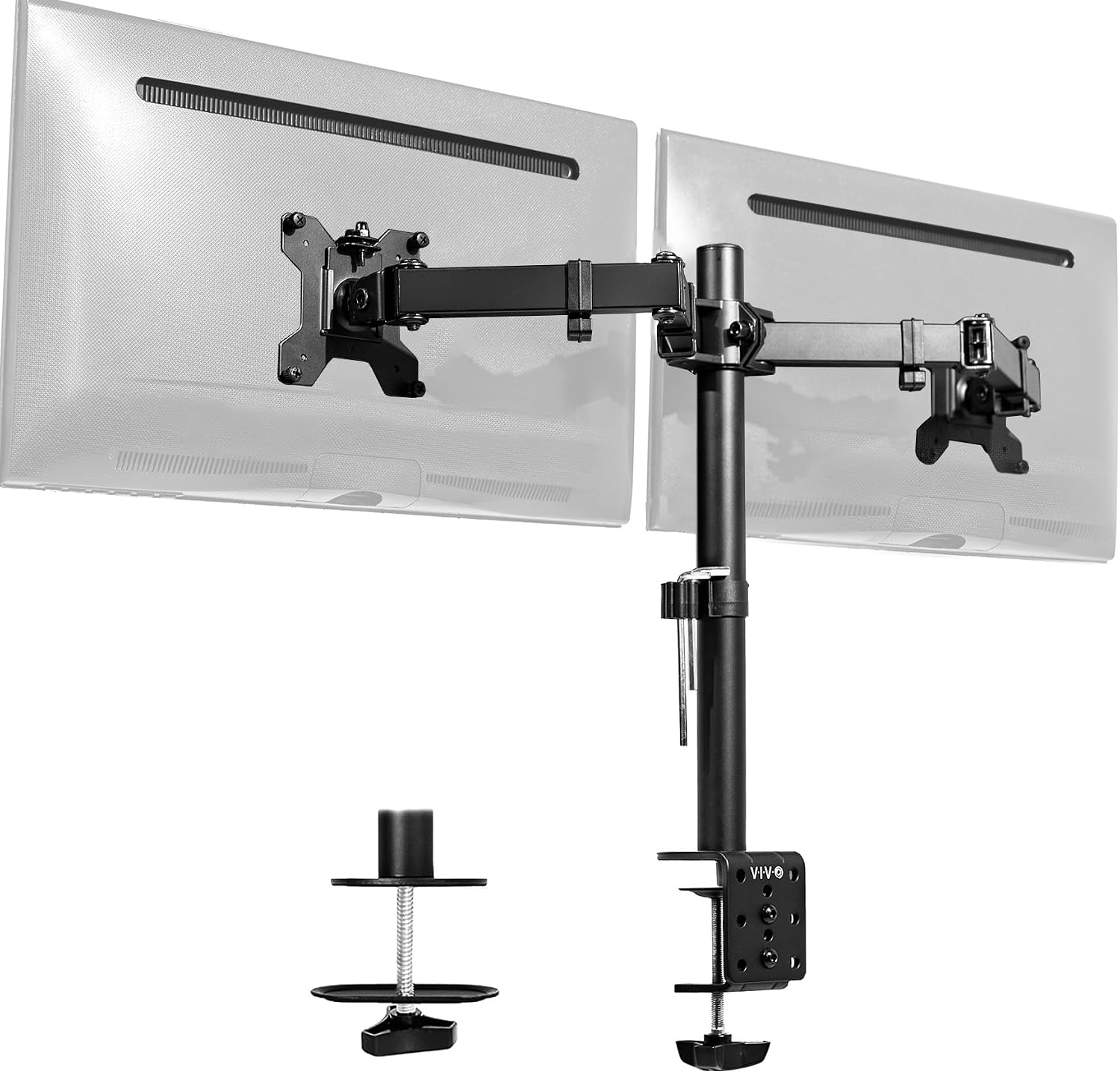
VIVO Dual Monitor Desk Mount, Holds 2 Computer Screens up to 30 inches and 22lbs Each, Heavy Duty Fully Adjustable Steel Stand with C-Clamp and Grommet, Black, STAND-V002
VIVO Dual Monitor Desk Mount.
Visit on Amazon →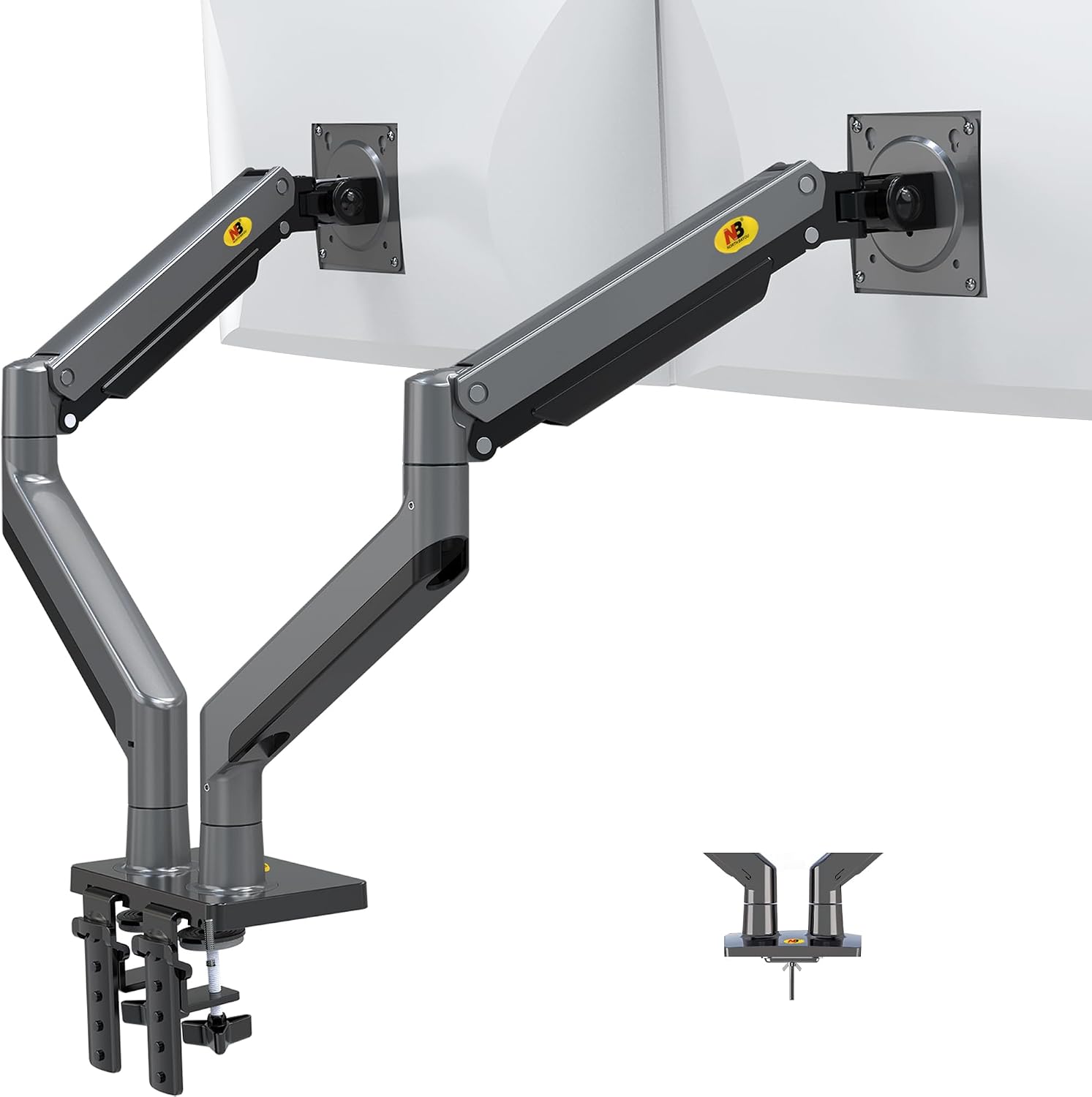
NB North Bayou Dual Monitor Arm Ultra Wide Full Motion Swivel Monitor Mount for 22''-32'' Monitors Load Capacity from 4.4 to 26.4lbs for Each Arm Height Adjustable Monitor Stand G35
Dual monitor arm for 22"-32" screens, full motion and adjustable
Visit on Amazon →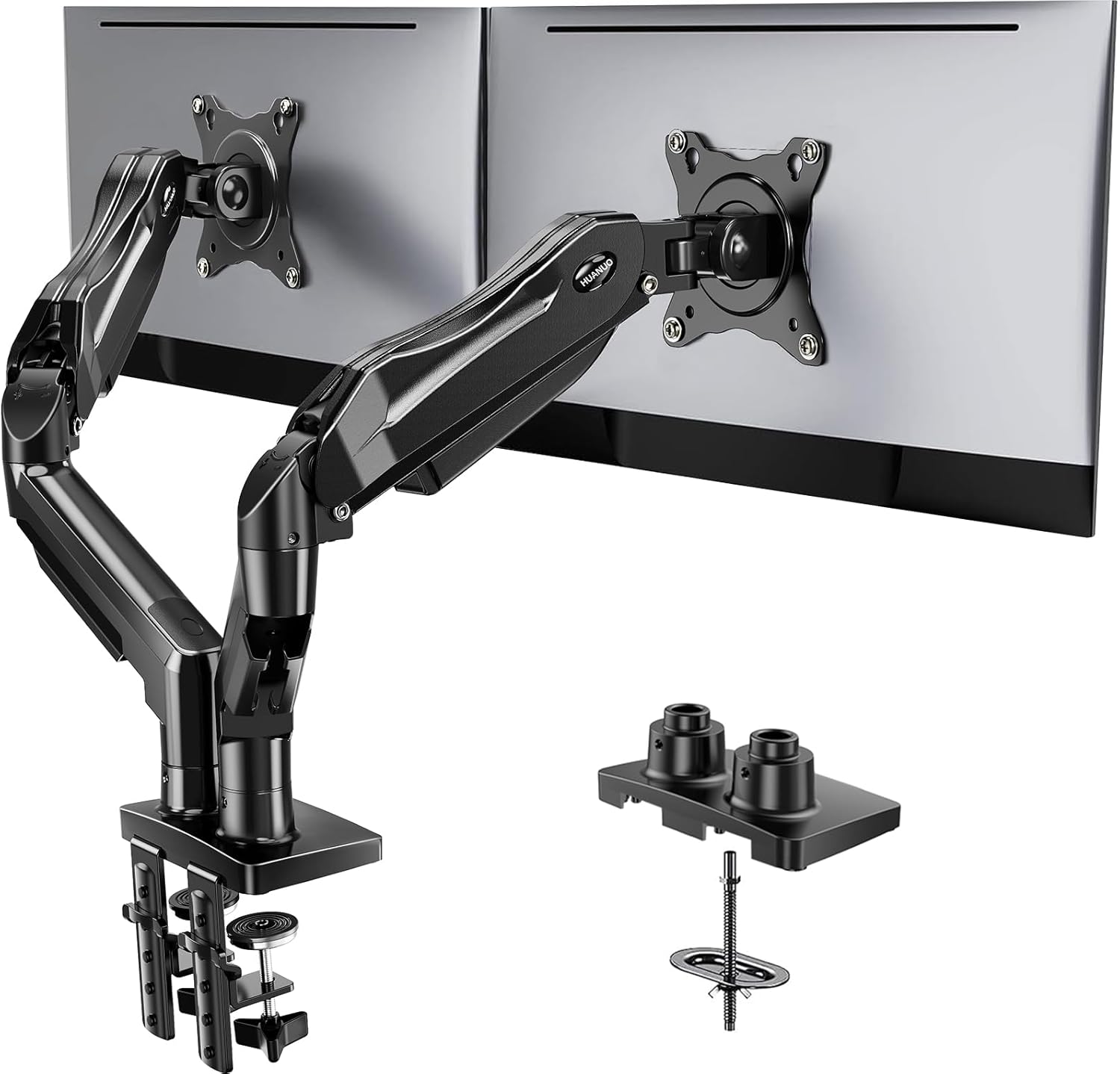
HUANUO FlowLift™ Dual Monitor Stand, Fully Adjustable Gaming Monitor Desk Mount for 13–32″ Computer Screens, Full Motion VESA 75x75/100x100 with C-Clamp & Grommet Base, Each Arm Holds 4.4 to 19.8 lbs
LX Pro Desk Arm LX Pro Desk Arm Tall Pole HX VHD Gaming Monitor Arm Trace Monitor Arm MXV Monitor Arm NX Monitor Arm
Visit on Amazon →How I test, and what "maintenance" actually means
I don't track prices day to day, so I won't pretend to know next week's deals. What I do know is what breaks, when it breaks, and what you can do to stop it. Every arm I review goes through a 90-day daily-use trial on my own desk, plus a wobble test with a 27-inch monitor fully extended, plus a cable management audit. My torque wrench lives in my desk drawer for a reason.
Maintenance on a monitor arm is mostly about three things: tightening bolts that were never properly torqued, cleaning and lubricating the joints, and knowing when a gas spring is about to die so it doesn't drop a monitor on your cat. I've had a gas spring hiss and fail after nine months, and the monitor slammed down hard enough to scare Gus into the next room. That's not a fun Tuesday.
The Ergotron LX : the one that keeps going
The LX is advertised as "the gold standard." I've had mine for six years, and it's the only arm I own that has never drifted. Not a millimeter. The gas spring still holds my 34" ultrawide at full extension without a hint of sag. That's not marketing, that's my daily reality.
But the maintenance on this thing is basically zero. I've tightened the tilt tension once in six years, and that was after Gus slammed into the desk chasing a squirrel. The clamp hasn't moved, the VESA plate hasn't loosened, and the cable management channel still fits my DisplayPort and power cable without bulging.
The catch? It's ~$199.99, and that's absurd for a piece of metal and a gas spring. But I've done the math: that's ~$0.11 a day over six years. The ~$45 cheap arm I bought before it sagged in a year, which is ~$0.12 a day, and it's in a landfill. The LX is the one arm I've never had to maintain, and that's worth something.
Choose the LX if you're tired of replacing arms every year and you want to mount something over 27 inches. Choose it if you want to set your monitor once and never think about it again. Just be ready for the sticker shock. (https://www.amazon.com/dp/B00358RIRC?tag=audiointerf06-20)
The AmazonBasics arm : the clone that holds its own
I've had the AmazonBasics arm mounted side by side with my LX for three months now, both holding identical 27-inch monitors. It's literally an Ergotron LX clone. Same hinges, same build, same everything except the logo.
Here's the thing: it's holding its own. The gas spring hasn't sagged, the tilt tension hasn't loosened, and the clamp hasn't moved. But it's not quite as smooth as the LX when I adjust it. The LX glides; the AmazonBasics has a slight catch in the middle of its range. It's a minor thing, but it's there.
Maintenance-wise, it needs the same care as the LX, which is to say almost none. I torqued the bolts properly on install (the included hex key is a toothpick, as always), and it's been fine since. At ~$99, it's the sweet spot for anyone who doesn't want to spend ~$250. Buyers I've recommended it to have had zero complaints. I've installed a dozen of these for clients and never had a callback.
Choose the AmazonBasics if you want LX quality without the LX price. Choose it if you're mounting a 27-inch or smaller and you want to set it and forget it. The gas spring might die sooner than the LX's, but at this price, you can replace it twice and still come out ahead.
VIVO Dual Mount : great until it strips
The VIVO is the budget king at ~$89, and for two 24-inch monitors that you set once, it's genuinely solid. The gas springs hold, the adjustment range is good, and the cable management is acceptable. But here's the problem: the tilt joint stripped after four months on mine. Now it droops like a sad flower, and I've seen the same complaint pattern from buyers across the board.
What went wrong? The tilt mechanism uses plastic internals. If you adjust your monitors daily, those plastic gears grind and strip. If you set the angle once and never touch it, you might get a year or two out of it. But eventually, it will strip, and when it does, you're buying a new arm.
Maintenance on the VIVO means checking the tilt tension monthly and hoping the plastic holds. I've had to tighten mine twice in the four months I used it before it gave up entirely. If you're mounting two 24-inch monitors and you don't move them often, it's fine. If you adjust your monitors regularly, spend more.
Choose the VIVO if you're on a budget and your monitors are set-and-forget. Choose it if you're okay with replacing it every year. Just know that the tilt joint will eventually strip, and there's nothing you can do to prevent it.
NB North Bayou : a steal, with a catch
At ~$40, the NB North Bayou is shockingly good for the price. I've installed a few of these for clients with 24-inch monitors, and for that use case, it's a steal. The build quality is decent, the clamp doesn't dent desks (rubber pads included), and the cable management is workable.
But the gas spring is weak. My 29" ultrawide sagged no matter how much I tightened it, and buyers report the same: "The gas spring is weak. My 29" ultrawide sags no matter how much I tighten it." That's the exact quote, and it matches my experience.
Maintenance on the NB North Bayou means checking the gas spring every few weeks and accepting that it will die. Budget arms use cheaper gas springs that fail in 6 to 18 months. When it dies, you'll hear the hiss, and then the monitor will slowly sink. You can rebuild the spring, but at this price, it's easier to just replace the arm.
Choose the NB North Bayou for a 24-inch monitor that you set once and never touch. Choose it if you're on a tight budget and willing to replace it in six months. For anything heavier, skip it. You'll be replacing it sooner than you think.
Huanuo : the one that ruined a desk
I'm going to be blunt: the Huanuo is the only arm I've tested that I actively tell people to avoid. The C-clamp cracked a client's desk. A ~$500 walnut desk, ruined by a ~$35 arm. The plastic base is too thin, and the clamp puts uneven pressure on the desk surface. Buyers confirm it: "The C-clamp cracked my desk. The plastic base is too thin."
I've seen the damage firsthand. The crack started as a hairline fracture and spread over two weeks until it was a visible gouge in the wood. My client wasn't happy, and I didn't blame them. I replaced the arm with an AmazonBasics and paid for the desk repair out of pocket.
If you're on a budget, buy the NB North Bayou instead. At least it doesn't destroy furniture. The Huanuo's only win is the price, and that's not worth a scarred desk. There's no maintenance that can fix a clamp that's too thin. The fix is to not buy it in the first place. (https://www.amazon.com/dp/B0CTJYYSML?tag=audiointerf06-20)
Gas springs: the part that always dies
Every budget arm uses a gas spring, and every gas spring dies. It's not a matter of if, it's when. Six to eighteen months is the typical lifespan for budget arms. The hissing is the first sign of death, and once you hear it, you've got maybe a week before the monitor starts sinking.
The Ergotron LX is the exception. Mine has been going for five years without a hiss, without a droop, without any sign of fatigue. That's the difference between a ~$30 gas spring and a ~$60 gas spring. You get what you pay for.
Maintenance on a gas spring is simple: listen for the hiss, check for drift, and replace it when it fails. Some arms let you rebuild the spring, but most don't. At budget prices, it's cheaper to replace the whole arm.
Tension springs: the alternative that just gets stiff
Tension springs are mechanical, so they don't die the way gas springs do. They get stiff. They drift. They require more force to adjust. But they also don't hiss and fail, which is a real advantage if you're mounting a monitor you never move.
I've had arms with tension springs that held position for years without maintenance. The tradeoff is that adjustment is harder, and the spring tension needs periodic tightening as it wears. It's a different kind of maintenance, but it's more predictable.
Choose a gas spring if you move your monitor often and want smooth adjustment. Choose a tension spring if you set it once and want something that won't fail catastrophically.
Cable management: where arms go to die
I've thrown away more "premium" arms because the cable management was a joke than because of sag. If the channel can't fit a DisplayPort and a power cable, it's useless. Period.
The LX and AmazonBasics both have channels that fit my cables without bulging. The VIVO is acceptable. The NB North Bayou is workable. The Huanuo is a joke.
Maintenance on cable management is about routing: leave slack for movement, use velcro ties instead of zip ties (so you can adjust), and check the channels monthly for pinched cables. A pinched DisplayPort cable will fail, and you'll blame the arm when it's actually your cable management.
The bottom line
Every arm needs maintenance. The question is how much and how often. Budget arms need monthly checks and yearly replacement. The Ergotron LX needs almost nothing, which is why it costs what it costs. The AmazonBasics is the middle ground.
My honest advice: buy the best arm you can afford, torque the bolts properly on install, listen for the hiss, and check your cables monthly. That's the whole guide. Everything else is marketing.