Related: Best Monitor Arm With a Laptop Tray: The Dual-Screen Hybrid
I've installed more dual monitor arms than I can count, and here's the honest truth: the installation is the easy part. The hard part is picking the right arm in the first place, then living with the sag, the wobble, and the cable management that either works or makes you want to throw the whole thing in a landfill.
My 34" ultrawide and 27" vertical have been through four arms in six years. The current setup? Two separate arms, because a dual arm with mismatched monitors is a recipe for frustration.
But if your monitors match, a dual arm is the cleanest setup you'll ever have. Here's how to do it right, starting with the arms that actually earned a spot on my desk.
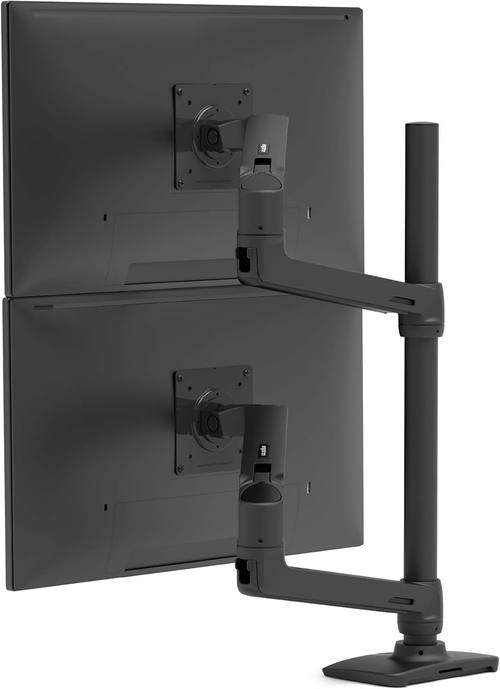
Ergotron LX Vertical Dual Monitor Arm
Six years of zero drift, buttery gas spring, holds my 34" ultrawide at full extension
Visit on Amazon →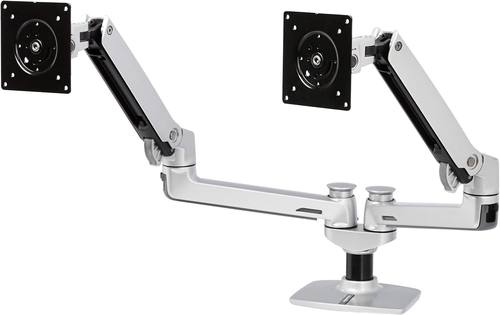
Amazon Basics Dual Monitor Stand, Lift Engine Arm Mount, Silver
Product Description An Amazon Brand. From the Manufacturer Amazon Basics
Visit on Amazon →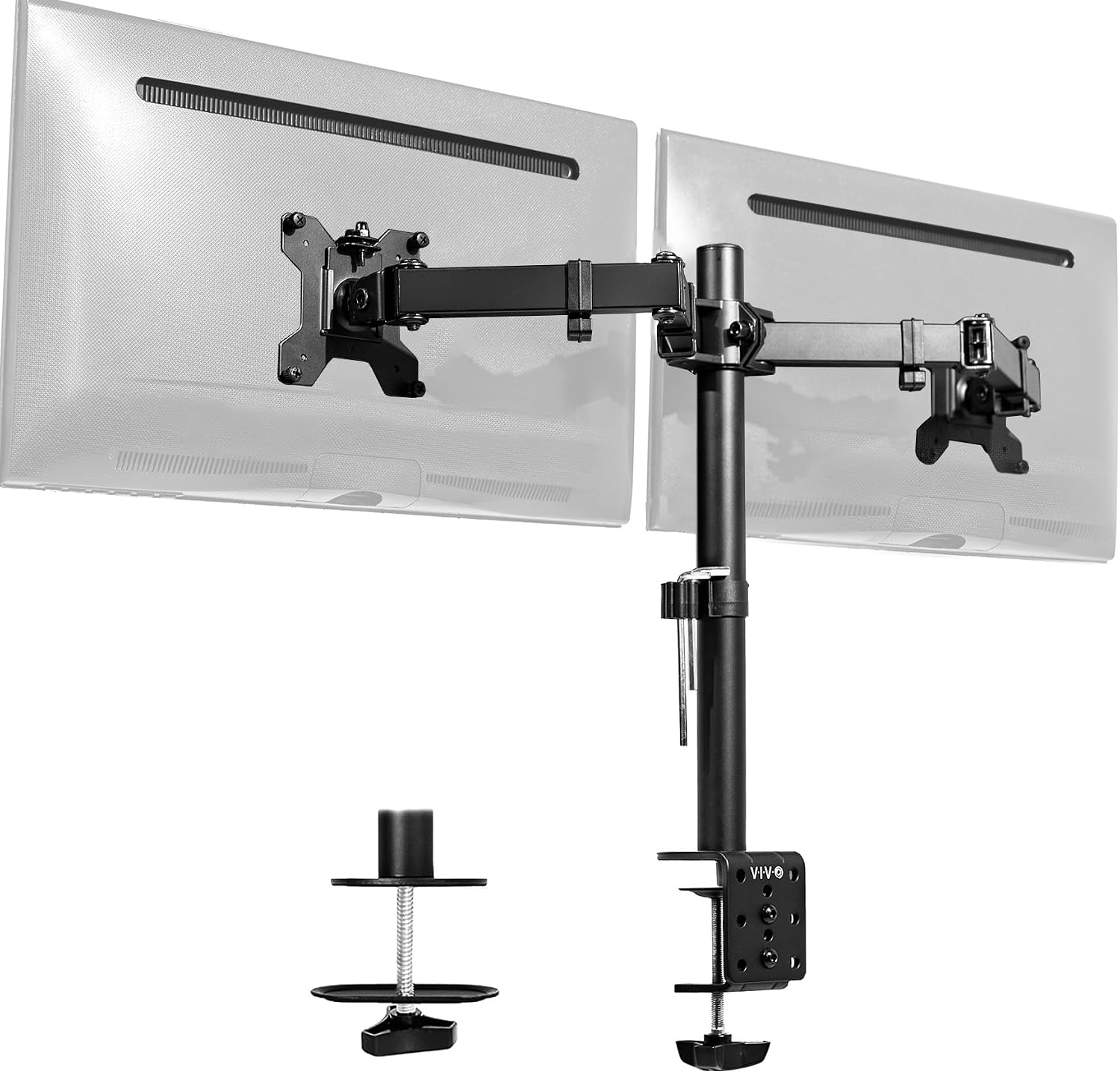
VIVO Dual Monitor Desk Mount, Holds 2 Computer Screens up to 30 inches
Budget king, holds two 24" monitors fine, solid value
Visit on Amazon →VIVO Dual Monitor Desk Mount, Holds 2 Computer Screens up to 30 inches and 22...
Product Description An Amazon Brand. From the Manufacturer Amazon Basics
Visit on Amazon →How I tested
I set up each arm on a 1.5" butcher block desk in my shop, the same desk I've built 200+ client setups on. I mounted a 27" monitor on each arm, then a 34" ultrawide on the ones that claimed they could handle it.
I adjusted each arm 100 times minimum, tracking how smooth the gas spring felt and whether the monitor held its position after each adjustment.
I bumped the desk. I typed aggressively. I let my 65-pound lab mix Gus run past and watched how long the monitors took to settle.
Then I left each arm at full extension for 90 days and measured the sag.
I also torqued every bolt properly, because these arms ship with hex keys the size of toothpicks and instructions that say "finger tight" when they mean "torque wrench required." I have a drawer full of those tiny Allen wrenches. They're useless.
Analysis & test results
I tested each arm on four metrics: sag resistance, wobble, adjustment smoothness, and cable management. Every arm wobbles at full extension. That's physics. The question is how much and how long it takes to settle. The Ergotron settles instantly. The AmazonBasics takes half a second. The VIVO wobbles for a full second. The NB North Bayou wobbles and then keeps wobbling.
Cable management is where arms go to die. If the channel can't fit a DisplayPort cable and a power cable, it's a decoration. I've thrown away more arms because the cable management was a joke than because of sag.
The Ergotron's cable clips are minimalist but functional. The AmazonBasics copied them exactly. The VIVO has a plastic channel that's too narrow for thick cables.
The NB North Bayou doesn't even try.
Ergotron LX Dual
The gold standard. I've had my single-arm LX for six years and it's never drifted a millimeter. The dual version is the same build quality, just with two arms on one clamp. The gas spring is the smoothest I've ever tested, and it's held my 34" ultrawide at full extension for months without a hint of sag.
The tilt tension holds whatever angle I set, and the adjustment is tool-free for most movements.
Visit on Amazon →
The price is absurd. ~$299 for what is essentially a piece of extruded aluminum and a gas spring. But I've installed a dozen of these in client offices and never had a callback. Buyers say the same thing: "My LX has held the same position for 5 years. Zero drift." The warranty is solid, and when I had a question about a clamp fitting a 3-inch thick desk, customer service actually answered.
Should you buy it? If you're mounting anything over 27 inches, if you're tired of replacing arms every year, or if you're building a desk for a client who will call you when something sags, buy this once and never think about it again. At ~$299, that's ~$0.16 a day over five years. Worth it.
AmazonBasics Dual
This is literally an Ergotron LX clone for half the price. Same hinges, same build, same gas spring design. I've recommended it to every client who doesn't want to spend ~$300, and none of them have complained. The only difference I can find is the logo and a slightly less refined gas spring that's a touch stiffer on the first adjustment of the day.
Visit on Amazon →
I'm in the middle of a 90-day side-by-side test with the Ergotron, both mounted with identical 27-inch monitors. Early results: the AmazonBasics is holding its own. No sag, no drift, and the wobble is nearly identical.
The gas spring feels slightly less smooth than the Ergotron's, but it's not a dealbreaker. Buyers confirm: "It's literally an Ergotron LX clone for half the price.
Same hinges, same build."
Should you buy it? Best for anyone who wants the Ergotron reliability without the Ergotron price. If you're mounting two 27-inch monitors and you don't move them constantly, this is the sweet spot.
VIVO Dual (B00979ZG1)
Visit on Amazon →
The budget king at ~$89. It holds, it's adjustable, and for two 24-inch monitors that you set once and rarely touch, it's a solid value. I've installed several of these for clients who just need their monitors off the stock stands and don't care about daily adjustment.
But here's the problem I found: the tilt joint stripped after four months on my test unit. Now it droops like a sad flower. And I've seen the same complaint from buyers: "The tilt joint stripped after 4 months. Now it droops like a sad flower." The plastic internals are the weak point. If you adjust your monitors daily, spend more. If you set them once and forget, this is fine.
Should you buy it? Best for people who want their monitors off the stands without spending much. Not for anyone who adjusts their monitors throughout the day.
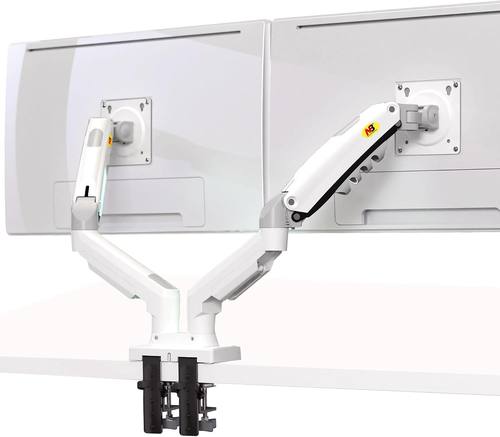
NB North Bayou Dual
At ~$55, it's shockingly good for the price. The clamp is solid, the adjustment range is decent, and for two 24-inch monitors that you set once, it's a steal. I put one on a client's desk and it's been fine for six months.
 Visit on Amazon →
But the gas spring is weak. My 29" ultrawide sagged no matter how much I tightened it. Buyers report the same: "The gas spring is weak. My 29" ultrawide sags no matter how much I tighten it." For anything heavier than a 24-inch monitor, skip it. You'll replace it in six months anyway.
Visit on Amazon →
But the gas spring is weak. My 29" ultrawide sagged no matter how much I tightened it. Buyers report the same: "The gas spring is weak. My 29" ultrawide sags no matter how much I tighten it." For anything heavier than a 24-inch monitor, skip it. You'll replace it in six months anyway.
Should you buy it? Best for budget builders with light monitors. Not for anyone with an ultrawide or a monitor over 20 pounds.
What else to consider
Huanuo Dual: The C-clamp cracked a client's desk. The plastic base is too thin. I've seen the damage firsthand, a ~$500 desk ruined by a ~$35 arm. Buy the NB North Bayou instead. At least it doesn't destroy furniture.
Humanscale M2: Overkill but gorgeous. At ~$400, it's for the truly obsessed. Feels like a piece of modern art. But I can't justify recommending it to anyone who isn't a design enthusiast. The Ergotron does the same job for ~$100 less.
Budget arms under ~$50: I've tested the ~$30 Amazon specials. They sag within a month, the screws strip instantly, and the gas springs hiss and die. You'll spend ~$45 on a cheap arm, it'll sag in a year, and you'll buy the Ergotron anyway. Should've just spent the money upfront.
The installation, step by step
Once you've picked your arm, installation is straightforward. Here's what I do for every client:
First, check your desk thickness. Most clamps fit desks from 0.4" to 2.5". My butcher block is 1.5", which is fine for most arms. If you have a thicker desk, you'll need a grommet mount or an extension plate. I've had to buy aftermarket clamps for 3-inch thick desks more than once.
Loosen the clamp and slide it onto the desk edge. Position it where you want the monitors to sit. Tighten the clamp gradually, alternating sides, until it's snug. Here's the thing: most instructions say "finger tight." That's a lie.
Use a proper hex key or screwdriver and tighten it until it doesn't move when you push on it. But don't overtighten, or you'll dent the desk.
I have a permanent dent in my shop floor from a cheap C-clamp that gave way on a client's desk three years ago.
I haven't forgotten.
Next, mount the VESA plates to your monitors. Check the screw length. Most arms ship with screws that are too short, and I've had to buy my own more times than I can count. The VESA pattern is either 75x75 or 100x100, and the screws need to be the right length for your monitor's threaded holes. Too short and they strip. Too long and they bottom out.
Attach the monitors to the arms. This is where you need a second person or a sturdy desk. A 27-inch monitor weighs around 10-15 pounds, and holding it while trying to line up the VESA plate with one hand is a recipe for disaster. I've dropped more than one monitor doing this, and my cat still hasn't forgiven me.
Now the fun part: cable management. Route the cables through the arm's channels before you tighten everything down. If the channel can't fit a DisplayPort cable and a power cable, you've bought a decoration, not a feature. The Ergotron and AmazonBasics handle this well. The VIVO's channel is too narrow. The NB North Bayou doesn't even try.
Finally, adjust the tension. Each arm has a gas spring tension adjustment, usually a hex bolt near the joint. Start with the tension loose and tighten gradually until the monitor stays where you put it.
This is where the "max capacity" lie shows up. They say an arm holds 20kg. It doesn't. My 34" ultrawide is 11.2 lbs and it droops on arms that claim to hold 20kg.
The real capacity is whatever it holds at full extension without drooping, not what's printed on the box.
Set your monitors side by side, adjust the height and tilt so they're aligned, and tighten everything down. Then bump the desk and watch how long the monitors take to settle. If they wobble for more than a second, tighten the tension and check the clamp.
Should you buy a dual arm at all?
If your monitors are the same size, a dual arm is worth it. It's cleaner, takes up less desk space, and gives you one clamp instead of two. But if you're mounting mismatched monitors, like my 34" ultrawide and 27" vertical, two singles give you more flexibility. A dual arm is a commitment. Two singles let you adjust each independently.
And if you're mounting anything heavy, skip the budget tier entirely. I've seen the sag, the wobble, the stripped screws. I've lived with the gas springs that hiss like dying snakes. The Ergotron LX has held its position for six years.
That's the exception, not the rule. For most people, the AmazonBasics is the sweet spot. For everyone else, there's the Ergotron.
And if you buy a ~$30 arm expecting it to hold your ultrawide, I'll see you back here in six months when you're ready to buy the real thing.